it is a very simple Python script how you can attach a Lakehouse to DuckDB in a Fabric notebook (you can use the same logic for Polars,Daft etc)
it is read only and will create views based on your existing Delta tables, it assumes you are using schemas, but you can edit it for simpler use cases, or if you have a lot of tables, maybe it is more practical just to attach one specific schema.
import duckdb
from glob import glob
def attach_lakehouse(base_path):
    list_tables = glob(f"{base_path}*/*/", recursive=True)
    sql_schema = set()
    sql_statements = set()
    for table_path in list_tables:
        parts = table_path.strip("/").split("/")
        schema = parts[-2]
        table = parts[-1]
        sql_schema.add(f"CREATE SCHEMA IF NOT EXISTS {schema};")
        sql_statements.add(f"CREATE OR REPLACE VIEW {schema}.{table} AS SELECT * FROM delta_scan('{table_path}');")
    duckdb.sql(" ".join(sql_schema))
    duckdb.sql(" ".join(sql_statements))
    display(duckdb.sql("SHOW ALL TABLES").df())
attach_lakehouse('/lakehouse/default/Tables/')
and here is an example
now you can read and joins any tables even from different schemas
Notice Delta support in DuckDB is not very performant at this stage, compared to pure Parquet, but I suspect we will see a massive improvement in the next version 1.1
Was doing an experimentation in a Fabric notebook, running TPCH benchmarks and kept increasing the size from 1 GB to 1 TB, using Spark, DuckDB reading both parquet files and native format, it is not a very rigorous test, I was more interested about the overall system behavior then specific numbers, and again benchmarks means nothing, the only thing that matter is the actual workload.
The notebook cluster has 1 driver and up to 9 executors, spark dynamically add and remove executors , DuckDB is a single node system and runs only inside the driver.
Some observations
When the data fits into one machine, it will run faster than a distributed system, (assuming the engines have the same performance), in this test up to 100 GB , DuckDB Parquet is faster than Spark.
It is clear that DuckDB is optimized for its native file format, and there are a lot of opportunities to improve Parquet performance.
At 700 GB, DuckDB native file is still competitive with Spark, even with multiple nodes, that’s very interesting technical achievement, although not very useful in Fabric ecosystem as only DuckDB can read it.
At 1 TB, DuckDB parquet timeout and the performance of the native file format degraded significantly, it is an indication we need a bigger machine.
Although clearly I am a DuckDB fan, I appreciate the dynamic allocation of Spark resources,Spark is popular for reason 🙂
Yes I could have used a bigger machine for DuckDB, but that’s a manual process and does changes based on the specific workload, one can imagine a world where a single node get resources dynamically based on the workload.
I think the main takeaway, if a workload fits into a single machine then that will give you the best performance you can get.
Edit : to be clear, so far the main use case for Something like DuckDB inside Fabric is cheap ETL, I use it for more than a year and it works great, specially with the fact that single node notebooks in Fabric start in less than 10 seconds.
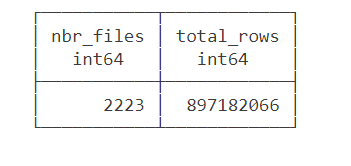
Data source is around 2200 files with a total of 897 Million rows of weird csv files (the file has more columns than the header) , This is a real world data not some synthetic dataset, it is relatively small around 100 GB uncompressed.
The Pipeline will read those files and extract clean data from it using non trivial transformation and save it as a Delta Table.
we used the smallest Compute available in Fabric Notebook which is 4 cores with 32 GB. to be clear this is a real single node (not 1 driver and 1 executor), Although the Runtime is using Spark, All the Engines interact Directly with the Operating system, as far as I can tell, Spark has a very minimum overhead when not used Directly by the Python code.
You need to pick the Engine
Nowadays we have plenty of high quality Calculation Engines, but two seems to gain traction (Polars and DuckDB) , at least by the number of package downloaded and the religious wars that seems to erupt occasionally in twitter 🙂
For a change I tried to use Polars, as I was accused of having a bias toward DuckDB, long story short, hit a bug with Polars , I tried Datafusion too but did managed to get a working code, there is not enough documentation on the web, after that I did test Clickhouse chdb, but find a bug, anyway the code is public, feel free to test your own Engine.
So I ended up using DuckDB, the code is published here , it is using only 60 files as it is available publicly, the whole archive is saved in my tenant (happy to share it if interested)
26 minutes, that’s freaking fast, using Fabric F2, the total cost will be
0.36 $/Hour X(26/60) = 15 Cents
you need to add a couple of cents for Onelake Storage Transactions.
As far as I can tell, this is maybe one of the cheapest option in the Market.
0.36 $/Hour is the rate for pay as you go, if you have a reservation then it is substantially cheaper.
because it is Delta Table Then Any Fabric Engine ( SQL, PowerBI, Spark) can read it.
What’s the catch ?
Today DuckDB can not write directly to Delta Table ( it is coming though eventually) instead it will export data to Delta Lake writer using Arrow Table, it is supposed to be zero copy but as far as I can tell, it is the biggest bottleneck and will generate out of memory errors , the solution is easy ; process the files in chunks , not all at once
#############################################
list_files=[os.path.basename(x) for x in glob.glob(Source+'*.CSV')]
files_to_upload_full_Path = [Source + i for i in list_files]
if len(files_to_upload_full_Path) >0 :
  for i in range(0, len(files_to_upload_full_Path), chunk_len):
    chunk = files_to_upload_full_Path[i:i + chunk_len]
    df=get_scada(chunk)
    write_deltalake("/lakehouse/default/Tables/scada_duckdb",df,mode="append",engine='rust',partition_by=['YEAR'],storage_options={"allow_unsafe_rename":"true"})
    del df
By experimentation, I notice 100 files works fine with 16 GB, 200 files with 32 GB etc
When exporting to Parquet, DuckDB managed the memory natively and it is faster too.
Native Lakehouse Is the future of Data Engineering
The combination of Open table format like Delta and Iceberg with ultra efficient Open Source Engine like DuckDB, Polars, Velox, datafusion all written in C++/Rust will give data engineers an extremely powerful tools to build more flexible and way cheaper data solutions.
if I have to give an advice for young Data engineers/Analysts, Learn Python/SQL.
Would like to thanks Pedro Holanda for fixing some very hard to reproduce bugs in the DuckDB csv reader.
And Ion Koutsouris for answering my silly questions about Delta lake writer.
TL;DR : today you can use a Notebook, for Direct Lake mode you have to wait a bit 🙂
After a long Private Preview, Snowflake Iceberg support is finally available in public preview. I have a personal instance in Azure Australia East and wanted to see how easy it is to read the data using Fabric OneLake, this is just my personal observations and does not necessarily represent my employer views.
Create Iceberg Table In Snowflake
Creating an iceberg table in Snowflake is rather straightforward but I particularly like the Option Base_Location, because it is a human readable name and not an auto generated random GUID (Looking at you Lakehouse Vendor X), locating the table later in Fabric OneLake is very natural.
Use Read Only privilege for extra safety.
The Iceberg Table is read only by third party Engines, so to be extra safe, make sure the account you use to read the data from Azure Storage is read only.
The role selected is Storage Blob Reader
Fabric Lakehouse View
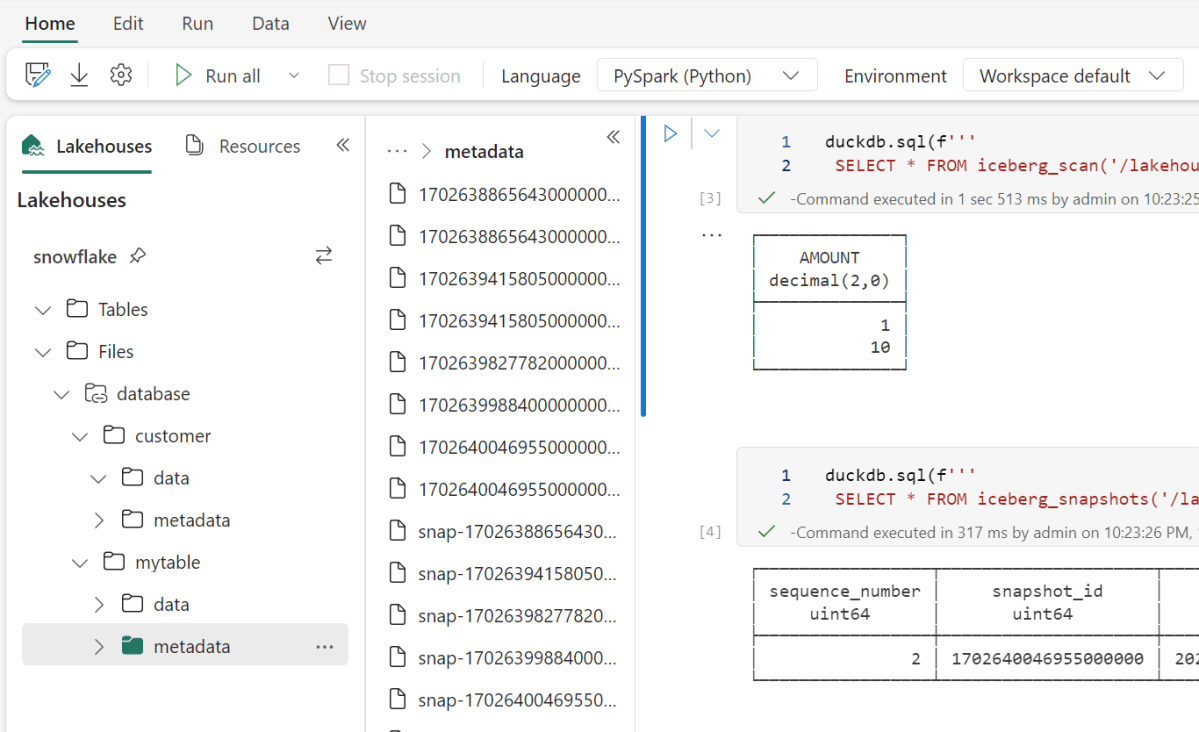
I created a new lakehouse and built a shortcut to my azure storage account, and just like that, I can see the data
How to read Iceberg in Fabric (Officially)
Officially DeltaTable is the only Table format supported in Fabric, but recently Microsoft announced they are a member of OneTable project which is a kind of universal Table format translator, for example if you want to read Iceberg but your engine support only Delta, OneTable will generate a new Delta Table Metadata on the fly and keep syncing new changes ( The Data itself is not rewritten), I tried to install it, but it involve java which is usually something I try to avoid, Looking forward to the official service ( I don’t think there is any public ETA)
Read Iceberg from a Notebook (Unofficially)
Fabric has a notebook , literally you can read anything, Snowflake recommend to use Spark with their catalog SDK, I am not a Spark person, I am more into Python Engines, unfortunately it was not a nice ride, Tried Pyiceberg, Hyper, Databend they all didn’t work for different reasons, luckily DuckDB works out of the box
Snowflake Parquet files are peculiar
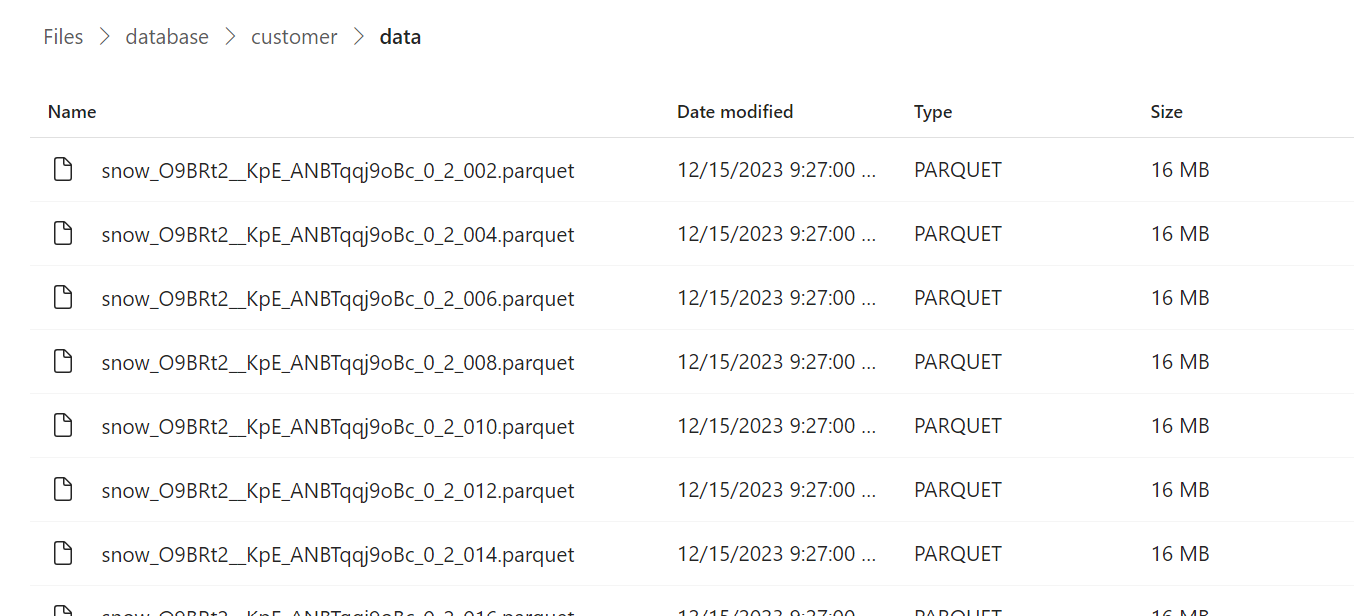
From a couple of big tables I did create, Snowflake seems to generate Parquet files with a fixed size 16 MB
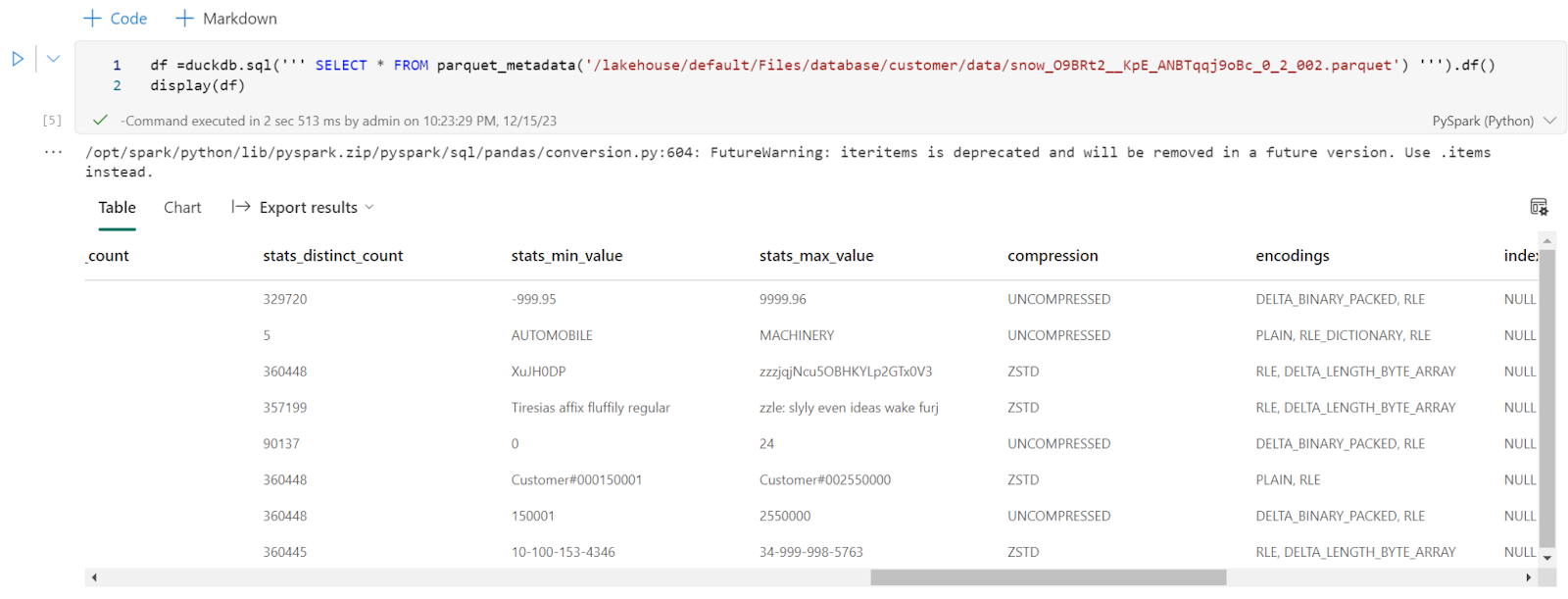
Every file has only one row group, I had a look at the parquet metadata and it seems distinct count stats are generated, ( a lot of engines don’t do it as it is a very expensive operation)
Final Thoughts
That was just a quick look, today you can read Iceberg using Fabric notebook, but it will be interesting to see how PowerBI Direct Lake mode will behave with such a small file size when OneTable is available( hopefully not too far in the future) , I suspect a lot of users of Both PowerBI and Snowflake will be interested to learn more about this integration.