A very quick blog on how to import Delta Table to PowerBI Desktop, probably your first question is why ? doesn’t the new Direct Lake solve that ?
Direct lake assumes the compute to be running all the time, which does not make a lot of sense if you want to reduce your Fabric Bill and you are using pay as you go model.
Import mode has been battle tested since 2009, Direct Lake is still very early tech and will take time to mature.
That’s a side effect of using delta table as the tech for Onelake lakehouse, it does not require a running catalog, the One Security Model will require a running compute of some sort, we don’t know the details but that’s a discussion for another day.
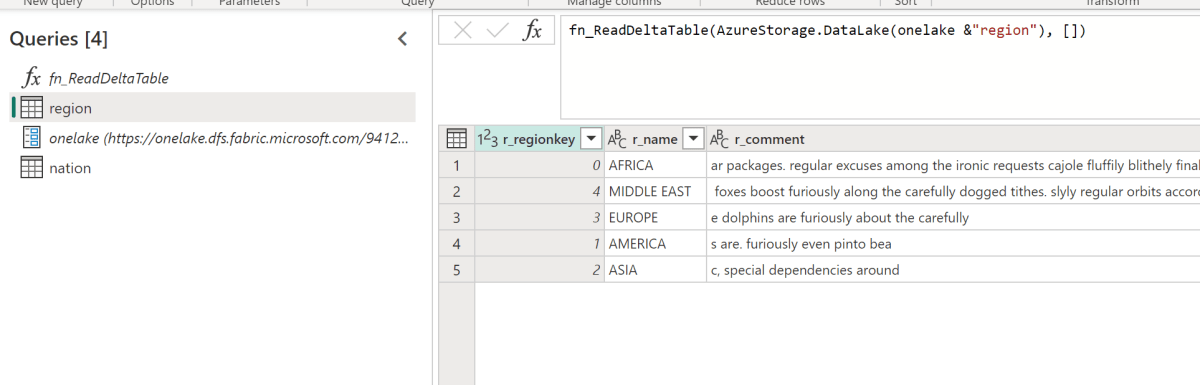
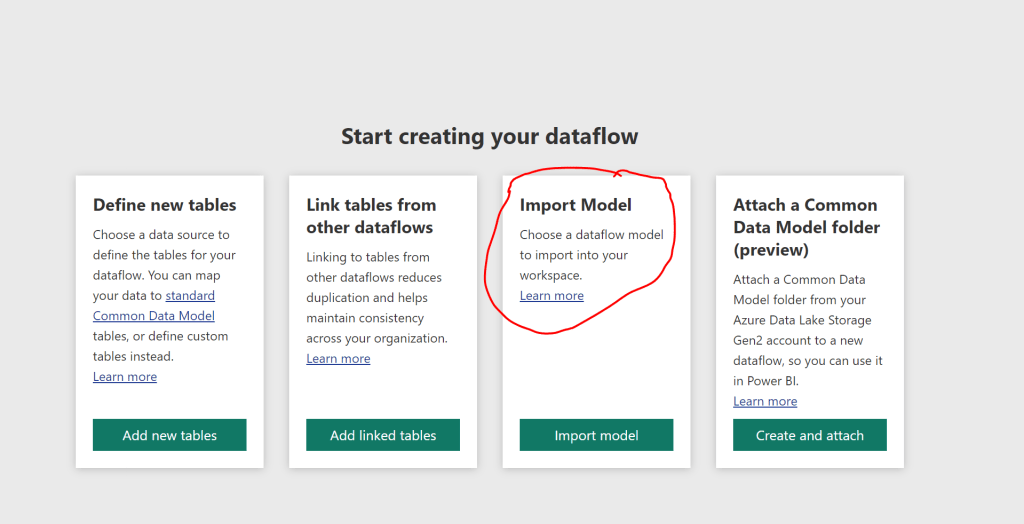
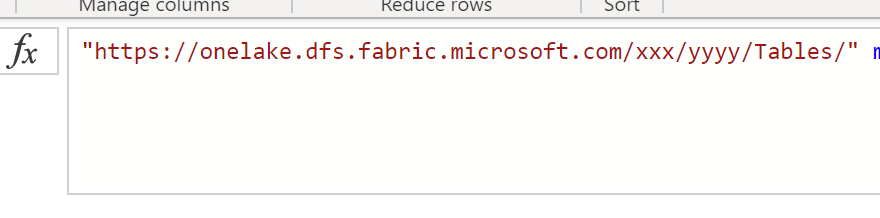
I am using the code from this blog, ( I know, I just copied other people ideas, but at least I give credit ) , to make it easier, I created a simple Dataflow where all you need is just to import the json to your PowerBI workspace and change the parameter for the OneLake URL
WARNING : Don’t use in your desktop, you will be charged for egress fees
Edit :4-sep-2023 : Fabric added supported for single node with started pool, that literally changed the product, I am keeping the blog for “historical” reason 🙂
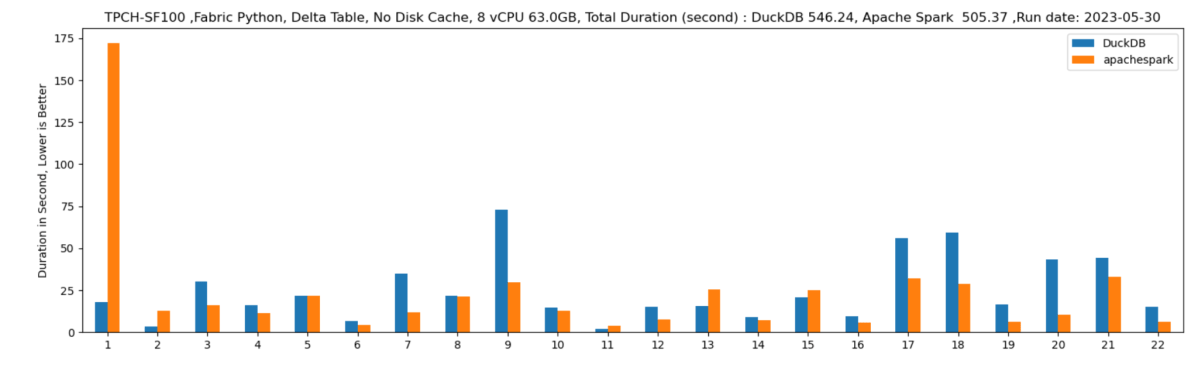
TL:DR; Fabric redefined the meaning of self service Python experience, but I think it is recommended to turn off Serverless compute till we have a knob to configure the maximum number of nodes, Spark for small workload is not very impressive and there are better alternatives. In TPCH-SF100 DuckDB was nearly 10 times cheaper.
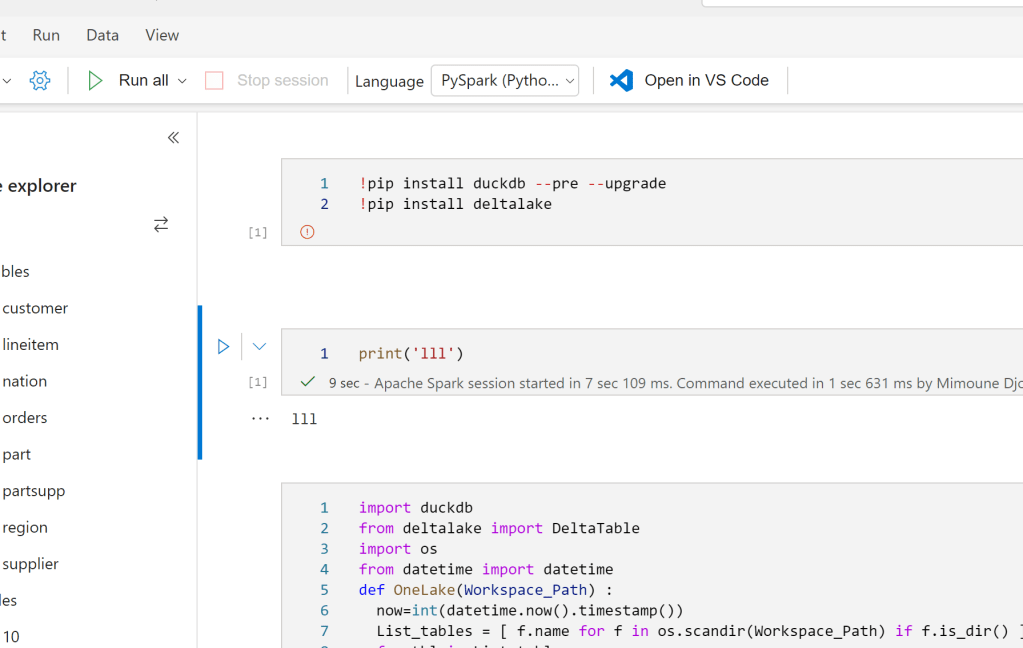
Fabric provide a serverless Python experience, you don’t need to provision anything, you write code and click run
I have to admit, it stills feel weird to open PowerBI and see Notebook in the workspace, maybe this will be the biggest boost to Python in non tech companies,
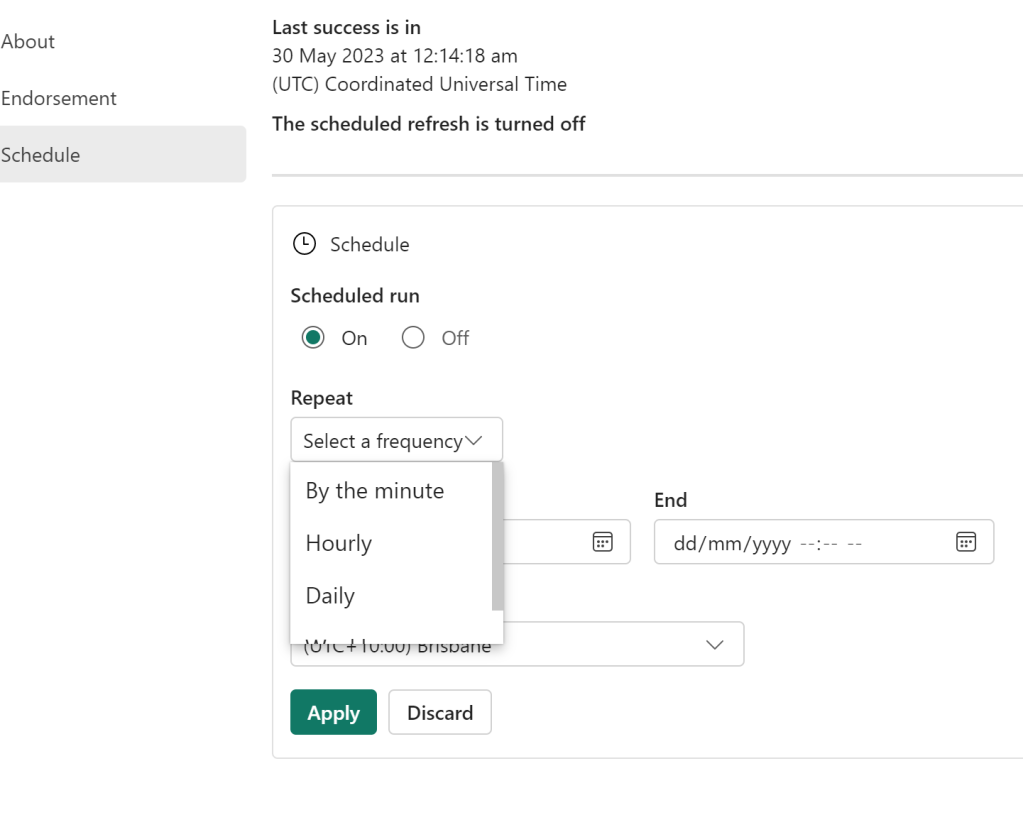
You can actually Schedule a Notebook without writing any code, yep no cron job.
Local Path
Somehow you read and write to OneLake which is an ADLS Gen2 using just local path, it was so seamless that I genuinely thought I was writing to a local filesystem, that’s really great works, it did work with Pandas , Spark obviously and DuckDB, there are bugs though, Delta Lake writer (Python not Spark) generate an error
Default Runtime
Microsoft maintains a massive pool of warm Spark VM, waiting to be called by users, it is pretty much a sub 10 second in my experience
You can build your own cluster but it will not be serverless, and you have to wait for up to 5 minutes. To be honest, I did try it and got an error, it seems the product team is aware of it and will push a fix soon.
Resource management in Spark is weird
DWH are really good at working with multiple users concurrently, you write a Query you send it to the DB you get results back, a DB can accept multiple Queries concurrently and can even put your Query under heavy traffic in a queue. And can return results instantaneously if the queries are the same. As far as I can tell, at least in Fabric, everytime you run a notebook, it will spin up a new Spark compute the sessions are not shared ( it is planned though) and you can’t configure how many vm Spark decided to use, in theory it is handled by the system, I am afraid it is a very problematic decision.
Take for example BigQuery scan mode, it is totally serverless and can use a massive amount of resources, but that’s not an issue for the user, you pay by data scanned, the resource is BigQuery Problem. For Fabric Spark serverless you pay by compute used and there is no way to assign a maximum limit, (it seems it is coming soon,but I believe only what I see) honestly that’s a very strange decision by Fabric product team.
In the trial capacity we have 1 Driver and up to 10 executors, and the clusters are not shared, you can easily consume all your capacity if you have some users that just write some silly code in Python, this is scary.
Testing resources Allocation in Spark Serverless
Spark Serverless assume the Engine will just allocate what’s required, so technically , for a smaller workload it will use only 1 node ( is it 1 driver or 1 driver + 1 executor I don’t know)
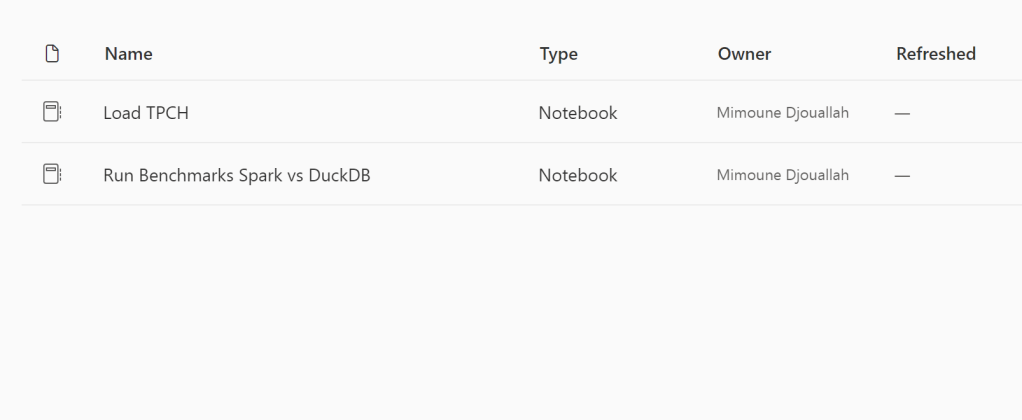
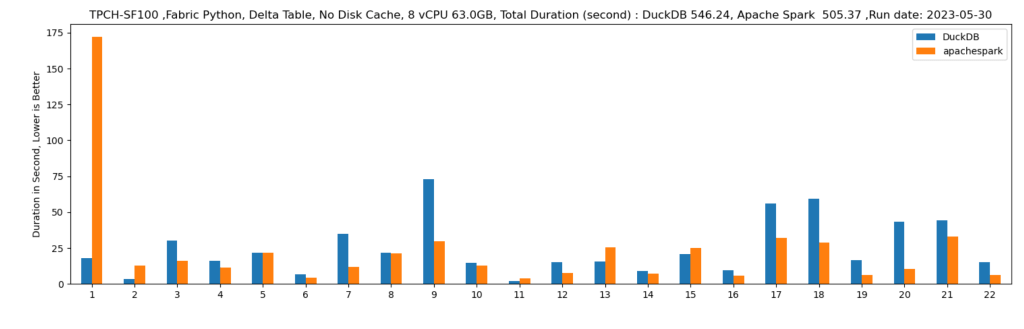
Let’s run some benchmarks and see how it behaves in real life. I generated a TPCH dataset with a scale factor of 100, it is more a less a 100 GB of data not compressed, it is relatively small data and should work just fine in 1 node (8 CPU and 63 GB of RAM). I used DuckDb as a baseline,The code for generating the data and running the benchmarks is shared here
DuckDB : 546 second
Spark : 505 second.
DuckDB is using 1 node, Spark is using 11 Nodes ( 1 Driver and 10 executors)
Parting Thoughts
An option to configure the numbers of nodes is a must have before billing start in the first of July
Why Spark, I am afraid Microsoft is repeating the same mistake of Dedicated Pool, a system designed for very big data but does not work well with sub 1 TB workload, even Databricks the inventor of Spark recognized that and Built the Photon Engine which is in C++, customers will end up paying for JVM bottleneck
Microsoft has already a great experience with Azure ML that uses a single node. Why is it not available now ? it is 2023, There are many options with ultra fast single node Query Engine like Polars, DuckDB, Data fusion etc.
My intuition is Synapse DWH Engine will be a cheaper option here when the offering becomes more mature.
I stand by everything I wrote here, but not all Engines are equal in Fabric.
TL;DR : The hype is real, Microsoft has a new full data stack offering based on a lakehouse architecture with Delta table as a core foundation, it is not a simple marketing exercise but a complete rewrite of storage layer for key component ( DWH, PowerBI etc), The Performance of the New shared disk SQL Engine is competitive with Snowflake, the pricing details were not announced, so some caution is warranted. Vertipaq performance on remote storage is spectacular.
Core architecture
OneLake is a lakehouse architecture based on Open Table Format Delta table, I suspect Microsoft choose Delta table in Azure because of Databricks existing user base,
Open storage format is cool, but there is a problem, from the 4 main Compute Engine (BI, DWH,Kusto and Spark) only Spark supports Delta table, apparently they were very busy at work in the last few years rebuilding the storage layer, and now with the public preview we can have a look at their results.
Self Service Experience
I know it may sound silly, but for me personally ( as a self service enthusiast) the best features released so far.
Onelake Windows client, does not require admin rights to Install
Append or replace in Dataflow Gen2
– Attention to Details in the Lakehouse experience, click to preview Data and another option to see files.
Usually you would think of a Lakehouse as a hard core Engineering thing, Microsoft made it so simple , I was very pleased by loading files directly from the UI.
Edit : we got Fabric activated in our tenant, I quickly created some Delta Table using Python in Fabric and they start showing up in my my OneLake drive, it is just a surreal experience.
First Impression of the Synapse DWH
Probably, you are reading this blog to understand how good the new Synapse DWH is. The short answer : it is very Good. As far as I am concerned, it has nothing to do with the previous generation and maybe they should have not kept the word Synapse at all.( I never liked Dedicated Pool)
It is still in preview, so some functionalities are not available yet, for example, there is no query history, sometimes it get stuck in some queries, but let me tell you this, I have tested quickly maybe more than 10 DWH service, it is the easiest by far (once you get the initial confusion between Lakehouse and DWH)
In Other DWH, I had to load the data first to a cloud storage then run the Queries, with Fabric, the Python notebook is there by default, there is nothing to provision, you just write code.
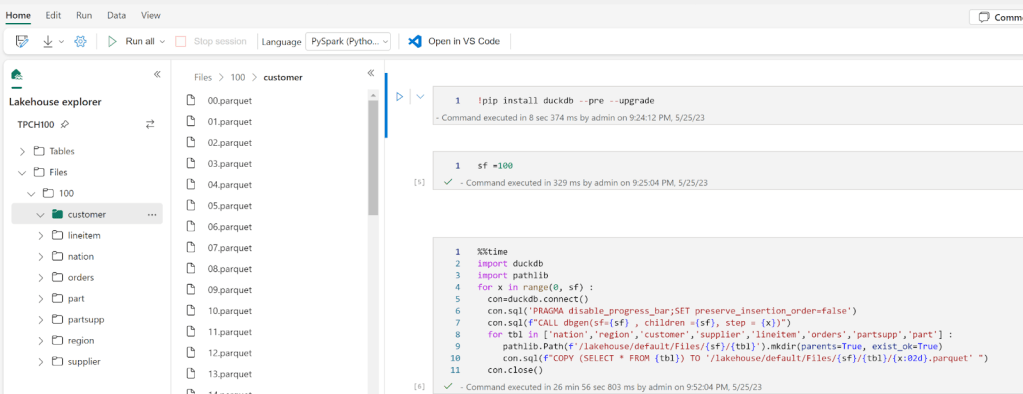
I used DuckDB to generate the Parquet files for TPCH-SF100
Some observations :
I was a bit confused as the notebook just worked without me doing any provisioning.
I am not a huge Spark fan, but with Fabric, it is nearly hidden. All you have to focus on is writing SQL or Pyspark, I like this very much.
The Data was written so fast to OneLake, I thought the Lakehouse was using something like S3 EBS 🙂 it is not, I presume because it is a Microsoft Product, they are getting some spectacular throughput from Onelake.
When you have multiple Lakehouse in the same Workspace, it is not very obvious which LH is active, and using this path ‘/lakehouse/default/Files’ you may end up writing to the wrong LH
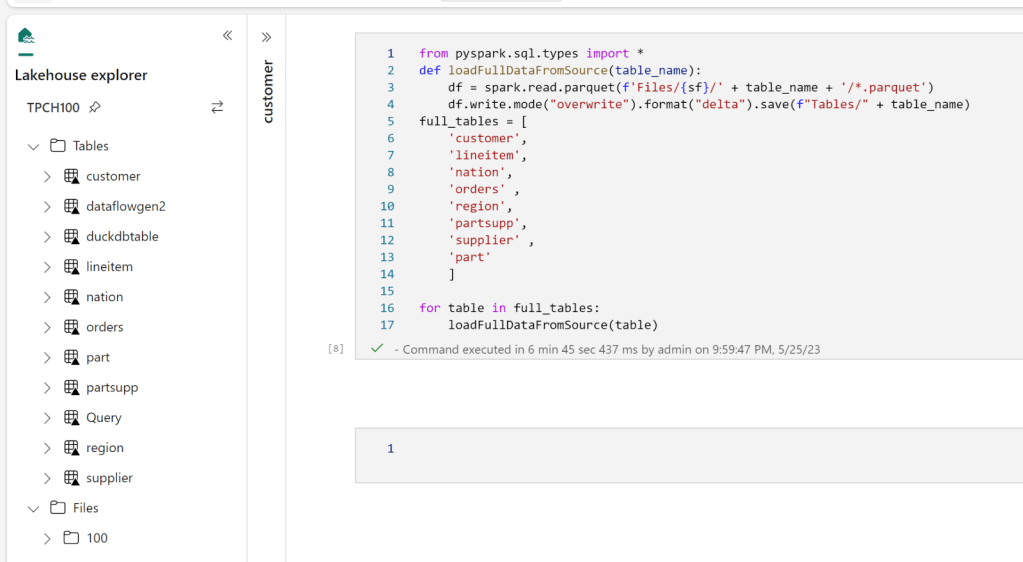
I did not know how to use Copy from files to create Tables in the DWH, so instead I used Pyspark to write Delta tables into the LH
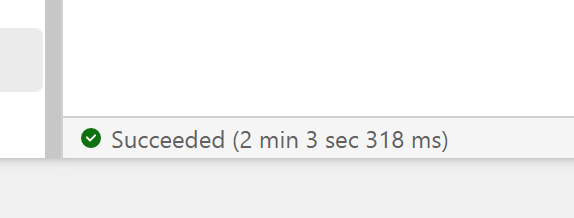
As I said previously, there is no Query History, so i don’t know the duration for every Query, all I can show is the screenshot of the total duration, 2 min
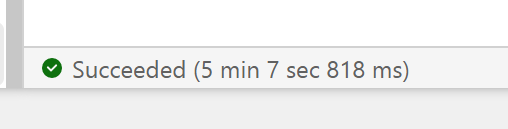
You mileage may vary, for example in another run, I got 5 min
The last run i got this less than 2 min
Snowflake more or less gets around 2 minutes for a cost of 2 $/Hour for the basic edition, I am not sure how much Compute the SQL Engine is consuming so I can’t compare for now, but keep in mind the same workload took Synapse serverless 10 Minutes !!!
Notice here, I did not have to understand anything about Table distribution nor provision any ressources, I think conceptually Synapse DWH is more like BigQuery than Snowflake or Databricks SQL.
Vertipaq Direct lake Mode.
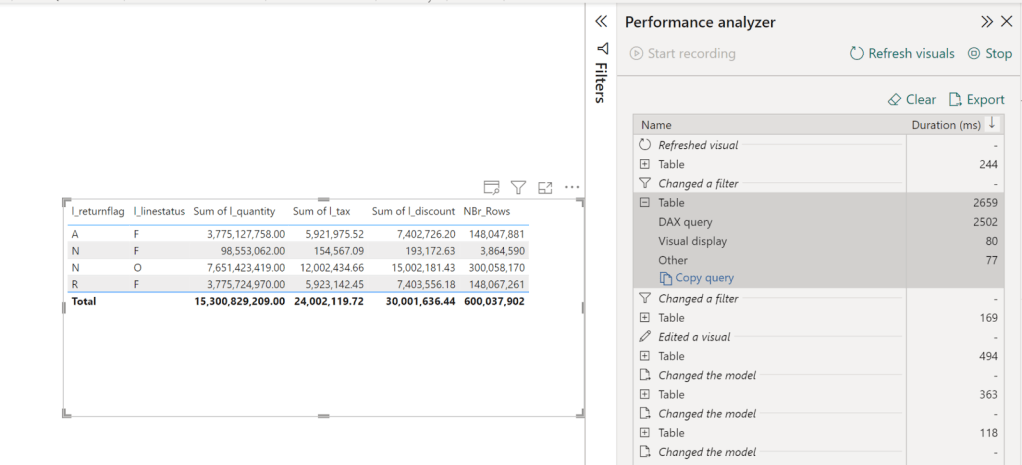
Vertipaq which is the Query Engine for PowerBI got a lakehouse treatment too, traditionally, Vertipaq was a pure in-memory DB, it means, you have to import the data to its proprietary format before doing any analysis, this is all well and good till you have a data that’s bigger than the available memory, this limitation is no more, you can read directly from remote storage, to be honest I was suspicious, to make it worst the first public release of Fabric had a bug that made the performance not that great, I did try it today though with a new update, and all I can say, this is the fastest thing I have seen in my life, 2.6 second for a group by of of a 600 M rows
Some observations :
This is all new, so we don’t have best practise yet, but just my gut feeling, if the data is small enough that it fit your memory, I suspect, import mode is unbeatable, but because with DirectLake mode, we have a separation of storage and compute that open all kind of scenarios for pure logical models ( that’s a book by itself)
It is not because it is fast, you can do anything, I notice a penalty when using very high cardinality columns in relationship, I would have being surprised if it wasn’t
In DirectLake mode, Vertipaq do columns pruning, which was one of the biggest complain about Import mode, now only used column will be loaded from Onelake to the memory
I have not tested it yet, but it seems Vertipaq will pushdown filters to Delta Table and load only required data, I presume it will leverage the Delta log.
Lakehouse + Vertipaq seems like a very attractive pattern that I feel we may even not need DWH at all ( Just trolling the DWH Team or maybe not)
What I did not like
I do have access to Premium so that does not impact me personally, but I did not forget from where I came, Pro is still the only way for a lot of people to use PowerBI and as far as I can tell, Fabric does not mean much for them.
DWH and Lakehouse offering got all the attention for obvious reasons. Microsoft wanted to tell the market they are back driving innovation in the Data space, but I did not hear anything about Datamart’s future, I do believe it is a critical workload to address.
Feature management in Fabric is problematic, only Tenant Admin can turn things on and off, so even if you paid for a capacity, you are at the mercy of the admin. I think with Fabric, capacity admins and workspace admin needs more granular control.Edit, was corrected by Chris , capacity Admin can override Tenant Admin, that’s fantastic decision
Capacity management, I know it is a free trial now and Microsoft is paying for the compute resources, but I think more documentation explaining in a very simple language how resources consumption works, all you need is one user doing something silly and people get the wrong impression.
IMHO, they should have added Logic App with Fabric, a lot of users are not comfortable using a Data Factory for scheduling.
What I really think as a data Enthusiast
Asking a PowerBI dev what he thinks about Fabric is the most boring question ever, of course he/she will be excited, we just got offered a full managed enterprise data stack, how not to be excited, you can bet your career on Microsoft Data stack till AGI got us replaced 😂
But in my free time, I used BigQuery and Looker studio since 2019, I am reasonably familiar with the major DWH offering, I have absolutely no problem with Fabric DWH being the exclusive writer for DWH Delta lake format, what matter is read compatibility with other Engines, it is extremely hard to support multiple concurrent writers from different Engines, especially when you need to add more complex workloads, like heavy write, multi table transaction etc.
What I don’t understand though, why you need the Spark exclusivity for writing to the LH, for a lot of scenarios, I would like to be able to write using the Python API, and not necessarily pay for the Spark JVM inefficiency, I presume the whole point of Onelake is one storage multiple readers, maybe it was just not released yet, and they have a plan, but today it is not very clear.
Just a thought maybe instead of two products DWH and LH, having just one DWH with two Table format (Both Delta tables), something like native vs LH will be an easier option in the long term.
Final Thoughts
Although I knew about Microsoft plan since a year ago, I was very skeptical, I thought it was just too ambitious to be true, Just a week ago, I did not believe the DWH was using Delta table as the storage format, it seemed to me too ambitious, obviously I was wrong, this is an unbelievable technical achievement from the Product team, I think Microsoft just made the concept of Lakehouse ubiquitous.
TL:DR ; Databend is a new Data warehouse vendor, they have a paid Cloud service for Enterprise workload, but offer a full DWH engine as a Python Package, you can download a notebook that uses Cloudflare R2 as a remote storage
Introduction
Note : This Blog is a quick introduction to the Python library and will not review the commercial offering
DWH as a code was first coined by the famous TJ the idea is very simple, you just write a python script to process data interactively from a remote storage, basically in the simplest use case, you don’t necessarily needs a middle man, sorry I meant a DWH, you run an Engine like DuckDB or Polars, and you get your results, Databend push this concept even further with the native support of a custom built lakehouse table format and support for disk cache and even result cache, yes in a notebook, who would have thought that !!!!
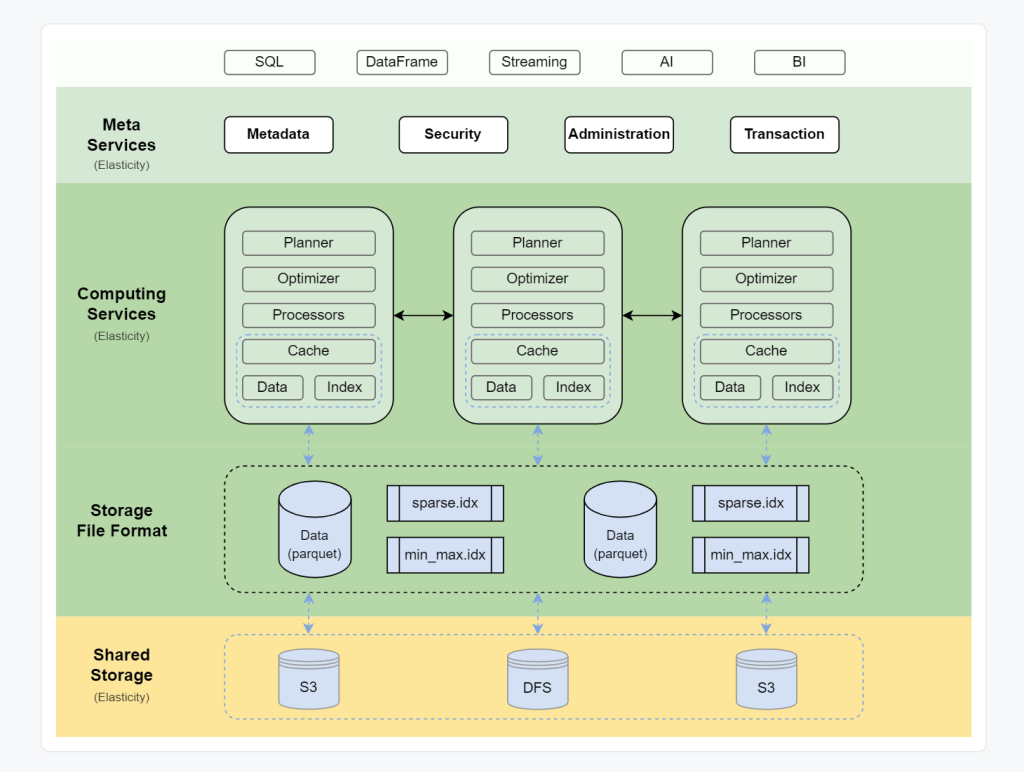
Databend Architecture
Databend architecture is a typical Modern cloud data warehouse, contrary to something like Snowflake, everything is open source
in a notebook environment some layers don’t make much sense, you can install a docker image but that’s not something that interests me.
Setup
I built a Python notebook that generate some data ( using TPCH ) load it to Cloudflare R2, it works obviously with S3, but R2 has free egress fees.
First Run : Directly from remote storage
Disk cache : if the data was already downloaded in the VM of the notebook, it will run locally
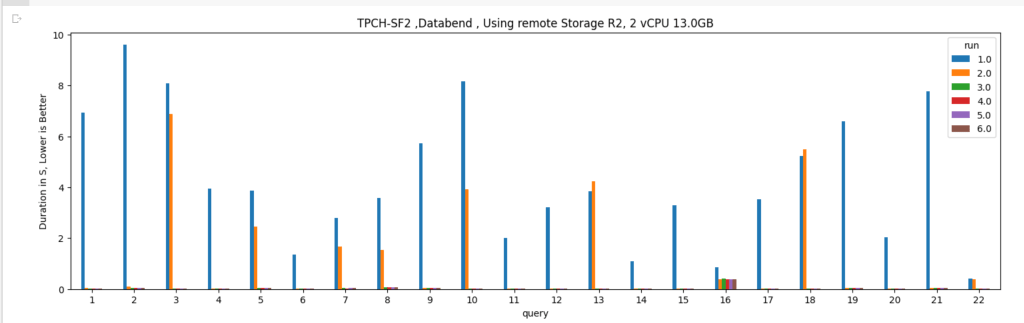
Result cache : if the exact query was run again and the base Table did not change then results are returned in a sub 20 ms !!!
Databend use a native table format called strawboat that looks like Apache Iceberg, you can read the details here, I know probably it is much more complicated than that but in mind, snapshot is an iceberg thing, transaction log is a delta table concept.
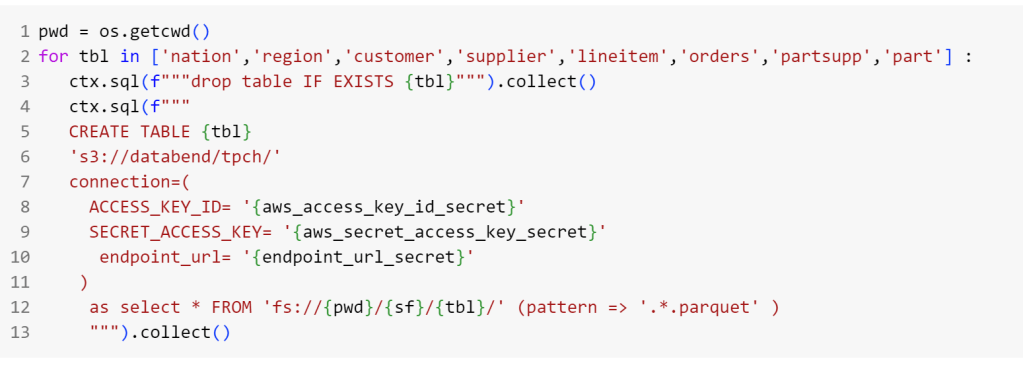
Load Data into R2
I Think databend can’t use “create or replace” syntax, so I had to drop the table if exist then recreated, the syntax is pretty standard, you need only to have R2 credential
Run TPCH Queries
I modified the first Query of TPCH to scan the whole “Linitem” table just to test the disc cache, notice that in Python the disk cache is not on by default and you have to turn it on by passing an environment variable
The same for the result cache,
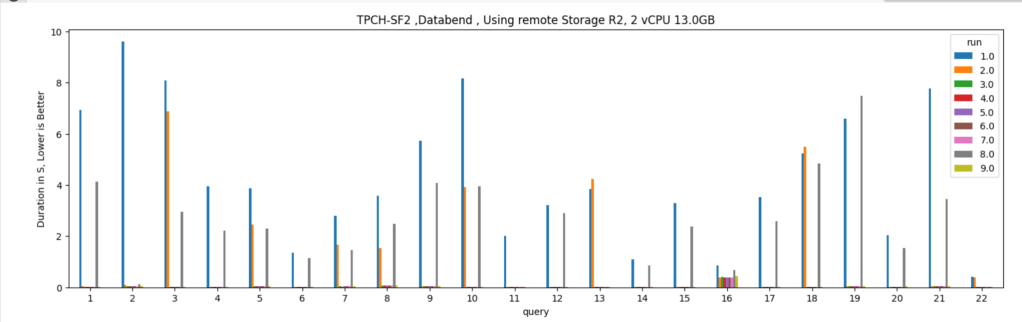
And here are the results. Please note the first run is dependent on R2 throughput and says nothing about Databend performance, you will notice the result cache takes virtually no time.
Cache Invalidation
Just to mess with it, I delete some rows from table “lineitem” and “customer”
which invalidate the result cache and disk cache, and trigger a remote scan, I can’t believe I am writing this about a SQL Engine running from a notebook
Take away
That was just a quick introduction, the python API is still in the early stage for example, the metadata layer is saved locally in the notebook which I think it is not very convenient, the dev said they can do something about, but it is really refreshing to see new startup building new products with new ideas.