Fabric Notebook Virtual filesystem

TL;DR: Fabric notebook uses a very nice functionality by mounting a remote Azure container as a “fake” local filesystem,  this works as the OS Level, for a lot of programs it is just another folder, you can learn more details here 

How it works 

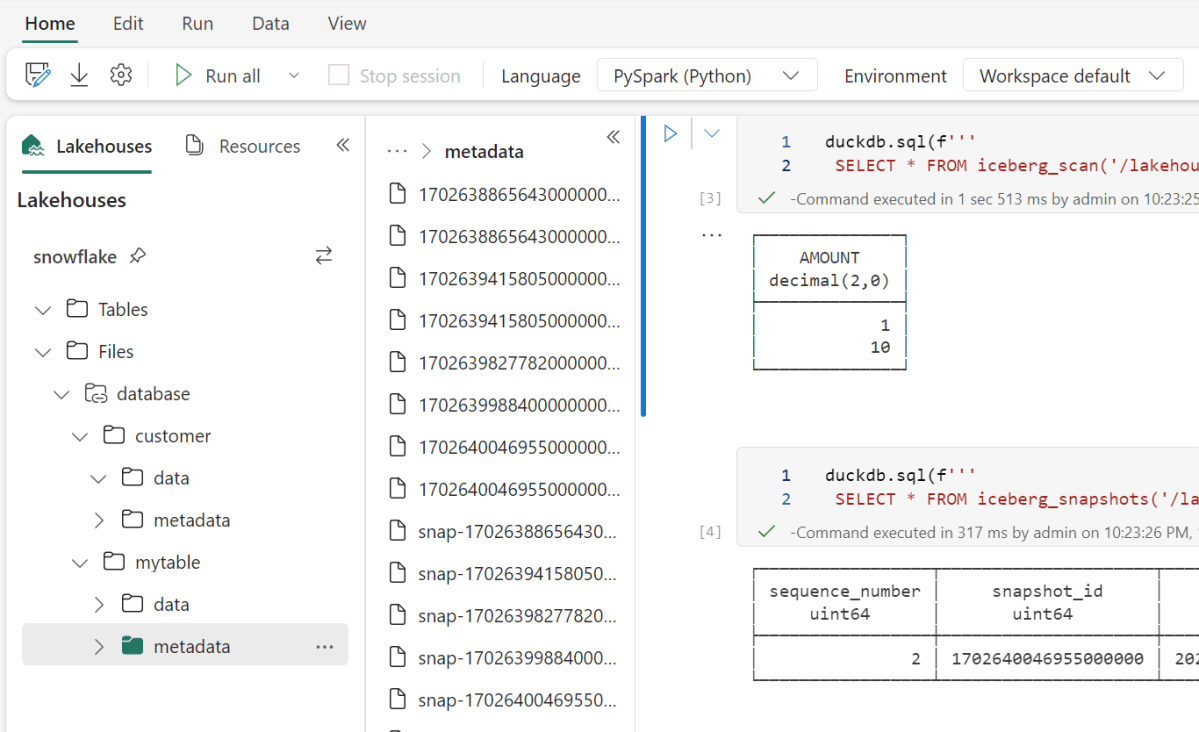
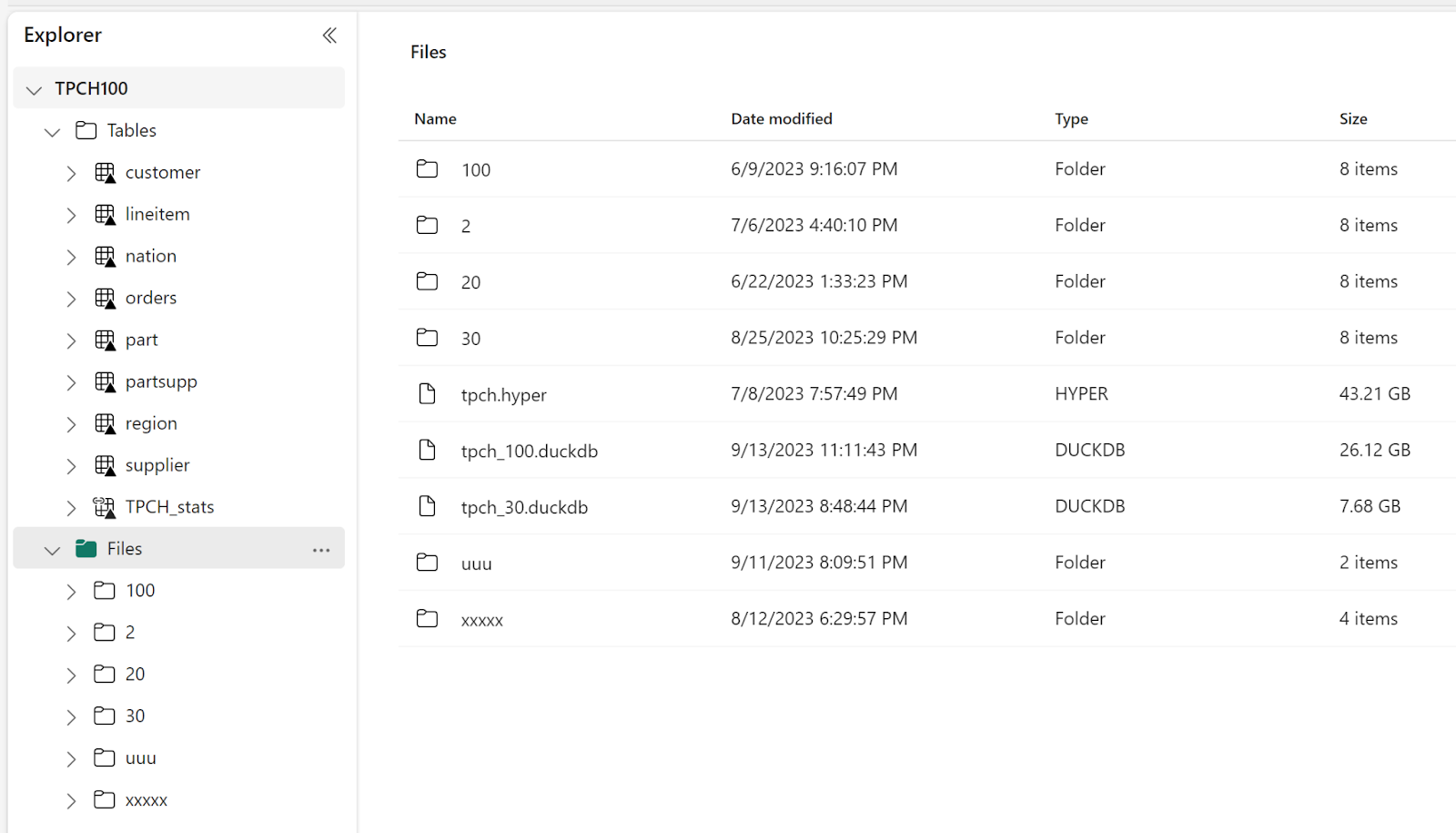
When you mount a Fabric Lakehouse , you get something like this

In the file section, you can store any files, the tables section is special, if you create a Delta Table, Fabric will automatically expose it to all Fabric Engines ( SQL, Vertipaq etc), the data is stored in an azure storage container.

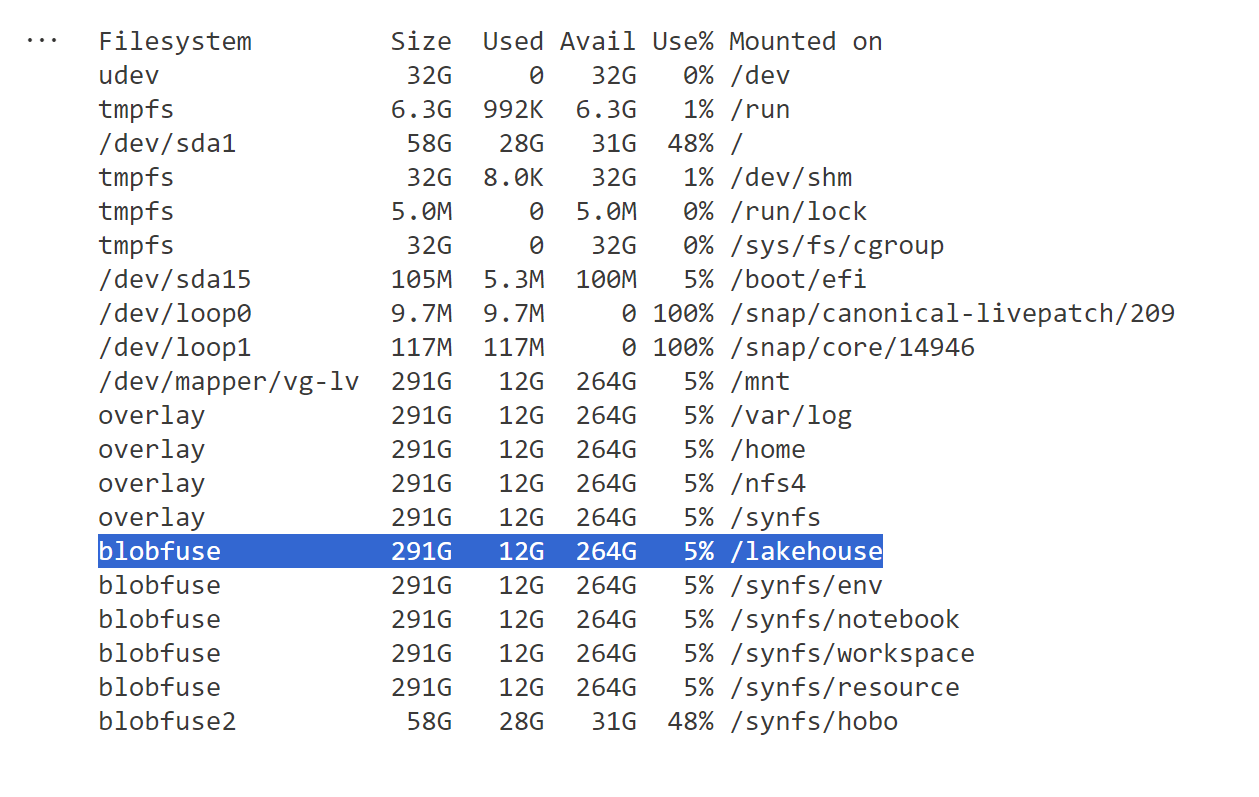
When you run this command in the notebook   !df -h, this is what you get

When a program send a command to delete, read, write etc, the system automatically translate those to an Azure storage API, it is not perfect, it is still not a real local filesystem, but so far it works well specially for read, I tested with 5 different SQL Engines and they all works fine ( DuckDB, Datafusion, databend,Glaredb and hyper) although the performance varied, I noticed that Hyper has some serious performance issues but I understand it may not be a priority for them to fix it 🙂

Writing DuckDB native file format

This one was  very confusing to me when I used it the first time, my understanding; files in a remote storage are immutable, you can create new files or delete but not modify an existing one, but somehow it works.

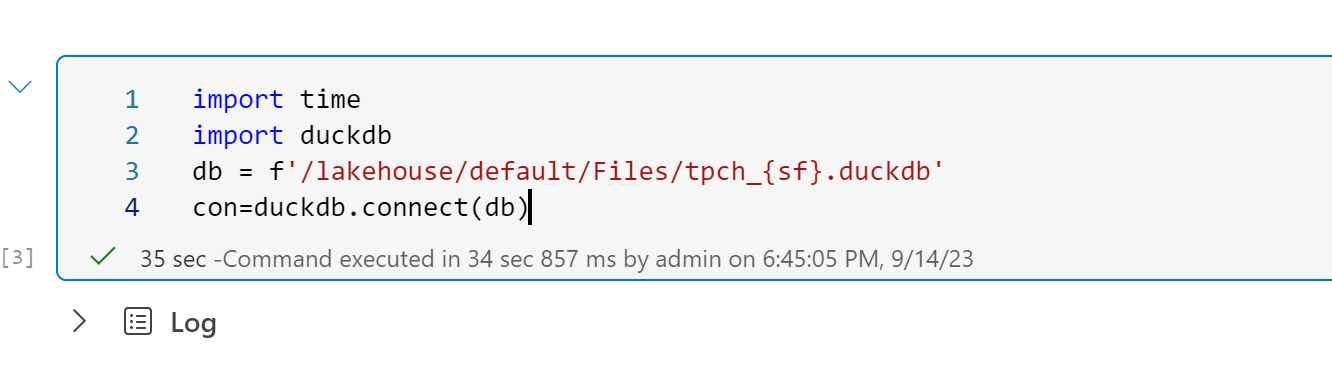
Open a remote DuckDB files in a write mode, the file is 25 GB

35 seconds is still slow, I thought it was supposed to be reading only some metadata !! I think that’s a DuckDB limitation.

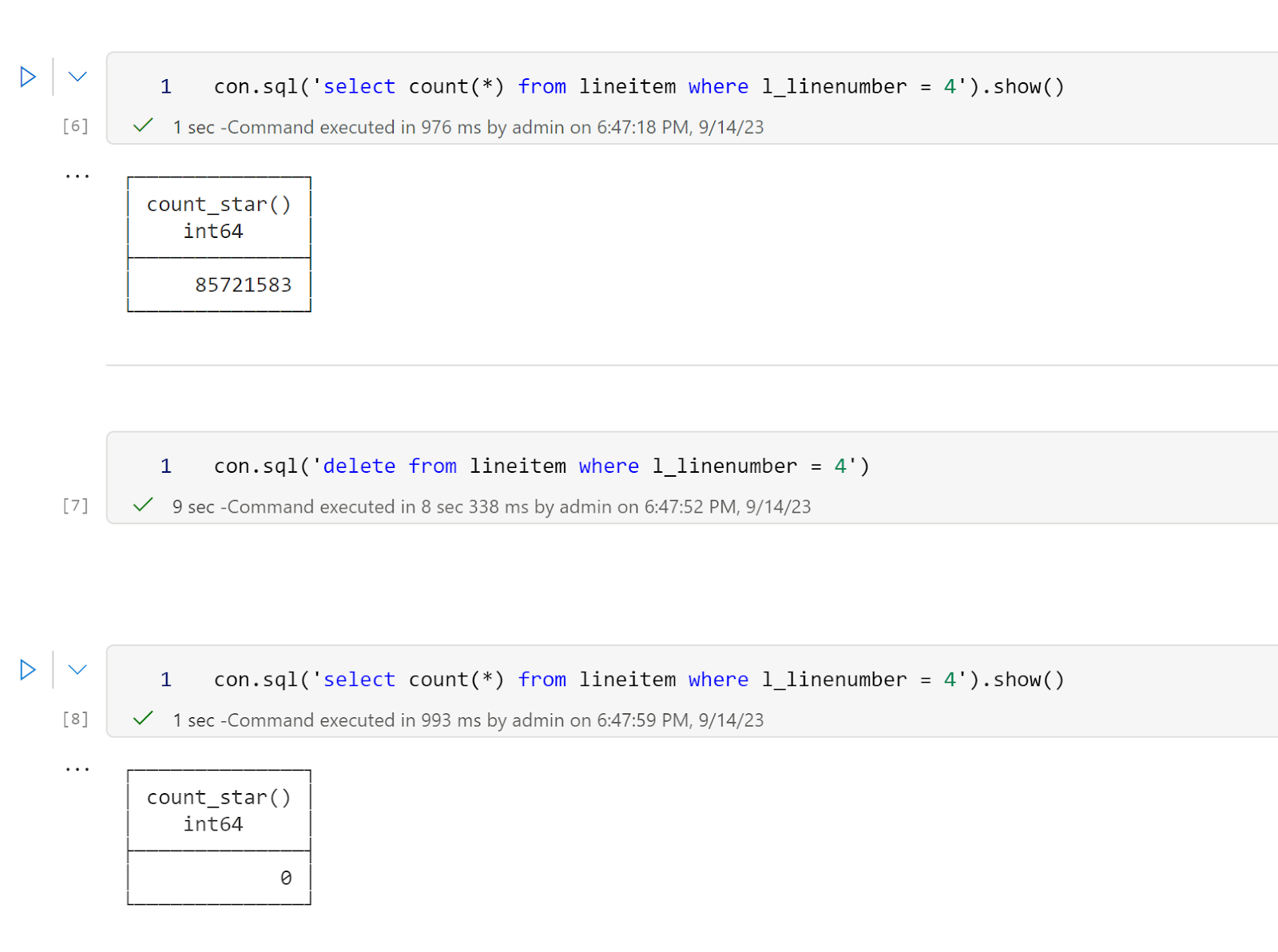
Then I delete a random number from a table, it took 9 second to delete 85 million records ( this is an amazing performance)

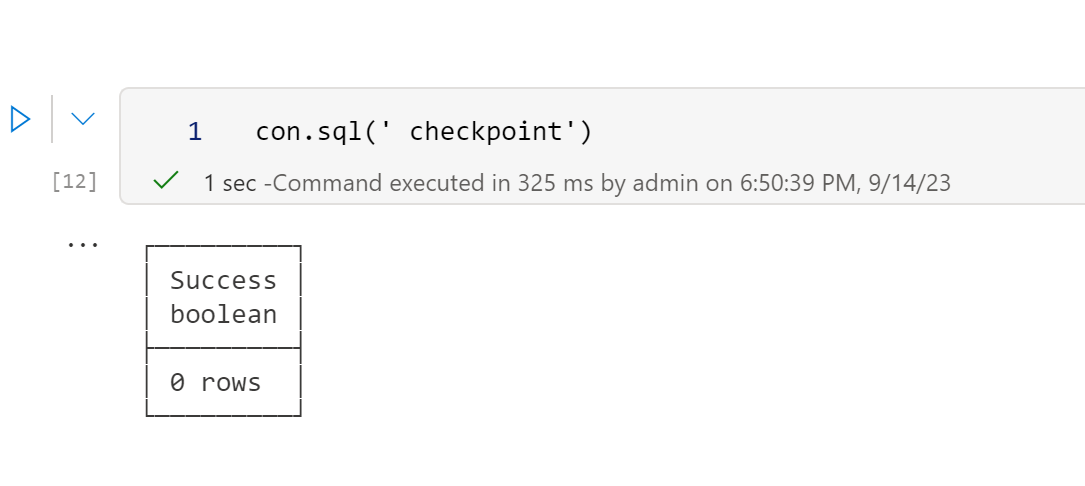
Then I run a checkpoint and it works fine

BlobFuse2 will be a game changer 

Currently Fabric notebook runtime uses BlobFuseV1 For OneLake, which as far as I can tell does not support any cache, although in my experience the  throughput is rather good, it is still an object store and will never reach the speed of an SSD disk, but BlobFuse2 may well be the best thing that happen for Fabric Notebook, it has a native disc cache, and it works at the OS level, every program get a free cache, I hope the product team will upgrade soon.

Develop Python Notebook in your laptop and use Fabric only for Production

TL;DR: wrote my first fabric notebook at work ( download some BOM data) and for some reason, I did find that working first in my laptop using VS code then deploying later in Fabric seemed a more natural workflow to me, maybe working with PowerBI desktop for years has something to do with it, you can download the notebook here

You can  just use pure Python in Fabric Notebook.

Fabric Notebook support Pyspark and R but vanilla Python works just fine, the only big limitation writing to Delta is currently in developpement , but there is a workaround, I created a function that try first to write using Spark, if not available it will write using Delta Python which works fine in my laptop, in that case the code will works in Fabric Notebook without any modification

Why Not PySpark ?

Obviously if you have Pyspark installed in your laptop and you are familiar with the syntax then go for it,  you can even make the argument it is a long term career advantage to be skilful in it, the catch is, I don’t see how I can install it in my laptop and to be honest, I feel DuckDB or pandas for that matter is substantially friendlier to use.

Python is very good to download public Data

I use a Python function to download data from BOM website to  csv files in a  local folder, I copied the same Folder Path as Fabric Lakehouse

I hope the code keeps working, I justed copied some code from the internet and mess with it till it worked, I have no idea how regex is working, and I don’t even want to know

DuckDI API has a vibe of PowerQuery

I used DuckDB to clean the data, you can use Pandas, Polars, Ibis or any library that you like, personally I never liked CTE in SQL, I much prefer step by step logic and seeing the results in every step, and this is exactly what I am doing here

Read everything as a text

Normalize_names will replace empty space with an underscore

All_varchar , will read everything as a text, you can cast the correct type later

DuckDB uses lazy evaluation by default, you need to use show() to see the result

Unpivot Other Columns

Unpivot other columns is one of the coolest feature of PoweQuery, DuckDB has a very nice SQL syntax to do the same

Write the final results as a Delta Table

That’s pretty much the core idea of fabric, if you write your Data into Delta Table then it will be usable by all the Engines, PowerBI, SQL DWH etc

Final Thoughts

The workflow did make sense to me, the only annoying thing is when you import a new notebook in a Fabric workspace it will not overwrite the existing one but create a copy, having the option will be nice.

I can see some advantages for this approach, like if you have a very small SKU and you want to optimize the resource usage, using your laptop for developpement can save you some precious compute, another case maybe if you were not given access to fabric from the admin, showing you have already a working code and you know what you are doing can make the conversation easier.

One thing for sure, users will use fabric in some unexpected ways and that’s just fine.

Fabric as a OS for analytics 

Introduction

Was listening to this short Video (Fabric Espresso: Will Fabric replace Azure Synapse?) and the VP of Synapse described Fabric as the OS for analytics, and I think it is not simply marketing talk but they are into something, This short blog will show that using DuckDB in Fabric maybe a useful scenario.

OneLake Throughput is the unsung hero of Fabric 

I tried to run DuckDB before in the cloud and all the systems I used Google Colab, Cloud functions, AWS Sagemaker etc have the same limitation, The throughput from the remote storage is just too slow, Fabric Onelake which is based on Azure ADLS Gen2 has an amazing throughput see this example

The file size is 26 GB , that’s nearly 433 MB/s, this is simply amazing, as a reference last week I bought one of those cheap USB flash drives and the read speed was 132 MB/s.

DuckDB reading Directly from Remote Storage

DuckDB is very fast when reading from a VM SSD especially when using the proprietary file format, but realistic speaking users in fabric would probably be more interested in reading directly from the Delta table, so I avoided creating another copy with DuckDB storage file.

I  test  two approaches

  • Import the data into Memory and than run the queries
  • Run the queries Directly from OneLake

The script is available here, the main Table is rather small 60 million rows, I am using just 4 cores, and the results are very interesting

32 second to import to Memory this includes decompressing and rewriting the data using DuckDB format (in RAM), but it is done only once.

24 seconds to run the Queries using 4 cores, just to give you an idea , another famous lakehouse vendor when using the same data, The Engine requires 16 cores and finishes the queries in around 40 seconds.

Running the queries directly from OneLake took 58 seconds, I notice though that Query 9 is particularly slow, which usually means a bad query Plan.

I run a profile on that Query and indeed when running directly from Parquet, DuckDB got the join order wrong, as DuckDB ignore the stats when reading from Parquet ( according to the dev, most stats in parquet are wrong anyway)

Note : I use Delta lake package to get the correct list of Parquet files to read, you can read directly from Delta using arrow dataset but it is slower.

Take away

In The medium term, we can imagine Fabric supporting More Engines. There is already some talks about SQL Server (although Parquet is not designed for OLTP, but that’s another subject)  The storage layer which is the foundation for any analytical work is very solid, the Throughput is very impressive, let’s just hope we get a lighter VM to run smaller workloads.

DuckDB currently does not support Buffer pool when reading from remote storage, I am afraid they need to add it. Microsoft supporting Delta has changed the market dynamic and DuckDB can’t ignore it. Parquet alone is not enough, we need those Delta stats for better Query plans.

Save Fabric Delta Tables as DuckDB file

The file section of Fabric Lakehouse is very interesting as although it is a blob storage, somehow behaves more or less like a real filesystem, we leverage that to save all Delta Tables in one DuckDB file

Limitation

  • DuckDB storage format is experimental at this stage and doesn’t offer backward compatibility yet, everytime they upgrade a major version, you have to export the file to parquet and import it back.
  • I am using Python Deltatlake package to read the Delta table, currently it supports only Delta reader version 1, which Microsoft uses, but this may change in a future update of Fabric.

How it works

Install DuckDB and Delta lake, and copy this function

The data will be saved for the current version of the table, old data not removed by vacuum will be ignored.

A note about concurrency

You can have multiple readers using the file at the same time (Using read_only=True), but multiple writers is  not a supported scenario nor 1 Writer and multiple reader, use at your own risk 🙂 Having said that, in the case of 1 writer and multiple reader the worst case scenario is reading inconsistent data 🙂