Reading BigQuery Iceberg Tables in Fabric

This is a quick guide on correctly reading Iceberg tables from BigQuery. Currently, there are two types of Iceberg tables in BigQuery, based on the writer:

BigQuery Iceberg Table

This is the table written using BigQuery engine

Iceberg Tables Written Using the BigQuery Metastore

Currently, only Spark is supported. I assume that, at some point, other engines will be added. The implementation is entirely open source but currently supports only Java (having a REST API would have been a nice addition).

How OneLake Iceberg Shortcuts Work

OneLake reads both the data and metadata of an Iceberg table from its storage location and dynamically generates a Delta Lake log. This is a quick and cost-effective operation, as it involves only generating JSON files. See an example here

The Delta log is added to OneLake, while the source data remains read-only. Whenever you make changes to the Iceberg table, new metadata is generated and translated accordingly. The process is straightforward.

BigQuery Iceberg Doesn’t Publish Metadata Automatically

BigQuery uses an internal system to manage transactions. When querying data from the BigQuery SQL endpoint, the results are always consistent. However, reading directly from storage may return an outdated state of the table.

For BigQuery Iceberg tables, you need to manually run the following command to update the metadata:

EXPORT TABLE METADATA FROM dataset.iceberg_table;

you can run it on a schedule, or make it the last step in an ETL pipeline.

Iceberg Tables Using the BigQuery Metastore (Written by Spark)

If the Iceberg table is written using the BigQuery metastore (e.g., by Spark), no additional steps are required. The metadata is automatically updated.

The interesting part about Iceberg’s translation to a Delta table in OneLake is that it is completely transparent to Fabric workloads. For example, Power BI simply recognizes it as a regular Delta table. 😊
Exploring OpenDal: A Unified Approach to Object Store unstructured data

If you’ve ever worked with Delta tables, for example using delta_rs, you know that writing to one is as simple as passing the URL and credentials. It doesn’t matter whether the URL points to OneLake, S3, Google Cloud, or any other major object store β€” the process works seamlessly. The same applies whether you’re writing data using Spark or even working with Iceberg tables.

However, things get complicated when you try to list a bucket or copy a file. That’s when the chaos sets in. There is no standard method for these tasks, and every vendor has its own library. For instance, if you have a piece of code that works with S3, and you want to replicate it in Azure, you’ll need to rewrite it from scratch.

This is where OpenDal comes in. OpenDal is an open-source library written in Rust (with Python bindings) that aims to simplify this problem. It provides a unified library to abstract all object store primitives, offering the same API for file management across multiple platforms (or “unstructured data” if you want to sound smart). While the library has broader capabilities, I’ll focus on this particular aspect for now.

I tested OpenDal with Azure ADLS Gen2, OneLake, and Cloudflare R2. To do so, I created a small Python notebook (with the help of ChatGPT) that syncs any local folder to remote storage. It works both ways: if you add a file to the remote storage, it gets replicated locally as well.

Currently, there’s a limitation: OpenDal doesn’t work with OneLake yet, as it doesn’t support OAuth tokens, and SAS tokens have a limited functionality ( it is by design, you can’t list a container for example from OneLake)

You can download the notebook here

Here’s an example of how it works:

you need just to define your object store and the rest is the same, list, create folder, copy, write etc all the same !!! this is really a very good job

you can see the presentation but it is too technical to my taste πŸ™‚ https://www.youtube.com/watch?v=eVMIzY1K5iQ

Local folder :

Cloudflare R2:

Fabric for Small Enterprises

While experimenting with different access modes in Power BI, I thought it is maybe worth sharing as a  short blog to show  why the Lakehouse architecture offers versatile options for Power BI developers. Even when they use Only Import Mode. 

And Instead of sharing a conceptual piece, perhaps focus on presenting some dollar figures πŸ™‚

Scenario: A Small Consultancy

According to local regulations, a small enterprise is defined as having fewer than 15 employees. Let’s consider this setup:

  • Data Storage: The data resides in Microsoft OneLake, utilizing an F2 SKU.
  • Number of Users: 15 employees.
  • Data Size: Approximately 94 million rows.
  • Pricing Model: For simplicity, assume the F2 SKU uses a reserved pricing model.

Monthly Costs:

  • Power BI Licensing: 15 users Γ— 15 AUD = 225 AUD.
  • F2 SKU Reserved Pricing: 293 AUD.
  • Total Cost: 518 AUD per month.

ETL Workload

Currently, the ETL workload consumes approximately 50% of the available capacity.

 For comparison, I ran the same workload on another Lakehouse vendor. To minimize costs, the schedule was adjusted to operate only from 8 AM to 6 PM. Despite this adjustment, the cost amounted to:

  • Daily Cost: 40 AUD.
  • Monthly Cost: 1,200 AUD.

In contrast, the F2 SKU’s reserved price of 293 AUD per month is significantly more economical. Even the pay-as-you-go model, which costs 500 AUD per month, remains competitive.

Key Insight:

While serverless billing is attractive, what matter is how much you end up paying per month.

For smaller workloads (less than 100 GB of data), data transformation becomes commoditized, and charging a premium for it is increasingly challenging.

Analytics in Power BI

I prefer to separate Power BI reports from the workspace used for data transformation. End users care primarily about clean, well-structured tablesβ€”not the underlying complexities.

With OneLake, there are multiple ways to access the stored data:

  1. Import Mode: Directly import data from OneLake.
  2. DirectQuery: Use the Fabric SQL Endpoint for querying.
  3. Direct Lake Model: Access data with minimal latency.
  4. Composite Models: All the above ( this is me trying to be funny) 

All the Semantic Models and reports are hosted in the Pro license workspace, Notice that an import model works even when the capacity is suspended ( if you are using pay as you go pricing)

The Trade-Off Triangle

In analytical databases, including Power BI, there is always a trade-off between cost, freshness, and query latency. Here’s a breakdown:

  • Import Mode: Ideal if eight refreshes per day suffice and the model size is small. Reports won’t consume Fabric capacity (Onelake Transactions cost are insignificant for small data import)
  • Direct Lake Model: Provides excellent freshness and latency but will probably impacts F2 capacity, in other words, it will cost more.
  • DirectQuery: Balances freshness and latency (seconds rather than milliseconds) while consuming less capacity. This approach is particularly efficient as Fabric treats those Queries as background operations, with low consumption rates in many cases. Looking forward to the release of Fabric DWH result cache. 

Key Takeaways

  1. Cost-Effectiveness: Reserved pricing for smaller Fabric F SKUs combined with Power BI Pro license offers a compelling value proposition for small enterprises.
  2. Versatility: OneLake provides flexible options for ETL workflows, even when using import mode exclusively.

The Lakehouse architecture and Power BI’s diverse access modes make it possible to efficiently handle analytics, even for smaller enterprises with limited budgets.

TPC-DS 100GB with Only 2 Cores and 16 GB of RAM

As the year comes to a close, I decided to explore a fun yet somewhat impractical challenge: Can DuckDB run the TPC-DS benchmark using just 2 cores and 16 GB of RAM? The answer is yes, but with a caveatβ€”it’s slow. Despite the limitations, it works!

Notice; I am using lakehouse mounted storage, for a background on the different access mode, you can read the previous blog

Data Generation Challenges

Initially, I encountered an out-of-memory error while generating the dataset. Upgrading to the development release of DuckDB resolved this issue. However, the development release currently lacks support for reading Delta tables, as Delta functionality is provided as an extension available only in the stable release.

Here are some workarounds:

  1. Increase the available RAM.
  2. Use the development release to generate the data, then switch back to version 1.1.3 for querying.
  3. Wait for the upcoming version 1.2, which should resolve this limitation.

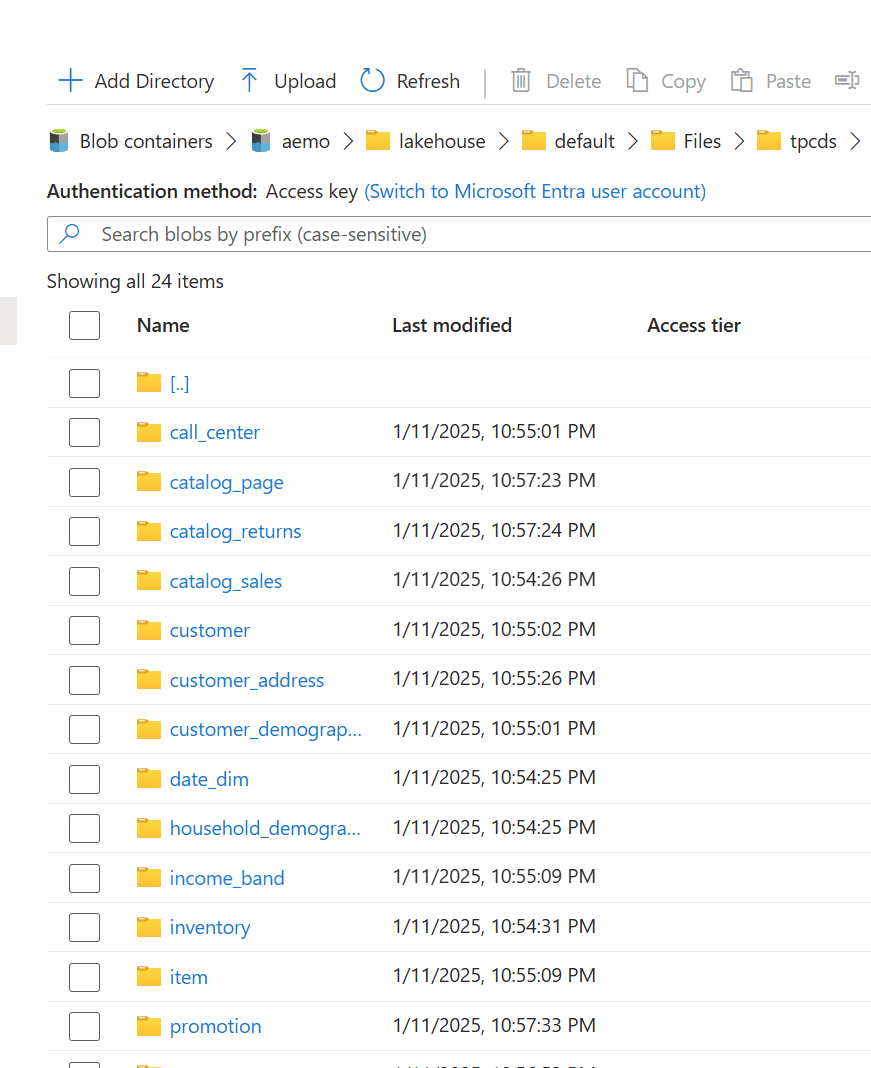
The data is stored as Delta tables in OneLake, it was exported as a parquet files by duckdb and converted to delta table using delta_rs (the conversion was very quick as it is a metadata only operation)

Query Performance

Running all 99 TPC-DS queries worked without errors, albeit very slowly( again using only 2 cores ).

I also experimented with different configurations:

4, 8, and 16 cores: Predictably, performance improved as more cores were utilized.

For comparison, I ran the same test on my laptop, which has 8 cores and reads my from local SSD storage, The Data was generated using the same notebook.

Results

Python notebook compute consumption is straightforward, 2 cores = 1 CUs, the cheapest option is the one that consume less capacity units, assuming speed of execution is not a priority.

  • Cheapest configuration: 8 cores offered a good balance between cost and performance.
  • Fastest configuration: 16 cores delivered the best performance.

Interestingly, the performance of a Fabric notebook with 8 cores reading from OneLake was comparable to my laptop with 8 cores and an SSD. This suggests that OneLake’s throughput is competitive with local SSDs.

Honestly, It’s About the Experience

At the end of the day, it’s not just about the numbers. There’s a certain joy in using a Python notebookβ€”it just feels right. DuckDB paired with Python creates an intuitive, seamless experience that makes analytical work enjoyable. It’s simply a very good product.

Conclusion

While this experiment may not have practical applications, it highlights DuckDB’s robustness and adaptability. Running TPC-DS with such limited resources showcases its potential for lightweight analytical workloads.

You can download the notebook for this experiment here: