Planning and Project Management – What is Missing

Can you imagine using Twitter in the world of Construction – I can! Read on..

Recently, it has hit me, just how poor our project management world is. The ability to clearly communicate and understand what is occurring on a project appears completely lost. Planners have absolutely amazing schedules (I do believe this), cost engineers have incredible detail about the cost build ups sliced and diced every which way, our document management systems are full with every manner of communication – BUT we are still left sitting in meetings where everyone is confused with various key information either not available, or buried inside someone own excel file, bounced off 100 emails threads, or a million other permutations.

Issue – Visibility into our Projects Sucks

Why has this happened? In my view, our leadership teams have failed at pushing good practices of project management. Leadership teams have transitioned from “manage the work” to “manage the people” (thank you Edin M for this quote).

Solution – Get Back to Basics

OpenProj_01

Project Management is task management (you can argue, but even all the new people management issues – are still tasks and can be managed in the same way).

We are building something – lets focus on the activities required to build (and engineer, and contract and procure). All the activities that exist in our Primavera schedules! We need these activities front in center and OWNED by project management. Honestly, how can we even have a management discussion and NOT have the schedule front and center. The schedule says what we should be working on, the schedule says when we should finish something, the schedule says what comes next!

I believe that schedules have been forgotten in project management because they are too unwieldy, to abstract, can only be run by P6 jockeys and not the project at large. We need to get our schedules into the hands of those that actually manage the scope.

In the past, our leadership were more in-tuned to schedules and this synergy was easier. However i fear in today’s world, our leadership have lost the tools and dealing with our schedules (no thanks to our reliance on antiquated tools like P6 that perpetuate the need for designated planning teams to operate the software in pure isolation to the real PM teams).

Issue – We need better Project Management tools.

Answer – They exist everywhere!

Commercially built, off the shelf project management software has risen to be one of the dominant fields of software development. The construction world needs to embrace the tools and get back to basics. It is odd in that 20 years ago, the leaders in project management was the construction world. However, when the technology world sprung up, they didn’t have the knowledge we did, so they built their own tools and approaches. I now believe the tide has turned to the point construction project management now severely trails the rest of the business world.

So How Does This Work?

First, the corporate strategy teams need to decide on a platform (hint – USE JIRA).

JIRA Quick Demo

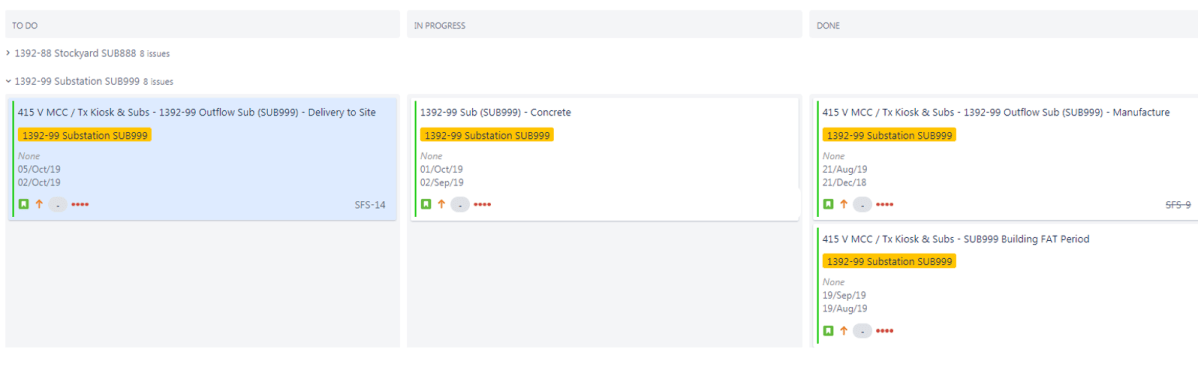
Here is an example of a JIRA typical managemetn page using JIRA.
JIRA_01

This is a short quick example of some substation work. I have populated JIRA with a few activities that might mirror what you currently manage inside your existing schedule. The difference here is that these activities are not updated by a planner, they are activity managed.

This process to push the ownership of schedule tasks to those that actually manage and deliver the scope is where immense value can be gained. Additionally, each activity allows for commentary and discussion. The ability to insert comments and discuss an activity or its relationships with other activities also brings teams together an allows for a focus on touch points to be activity managed.

OpenProject.org Example

However, really the choice of software isn’t that critical, its the work processes you are going to change – the new online PM tools are structurally all the same. What we are pushing is simply “clarity in what we are doing”. We are pushing the management oversight of what we do, into the hands of those that actually manage the scope. Don’t hide your schedule, don’t hide weekly and daily reports inside your document control system – embed everything into what is effectively a social media platform.

In this example, I am using OpenProject.org , however, keep in mind there are a lot of systems that all work similar.

Add activities

The starting point for me would be to add you P6 activities to your tool. This is the natural place to begin. You schedule already has a structure and usually a very good balance of level of detail.
OpenProj_02

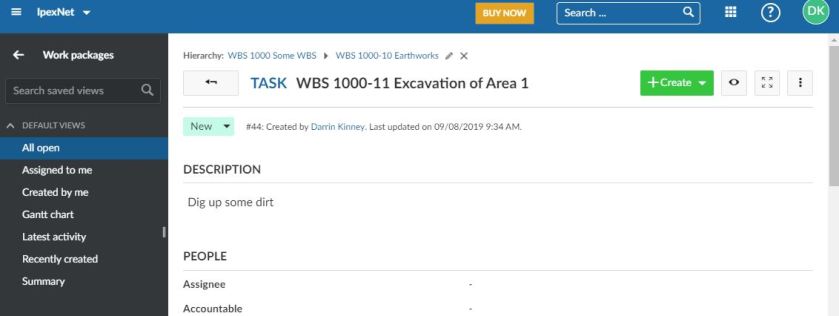
In the above, I have added a typical task that will exist in our P6 schedules. Immediately off the bat, we can see we are operating in a distributed web based environment. We have a nice detailed description for this activity and we have the ability to assign this task to a person.

Up to this point, we are a little overlapped with P6. However, what is lacking in P6 is the ability to really discuss and communicate and UPDATE information associated with a task. The ability to pull the task into a proper project management discussion.

OpenProj_04

The above example says more than you can find in any weekly or monthly report. A picture tells a 1000 stories! The picture is also properly assigned to the activity it represents. The activity has a clearly visible Finish date than can be live edited 24/7.

Our new tools are not meant to replace P6. They are meant to force our discussions into properly structured slices of the project. They are meant to clearly communicate the status of activities. They are meant to get everyone onto the same playing fields when discussing something so that 5 different people do not end up with 10 different dates.

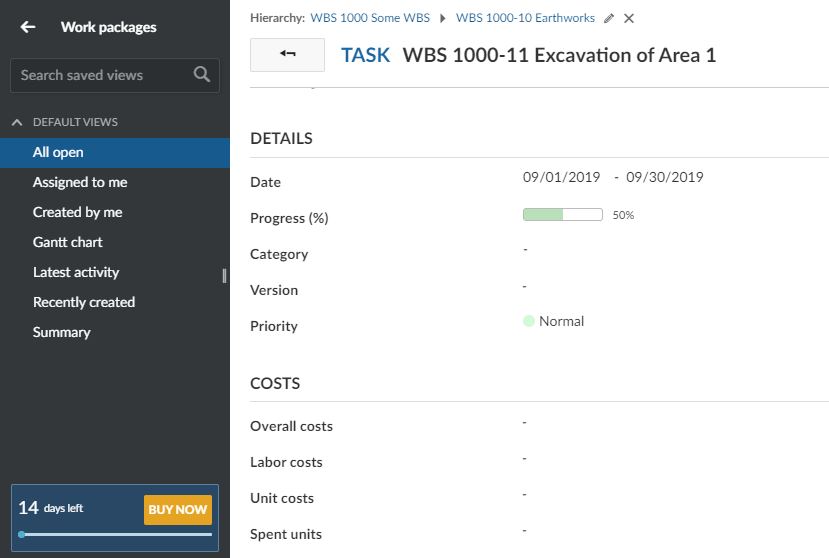
An activity only has 1 start and finish date, an activity only has one percent complete. It is maddening when a project manager asks me to insert the contractual dates into a report. Honestly, when you are building something, the contract date is useless in helping you decide “when will this finish”. It was only the starting point. When you get people out of their office view, in into “I need to manage this scope” you quickly understand that the contract date, or even contractors weekly reports are useless. You have to make a determination of when an activity will finish based on what you know at that time – and be proactive in actively editing the dates when required

Empower people to update activities!
OpenProj_05

This is So Simple?

I sit and look at this capability of something I built in 30 minutes on a Sunday morning and really wonder why our Project Management is leading us down what may not be avenues of real improvement to projects. Does our Project Leadership have the vision to accept such simple solutions to improve our communication?

Digital Transformation?

I have discussed this before, digital transformation is all about Keywords – not project management. Real digital transformation is about altering the way we work – not building a dashboard or a database. This is why digital transformation is not working. Provide tools and process to manage the work, enable your staff to manage their own scope, and clearly communicate and update their tasks.

Really think about how you manage your scope and how implementing a more social platform to break down the walls of communication. Understand how this is disruptive to our old ways of working (not updating schedules). Get people talking off just one play-sheet!

Twitter in Construction

I’d like to end this with what I thought was the most amazing application of this new management approach.

Mersey Gateway Twitter Site

I kid you not. During construction, these guys posted nearly daily pictures and updates.

While working on this project from the home office, I got better updates from the project twitter site, then I did from the project manager. Yes, are you finally able to see that solutions exist, creative solutions exist, that can bring construction in the new digital world!

OpenProj_06


How to Build a near real time Dashboard using Data Studio and BigQuery

TLDR, the report is https://nemtracker.github.io/, please note, my experience with BigQuery and Google stack is rather limited, this is just my own perspective as a business user .

Edit : 20 Sept 2019, Data Studio use now BI engine by default for connecting to BigQuery, now the report contains the historical data too.

I built already a dashboard that track AEMO Data using PowerBI,  and it is nearly perfect except , the maximum update per day is 8 time, which is quite ok ( direct Query is not an option as it is not supported when you publish to web, actually it is support but rather slow) , but for some reason, I thought how hard would it be to build a dashboard that show always the latest Data.

Edit : 23 Sept 2019, actually now, my go to solution for near real time reporting is Google Data Studio, once you get used to real time time, you can’t go back.

The requirements are

  1. Very minimum cost, it is just a hobby
  2. Near Real time (the data is published every 5 minutes)
  3. Export to csv
  4. Free to share.
  5. Ideally not too much technical, I don’t want something to build from scratch.

I got some advices from a friend who works in this kind of scenario and it seems the best option is to build a web app with a database like Postgresql,  with a front end in the likes of apache superset or Rstudio Shiny and host it  in a cheap VM by digitalocean , which I may eventually do, but I thought let’s give BigQuery a try, the free tier is very generous, 1 TB of free Queries per month is more than enough, and Data Studio is totally free and by default use live connection.

Unlike PowerBI which is a whole self service BI solution in one package, Google offering is split to three separate streams, ETL, the data warehouse (Biguery) and the reporting tool (Data Studio), the pricing is pay per usage

For the ETL, Dataprep would be the natural choice for me,( the service is provided by Trifacta), but to my surprise, apparently you can’t import data from an URL, I think I was a bit unfair to Trifacta, the data has to be in google storage first, which is fine, but the lack of support for zip is hard to understand, at least in the type of business I work for, everyone is using zip

I tried to use Data fusion, but it involve spinning a new spark cluster !!!! , and their price is around 3000 $ per month !!!!!

I think I will stick with Python for the moment.

  • The first thing you do after creating a new project in BigQuery is to setup cost control.

The minimum I could get for BigQeury is 0.5 TB per day

  • The source files are located here, very simple csv file, compressed by zip, I care only about three fields

SETTLEMENT DATE  : timestamp

DUID                            : Generator ID , ( power station, solar, wind farm etc)

SCADAVALUE             : Electricity produced in Mw

  • Add a table with partition per day and clustered by the field DUID
  • Write a python script that load data to Bigquery,you can have a look at the code used here, hopefully I will blog about it separately
  • Schedule the script to run every 5 minutes: I am huge fan of azure WebJob, to be honest I tried to use Google function but you can’t write anything in the local folder by default, it seems the container has to be stateless but I just find it easy when I can write temporary data in the local folder (I have a limited understanding of Google function, that was my first impression anyway) , now, I am using google functions and cloud Scheduler, Google functions provide a /tmp that you can write to it, it will use some memory resources.
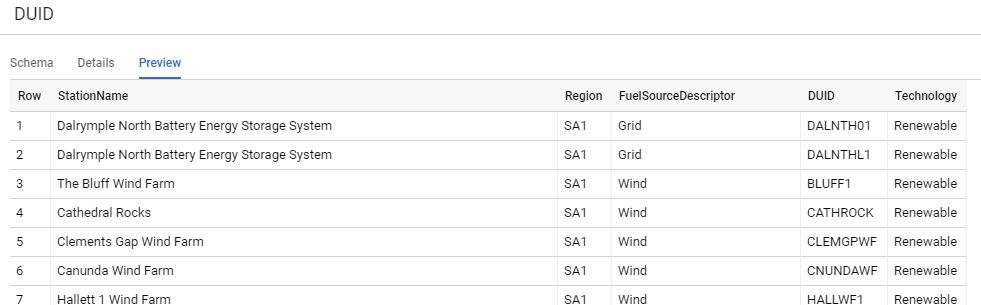
  • I added a dimension table that show a full Description for the generator id, region etc, I have the coordinates too, but strangely, Data Studio map visual does not support tiles!!!
  • Create a view that join the two tables and remove any duplicate, and filter out the rows where there is no production (SCADAVALUE =0), if there is no full Description yet for the generator id, use the id instead

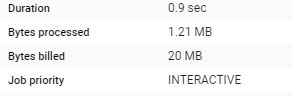
Notice here, although it is a view, the filter per partition still works, and there is a minimum of 10 MB per table regardless of the memory scanned, for billing BigQuery used the uncompressed size !!

One very good thing though, the queries results are cached for 1 day, if you do the same query again, it is free!

  • Create the Data Studio report : I will create two connections :
  • live connection: pull only today data, every query cost 20 MB, as it is using only one date partition, (2 Tables), the speed is satisfactory, make sure to disactivate the cache

But to confuse everyone there two types of caches, see documentation here, the implication is sometimes you get different updated depending if your selection hit the cache or not, as the editor of the report, it is not an issue, I can manually click refresh, but for the viewer, to be honest, I am not even sure how it works, sometimes, when I test it with incognito mode, I get the latest data sometimes not.

  • Import connection : it is called extract, it load the data to Data Studio in-memory database (it uses BI engine created by one of the original authors of multidimensional) , just be careful as the maximum that can be imported is 100 MB (non compressed), which is rather very small (ok it is free so I can’t complain really), once I was very confused why the data did not match, it turn out Data Studio truncate the import without warning, anyway to optimise this 100 MB, I extract a summary of the data and removed the time dimension and filtered only to the last 14 days, and I schedule the extract to run every day at 12:30 AM, notice today data is not included.

Note : Because both datasets use the same data source, cross filtering works by default, if using two different sources (let’s say, csv and google search, you need some awkward workaround to make it works)

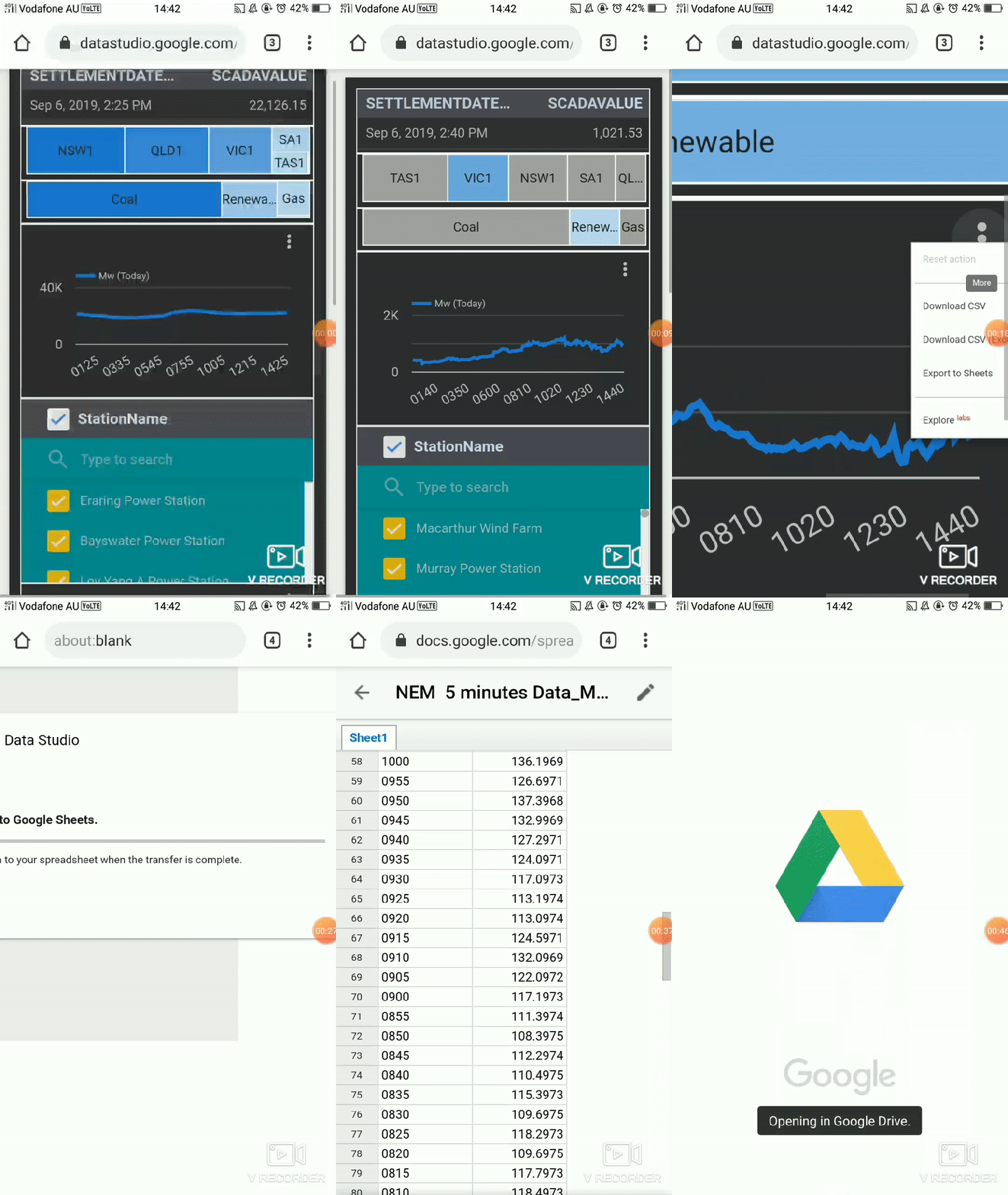
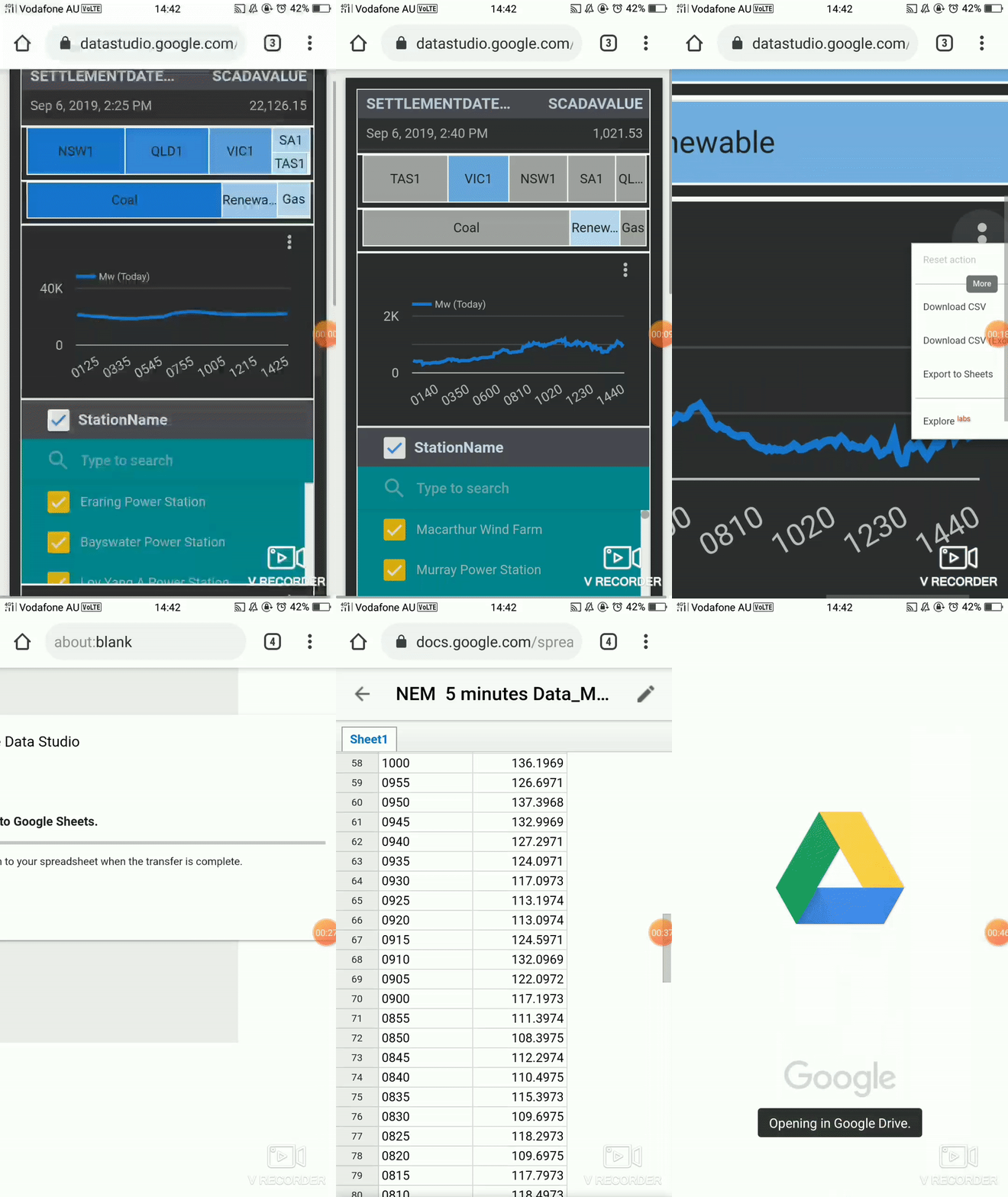
  • Voila the live report, 😊 a nice feature shown here (sorry for the gif quality) is the export to Sheet
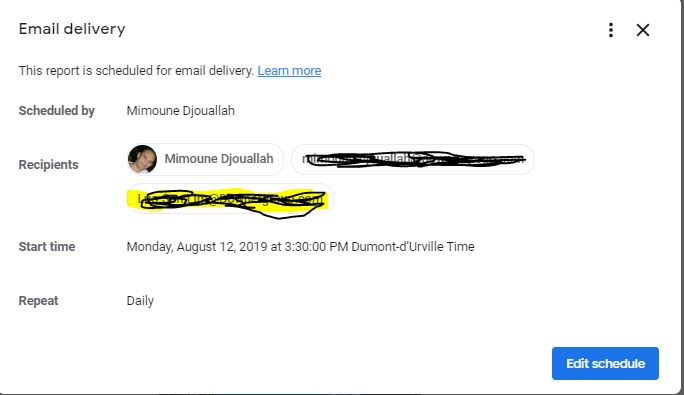
  1. Schedule email delivery

  although the report is very simple, I must admit, I find it very satisfying, there is some little pleasure in watching real time data, some missing features, I would love to have

  • An option to disactivate all the caches or bring back the option to let the viewer manually refresh the report.
  • An option to trigger email delivery based on alert, (for example when a measure reaches a maximum value), or at least schedule email delivery multiple time per day.
  • Make data Studio web site mobile friendly, it is hard to select the report from the list of available reports.
  • Google Data Studio support for maps is nearly non existent, that’s a showstopper for a lot of business scenarios

Construction Map time playback using Kepler.gl

Kelpler.gl is a Geospatial data analysis by Uber !!!,  in this short blog we show how to build a map with a time attribute and then showing a time playback slider, it is very and straightforward process, all you need is to format the data as a list.

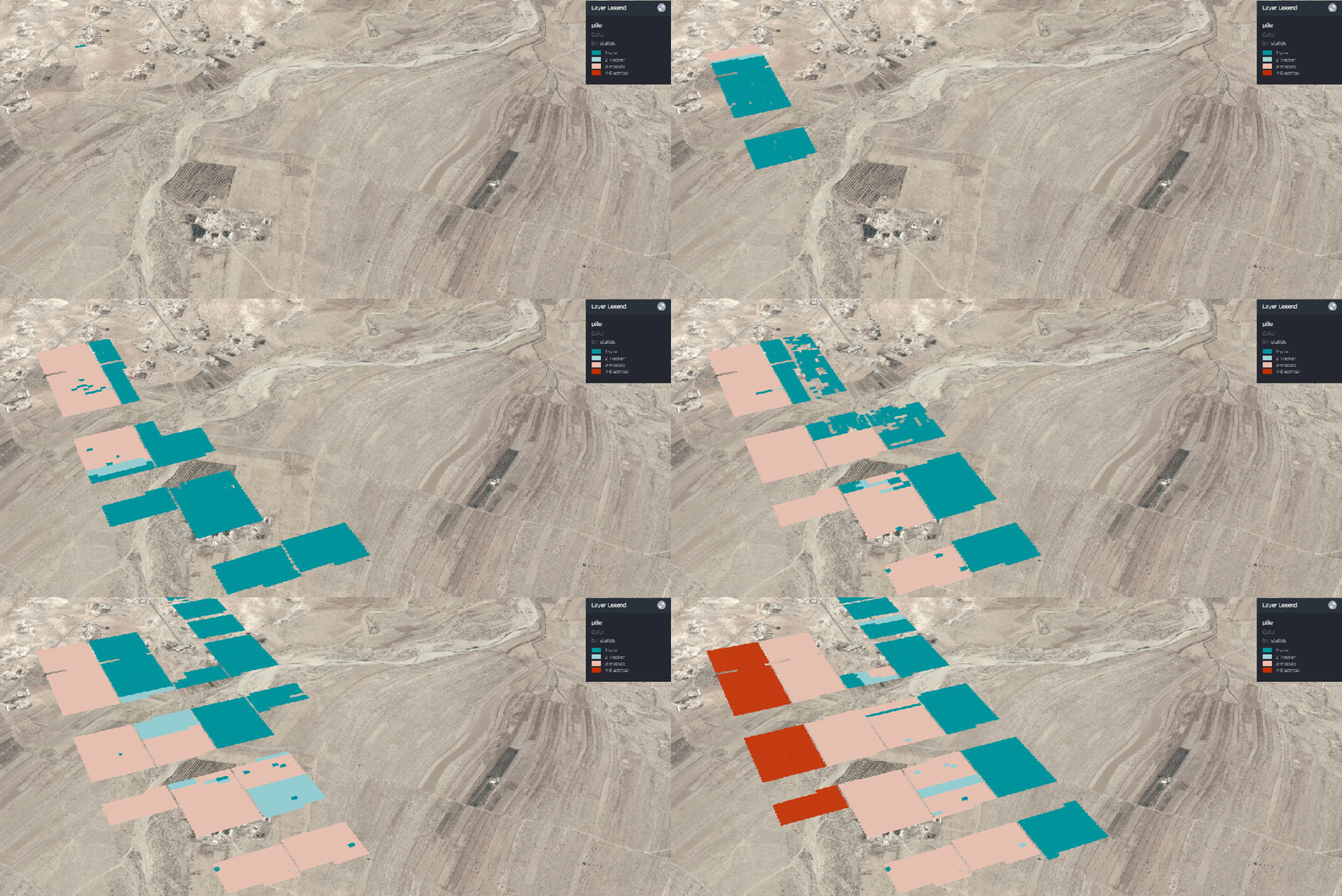
This data was randomized, as an example I show the main step to build a solar farm, piling, tracker, module then Electrical works, but obviously you can try it with road , pipeline projects, any project really that have geographic data

Please note the data is rendered using your local computer, so it is totally safe

The map is here, keep reading if you want to understand how it was built

I attached a sample dataset here; the field are self-explanatory.

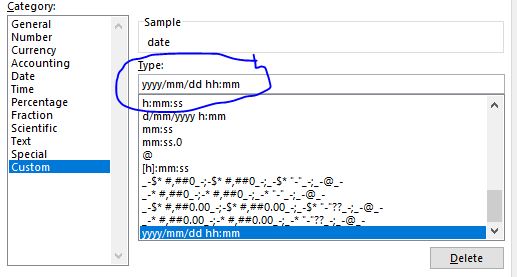
Just be careful with Excel for some reason, when you open the csv file, it changes the date format, make sure the format is like this

And because in a medium sized solar farm, the total pile will be around 50,000 Piles, if you want just to show 4 main stages, the total number of rows will be 50,000 * 4 = 200,000 row, PowerBI will not support that ( Tableau shine in this scenario),

 The documentation is very clear, please read it to experiment with your own data

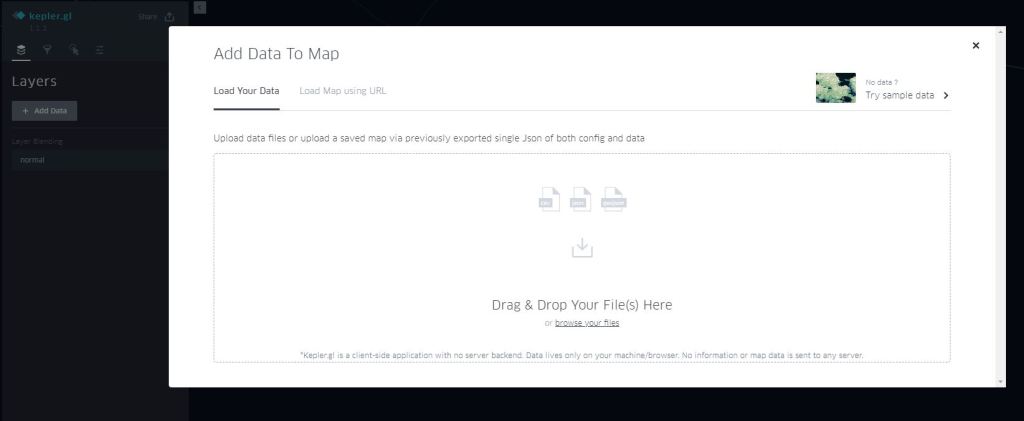
  1. Add data

If your dataset has this fields names X_lat, X_lng, Kepler.gl will automatically recognised it as a point layer

2-Define the legend

We select colour based on the field status ( select the palette of colour)

3- Select time field

The filed should be recognized as time otherwise, it will not work.

4- Add satellite as new map Style

For some reason, it is not there by default, but it is trivial to add

mapbox://styles/mapbox/satellite-streets-v9

5-And voila

You can play with the slider, either moving the end date or a window, up to you

6-Now you have multiple options for sharing

You need to have a mapbox account, it is virtual free to medium usage !!!

For this example, I will share it using Dropbox, but you can export to HTML and securely share it either per email or hosted in sharepoint

             This is one of the best piece of software that I had the privilege to use, nothing to install, free , simple and straight to the point !!

Build asymmetrical Pivot table in PowerBI

I have been asked to produce a simple construction report, we need to show the last 4 weeks of actual progress data and 6 weeks of forecast and to make thing a little bit complex the average installation since the start of the project, nothing special three measures, average to date, install per week and forecast per week

Obviously, it is trivial to be done in Excel using named sets, if you don’t know what’s named set and cube formula is, you are missing the most powerful reporting paradigm in Excel, a good introduction is here, and there are plenty of resources here.

Unfortunately named set is not supported yet in PowerBI, you can vote here,

Just for demonstration purpose, if you try to add those three measures to a matrix visual, PowerBI just repeat them for every time period, obviously that’s not good at all,  the actual installation make sense only in the past and the forecast has to be in the future, there is no option to hide a measure if there is no value in a column and even if it was possible we need to show the average installation independently of the time period, anyway this the report when you add the three measures

and because I already learned a new trick on how to dynamically add measures to a matrix visual in PowerBI,  I was tempted to try and see if it works in this scenario.

 So, let’s see how it can be done using the disconnected table

  1. Create a disconnected table with two columns Order and status
  • Add a calculated column,

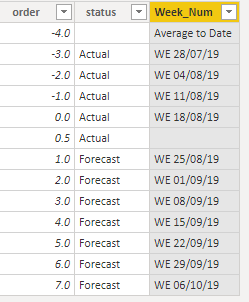
As  the cut-off date change at least three times a week, the week number change accordingly, we can’t simply hard code the dates, instead let’s add a new calculated column, which will just lookup the week date from a master calendar table based on the order, when the order is -4 it will return “average to date”, I added a dummy 0.5 order just to add an empty space between actual and forecast ( cosmetic is important)

Week_Num =
SWITCH (
    [order],
    -4, “Average to Date”,
    0.5, BLANK (),
    “WE “
        & FORMAT (
            LOOKUPVALUE ( MstDates[dynamic Week End], MstDates[week_number], [order] ),
            “dd/mm/yy”
        )
)

  • Add a new measure that show specific measures (Average,Install or forecast) based on the value of column

dynamic_Pivot =

SWITCH (

    SELECTEDVALUE(pivot[order],BLANK()),

    -4,[Install_qty_average_week],

-3,CALCULATE([Installed_qty],MstDates[week_number]=-3),

-2,CALCULATE([Installed_qty],MstDates[week_number]=-2),

-1,CALCULATE([Installed_qty],MstDates[week_number]=-1),

0,CALCULATE([Installed_qty],MstDates[week_number]=0),

1,CALCULATE([Forecast_Qty],MstDates[week_number]=1),

2,CALCULATE([Forecast_Qty],MstDates[week_number]=2),

3,CALCULATE([Forecast_Qty],MstDates[week_number]=3),

4,CALCULATE([Forecast_Qty],MstDates[week_number]=4),

5,CALCULATE([Forecast_Qty],MstDates[week_number]=5),

6,CALCULATE([Forecast_Qty],MstDates[week_number]=6),

7,CALCULATE([Forecast_Qty],MstDates[week_number]=7))

And voila an asymmetrical matrix visual in all its glory 😊

Edit 3-Sept-2019 : Maxim in the comment made an excellent suggestion to use variable to make the measure more manageable

dynamic_Pivot=
VAR _order =
    SELECTEDVALUE ( pivot[order], BLANK () )
RETURN
    IF (
        _order = -4,
        [Install_qty_average_week],
        IF (
            _order <= 0,
            CALCULATE ( [Installed_qty], MstDates[week_number] = _order ),
            IF ( _order > 0, CALCULATE ( [Forecast_Qty], MstDates[week_number] = _order ) )
        )
    )