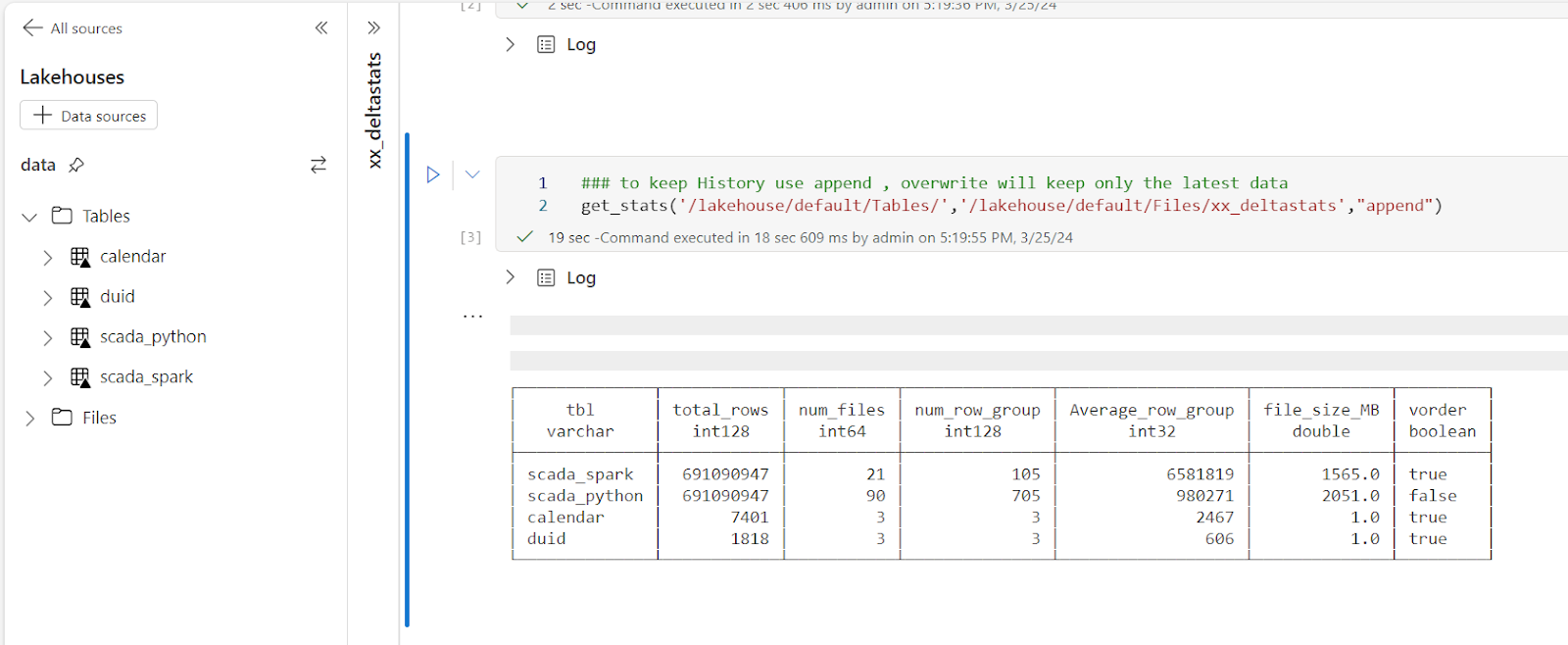
With the recent release of Deltalake Python,we can write to Fabric Onelake using a local Path, using this new functionality, I updated a notebook I had built previously to show quick stats for all the tables in a particular lakehouse, it is using pure Python, so not only it works in Fabric but offline too in your local machine.
DuckDB to get the Parquet stats ( number of row groups)
And a SQL Query to combine the results from the two previous packages 🙂
The notebook is very simple and show only the major metrics for a Table, total rows, number of files, number of row groups and average row per row group, and if V-Order is applied
If you want more details, you can use the excellent delta analyser
Why you should care about Table stats
Fabric Direct Lake mode has some guardrails as of today for example, the maximum number of row groups in a table for F SKU less than F64 is 1000, which is reasonably a very big number but if you do frequent small insert without Table maintenance you may end up quickly generate a lot of files ( and row groups), so it is important to be aware of the table layout, especially when using Lakehouse, DWH do support automatic Table maintenance though.
Parting Thoughts
Hopefully in the near future, Lakehouse will expose the basic information about Tables in the UI, in the meantime, you can use code as a workaround.
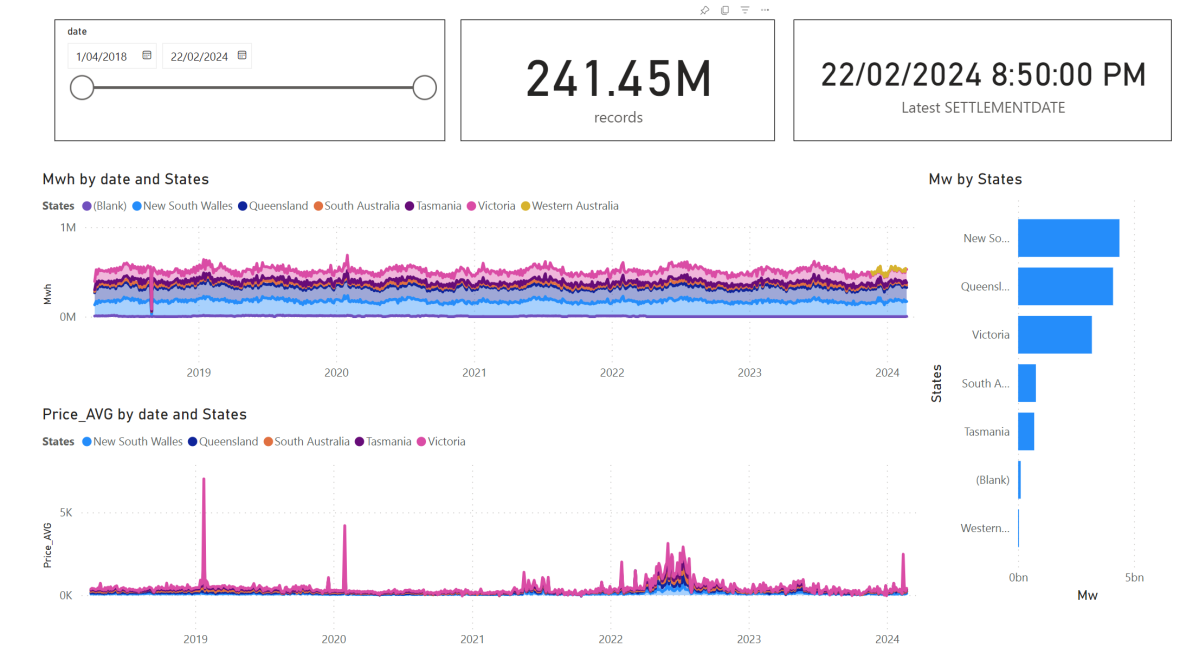
I have being playing with Electricity Market Data recently and now I have a #Fabric solution that I think is easy enough to use but more importantly cost effective that it works just fine using F2 SKU, which cost $156 /Month
2-Download the notebooks from Github and import it to Fabric Workspace
3-Open a notebook, attached it to the Lakehouse
4-Run the notebook in sequence just to have the initial load
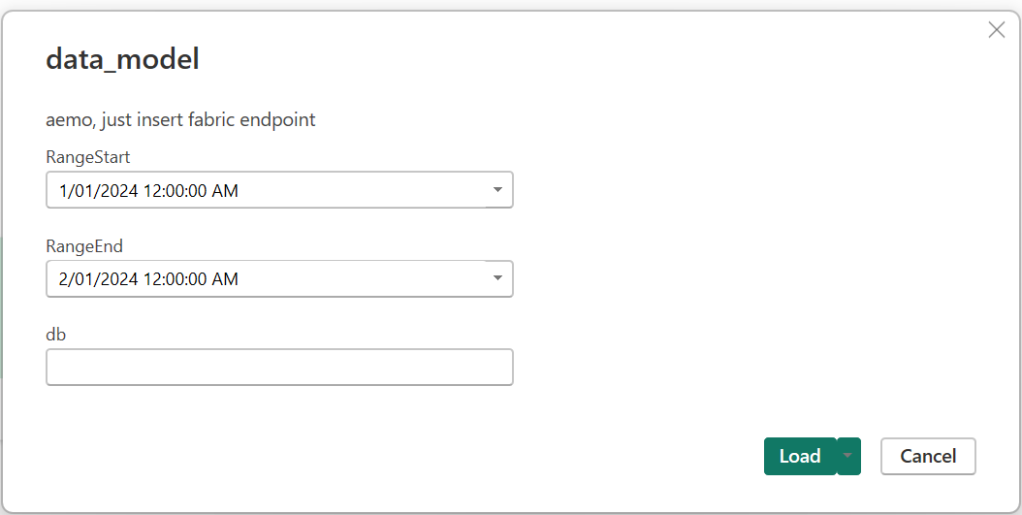
5-Build your semantic Model either using Direct Lake for better “latency” , or use the attached template for import mode if you are happy with 8 refreshes per day( for people with a pro license), all you need is to input the Lakehouse SQL Endpoint, my initial plan was to read Delta Table directly from OneLake but currently filter pushdown works only at the partition level ( but apparently further stuff are coming)
6- Use a scheduler to run the jobs, 5 minutes and 24 Hours
Show me the Money
For developpement use Starter Pool, but for scheduling use Small Single Node, it is good enough, medium is faster but will consume more capacity Unit, still within F2 limits.
This is the actual usage of capacity unit for this scenario, yesterday I was messing around trying to further optimize which end up consuming more 🙂
Spark Dataframe API is amazing
When reading the csv files, I need to convert a lot of columns to double, using SQL you have to manually type all the fields names, in Spark , you can just do it in a loop, that was the exact moment, I *understood* why people like Spark API !!!
df_cols = list(set(df.columns) -{'SETTLEMENTDATE','DUID','file','UNIT','transactionId','PRIORITY'})
for col_name in df_cols:
    df = df.withColumn(col_name, f.col(col_name).cast('double'))
Source Data around 1 Billion of dirty csv, data added every 5 minutes and backfilled every 24 hours, all data is saved in OneLake using Spark Delta Table.
not everything is csv though, there is some data in Json and Excel of course 🙂
Although the main code is using PySpark , I used Pandas and DuckDB too, no philosophical reasons, basically I use whatever Stackoverflow give me first 🙂 and then I just copy the result to a Spark dataframe and save it as Delta Tables, you don’t want to miss on VOrder
For example this is the code to generate a calendar Table using DuckDB SQL, the unnest syntax is very elegant !!!
df=duckdb.sql(""" SELECT cast(unnest(generate_series(cast ('2018-04-01' as date), cast('2024-12-31' as date), interval 1 day)) as date) as date, EXTRACT(year from date) as year, EXTRACT(month from date) as month """).df()
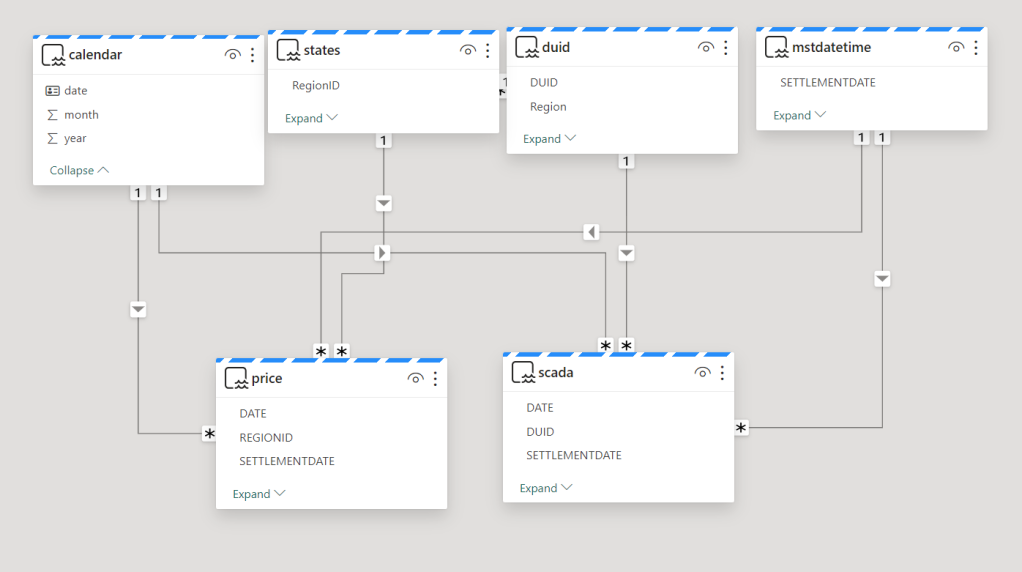
The Model is not too complex but not trivial, 2 facts tables, 4 dimensions, biggest table 240 M rows.
Stuff that needs improvements
1- have an option to download the semantic Model from the service using pbit, it has to be one file for ease of distribution.
2- More options for the scheduler, something like run this job only between 8 AM to 6 PM every 5 minutes.
Parting Thoughts
Notebook + OneLake + Direct Lake is emerging as a very Powerful Pattern , specially when the data is big and freshness is important, but somehow users needs to learn how to write Python code, I am afraid that’s not obvious at all for the average data analyst, maybe this AI thing can do something about ? that’s the big question.
Does it mean, Notebook is the best solution for all use cases ? I don’t know, and I don’t think there is such a thing as a universal best practice in ETL, as far as I am concerned, there is only one hard rule.
I had a simple data ingestion use case, Notebook A inserts data to a Delta Table every 5 minutes and Notebook B backfills the same table with new fields but only at 4 am.
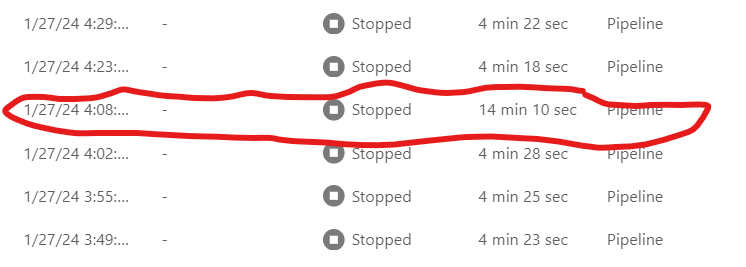
Initially I just scheduled Notebook A to run every 5 minutes and Notebook B to run at 4 AM , did not work as I got a write conflict, basically Notebook B take longer time to process the data, when it is ready to update the table, it is a bit too late as it was already modified by Notebook A and you get this error
Workarounds
Solution 1 : Schedule Notebook A to run every 5 minutes except from 4 AM to 4:15 AM, today it is not supported in Fabric scheduler ( although it works fine in Azure Data Factory).
Solution 2 : Partition by Date to avoid Spark writing to the same file at the same time, which is fine for my table as it is big enough around 230 Millions spread over 6 years, generating 2000 files is not the end of the world, but the same approach does not work for another table which is substantially smaller around 3 millions
Solution : Turn out, there is a code base orchestration tool in Fabric Notebook
I knew about MSSparkUtils mainly because Sandeep Pawar can’t stop talking about it 🙂 but I did not know that it does orchestration too, in my case the solution was trivial.
Add a check in notebook A if there is a new file to backfill ; if yes call Notebook B
And it did work beautifully ( I know the feeling, it is easy when you know it)
Notice that the second Notebook runs using the same Runtime, so it is faster and maybe even cheaper.
Ok there is More
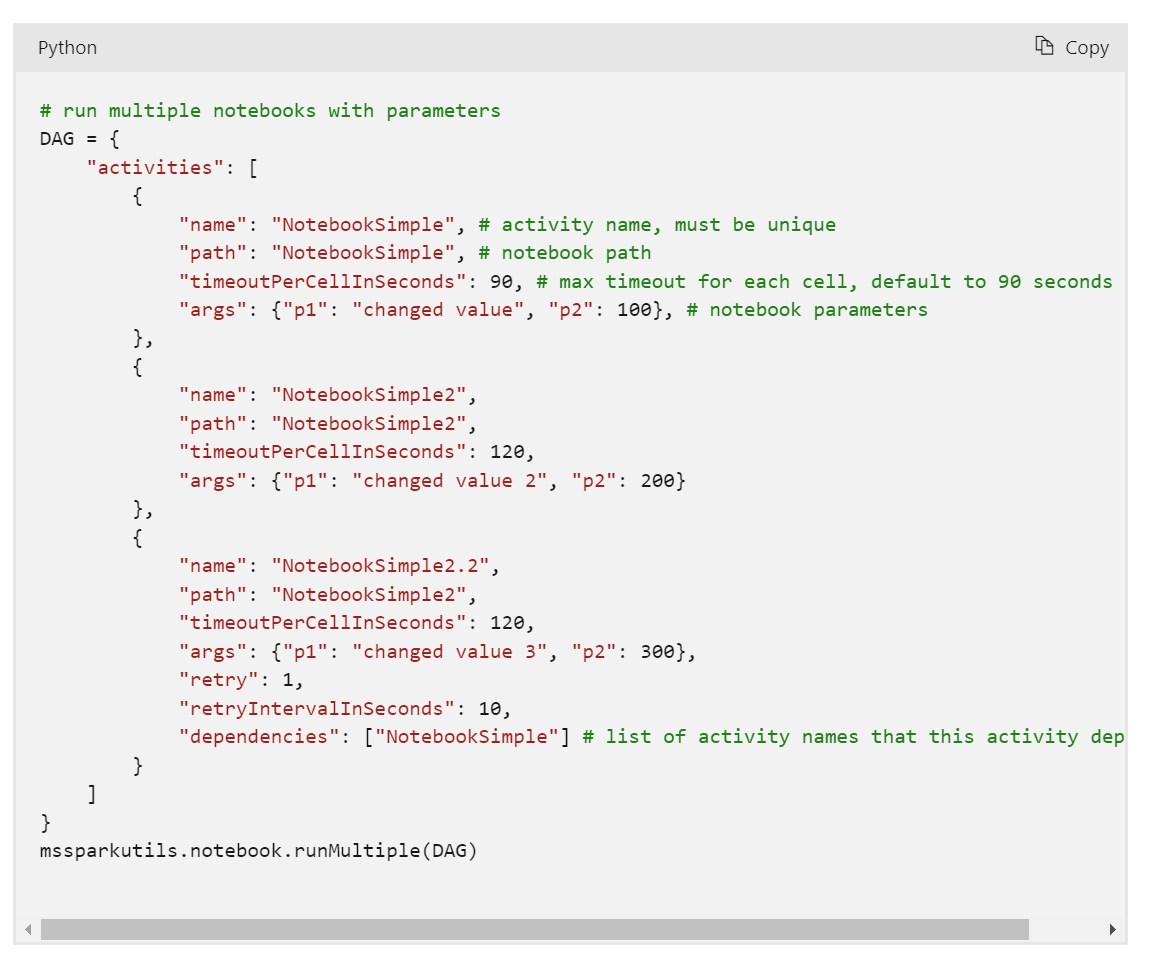
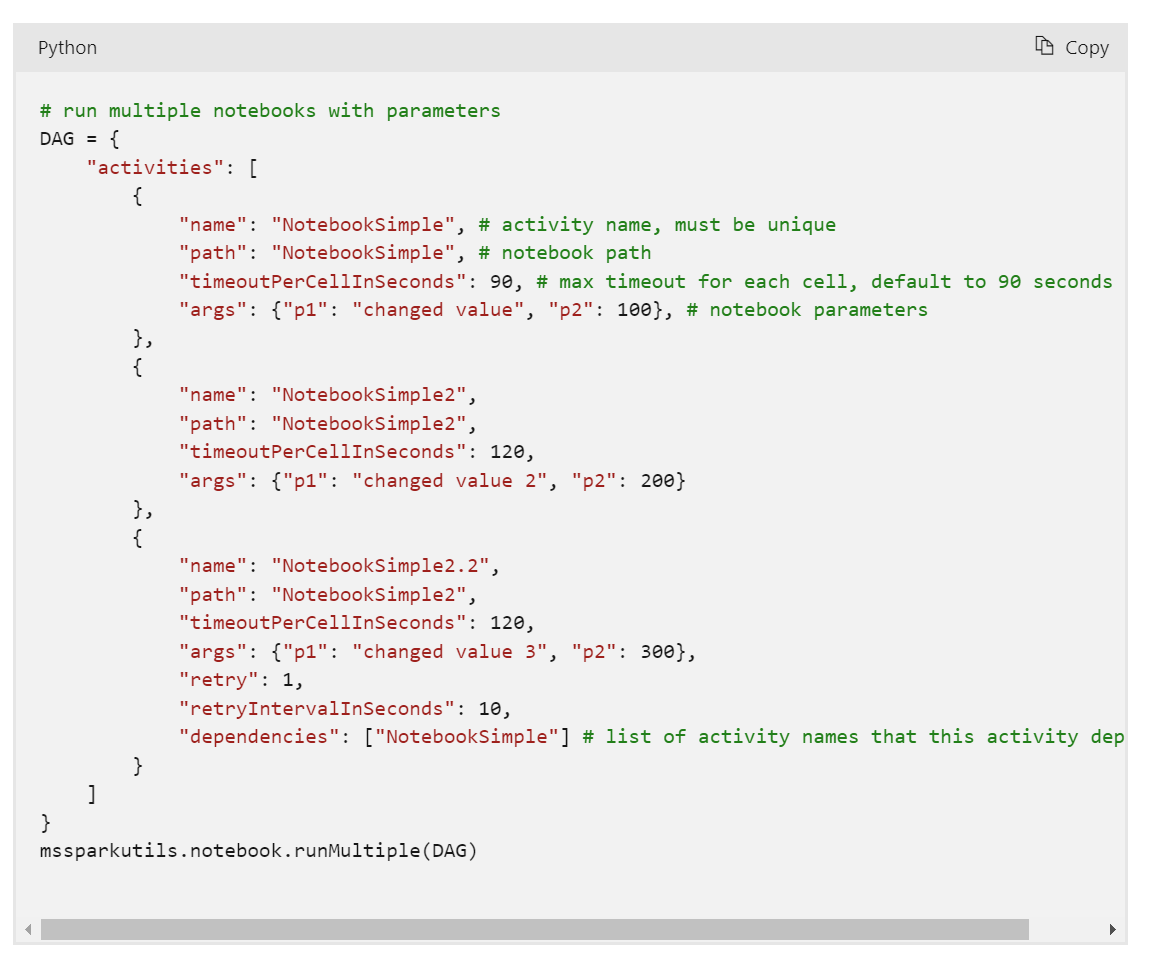
Conditionally running a notebook based on a new file arrival is a simple use case, but you can do more, for example you can run multiple notebooks in parallel or even define complex relationships between Notebooks using a DAG with just Python code !!!!
Take Away
This is just a personal observation , because Fabric was released with all the Engines at the Same time, a lot of very powerful features and patterns did not get a chance to be fully exposed and appreciated, and based on some anecdotal evidence on twitter , it seems I am not the only one who never heard about Fabric Notebook code orchestration.
For PowerBI people Starting with Fabric, Python is just too Powerful. Yes, we did fine without it all these years, but if you have any complex data transformation scenarios, Python is just too important to ignore.
Thanks Jene Zhang for answering my silly questions.
TL;DR ; Although the optimal file size and the row group size spec is not published by Microsoft, PowerBI Direct Lake mode works just fine with Delta table generated by non-Microsoft tools and that’s the whole point of a Lakehouse.
Edit : added example on how to write directly to Onelake
Currently Writing Directly to OneLake using the Python writer is not supported, there is an open bug , you can upvote it, if it is something useful to you
The interesting part of the code is this line
You can append or overwrite a Delta table, delete a specific partition is supported too, merge and delete rows is planned
The Magic of OneLake Shortcut
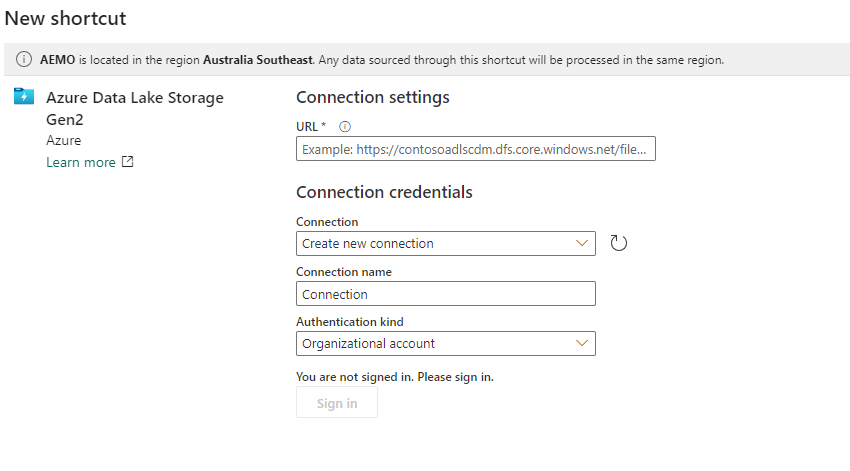
The idea is very simple, run a python script which create a delta table in Azure storage then make it visible to Fabric using a shortcut, which is like an external table, no data is copied
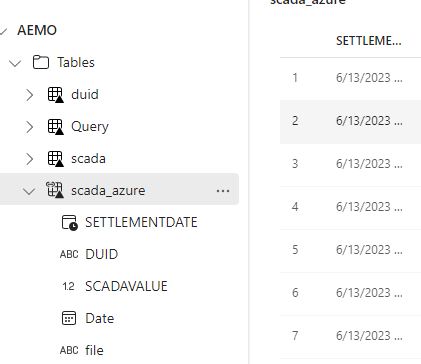
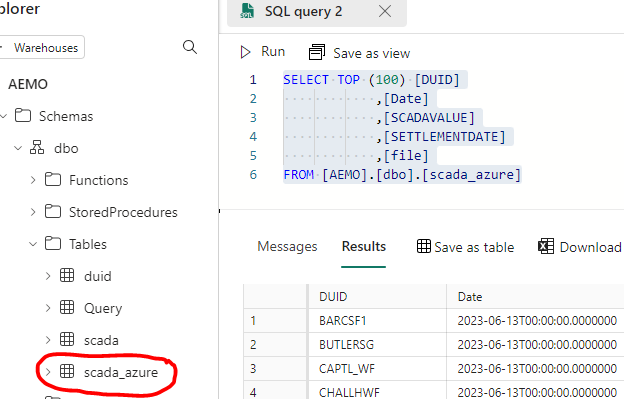
The whole experience was really joyful 🙂 lakehouse discovered the table and showed a preview
Just nitpicking, it would be really nice if the tables from the shortcut have different colors, the icon is not very obvious.
If you prefer SQL, then it is just there
Once it is in the lake, it is visible to PowerBI automatically. I just had to add a relationship , I did not use the default dataset as for some reason, it did not refresh correctly, it is a missed opportunity as this is a case where default dataset just makes perfect sense.
But Why ?
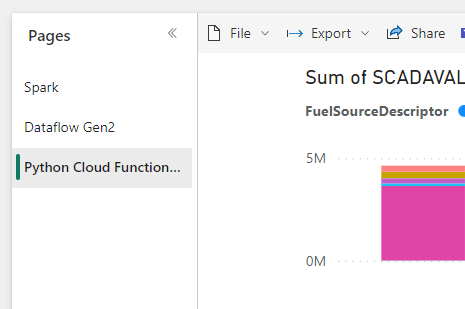
Probably you are asking why,in Fabric we have already Spark and dataflow Gen2 for this kind of scenarios ? which I did already 🙂 you can download the PowerQuery and PySpark Script here
So what’s the best tool ? I think how much compute every solution will consume from your capacity will be a good factor to decide which solution is more appropriate, today we can’t see the usage for Data Flow Gen2 so we can’t tell.
Actually , I was just messing around, what people will use is the simplest solution with less friction, a good candidate is Dataflow Gen2, and that’s the whole point of Fabric, you pay for convenience, still I would love to have a fully managed single node python experience.





 Small Data And self service