This is a quick guide on correctly reading Iceberg tables from BigQuery. Currently, there are two types of Iceberg tables in BigQuery, based on the writer:
BigQuery Iceberg Table
This is the table written using BigQuery engine
Iceberg Tables Written Using the BigQuery Metastore
Currently, only Spark is supported. I assume that, at some point, other engines will be added. The implementation is entirely open source but currently supports only Java (having a REST API would have been a nice addition).
How OneLake Iceberg Shortcuts Work
OneLake reads both the data and metadata of an Iceberg table from its storage location and dynamically generates a Delta Lake log. This is a quick and cost-effective operation, as it involves only generating JSON files. See an example here
The Delta log is added to OneLake, while the source data remains read-only. Whenever you make changes to the Iceberg table, new metadata is generated and translated accordingly. The process is straightforward.
BigQuery uses an internal system to manage transactions. When querying data from the BigQuery SQL endpoint, the results are always consistent. However, reading directly from storage may return an outdated state of the table.
For BigQuery Iceberg tables, you need to manually run the following command to update the metadata:
EXPORT TABLE METADATA FROM dataset.iceberg_table;
you can run it on a schedule, or make it the last step in an ETL pipeline.
Iceberg Tables Using the BigQuery Metastore (Written by Spark)
If the Iceberg table is written using the BigQuery metastore (e.g., by Spark), no additional steps are required. The metadata is automatically updated.
The interesting part about Iceberg’s translation to a Delta table in OneLake is that it is completely transparent to Fabric workloads. For example, Power BI simply recognizes it as a regular Delta table. 😊
It is just a POC on how using Arrow with Delta Rust can give you a very good experience when importing Data from BigQuery to OneLake
For a serious implementation, you need to use Azure Key Vault and use it from Fabric Notebook, again this is just a POC
The core idea is that Delta Rust accept Arrow Table as an input without the need for a conversion to Pandas
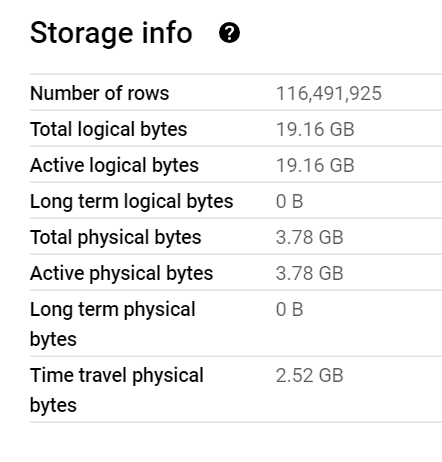
The Data is public, the Query scans nearly 19 GB of uncompressed data.
It took less than 2 minutes to run the Query and Transfer the Data !!! That’s GCP Tokyo Region To Azure Melbourne and nearly a minute and 25 second to write the Data to Delta Table using a small single Node ( 4 vCores and 32 GB of RAM)
Show me the Code.
You can download the notebook here. although The Package is written in Rust, they do have a great Python binding which I am using .
Make sure you Install google-cloud-bigquery[‘all’] to have the Storage API Active otherwise it will be extremely slow
Notice though that using Storage API will incur egress Cost from Google Cloud
and use Fabric Runtime 1.1 not 1.2 as there is a bug with Delta_Rust Package.
Nice Try, how about vOrder ?
Because the data is loaded into a staging area, the lack of vOrder should not be a problem as ultimately it will be further transformed into the DWH ( it is a very wide table), as a matter of fact, one can load the data as just Parquet files.
Obviously it works too with Spark, but trying to understand why datetime 64 whatever !!! and NA did not works well with Spark Dataframe was a nightmare.
I am sure it is trivial for Spark Ninja, but watching a wall of java errors was scary, honestly I wonder why Spark can’t just read Arrow without Pandas in the middle ?
With Delta Rust it did just work, datetime works fine, time type though is not supported but it gave me a very clear error message ( for now I cast it as string , will figure out later what to do with it) , but it was an enjoyable experience.
As it is just code, you can implement more complex scenarios like incremental refresh, or merge and all those fancy data engineering things easily using Spark or stored procedure or any Modern Python Library.
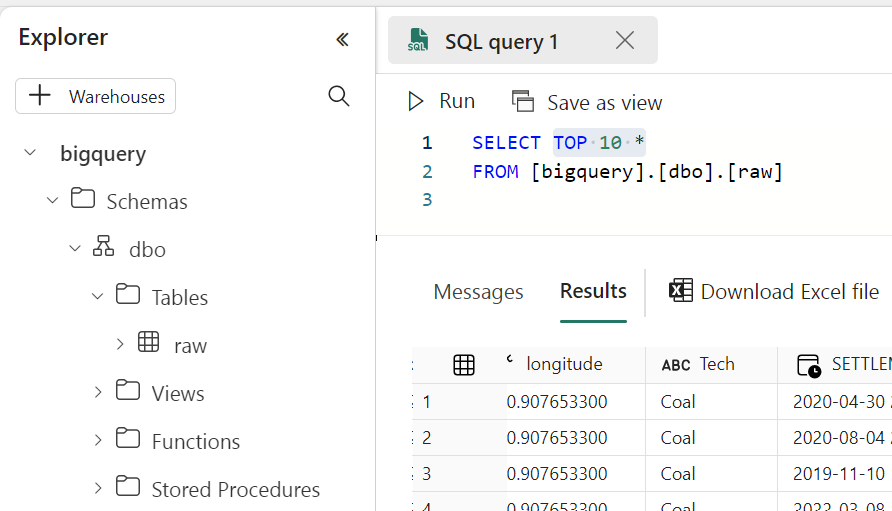
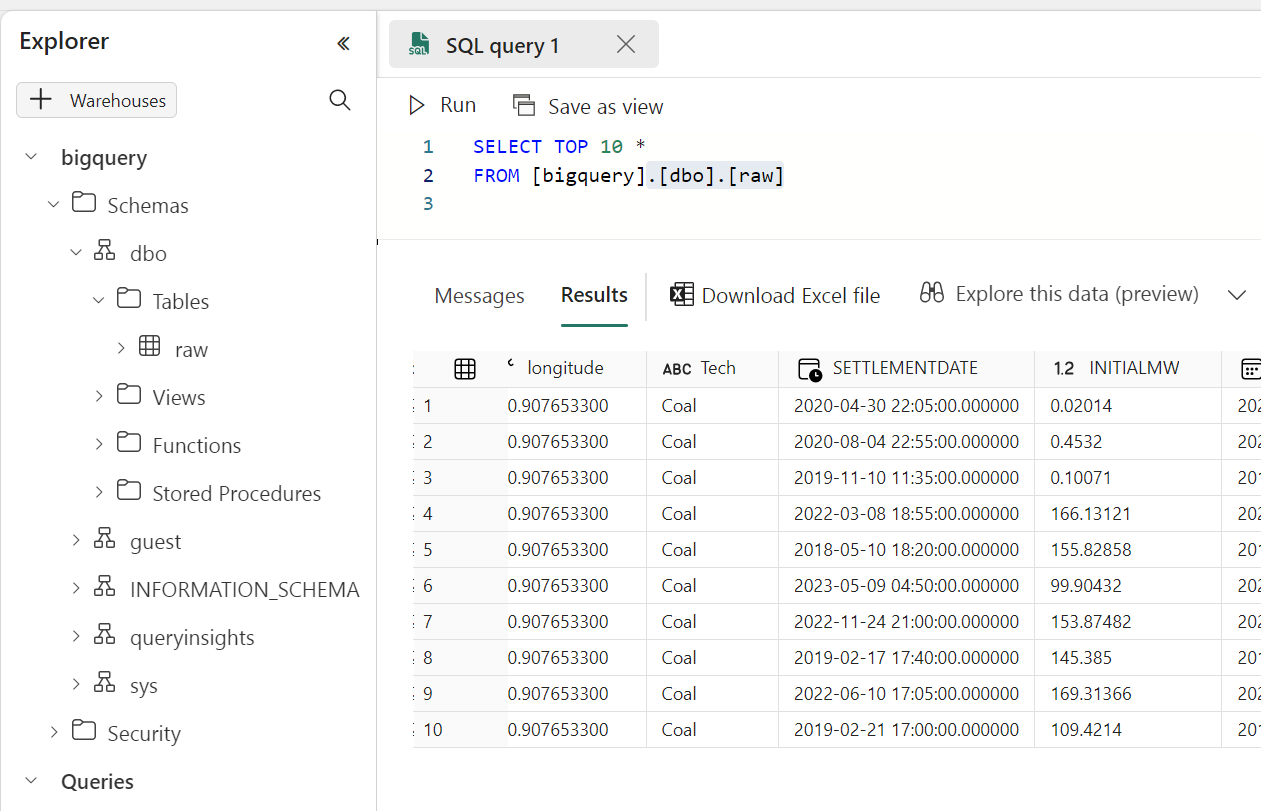
Running a simple Query to make sure it is working
Take Away
The Notebook experience in Fabric is awesome, I hope we get some form of secret management soon, and Delta Rust is awesome !!!
Using materialized view to create a different sort order of the base table can reduce cost substantially, in this example up to 200 X for some queries.
The Problem : You can’t have multiple sort order.
One of most effective technique in columnar database to improve speed is to sort the table which will help the engine scan less data, but what if you have some queries that works better with different sorting, obviously you can’t have independent column sorted in the same table , turn out BigQuery has a very nice functionality, Materialized views which are used mainly to aggregate Data, see example here, can also works fine without aggregation and you can even change the sort order of the base table.
Example using PowerBI
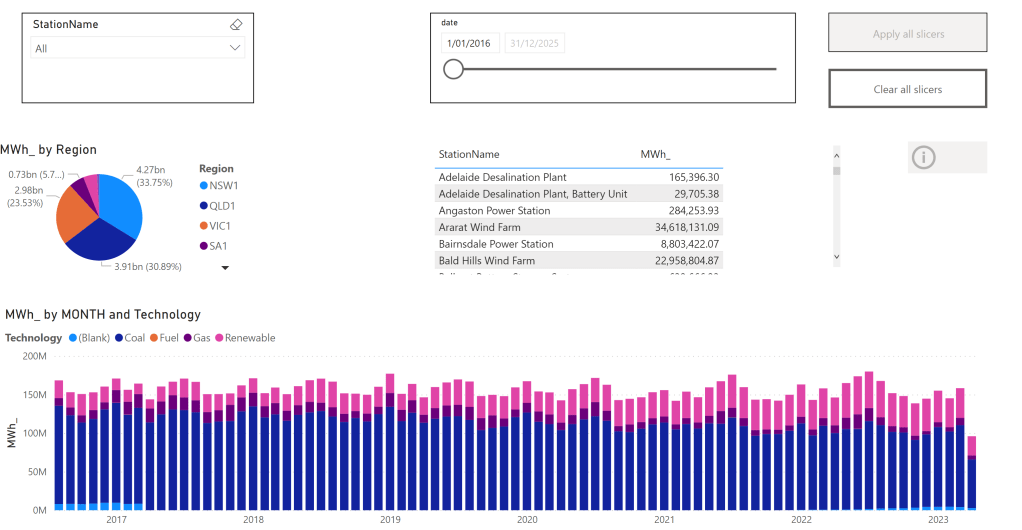
In this report, which show analyze Electricity production for the Australian Market, the base table is sorted by day, that make perfect sense as most uses will want to see only a specific time period then aggregate by some attribute like region, technology etc
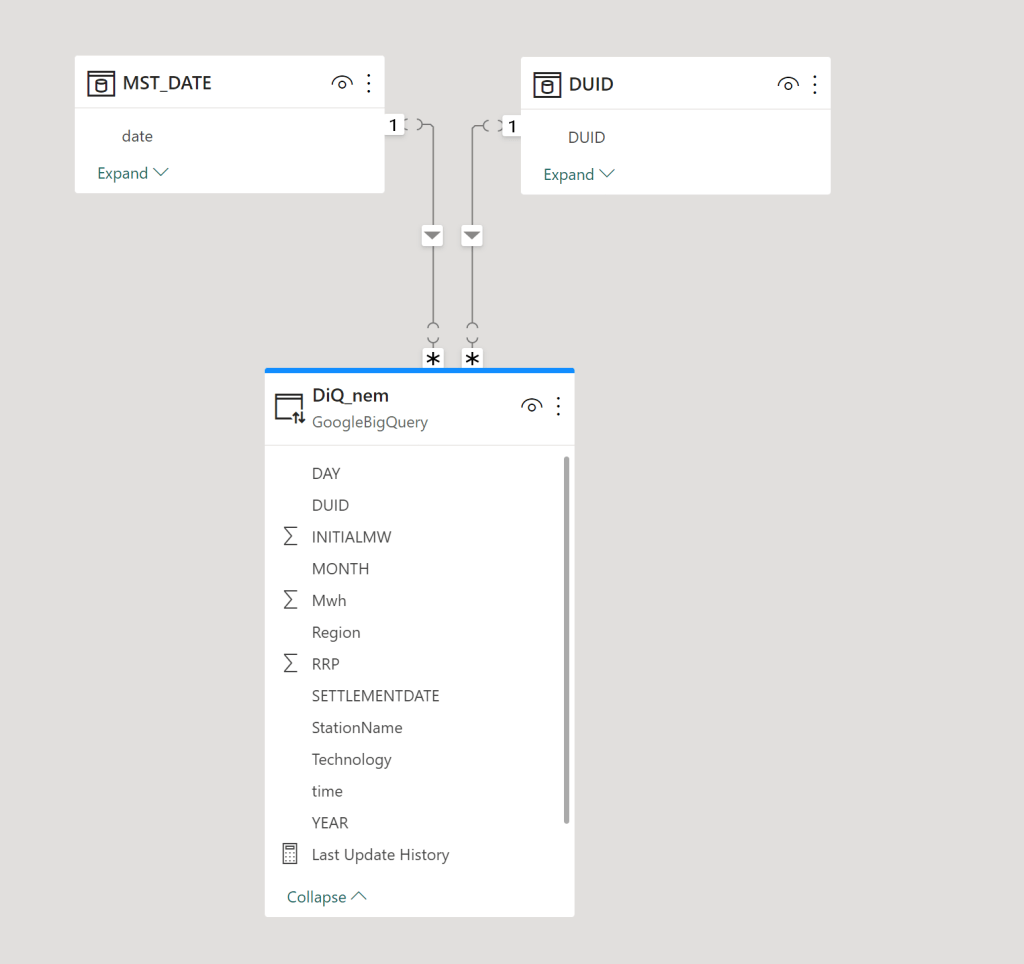
The Model is very simple , a fact table in Direct Query mode, and two dimensions in Import mode, a very simple star schema
The main report is a couple of charts using some aggregation, nothing particularly interesting, the queries use the Materialized view as we are aggregating per day, the base table is by minutes.
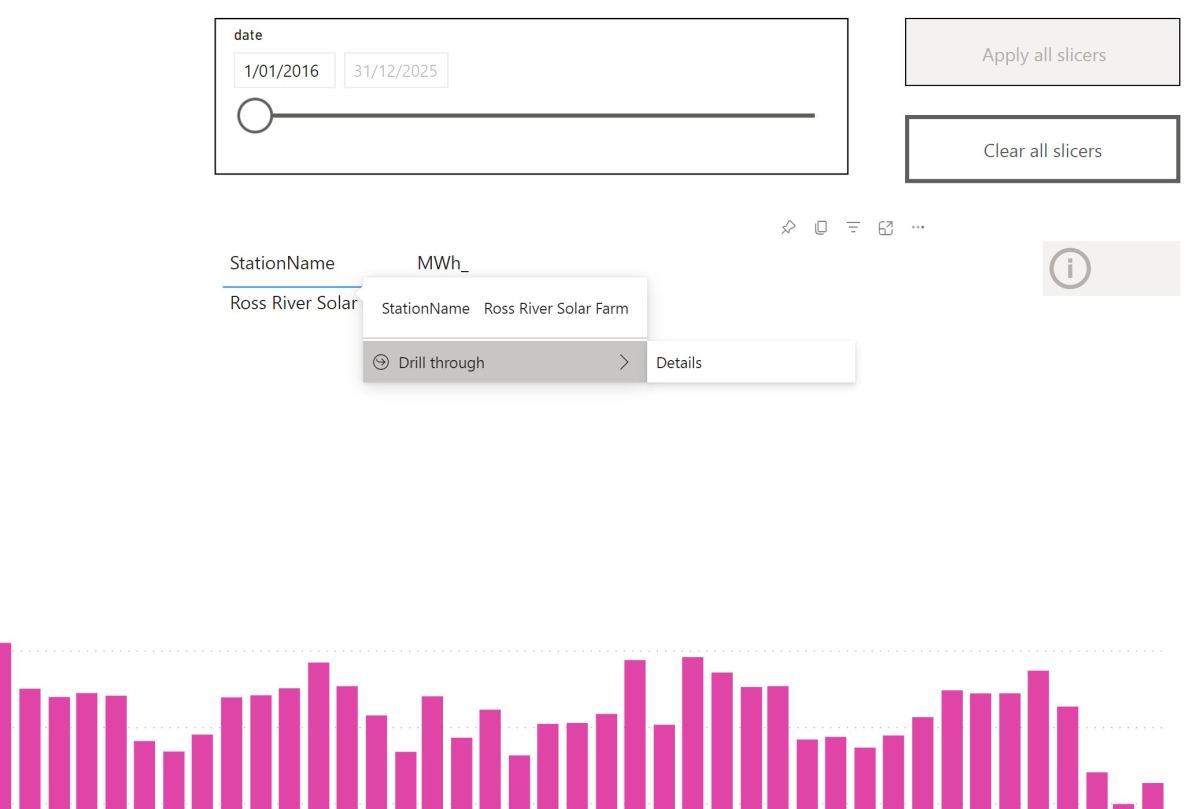
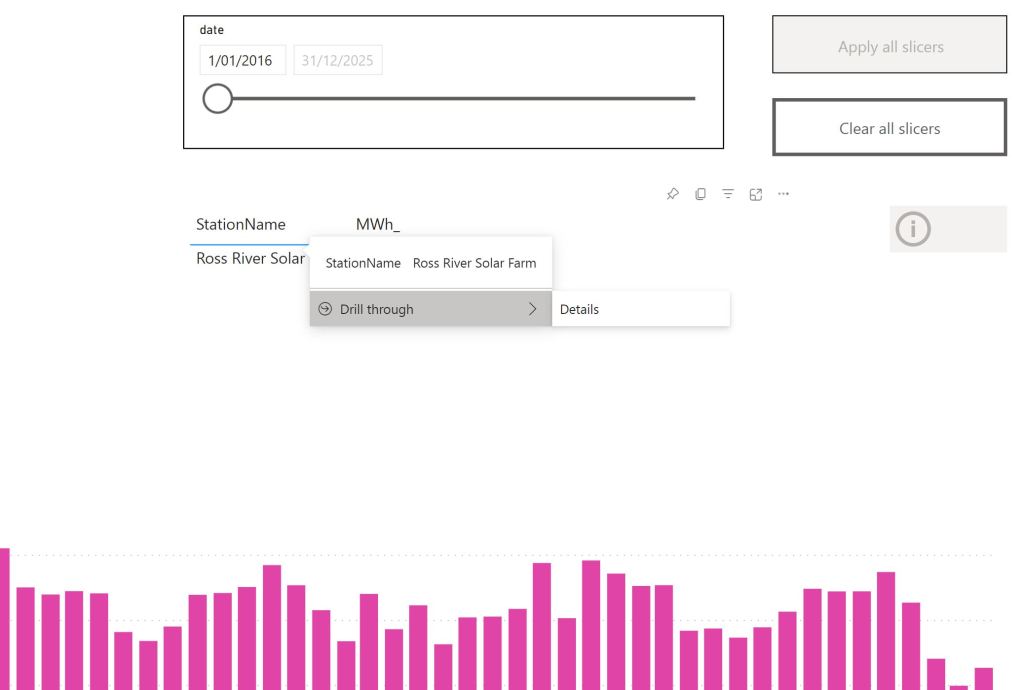
Drill Down to details
The trouble start here, let’s say a user want to see all the data for one particular Station name to the lowest level of details.
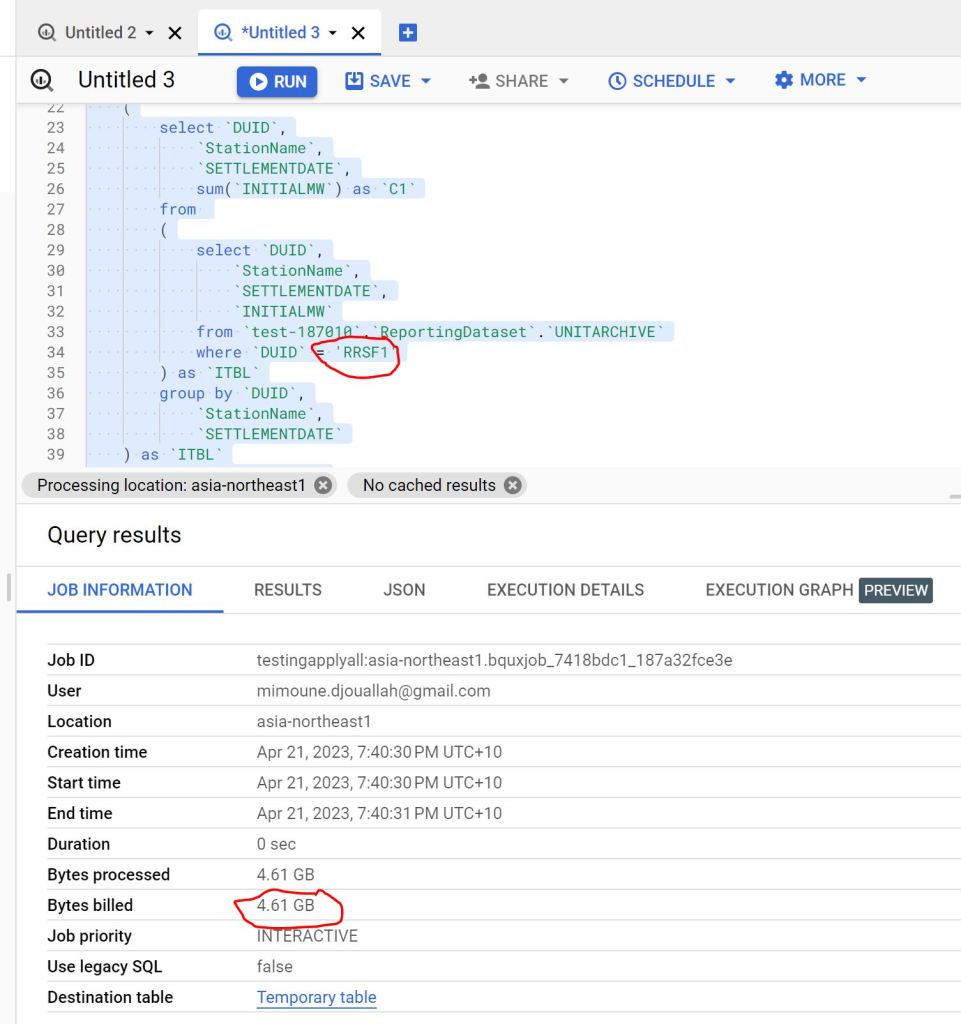
The Engine will have to scan the full table, as the table was sorted by date not by Station name
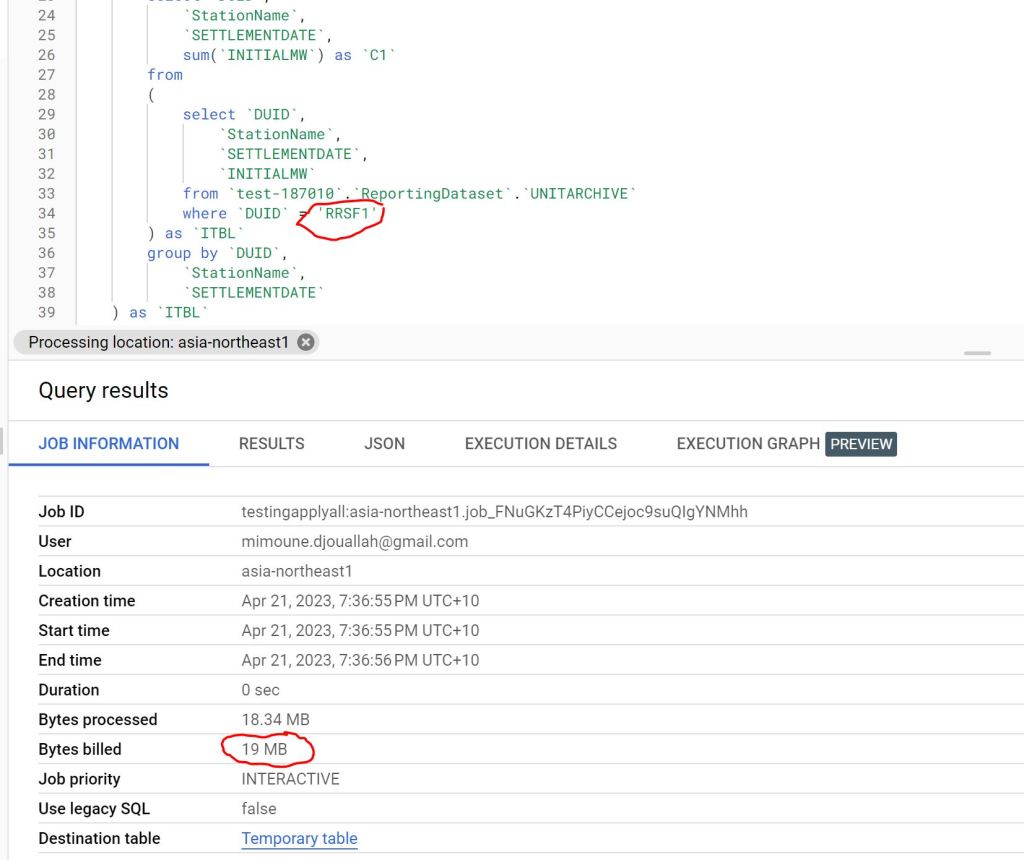
as you can see 4.61 GB is a lot of data scanned just to see one station name.
Non Aggregation Materialized View
let’s create a new MV with a different sort order, notice there is no group by, it is the same number of rows as the base table and you can’t have different partitions, only sort can be changed.
create  materialized view `XXX_MV_Sort`
cluster by   DUID,DAY as

SELECT
  *
FROM
  BASE_Table
The Same Query is substantially cheaper 🙂 from 4.6 GB to 19 MB, that’s 230 times cheaper.
you can see the two Query Plan, one scanning 101 Millions rows vs 404000 rows
Take away
Because BigQuery already knows about all the queries, it may be useful to have some kind of service that give suggestions, like changing sort or adding a Materialized view, in the meantime, I think Modeling still matter and can save you a lot of money.
(Disclaimer : I use BigQuery for a personal project and it is virtually free for smaller workload, at work we use SQL Server as a Data Store, I will try my best to be objective )
TL:DR ;
Run TPCH-SF100 benchmark (base table 600 million rows) to understand how different Engine Behave in this workload using just the lowest tier offering, you can download the results here
Introduction
Was playing with Snowflake free trial ( maybe for the fifth time) and for no apparent reason, I just run Queries on TPCH-S100 Dataset, usually I am interested in smaller dataset, but I thought how Snowflake may behave with bigger data using the smallest cluster, long story short, I got 102 second, posted it in Linkedin and a common reaction was Snowflake is somehow cheating.
Obviously I did not buy the cheating explanation , as it is too risky and Databricks will make it international news.
Load the Data Again
Ideally I would have generated the Data myself and load it into Snowflake, generating 600 Million records in my laptop is not trivial, my tool of choice, DuckDB has an utility for that but it is currently single threaded, instead
I exported the data from Snowflake to Azure Storage as parquet files
Download it to my Laptop, generate new files using DuckDB as in Snowflake you can’t control the minimum size of files, you can control the max but not the Min
Snowflake Parquet External Table
My Plan was to run Queries directly on Parquet hosted on azure storage, the experience was not great at all, Snowflake got Query 5 join order wrong
Snowflake Internal Table
I loaded the parquet files generated by duckdb, Snowflake getting extremely good results. what I learnt, whatever Snowflake magic is doing, it is related to their proprietary file format.
BigQuery External Table
I have no frame of reference for this kind of workload, so I loaded the the data to BigQuery using external table in Google Cloud, Google got 5 minutes, one Run, 2.5 $ !!!!
BigQuery Internal Table
Loaded Data to BigQuery internal format, notice, BigQuery don’t charge for this operation , 2 Minutes 16 second, 1 Cold Run.
BigQuery Standard Edition
BigQuery added new pricing model where you pay by second, after the first minutes, I used the Standard Edition with a small size, I run the same query two time, unfortunately the new distributed disk cache don’t seems to be working, same result 5 minutes, that’s was disappointing
Redshift Serverless
Imported the same Parquet files into Redshift serverless, The schema was defined without Distribution keys, The results are for 3 Runs, the first run was a bit slower as it is fetching the data from the managed storage to the compute SSD the other 2 runs are substantially faster, I thought it is fair to have an average, Using the lowest Tier 8 RPU (2.88 $/Hour)
Redshift Serverless hot run was maybe the fastest performance I have seen so far, but they need still to improve on their cold Run.
I was surprised by the system overall performance, from my reading, it seems AWS basically rewrite the whole thing including separating compute from storage, Overall I think it is a good DWH.
Trino
Trino did not run Query 15, had to run a modified syntax but same results, 1 Run from Cold Storage, I am using the excellent service from Starburst Data
Synapse Serverless
Honestly, I was quite surprised by the performance of synapse serverless, initially I tested with the smaller file size generated by Snowflake and it did work, the first run failed but the second works just fine, I did like it, it did failed quickly, notice that Synapse run statistics on parquet files, so you would expect a more stable performance, not the fastest, but rather resilient.
Anyway , it took from 8-11 minutes, to be clear that’s not Synapse from two years ago.
Not related to the benchmark but I did enjoyed the lake database experience
Databricks External Table
I had not a great experience with Databricks, I could not simply pass authentication to Databricks SQL, you need a service principal and registering an App, and the documentation keep talking about Unity, which is not installed by default, This is a new install why Unity is not embedded if it is such a big deal ?
Anyway, First I created an external Table in databricks using the excellent passthrough technique in the Single Node Cluster, Databricks got 12 minutes,
Databricks Delta table
let’s try again with Delta, I created a new managed table, run optimize and analyse , (I always thought delta has already the stats), but it didn’t seems to make a big difference, still around 11 minutes, and this running from the disk, so no network bottleneck
DuckDB
My Plan was to run DuckDB on Azure ML, but I need a bigger VM than the one provided by default, I could not find a way to increase my Quota , I know it sounds silly, and I am just relating my experience, turn out Azure ML VM Quota is different from Azure VM, it did drive me crazy why I could get any VM in Databricks but Azure ML keep complaining I don’t have enough CPU.
Unfortunately I hit two bugs, first the native DuckDB file format seems to generate double the size of Parquet, the dev was very quick to identify the issue, the workaround is to define the table schema and then load the data using insert, the file became 24 GB compared to the original 40GB parquet files.
I End Up going with parquet files, I was not really excited by loading a 24 GB file in a storage account.
I run the Queries in Azure Databricks VM E8ds_v4 (8 cores and 64 GM of RAM)
As I am using fsspec with disk cache, the remote storage is used only the first run, after 4 tries, Query 21 keep crashing the VM 😦
Tableau Hyper
Tableau hyper was one of the biggest surprise, unfortunately, I hit a bug with Query 18, otherwise, it would have being the cheapest option.
Some Observations
Initially I was worried I made a mistake in Snowflake results, the numbers are just impressive for a single node tier, one explanation is the Execution Engine is mostly operating on compressed data with little materialization , but whatever they are doing, it has to do with the internal table format, which bring a whole discussion of performance vs openness, personally in a BI scenarios, I want the best performance possible, and wonder if they can get the same speed using Apache Iceberg.
Synapse Serverless improved a lot from last year, it did work well regardless of the data size of individual parquet files that I throw at it, and in my short testing it was faster than databricks and you pay by data scanned, so strictly speaking pure speed is not such a big deal but without a free result cache like BigQuery, it is still a hard sell.
Azure ML Quota policy was very confusing to me, and honestly I don’t want to deal with support ticket.
Databricks; may well be the fastest to run 100 TB, but for 100 GB workload, color me unimpressed.
DuckDB is impressive for an open source project that did not even reach version 1. I am sure those issues will be fixed soon.
Everything I heard about Redshift from twitter was wrong, it is a very good DWH, with Excellent performance.
BigQuery as I expected has excellent performance both for parquet and the native table format, The challenge is to keep the same using the new auto scale offering. added Auto scale performance, I think Google should do better.
Summary Results
You can find the results here, if you are a vendor and you don’t like the results feel free to host a TPCH-SF100 dataset in your service and let people test it themselves.
Note : Using SQL Query History : Bigquery one Cold Run , Synapse Serverless , Redshift Serverless and Snowflake a mix of cold and warm
(Note : Synapse Serverless always read from remote storage)
Databricks I am showing the best run from Disk, there is no system table, so I had to copy paste the results from the console.
Pricing
I did not kept the durations for Data load, it is just the cost for Read, obviously it is a theoretical exercise, and does not reflect real life usage which depends on other factors like concurrency performance , how you can share a pool of resources to multiple departement,free results cache, the performance of your ODBC drivers etc.
it is extremely important to understand what’s included in the basic price, for example.
Results cache:
BigQuery, Snowflake, Redshift results cache are free and you don’t need a running cluster, in Databricks you pay for it, Synapse don’t offer result cache at all.
Data loading :
BigQuery data loading is a free operation and other service like sorting and partitioning, in other DB you needs to pay.
Egress Fees :
Snowflake/BigQuery offer free egress fees, Other vendors you may pay, you need to check
Note :
BigQuery : for This workload make more sense to pay by compute not data scanned, either using auto scale, reserved pricing etc, I will try to test Auto scaling later.
Snowflake : I used the standard edition of Snowflake
Edit : I used a Google Colab notebook with a bigger VM for Hyper and DuckDB, see full reproducible notebook
Final Thoughts
Cloud DWH are amazing tech and only competition can drive innovation, not FUD and dishonesty, regardless of what platform you use, keep an eye on what other vendors are doing, and test using your own workload, you may be surprised by what you find.





 Small Data And self service