Databend and the rise of Data warehouse as a code

TL:DR ; Databend is a new Data warehouse vendor, they have a paid Cloud service for Enterprise workload, but offer a full DWH engine as a Python Package, you can download a notebook that uses Cloudflare R2 as a remote storage

Introduction

Note : This Blog is a quick introduction to the Python library and will not review the commercial offering

DWH as a code was first coined by the famous TJ  the idea is very simple, you just write a python script to process data interactively from a remote storage, basically in the simplest use case, you don’t necessarily needs a middle man, sorry I meant a DWH, you run an Engine like DuckDB or Polars, and you get your results, Databend push this concept even further with the native support of a custom built lakehouse table format  and support for disk cache and even result cache, yes in a notebook, who would have thought that !!!!

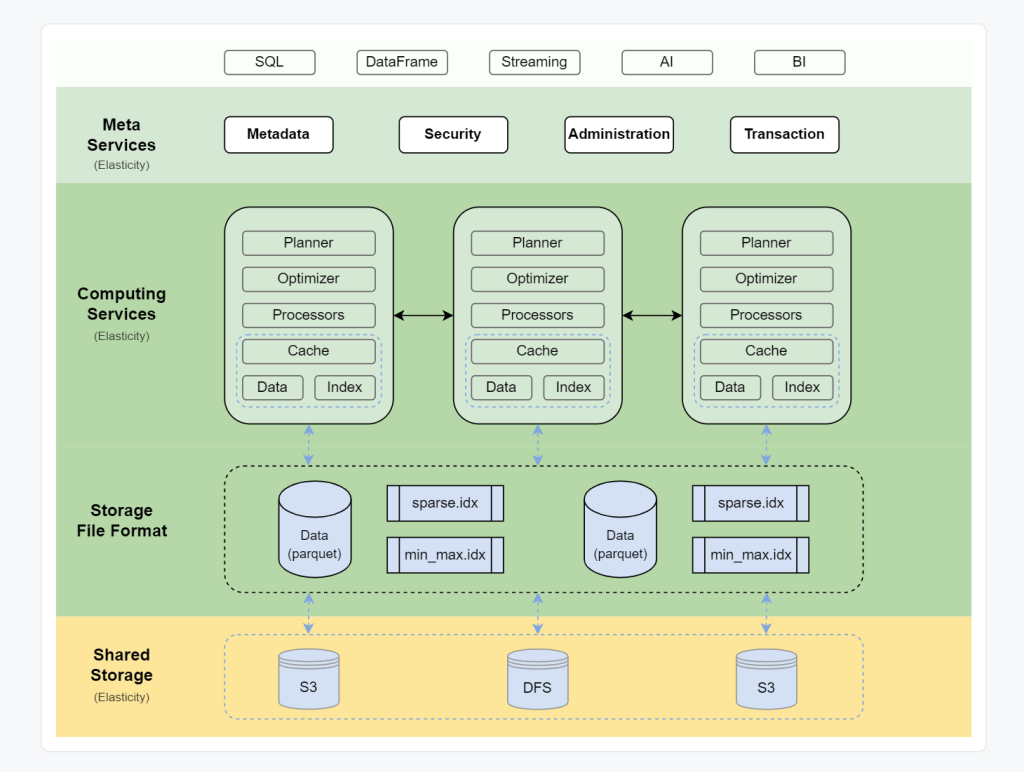
Databend Architecture

Databend architecture is a typical Modern cloud data warehouse, contrary to something like Snowflake, everything is open source

in a notebook environment some layers don’t make much sense, you can install a docker image but that’s not something that interests me.

Setup                     

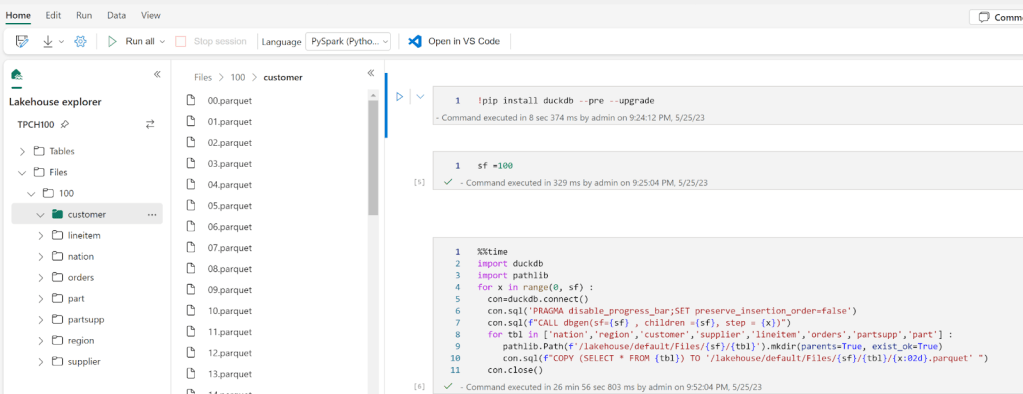
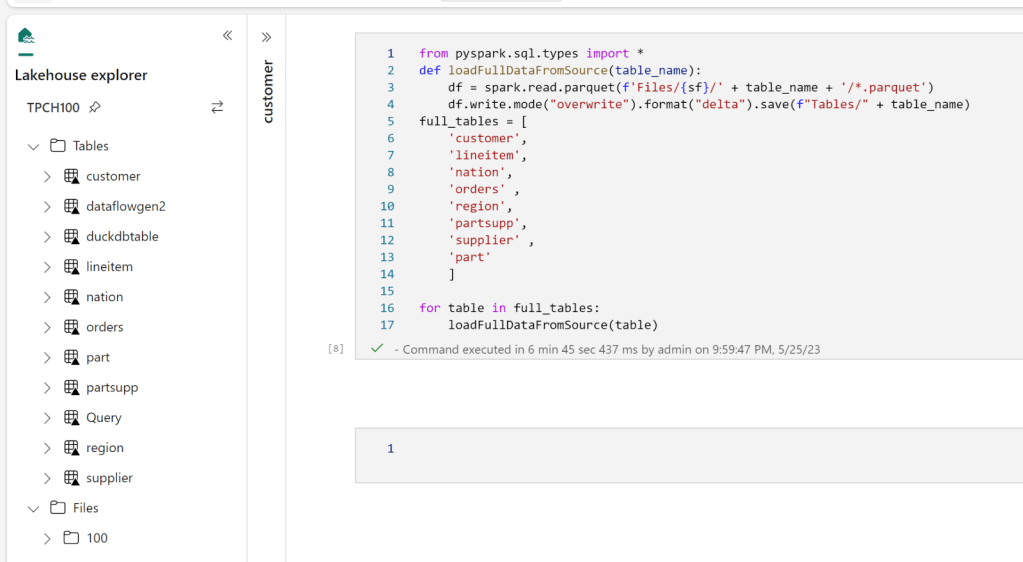
I built a Python notebook that generate some data ( using TPCH ) load it to Cloudflare R2, it works obviously with S3, but R2 has free egress fees.

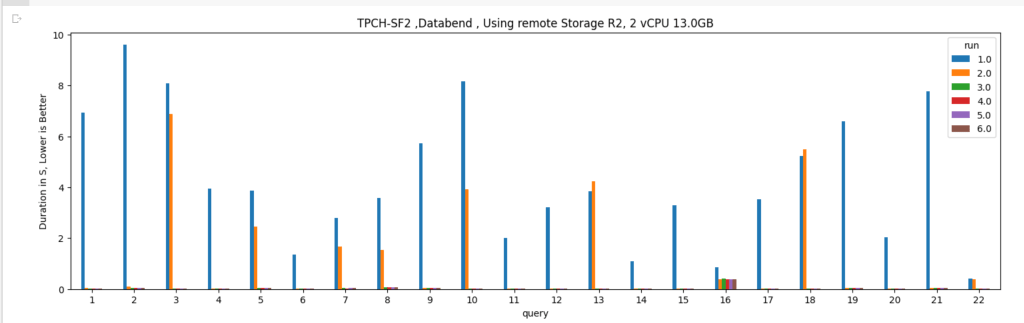
  • First Run : Directly from remote storage
  • Disk cache : if the data was already downloaded in the VM of the notebook, it will run locally
  • Result cache : if the exact query was run again and the base Table did not change then results are returned in a sub 20 ms !!!

Databend use a native table format called strawboat that looks like Apache Iceberg, you can read the details here,  I know probably it is much more complicated than that but in mind, snapshot is an iceberg thing, transaction log is a delta table concept.

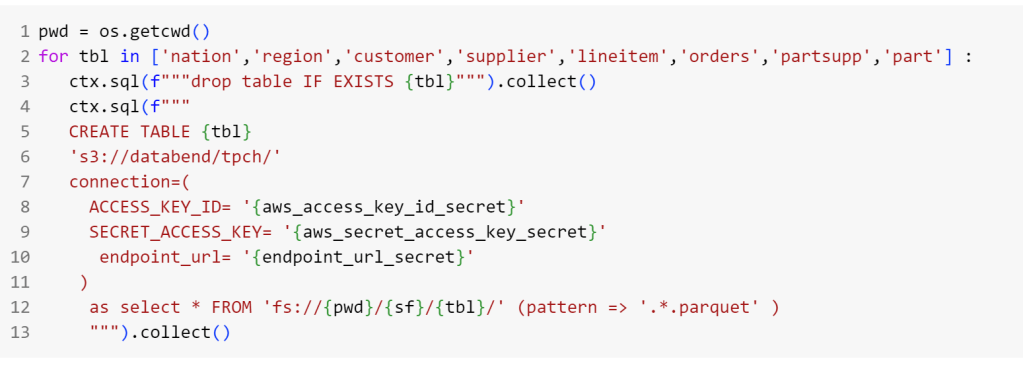
Load Data into R2

I Think databend can’t use “create or replace” syntax, so I had to drop the table if exist then recreated, the syntax is pretty standard, you need only to have R2 credential

Run TPCH Queries

I modified the first Query of TPCH to scan the whole “Linitem” table just to test the disc cache, notice that in Python the disk cache is not on by default and you have to turn it on by passing an environment variable

The same for the result cache, 

And here are the results. Please note the first run is dependent on R2 throughput and says nothing about Databend performance, you will notice the result cache takes virtually no time.

Cache Invalidation

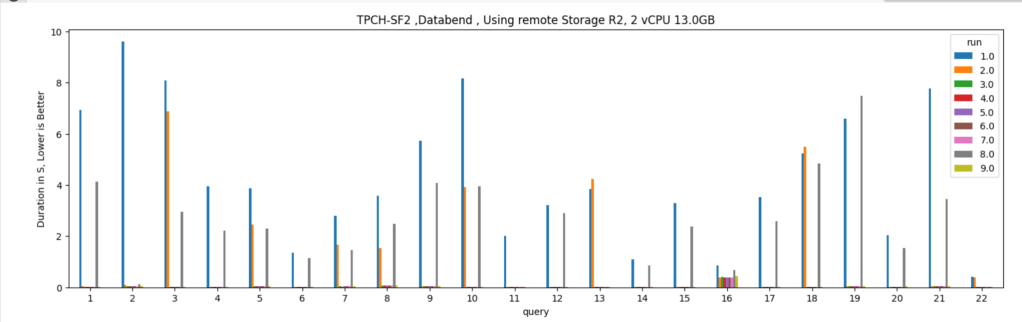
Just to mess with it, I delete some rows from table “lineitem” and “customer”

which invalidate the result cache and disk cache, and trigger a remote scan, I can’t believe I am writing this about a SQL Engine running from a notebook 

Take away 

That was just a quick introduction, the python API is still in the early stage for example, the metadata layer is saved locally in the notebook which I think it is not very convenient, the dev said they can do something about, but it is really refreshing to see new startup building new products with new ideas.

Optimize BigQuery cost by creating independent sort order for the same table

TL;DR

Using materialized view to create a different sort order of the base table can reduce cost substantially, in this example up to 200 X for some queries.

The Problem : You can’t have multiple sort order.

One of most effective technique in columnar database to improve speed is to sort the table which will help the engine scan less data, but what if you have some queries that works better with different sorting, obviously you can’t have independent column sorted in the same table , turn out BigQuery has a very nice functionality, Materialized views which are used mainly to aggregate Data, see example here, can also works fine without aggregation and you can even change the sort order of the base table.

Example using PowerBI

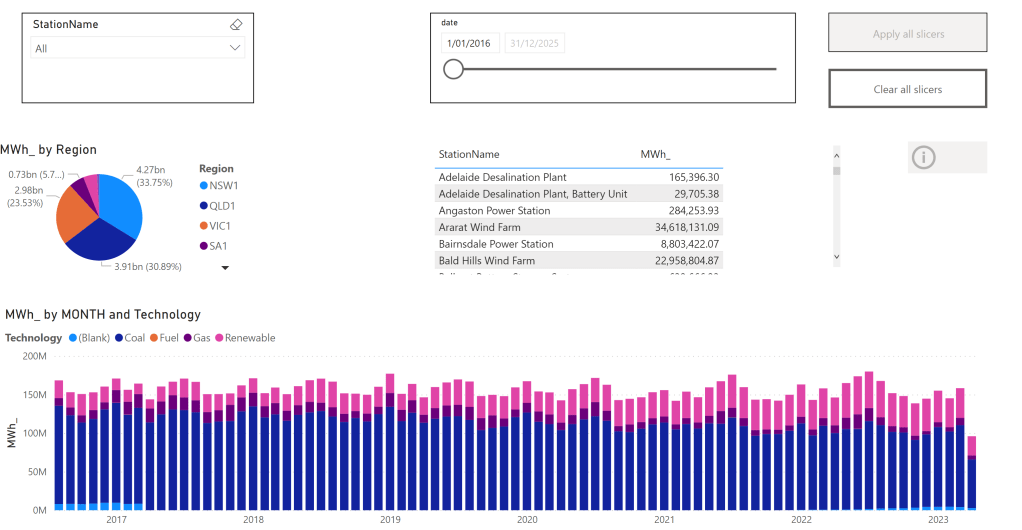
In this report, which show analyze Electricity production for the Australian Market, the base table is sorted by day, that make perfect sense as most uses will want to see only a specific time period then aggregate by some attribute like region, technology etc

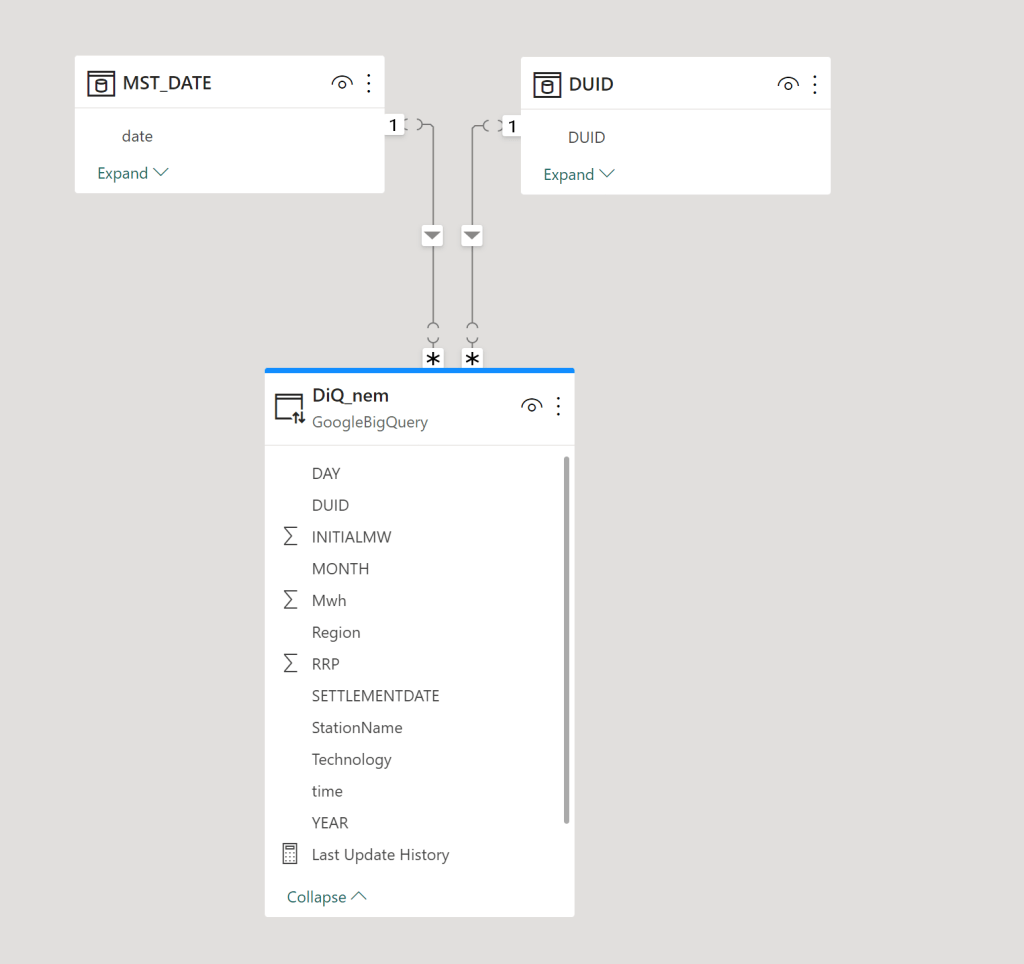
The Model is very simple , a fact table in Direct Query mode, and two dimensions in Import mode, a very simple star schema

The main report is a couple of charts using some aggregation, nothing particularly interesting, the queries use the Materialized view as we are aggregating per day, the base table is by minutes.

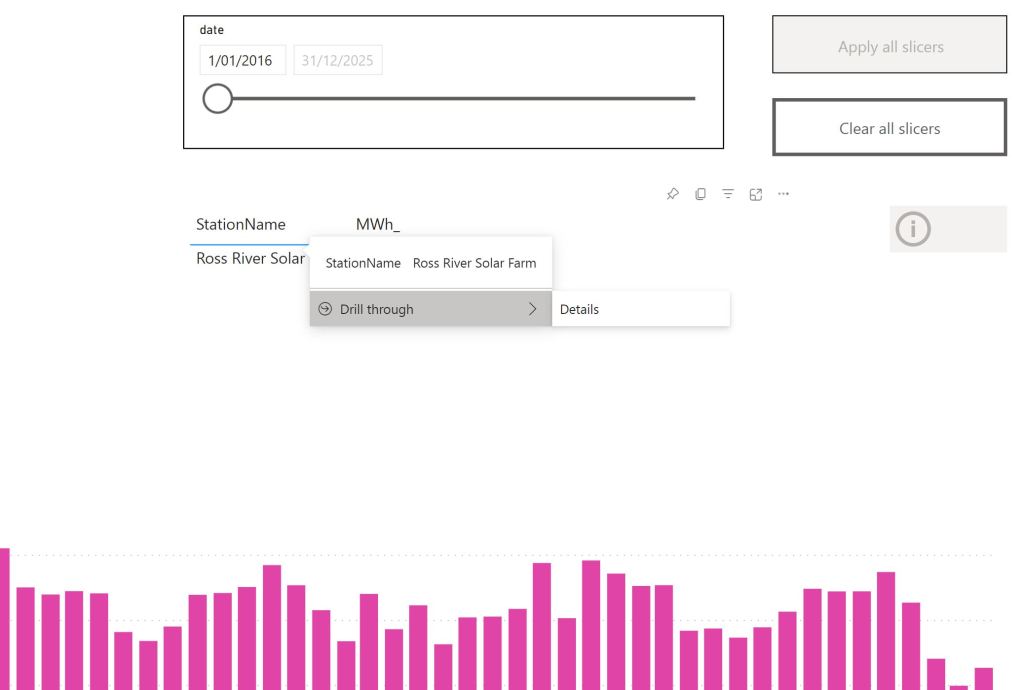
Drill Down to details

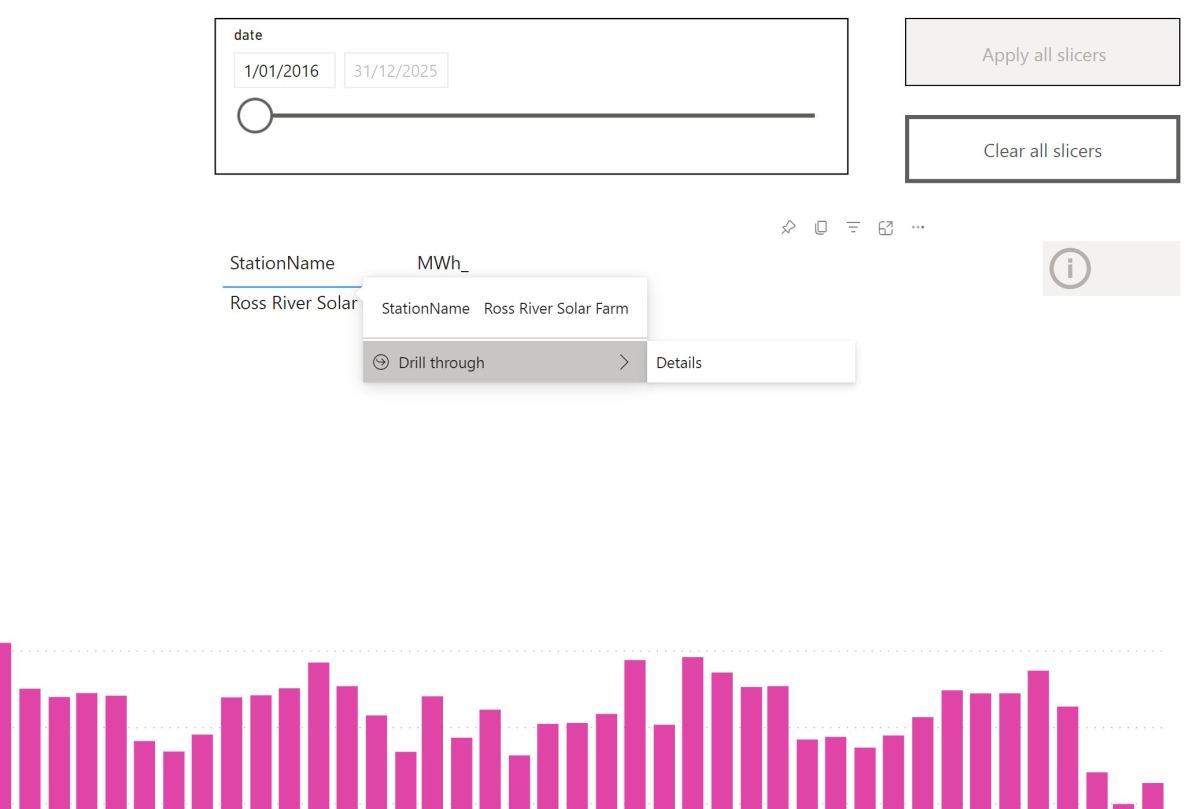
The trouble start here, let’s say a user want to see all the data for one particular Station name to the lowest level of details.

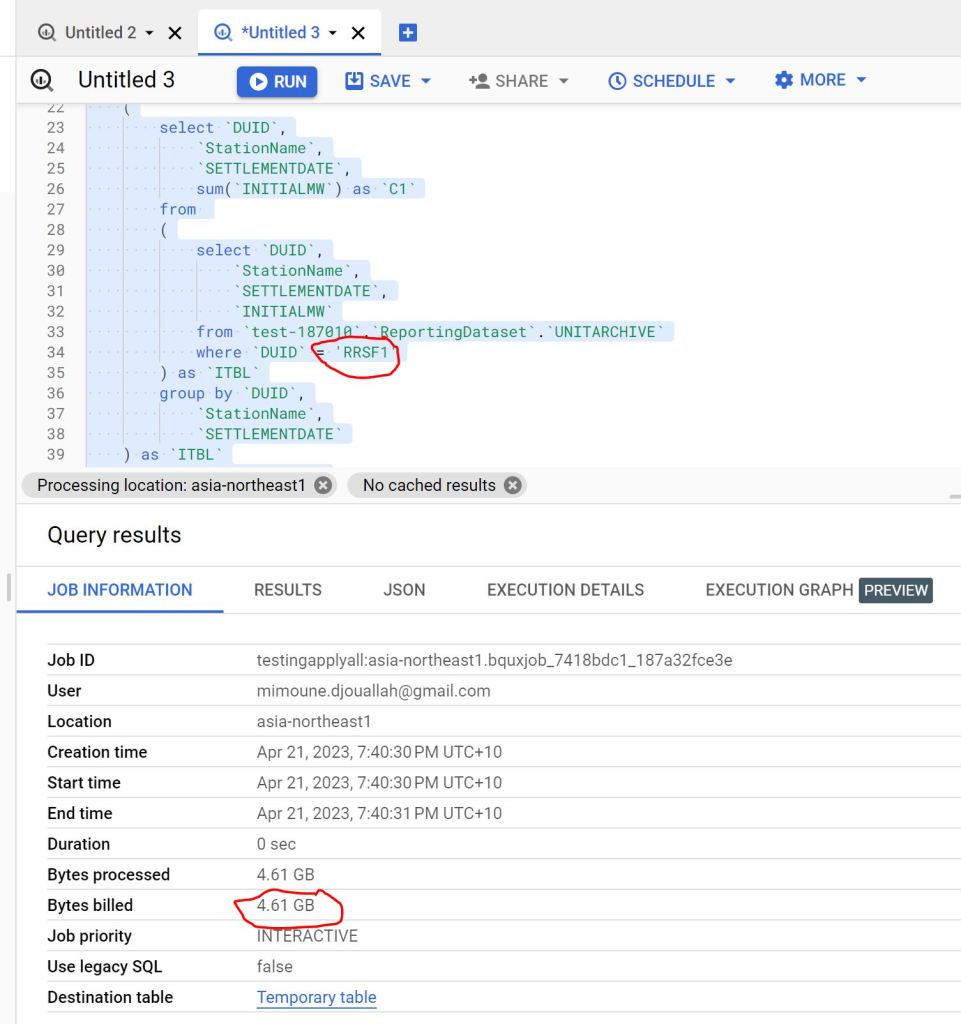
The Engine will have to scan the full table, as the table was sorted by date not by Station name

as you can see 4.61 GB is a lot of data scanned just to see one station name.

Non Aggregation Materialized View

let’s create a new MV with a different sort order, notice there is no group by, it is the same number of rows as the base table and you can’t have different partitions, only sort can be changed.

create  materialized view `XXX_MV_Sort`
cluster by   DUID,DAY as 

SELECT
  *
FROM
  BASE_Table

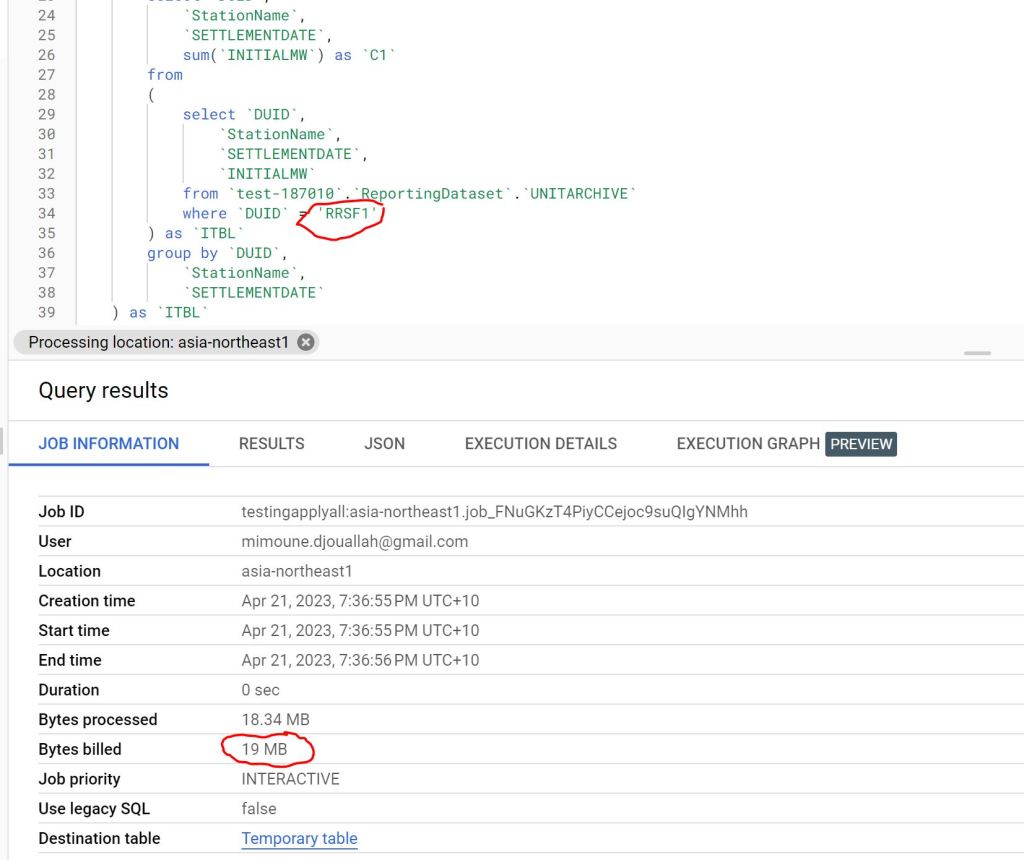
The Same Query is substantially cheaper 🙂 from 4.6 GB to 19 MB, that’s 230 times cheaper.

you can see the two Query Plan, one scanning 101 Millions rows vs 404000 rows

Take away

Because BigQuery already knows about all the queries, it may be useful to have some kind of service that give suggestions, like changing sort or adding a Materialized view, in the meantime, I think Modeling still matter and can save you a lot of money.

The Unreasonable Effectiveness of Snowflake SQL Engine

TL;DR :

in a previous blog, I did benchmark some database using TPCH-SF100, one of the main complaint was that the data was originally from snowflake although I did rewrite the parquet files using DuckDB, it did not feel right as Snowflake performance using the lowest tier was exceptionally good, in this blog, I am using Data generated independently, and yes Snowflake is very fast.

Reproducibility

Since that blog, DuckDB released a new update where you can generate any TPCH data using low resource computer (like my laptop), I thought it is a good opportunity to validate the previous results, this time though, I published the full pipeline so, it can be reproduced independently.

I used the following steps

  • Generate the dataset in my laptop using this code
  • Upload the parquet files to an Azure storage, the total size of the parquet files is 38 GB
  • Create an external tables in Snowflake, using this SQL script
  • Import the data from Azure Storage to Snowflake native table using create table as select from external table, the import took around 10 minutes ( that was rather slow to be honest), the data is imported as it is, no sorting, and no table distribution shenanigans.
  • I did noticed Snowflake has a better compression ratio than Parquet, for example the table “lineitem” size in Parquet is 25 GB, in Snowflake file format is 13.8 GB
  • Run TPCH benchmarks 2 times then do it again 1 hour later (I wanted to be sure that the disk cache was expired) obviously keeping the result cache off

The Results

Run 1 and 3 are querying data directly from Azure Storage you can see that from the local disk cache in Query 1, subsequent Queries use the data cached in the local SSD, notice the cache is temporary, if you suspend your Compute, you may lose it, Although Snowflake tries to give you back the same VM if available.

I plotted the results in PowerBI using the Query history table, The numbers are impressive, I think it is the combination of excellent features working together, great compression, extreme pruning, great Query plan, exact statistics, the whole thing make an extremely efficient engine.

Take away

Database performance is a very complex subject and vary based on the workload, but I wanted to have a simple heuristic, a number that I can reference, I think I have that magic Number 🙂 if your Database can Run TPCH-SF100 around 2 minutes and cost you around 2 $, you can say it is fast.

First Look at Tableau Hyper

TL;DR

Tableau Hyper manage to finish TPCH-SF110 using the free colab notebook, second is DuckDB using TPCH-SF20

Introduction

Saw a linkedin post where someone used my previous test for TPCH-SF10 and added Tableau Hyper Engine to the mix, the number were too good, that’s something that make me suspicious, I do like average results, extremes may just means a glitch or just a random good run, I had to see it for myself, and what a wonderful discovery, yes Hyper is extremely fast.

What is Hyper

Hyper is a DB originally developed in a german university and bought by Tableau in 2016 to replace their calculation engine, it is a full feature relational Database that support SQL, and not a specialized DB like PowerBI Vertipaq or Qlik Engine.

To be honest, I knew about Hyper before, The API was released in 2020 but I was very annoyed by a weird functionality where you need to double quote tables name and columns name, I was not too excited by the idea of apply this to a 900 LOC of SQL, luckily Romain was very kind and shared the modified SQ.

Edit : turn out double quote is not needed, probably the documentation was confusing, or I got the wrong impression.

To be clear Hyper Engine Package for Python is totally standalone and does not require Tableau, just PIP install tableauhyperapi , it is free to use but with proprietary license.

The Free Colab Test

I like using the free colab notebook to test Execution Engine (DuckDB,Data fusion, Polars etc) how an Engine behave in a constrained environment will give you a lot of useful intuition, and if it does not work well with limited resources, you will end up paying more in hardware cost because of software inefficiency, Design decisions matter.

TPCH-SF10

I started with the easy test, SF10, that’s 60 Million rows, Hyper performed nealy 2X faster than DuckDB, you can explained that Hyper had more time to mature compared to DuckDB, which is I think is only 3 years Old.

Notebook Attached

TPCH-SF30

It may sounds weird, but I really wanted to see an Engine finish the SF30 (180 Million rows)using the free colab notebook, it became like a personal obsession, DuckDB and Data fusion could not finish it as they got Out of memory error, and Hyper just run, it was not even trying hard.

Notebook Attached

TPCH-SF110

For no rational reason, I thought, let’s push the maximum and see what happen, the main table is 660 Million rows, in a free colab, and yes it was very slow, but did not crash and completed the test, that’s awesome !!

Notebook Attached

In-Memory vs SSD Disk

First let’s have a look at the file size, I had to delete the Parquet files to after loading just to save on the disk space.

That’s 47 GB, the Free Colab VM has only 13 GB of RAM, an Engine like PowerBI Vertipaq would not work, as it needs first to load the whole file into RAM, before running any Queries, Hyper works differently, it stream the data straight from the disk, and will just read what’s required by the Query using only the column needs and the rows needed, basically it is extremely efficient at prunning data from the disk.

Now let’s see the second graph

I was watching the RAM usage and it is absolutely beautiful, most of the time it is less than 2 GB, in some Queries you can see the memory usage increase then Hyper decide to spill to disk, I was very worried about Query 21 ( The DB killer) and Hyper just smash it, like it is nothing, it was so efficient, you can nearly feel the engine, everything make sense, it was a joyful moment.

Some Observation

This is just my personal opinion having played with a couple of SQL Engine.

  • You don’t need a specialist DB to handle Analytical Workload, a well designed columnar DB like Hyper and others is the perfect example.
  • I love DuckDB, but there is still a lot of work to do, which is a good news, as we can still squeeze more juice from our laptops.
  • I always believed PowerBI vertipaq to be the golden standard of analytical DB, I am not sure anymore, loading everything to RAM regardless of the Queries received seems a bit archaic these days, streaming from disk with only what’s required seems a better use of the hardware, and it scale better.
  • I believe having a fast non trivial logical semantic layer that just generate SQL Queries to a DB maybe the right architecture for this era.