Poor Man’s lakehouse using Cloud Storage, Delta lake and DuckDB

TL;DR : a proof of concept how to assemble a ‘Toy’ Lakehouse using Delta Table and DuckDB, You can download the Notebook here . Cloud storage throughput is the bottleneck of the system, I will appreciate a vote on this feature request

Delta lake one of the main storage file format used by Databricks and Microsoft has an experimental support for a standalone reader, it means you don’t need a big Data Engine to read it nor to write it, it is experimental at this stage but under active development.

I already blogged about it already, But I was using my laptop, turn out it works relatively well using any major Cloud storage provider, initially I tried Azure Cloud Storage and it did works, but I could not find any free Azure notebook offering, and I am not interested in paying any egress fees, instead I end up used Google Cloud Storage and Colab

I would like to talk more about arrow dataset, which I think is an amazing technology

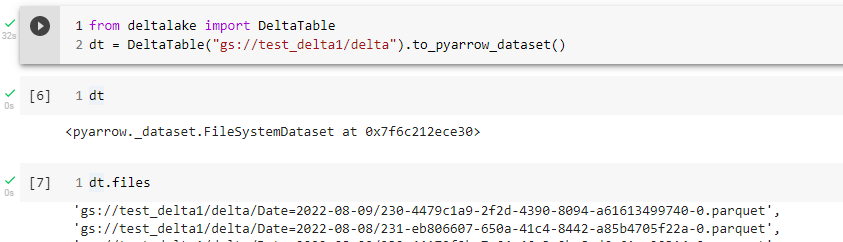
The Overall Idea is simple, I have a delta table in a cloud storage created by something like Apache Spark, DuckDB can’t read Delta Directly but instead I am using the Delta lake python package that can produce an arrow Dataset whch can be Queried by DuckDB or any other engine that support Arrow.

Arrow Dataset

Let’s look at this section of the code, as per the documentation, an arrow dataset does not copy the data but it is like a Virtual Table that knows about all the files inside that particular path, what’s exciting in theory Engine does not need to know about the storage at all, if it is csv, parquet or something else.
For example in the future, a Query engine would not even care if the Table is Delta or Iceberg, obviously it is not the case today but there is no reason it will not happen.

Filter Pushdown

When you read data from a cloud storage, for latency issues, it make sense to read the minimum possible number of files, currently only filter partition works, but they are working on adding filter on any columns

Final results

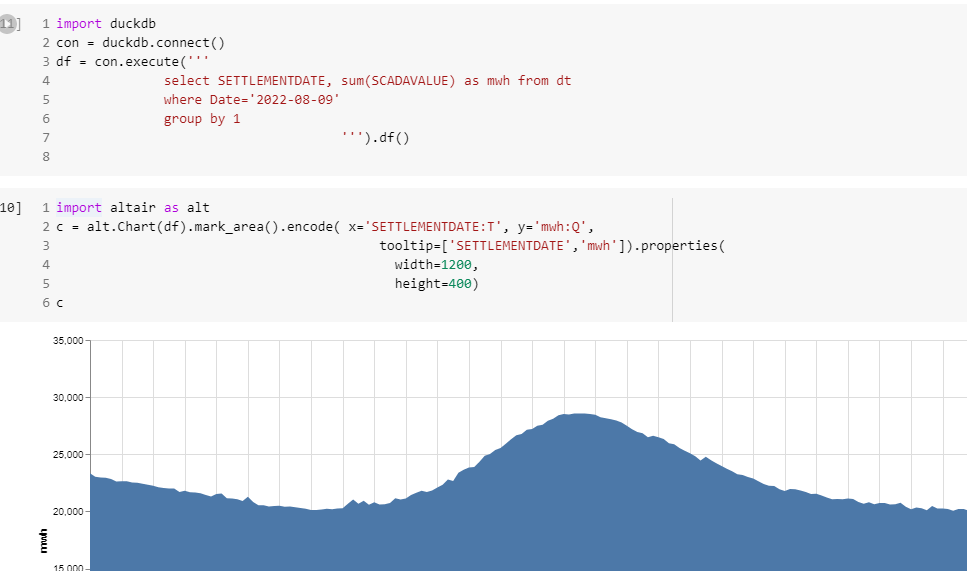
Currently, it is not particularly fast, but I can Query the Data Directly from a cloud storage and show arbitrary chart.
Local Cache

If the data is small and fit the notebook SSD, and does not change very often, it make sense to first download the data into a local DuckDB Database file and run Queries locally , it will be substantially Faster.

Take Away

I was a bit suspicious about this whole Lake House thing, but maybe I was wrong about it, having an open storage format will open all kind of interesting possibilities and that’s a very good thing.

As you can see, anyone can build a lake house, now we need to figure out a boring details, the overall performance of the system 🙂
Query Performance in Vertipaq vs DuckDB

Edit : this blog generated some strong feedback, This is not a benchmark of Vertipaq, but rather me arguing that it is indeed possible to have a good enough OLAP SQL Engine that read from disk instead of RAM ?

Vertipaq is the columnar Database used In PowerBI, Excel and Analysis service, it is an extremely fast DB and I have being using it since 2015 without really understanding how it works, it is just there giving back results in sub second, the only time I got performance issue was when I wrote terribly bad DAX.

Just for fun and hopefully we may even learn something useful, I run a couple of simple SQL Queries in DuckDB and replicate them in PowerBI desktop and see how the two system behave,Unfortunately Vertipaq don’t expose a fully functional SQL Endpoint, so you can’t simply run a typical SQL benchmark.

Setup

All test were done using my laptop ( a Dell with 16 GB of RAM), the data is TPCH-SF10, 60 million of rows for the base table, I had to add a PK for PowerBI as it does not support join on multiple fields, you can download the raw Data here

DuckDB queries were run using Visual studio notebook, I would had prefered Malloy but it does not support native DuckDB storage format yet , you can download the python files here and how to create the DB and Tables

For PowerBI, I use DAX Studio with cache turned off.

Loading Data

DuckDB support multiple mode, you can just run Queries directly on parquet files, you can load the data to memory using temp tables or you can import the data using DuckDB storage format, for performance reason I import the data, DuckDB don’t support compression very well yet, and consider the storage format as a work in progress, Index currently are not compressed and take a lot of space, without index, the size is around 3.6 GB

Parquet : 2.9 GB

DuckDB storage file format : 17 GB

Vertipaq : 3.9 GB

Notice here, DuckDB is reading from disk to run Queries, if does filter pushdown and scan only column used in Queries, Vertipaq has to load the whole database into memory before you can run any Queries, as far as I can tell this is the most important difference between the two systems and has a massive implication, both positive and negative.

Data Model

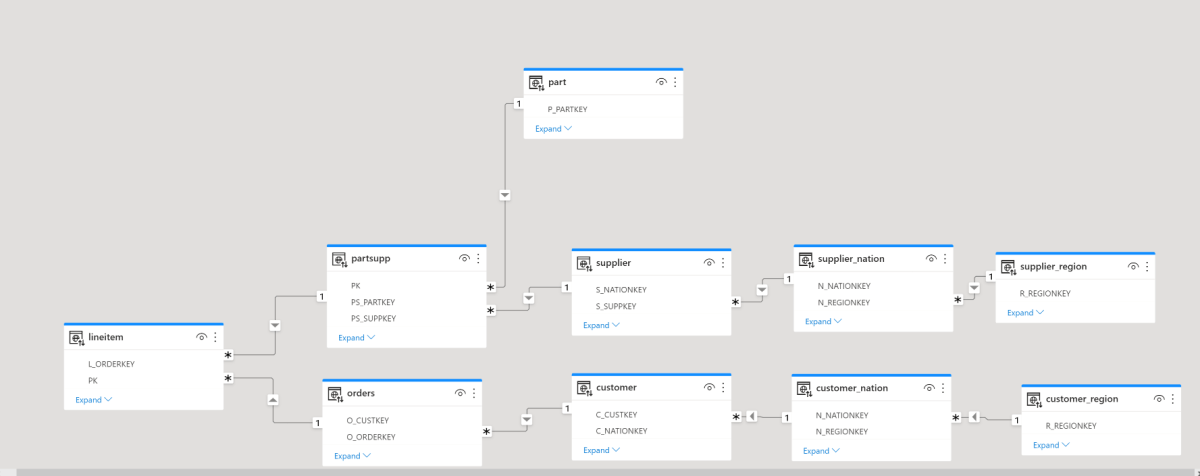
I am using the same Data Model as the previous blog, it is a nice bad Model for testing 🙂

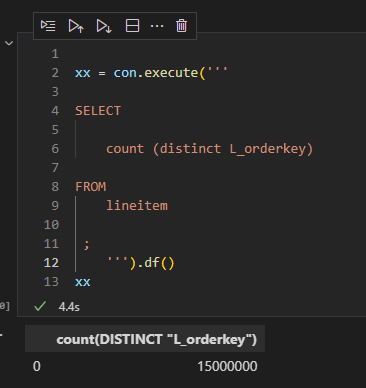
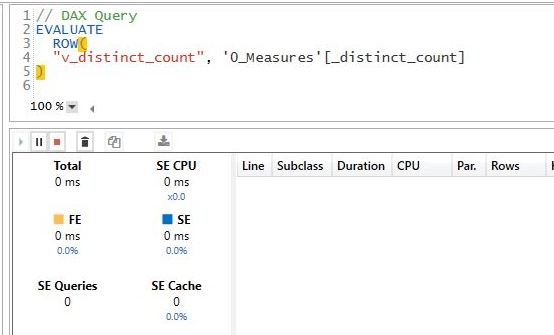
1- Simple Count Distinct

DuckDB : 4.4 S

Vertipaq : 0 S

For vertipaq it is a metadata Query, the distinct count for a whole column is created when you import the data, DuckDB don’t save that particular statistic.

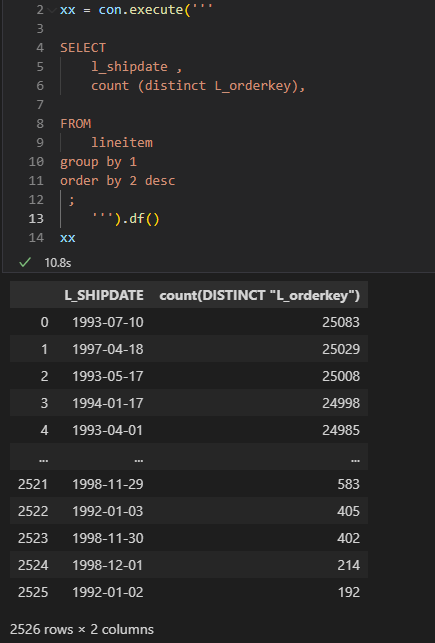
2- Count Distinct group by low Cardinality

low cardinality simply means column with small number of unique values.

DuckDB : 10.8 S

Vertipaq : 7.1 S

3- Count Distinct group by high Cardinality

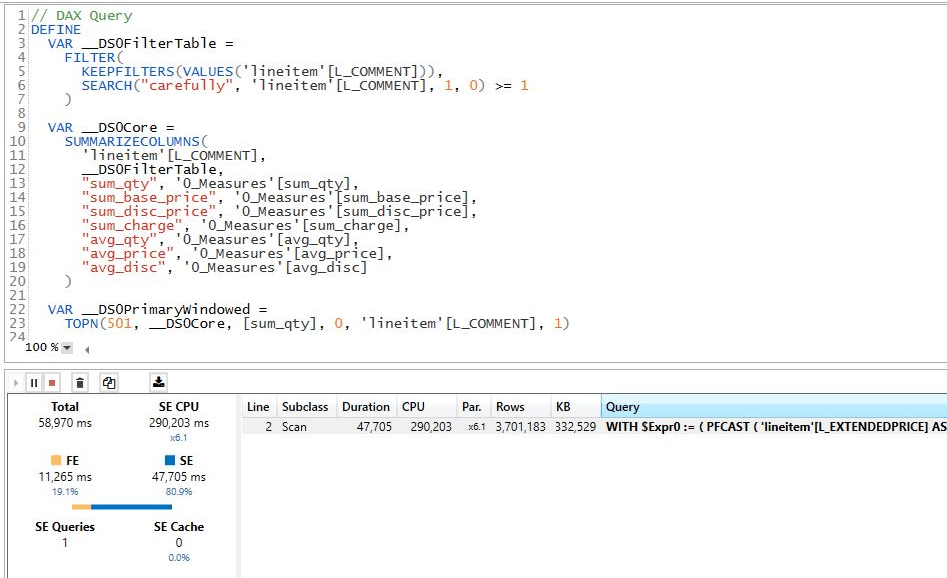
now count the distinct values but grouping by a column L_comments which contains 33 Million unique values

DuckDB : 49 S

Vertipaq : 29 S

4 – Sum group by low Cardinality

This one is using the Famous Query 1 of TPCH Benchmark

DuckDB : 0.7 S

Vertipaq : 0.3 S

5 – Sum group by high Cardinality

DuckDB : 2.7 S

Vertipaq : 17 S

6 – Aggregate using complex relationship but group by Low cardinality

The performance of Vertipaq keep surprising me, it is using some kind of index on joins, I don’t know really how it works, but the performance is impressive

DuckDB : 4.9 S

Vertipaq : 0.9 S

7 – Aggregate using complex relationship but group by High cardinality

DuckDB : 8.4 S

Vertipaq : 5.1 S

I was surprised by this results, it seems when you group by high cardinality column it will impact Vetipaq performance.

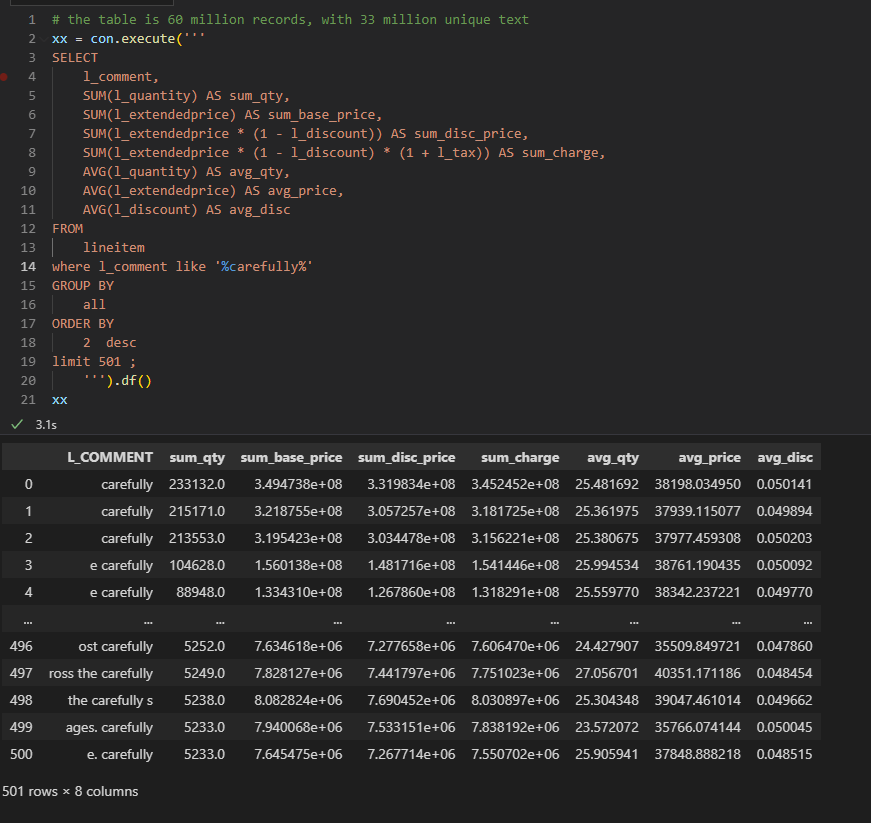
8 – Aggregate and filter on Text

DuckDB : 3.1 S

Vertipaq : 58 S

The performance seems odd for vertipaq, maybe I am doing something wrong, but it should be straightforward

Edit : Alex was kind enough and provided this excellent explanation.

9- Count Distinct group by high Cardinality base Table 120 Million records

Basically that’s the point of the blog, yes Vertipaq works well because it does fit into my Laptop RAM, let’s try a complex Query using 120 Million ? I start getting memory errors

Actually the whole experience became sluggish, just saving any edits take ages.

Let’s try DuckDB, I will just Query from parquet, I don’t want to ingest 120 million records for one Query

Take Away

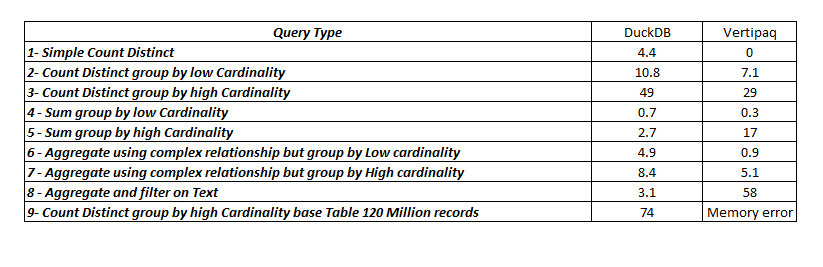
here is the summary results

Vertipaq is extremely fast but the performance degrade when dealing with High cardinality columns, filtering using string seems slow though, the Index on join or whatever the engine is doing is genius, the result for the Query 4 and 6 are magic as far as I am concerned.

DuckDB is impressive especially with the fact it is reading from Disk, yes, it is slower than Vertipaq for a small Data size which is expected as generally speaking scanning from RAM will be faster than Disk, but it does scale better.

If your data don’t fit into the RAM, DuckDB seems like an interesting proposition.

Expanded Table Behavior in DAX and Malloy

Expanded tables are a core concept in DAX, Malloy has something similar although with a default behavior:).

To see the difference let’s build the same Model in DAX and Malloy and see where it is the same and where it differ.

The Model is based on TPC-H Dataset, it is a simple model as it contains only 1 Base Table ” Lineitem”

The Same Model using Malloy

you can download the Malloy here : it is just a text file

Count the Number of customers

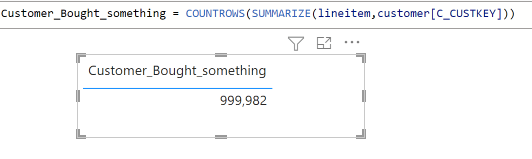
Malloy : results 999 982

Query: custoners_bought_something is {  
    aggregate: cnt is count( distinct customer.C_CUSTKEY)
                 }

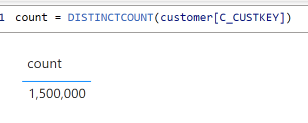
DAX : 1 500 000

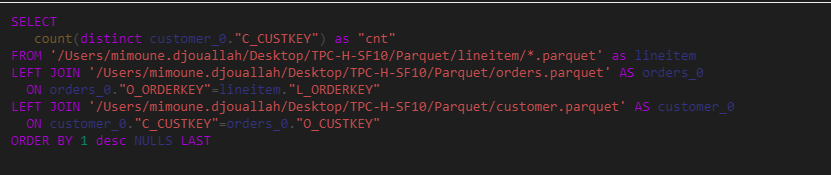
I know the table contains 1.5 M, so why Malloy is giving me wrong results, it turn out , it is by design, Malloy consider only the customers that bought something in lineitem, you can see it from the SQL Generated

DAX by default ignore the “graph” if the measure target only 1 table, to get the number of customers who bought an item, you need something like this

Take away

Maybe I am biased but I think DAX behavior make more sense, if I target only a table then the graph should be ignored, I think the relationship should be used only when I use fields from different tables.

Aggregate 100 GB using PowerQuery and DuckDB

Maybe not known enough, but you can run a python script inside PowerQuery in the desktop, and deploy it to PowerBI service using a personal gateway.

it is just a POC that showcase you can do a lot; just using a decent laptop and python.

let’s say, you have a folder with 100 GB of parquet files, and you want to aggregate some results for further analysis in PowerBI, Obviously importing 100 GB maybe not be a great idea, in this scenario, from what I can see, people recommend stuff Like PySpark or Dask , which I guess are great option, but if you want a lightweight option with a simple pip install then DuckDB is amazing !!

For testing, first write your SQL Query using only 1 parquet file, when you are happy with the results, change the path from “folder/x.parquet” to “folder/*.parquet”

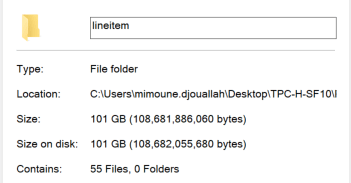
In this example I have a folder of 100 GB of Parquet files.

in PowerQuery you need just to insert a python script, you don’t need to know anything about python, it is just a standard SQL Query, PowerQuery is smart enough to know that df is a dataframe, and it will show the result in the next step.

import duckdb 
con = duckdb.connect()
df =con.execute('''
select  L_RETURNFLAG,L_LINESTATUS,count(*) from
 'C:/xxxxx/parquet/lineitem/*.parquet' 
        group by 1,2
''').df()

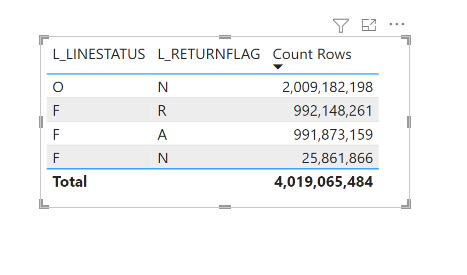
And here is the final results.

The duration will depend mainly on your CPU and SSD speed, DuckDB consume little memory, in that example less than 2 GB, the secret sauce is parallel scan of Parquet files.

Traditionally Big Data means; Data that don’t fit into RAM, nowadays, Big Data is how much Data can fit in your SSD, and that’s a welcome change.