
This is not an official Microsoft benchmark, just my personal experience.
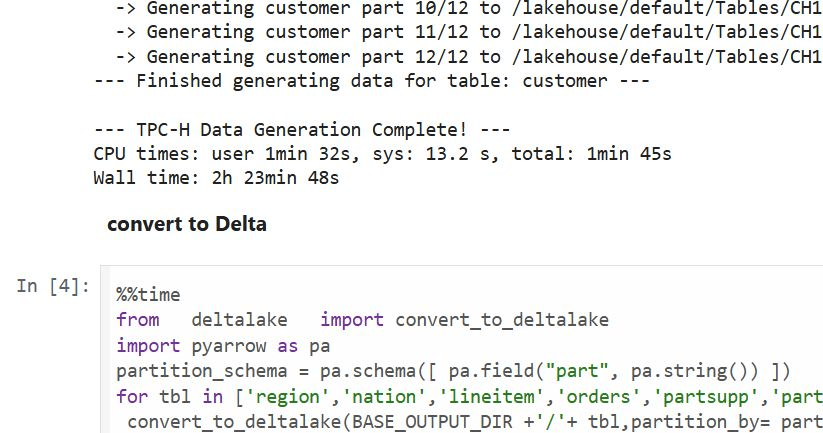
Last week, I came across a new TPCH generator written in Rust. Luckily, someone ported it to Python, which makes generating large datasets possible even with a small amount of RAM. For example, it took 2 hours and 30 minutes to generate a 1 TB scale dataset using the smallest Fabric Python notebook (2 cores and 16 GB of RAM).
Having the data handy, I tested Fabric DWH and SQL Endpoint. I also tested DuckDB as a sanity check. To be honest, I wasn’t sure what to expect.
I shared all the notebooks used and results here
I ran the test 30 times over three days, I think I have enough data to say something useful,In this blog, I will focus only on the results for the cold and warm runs, along with some observations.
For readers unfamiliar with Fabric, DWH and SQL Endpoint refer to the same distributed SQL engine. With DWH, you ingest data that is stored as a Delta table (which can be read by any Delta reader). With SQL Endpoint, you query external Delta tables written by Spark and other writers (this is called a Lakehouse table). Both use Delta tables.
Notes:
- All the runs are using a Python notebook

- to send queries to DWH/SQL Endpoint, all you need is
 conn = notebookutils.data.connect_to_artifact("data")
 conn.query("select 42")
- I did not include the cost of ingestion for the DWH
- The cost include compute and storage transaction and assume pay as you go rate of 0.18 $/Cu(hour)
- For extracting Capacity usage, I used this excellent blog
Cold Run

- The first-ever run on SQL Endpoint incurs an overhead, apparently the system build statistics. This overhead happened only once across all tests.
- Point 2 is an outlier but an interesting one 🙂
- The number of dots displayed is less than the number of tests runs as some tests perfectly match, which is a good sign that the system is predictable !!!
vorderimproves performance for both SQL Endpoint and DuckDB. The data was generated by Rust and rewritten using Spark; it seems to be worth the effort.- Costs are roughly the same for DWH and SQL Endpoint when the Delta is optimized by
vorder, but DWH is still faster. - DuckDB, running in a Python notebook with 64 cores,
is the cheapest(but the slowest).Query 17 did not run,so that result is moot.,Still, it’s a testament to the OneLake architecture: third-party engines can perform well without any additional Microsoft integration. Lakehouse for the win.
Warm Run

vorderis better than vanilla Parquet.- DWH is faster and a bit cheaper than SQL Endpoint.
- DuckDB behavior is a bit surprising, was expecting better performance , considering the data is already loaded into RAM.
Impact on the Parquet Writer
I added a chat showing the impact of using different writers on the read performance, I use only warm run to remove the impact of the first run ever as it does not happen in the DWH ( as the data was ingested)
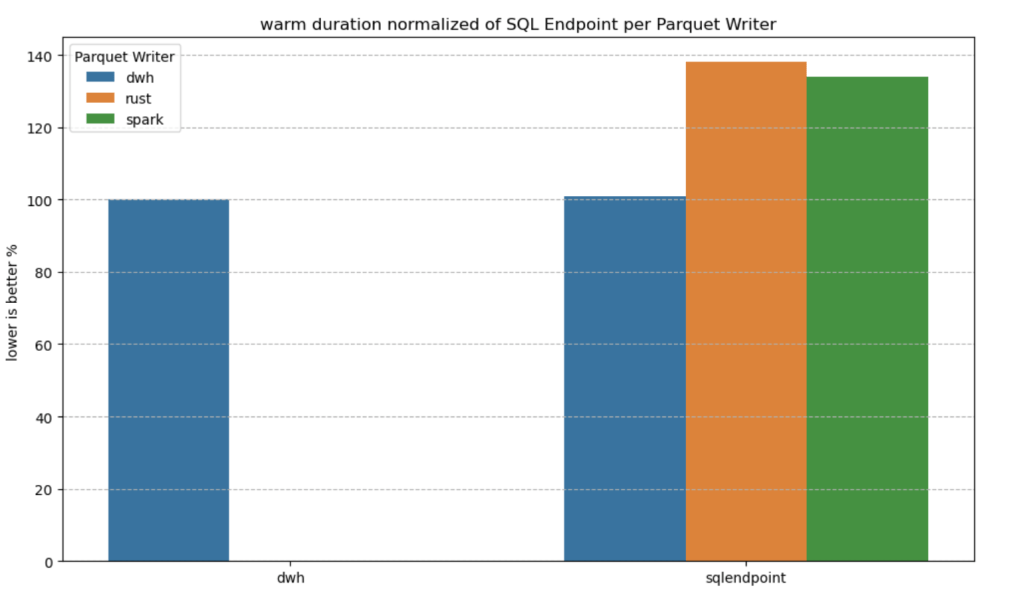
- given the same table layout, DWH and SQL Endpoint perform the same, it is expected as it is the same engine
- surprisingly using the initial raw delta table vs spark optimize write gave more or less the same performance at least for this particular workload.
Final Thoughts
Running the test was a very enjoyable experience, and for me, that’s the most important thing. I particularly enjoyed using Python notebooks to interact with Fabric DWH. It makes a lot of sense to combine a client-server distributed system with a lightweight client that costs very little.
There are new features coming that will make the experience working with DWH even more streamlined.
Edit :
- update the figures for Dcukdb as Query 17 runs but you need to limit the memory manually
set memory_limit='500GB'
- added a graph on the impact of the parquet layout.
 Small Data And self service