
TL;DR : The hype is real, Microsoft has a new full data stack offering based on a lakehouse architecture with Delta table as a core foundation, it is not a simple marketing exercise but a complete rewrite of storage layer for key component ( DWH, PowerBI etc), The Performance of the New shared disk SQL Engine is competitive with Snowflake, the pricing details were not announced, so some caution is warranted. Vertipaq performance on remote storage is spectacular.
Core architecture

OneLake is a lakehouse architecture based on Open Table Format Delta table, I suspect Microsoft choose Delta table in Azure because of Databricks existing user base,
Open storage format is cool, but there is a problem, from the 4 main Compute Engine (BI, DWH,Kusto and Spark) only Spark supports Delta table, apparently they were very busy at work in the last few years rebuilding the storage layer, and now with the public preview we can have a look at their results.
Self Service Experience
I know it may sound silly, but for me personally ( as a self service enthusiast) the best features released so far.
- Onelake Windows client, does not require admin rights to Install
- Append or replace in Dataflow Gen2

– Attention to Details in the Lakehouse experience, click to preview Data and another option to see files.
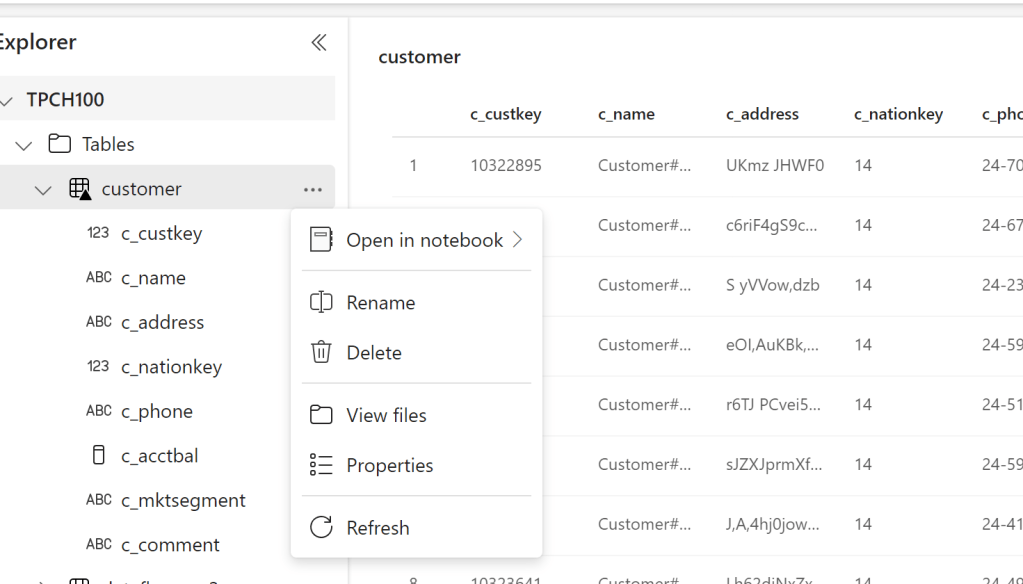
Usually you would think of a Lakehouse as a hard core Engineering thing, Microsoft made it so simple , I was very pleased by loading files directly from the UI.
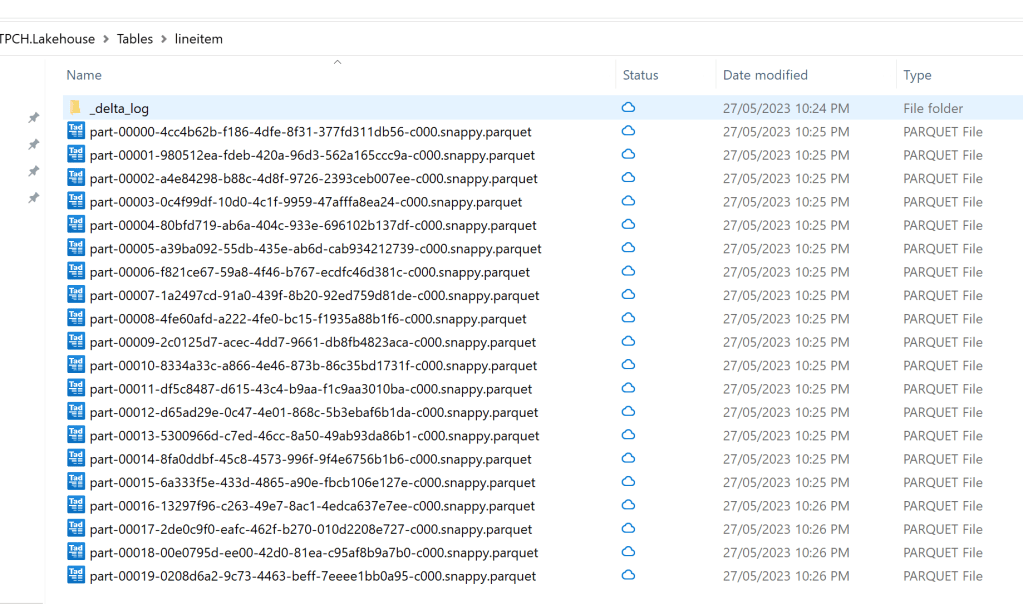
Edit : we got Fabric activated in our tenant, I quickly created some Delta Table using Python in Fabric and they start showing up in my my OneLake drive, it is just a surreal experience.
First Impression of the Synapse DWH
Probably, you are reading this blog to understand how good the new Synapse DWH is. The short answer : it is very Good. As far as I am concerned, it has nothing to do with the previous generation and maybe they should have not kept the word Synapse at all.( I never liked Dedicated Pool)
It is still in preview, so some functionalities are not available yet, for example, there is no query history, sometimes it get stuck in some queries, but let me tell you this, I have tested quickly maybe more than 10 DWH service, it is the easiest by far (once you get the initial confusion between Lakehouse and DWH)
In Other DWH, I had to load the data first to a cloud storage then run the Queries, with Fabric, the Python notebook is there by default, there is nothing to provision, you just write code.
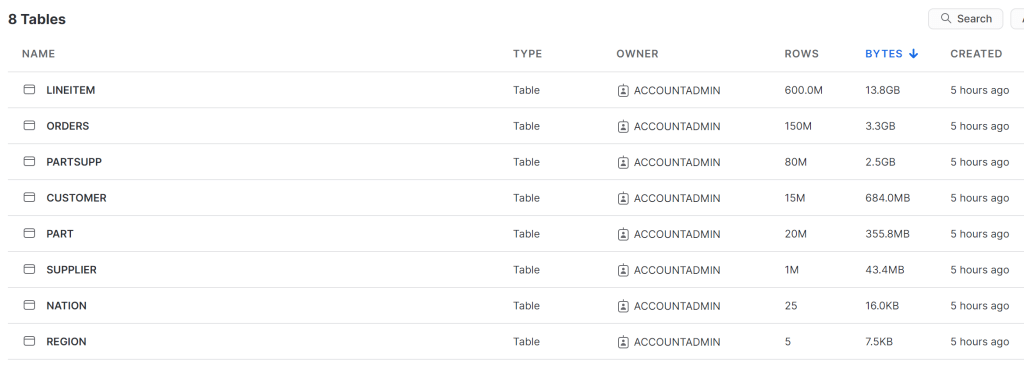
I used DuckDB to generate the Parquet files for TPCH-SF100
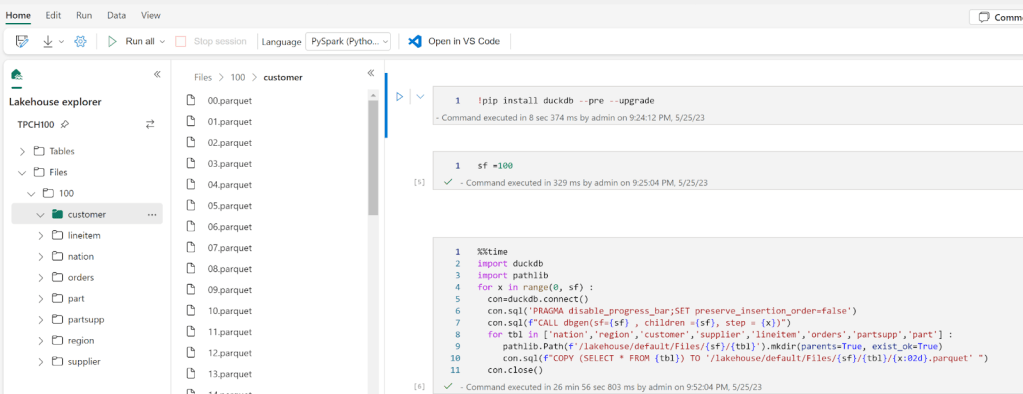
Some observations :
- I was a bit confused as the notebook just worked without me doing any provisioning.
I am not a huge Spark fan, but with Fabric, it is nearly hidden. All you have to focus on is writing SQL or Pyspark, I like this very much.
- The Data was written so fast to OneLake, I thought the Lakehouse was using something like S3 EBS 🙂 it is not, I presume because it is a Microsoft Product, they are getting some spectacular throughput from Onelake.
- When you have multiple Lakehouse in the same Workspace, it is not very obvious which LH is active, and using this path ‘/lakehouse/default/Files’ you may end up writing to the wrong LH
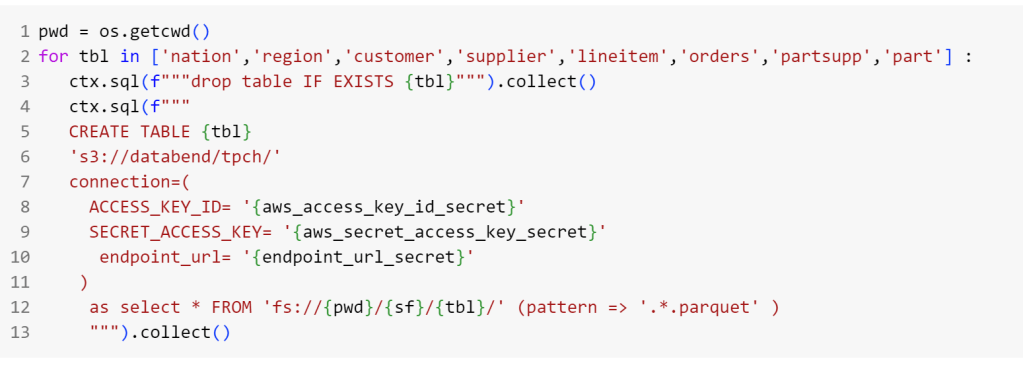
- I did not know how to use Copy from files to create Tables in the DWH, so instead I used Pyspark to write Delta tables into the LH
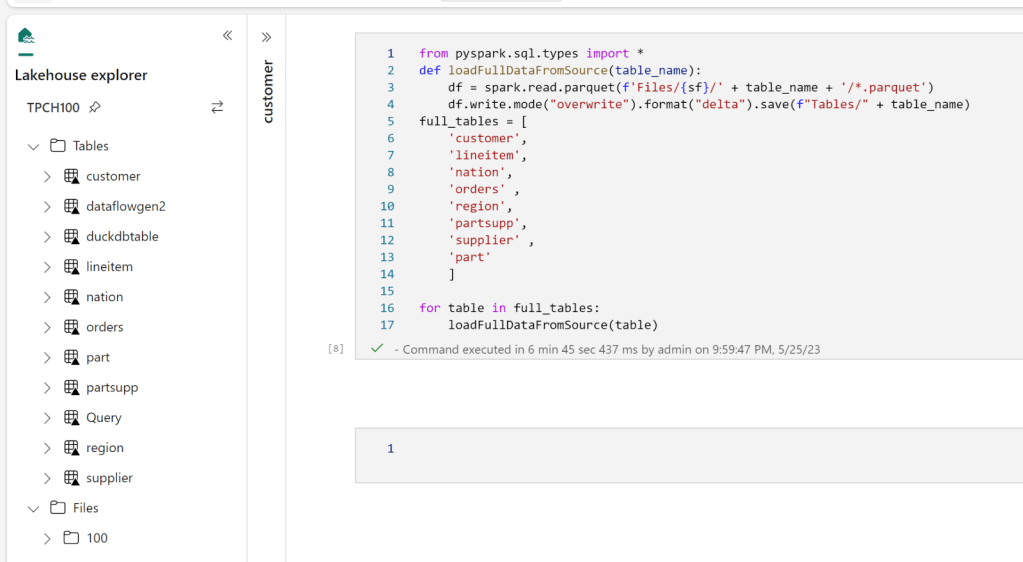
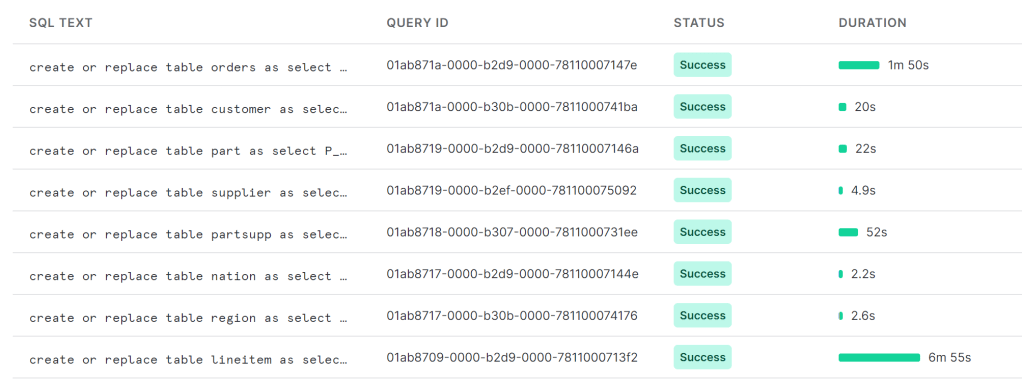
As I said previously, there is no Query History, so i don’t know the duration for every Query, all I can show is the screenshot of the total duration, 2 min
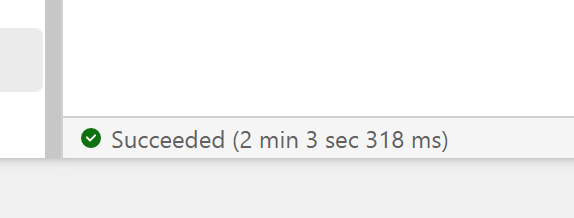
You mileage may vary, for example in another run, I got 5 min

The last run i got this less than 2 min

Snowflake more or less gets around 2 minutes for a cost of 2 $/Hour for the basic edition, I am not sure how much Compute the SQL Engine is consuming so I can’t compare for now, but keep in mind the same workload took Synapse serverless 10 Minutes !!!
Notice here, I did not have to understand anything about Table distribution nor provision any ressources, I think conceptually Synapse DWH is more like BigQuery than Snowflake or Databricks SQL.
Vertipaq Direct lake Mode.
Vertipaq which is the Query Engine for PowerBI got a lakehouse treatment too, traditionally, Vertipaq was a pure in-memory DB, it means, you have to import the data to its proprietary format before doing any analysis, this is all well and good till you have a data that’s bigger than the available memory, this limitation is no more, you can read directly from remote storage, to be honest I was suspicious, to make it worst the first public release of Fabric had a bug that made the performance not that great, I did try it today though with a new update, and all I can say, this is the fastest thing I have seen in my life, 2.6 second for a group by of of a 600 M rows
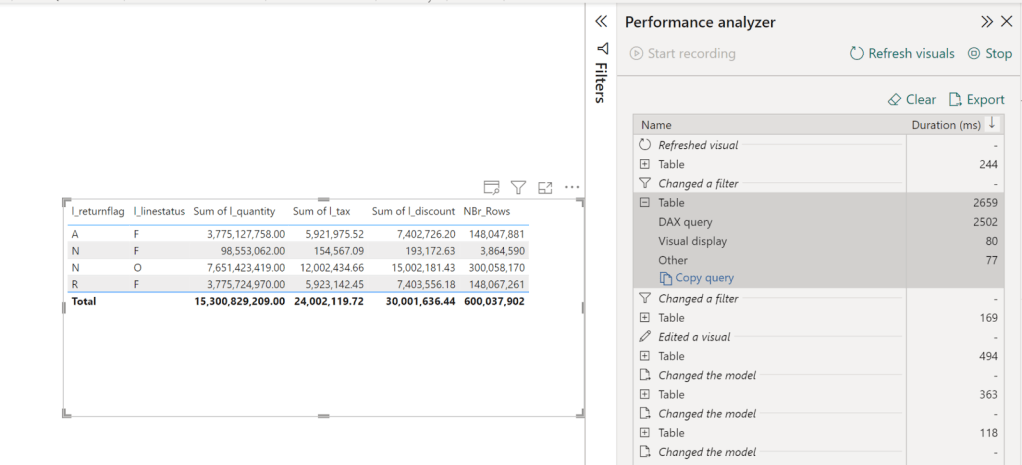
Some observations :
- This is all new, so we don’t have best practise yet, but just my gut feeling, if the data is small enough that it fit your memory, I suspect, import mode is unbeatable, but because with DirectLake mode, we have a separation of storage and compute that open all kind of scenarios for pure logical models ( that’s a book by itself)
- It is not because it is fast, you can do anything, I notice a penalty when using very high cardinality columns in relationship, I would have being surprised if it wasn’t
- In DirectLake mode, Vertipaq do columns pruning, which was one of the biggest complain about Import mode, now only used column will be loaded from Onelake to the memory
- I have not tested it yet, but it seems Vertipaq will pushdown filters to Delta Table and load only required data, I presume it will leverage the Delta log.
- Lakehouse + Vertipaq seems like a very attractive pattern that I feel we may even not need DWH at all ( Just trolling the DWH Team or maybe not)
What I did not like
- I do have access to Premium so that does not impact me personally, but I did not forget from where I came, Pro is still the only way for a lot of people to use PowerBI and as far as I can tell, Fabric does not mean much for them.
- DWH and Lakehouse offering got all the attention for obvious reasons. Microsoft wanted to tell the market they are back driving innovation in the Data space, but I did not hear anything about Datamart’s future, I do believe it is a critical workload to address.
Feature management in Fabric is problematic, only Tenant Admin can turn things on and off, so even if you paid for a capacity, you are at the mercy of the admin. I think with Fabric, capacity admins and workspace admin needs more granular control.Edit, was corrected by Chris , capacity Admin can override Tenant Admin, that’s fantastic decision- Capacity management, I know it is a free trial now and Microsoft is paying for the compute resources, but I think more documentation explaining in a very simple language how resources consumption works, all you need is one user doing something silly and people get the wrong impression.
- IMHO, they should have added Logic App with Fabric, a lot of users are not comfortable using a Data Factory for scheduling.
What I really think as a data Enthusiast
Asking a PowerBI dev what he thinks about Fabric is the most boring question ever, of course he/she will be excited, we just got offered a full managed enterprise data stack, how not to be excited, you can bet your career on Microsoft Data stack till AGI got us replaced 😂
But in my free time, I used BigQuery and Looker studio since 2019, I am reasonably familiar with the major DWH offering, I have absolutely no problem with Fabric DWH being the exclusive writer for DWH Delta lake format, what matter is read compatibility with other Engines, it is extremely hard to support multiple concurrent writers from different Engines, especially when you need to add more complex workloads, like heavy write, multi table transaction etc.
What I don’t understand though, why you need the Spark exclusivity for writing to the LH, for a lot of scenarios, I would like to be able to write using the Python API, and not necessarily pay for the Spark JVM inefficiency, I presume the whole point of Onelake is one storage multiple readers, maybe it was just not released yet, and they have a plan, but today it is not very clear.
Just a thought maybe instead of two products DWH and LH, having just one DWH with two Table format (Both Delta tables), something like native vs LH will be an easier option in the long term.
Final Thoughts
Although I knew about Microsoft plan since a year ago, I was very skeptical, I thought it was just too ambitious to be true, Just a week ago, I did not believe the DWH was using Delta table as the storage format, it seemed to me too ambitious, obviously I was wrong, this is an unbelievable technical achievement from the Product team, I think Microsoft just made the concept of Lakehouse ubiquitous.







 Small Data And self service