was listening to this Excellent Podcast about Minerva, basically Airbnb went and built a Metrics Store which is a central tool that hold all Measures and dimensions, the idea is to have one source of truth.
The Podcast is very insightful and worth listening to, But I was very surprised that none of the participants mentioned how existent BI vendors tried to solve the same Problem ,they talked Quickly about LookML but as far as I know it is not available yet for third party tools
Metrics Store is not new, it is just another name for Semantic Model, Business Objects had one from 30 years ago.
So Just for fun, and I am not sure if it is even practical, I wanted to test if PowerBI can act like a pure Metrics Store for third party tools.
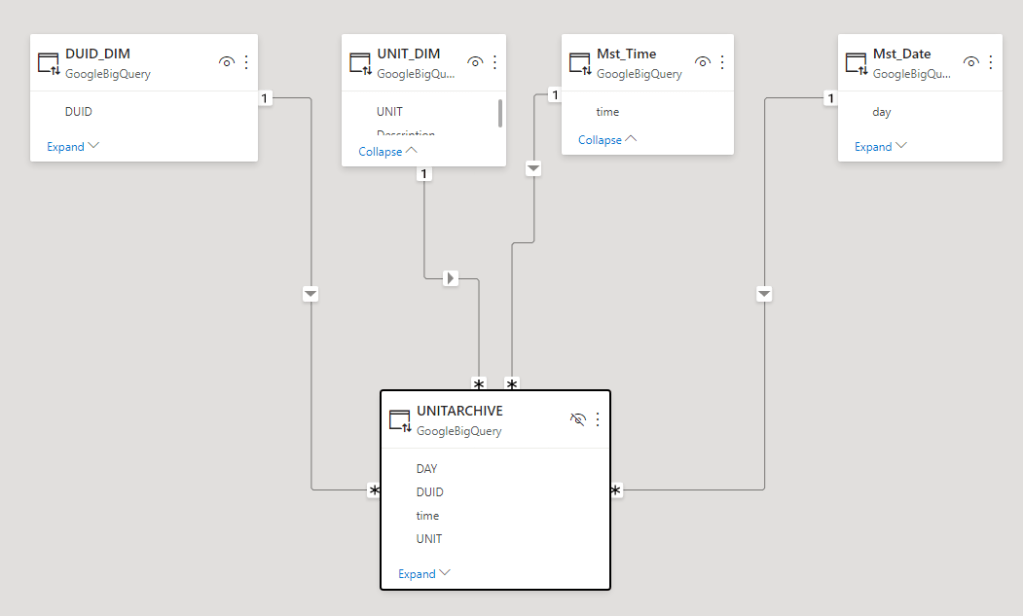
I am using BigQuery as a data source, 1 fact table 80 Million records and 5 dimension Tables all using Direct Query Mode, PowerBI is not holding any data, all it does , it receive Queries from the Viz tool in this case Excel and Tableau and translated it to SQL and serve the results back.
I publish the Model to PowerBI service, here is the catch it has to be Premium workspace, Premium per user works too
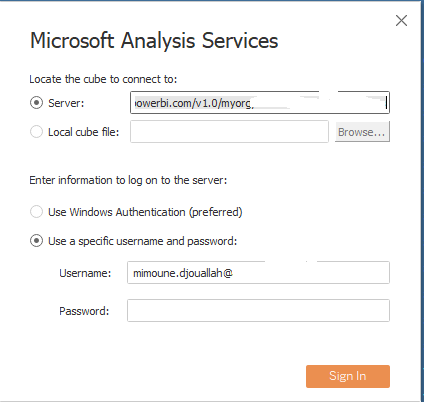
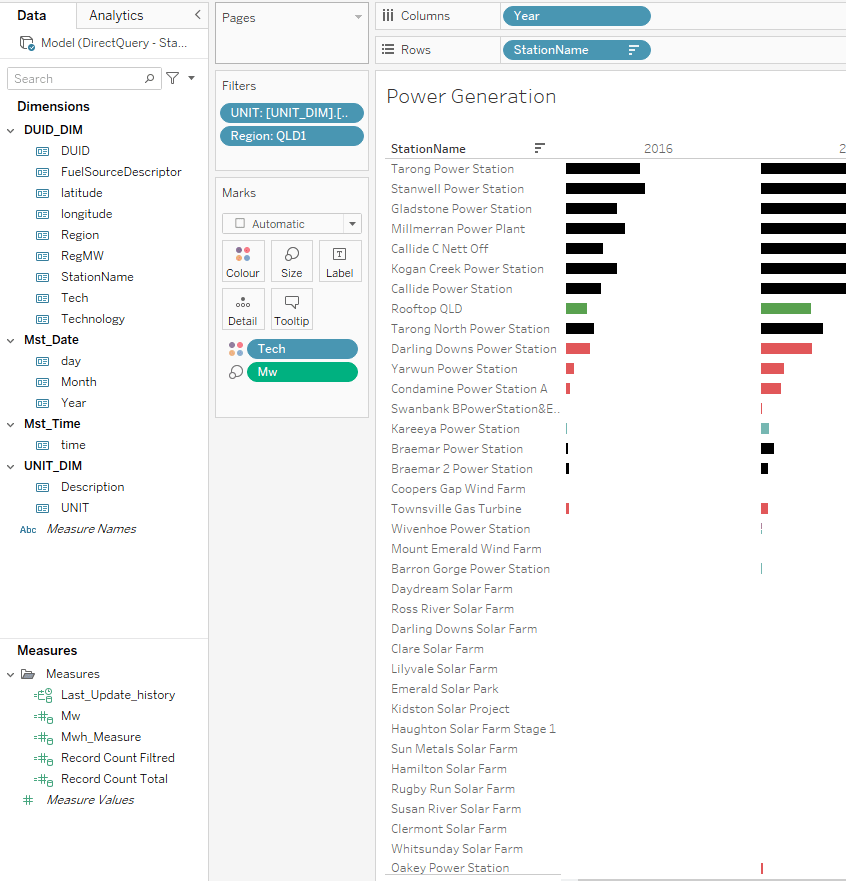
now Using Tableau, I connect to SSAS, I get the server address from Workspace setting, notice PowerBI and SSAS are using the same engine.
and Voila Tableau Indeed Work just fine
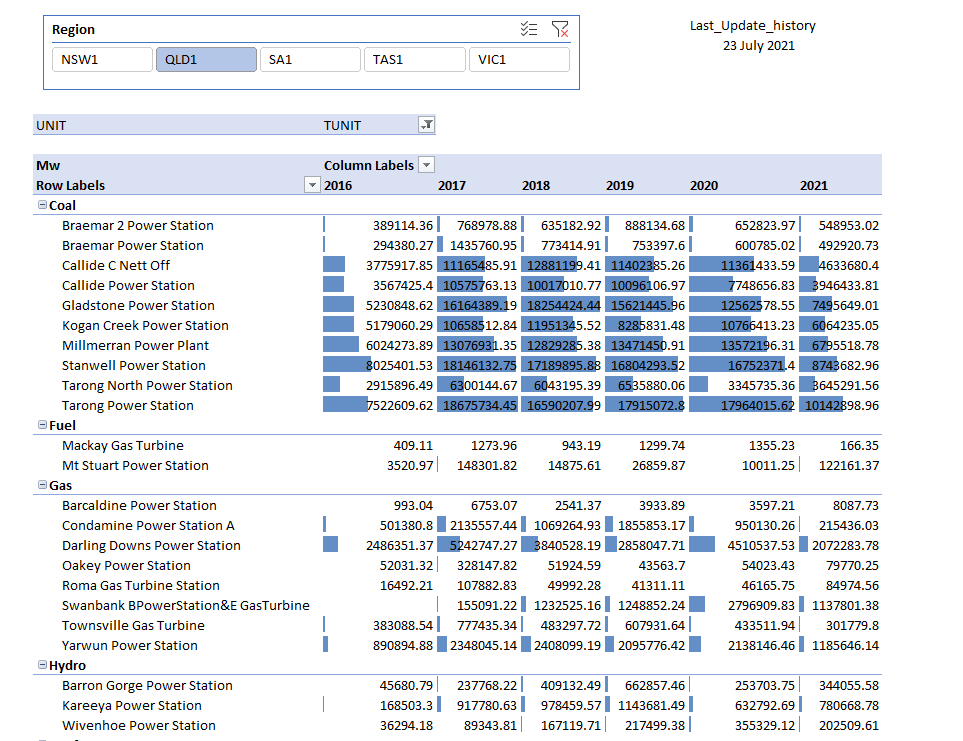
now trying Excel
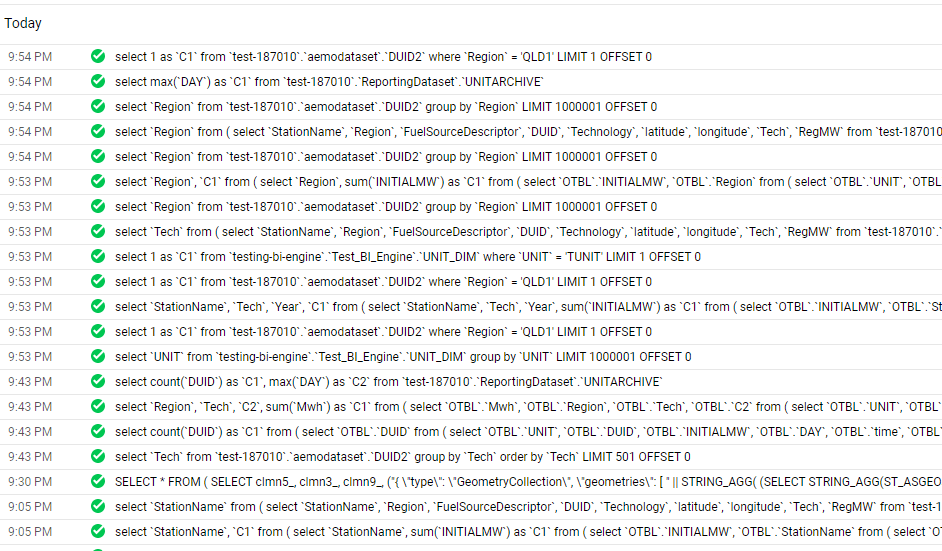
and here the SQL Queries generated by PowerBI
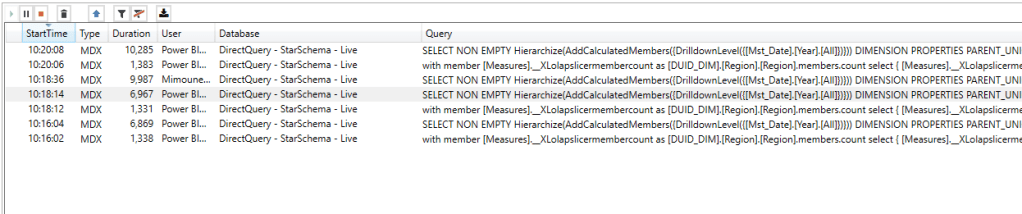
Notice here Tableau/Excel talk to PBI Semantic Model using MDX, which you can see here using DAX Studio where I can capture all the Queries coming to PBI
The Performance is not great but tolerable I guess, MDX Queries render from 6 to 10 seconds, But it did work which is rather amazing by itself 🙂
Metrics Store is an interesting idea on paper, but not sure in practice, it is hard to justify paying for multiple tools, if you build your semantic Model in one tool, why pay for another BI tool ? The Other challenge is self service Scenario, the user needs to be able to add extra Measures and Dimensions.
and for new vendors, it will be helpful to explain what kind of problems they are trying to solve that the existing tools couldn’t, just creating a new fancy name is not good enough.
Google made BigQuery BI engine available in a public preview , you need to enroll first here, for the last two years it was available only for Google Data Studio, and I had use it extensively for this Project, so I was really curious how it will work with PowerBI.
I don’t think I know enough to even try to reproduce a benchmark, Instead I am interested in only one Question, how much value I can get using the lowest tier of BI Engine and can PowerBI works smooth enough t make Direct Query a realistic option.
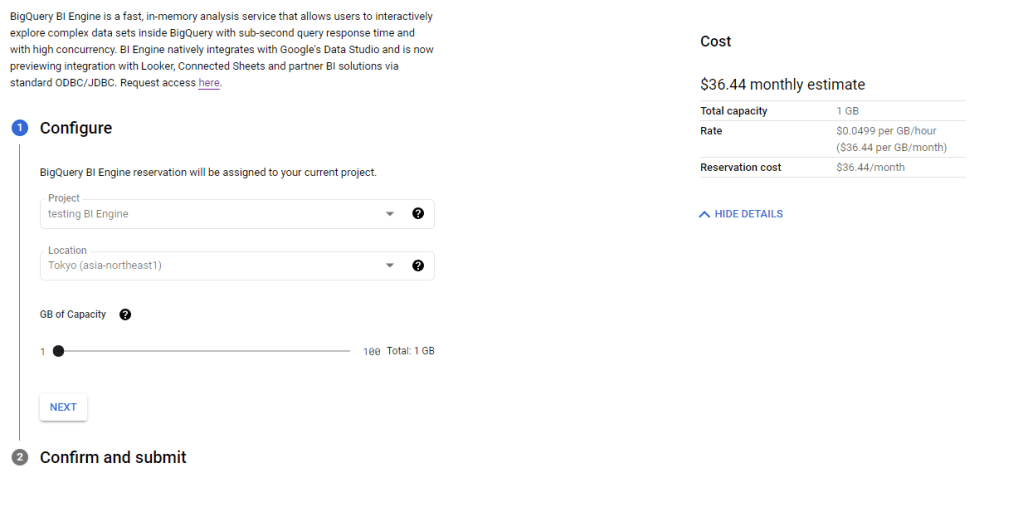
BigQuery team was nice enough for the preview period to have 100 GB reservation free of charge, just to keep it realistic, I kept reservation to 1 GB with a cost of $30 per month, I built a couple of reports in PowerBI and tried to observe how BI engine behave and observe the Query statistic , The report is located here, The Data is using Direct Query Mode, the Query statistics update every 1 hour.
How BI Engine Works
it is extremely easy to setup just select how much memory you want to reserve by Project, and that’s all, you pay by GB reserved per hour.
Keep in mind the Project used for reservation can Query any other projects as long as it is in the same region, in PowerBI, you can define which project you use for the Query
After you wait a couple of minutes for BI engine to start, this is more or less how it works
1-Query received by BigQuery, based on columns used in the Query, BI engine will load only those columns and partition into the Memory, the First Query will be always slower as it has to scan the data from BigQuery Storage and compress it in memory in my case usually between 1-2 second
2-Second Query arrive, the data is already in Memory, very Fast 100 ms to 500 ms
3- Same Query arrive as 2, BigQuery will just hit the cache, that’s the sweet spot, less than 100 ms
4- A new Query arrive that target different table, that’s the interesting part, BI Engine based on the size of the scanned column, and the available reservation, either evict the old table from memory or decide that there is not enough Reservation then it will fall back to the default BI Engine, where you pay how much data is scanned
5- A Query arrive that contains feature not supported by BI Engine , it will fall back to the default engine
6- Data appended to the Base table or Table changed, BI Engine will invalidate the cache , it will load the delta to memory or load everything again if the table was truncated
Obviously it is much more complex behind the scene, But I find it fascinating that BI engine in a fraction of a second decide what’s the best way to serve the Query ( cache, Memory or Storage)
Personally I am very interested in Case 4, obviously if I reserve a Memory I want to minimize scanned storage to the lowest possible, here is the result for the last 10 days, I think that’s a great result, my ” Big Table is 6 GB, 50 Million rows” other tables are smaller , the dev team said they are working on improving even more how BI Engine algorithm deals with smaller tables, so far happy with that. ( it is fixed now, the memory consumption is extremely low now )
I appreciate other users with flat rate pricing would not care that much about file scanned , for user with usage based pricing, it is a very important factor
Query Performance
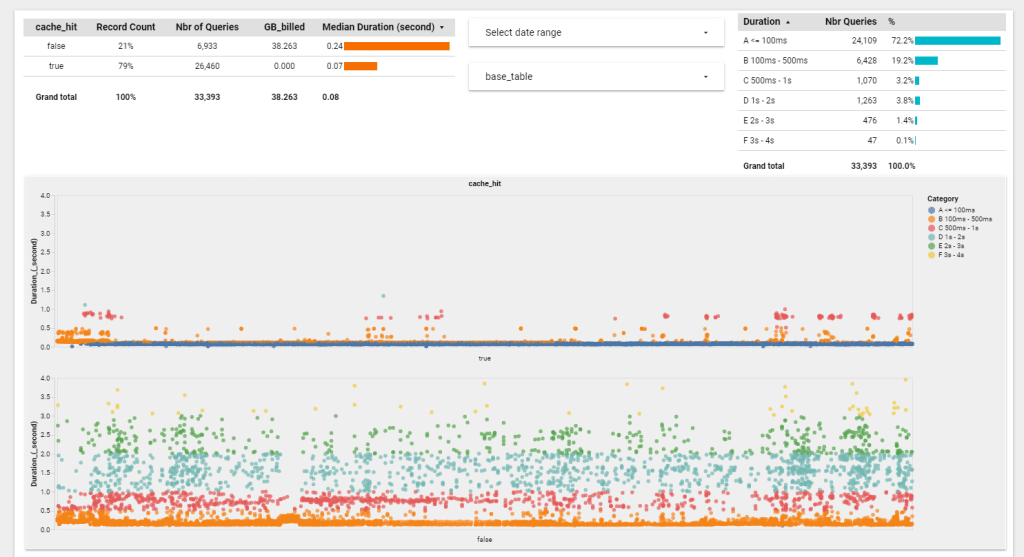
Again the results is based on my usage, the only way to know is to try it yourself, nearly 72 % of Queries render in less than 100 ms, I think it is fair to say, we are into a different kind of data warehouse architecture
PowerBI Performance
The Query Performance is only a portion of the whole story, you need to add network latency and PowerBI overhead ( DAX calculation, Viz rendering etc), my data is in Tokyo Region and PowerBI Service is located in Melbourne, a bit of distance I would say and using Publish to web add an extra latency.
The good thing, using Direct Query on a 51 Million Fact table with 5 dimensions is an achievement in itself, I feel I can use that in a Production, at the same time, using other report, it seems I am hitting a bug in the ODBC driver, and the performance is not good.
but to be totally Honest, it seems PowerBI driver for BigQuery is far from being optimized, it seems they are using SIMBA ODBC , other BI tools are using the native API and it is substantially faster, but I have reason to believe the PowerBI team will invest more in better Integration ( PowerBI parameter in SQL Query is coming for example)
I Think it is extremely interesting new development, specially if you have Big Fact tables or data that change very frequently, Direct Query mode have a lot of advantages, it is very simple to setup, the data is always fresh and there is no data movement. and BI Engine is fast, extremely Fast, and Cheap !!!, I am using a state of the art data warehouse for $30 per month !!!!, now it is up to The PowerBI Team to take advantage of that.
Easymorph is a very Powerful Data preparation tools for Business users, you can export your results either to csv or a growing list of Database and PowerBI Push dataset
I think with the new composite Models, the Push Dataset became rather interesting as it behave more or less like a regular Dataset (see limitation here), you can add relationship to other Tables etc
No Code Data Pipeline
Just to test it, I loaded 7 csv files, then the usual Transformation, filters, select columns, Unpivot then I generated two PowerBI Dataset, Fact and Dimension.
As Push Dataset are append by default, I first delete all the rows in PowerBI dataset before loading new data, just to avoid duplicates, the third export is a csv file ( I wish one day, PowerQuery will have that option without using hacks)
and here is the Model in the service
PowerBI Support
there two type of Support
Power BI Command
You can list workspace, refresh Dataset and Dataflow etc, see Documentation
Export Data to PowerBI
Microsoft provide only API for Push Dataset, see Documentation
Easymorph has a very generous free tier, and The license is reasonable, I think it is worth having a look.
PowerBI has to be more Open
Personally I think PowerBI will gain more by being more open to third party tools, I hope one day , The Vertipaq engine will be as open as SQL Server in the sense that any tools can write and read data, it is a database after all. I am not suggesting to make it open source or free, you obviously still need to pay for a license, for example Adding a PowerBI Rest API for regular dataset will be a good start.
Now maybe dreaming, but when I see file format like Parquet, I wonder why we don’t have an Open API to load and read from Vertipaq engine Storage format, it has an amazing compression, it is columnar and support multiple schema in the same dataset.
Marco Russo has expressed this idea more gracefully here
TL;DR, we use filepath() function to get the partition Data which can be passed from PowerBI when used with Synapse Serverless, Potentially Making substantial cost saving when used in Incremental refresh as less files will be scanned.
Edit : there is another Technique to incrementally load parquet files without a Database
This blog is just me experimenting with the possibility of passing the filters from PowerBI to a Parquet file using Synapse Serverless.
when you deal with On demand Query engine Like Athena, BigQuery, Synapse Serverless etc, the less files read, the less cost incurred, so if somehow you manage to read only the files that contain the data without scanning all your folders, you can make substantial saving.
To Be clear, the first time I used Parquet was yesterday, so I have very basic knowledge at this stage.
1- Get the Source Data
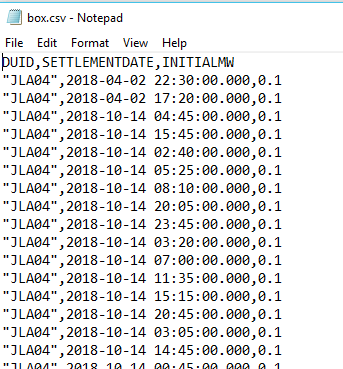
I have a csv file with 3 Millions rows, here is the schema
2- Partition The Data
as far as my understanding of Synapse Serverless engine, when you filter by date for example, The engine will scan the whole file, maybe if the column is sorted, it will scan less data, I don’t know and have not try it yet, instead we are going to partition the Table by date, which is simply generating lot of files split by the date values, I imagine generating a lot of small files is not optimal too, it will reduce cost but potentially making the Query slower ( at the last this how other Engine Works).
I am using this python script to generate the partitions
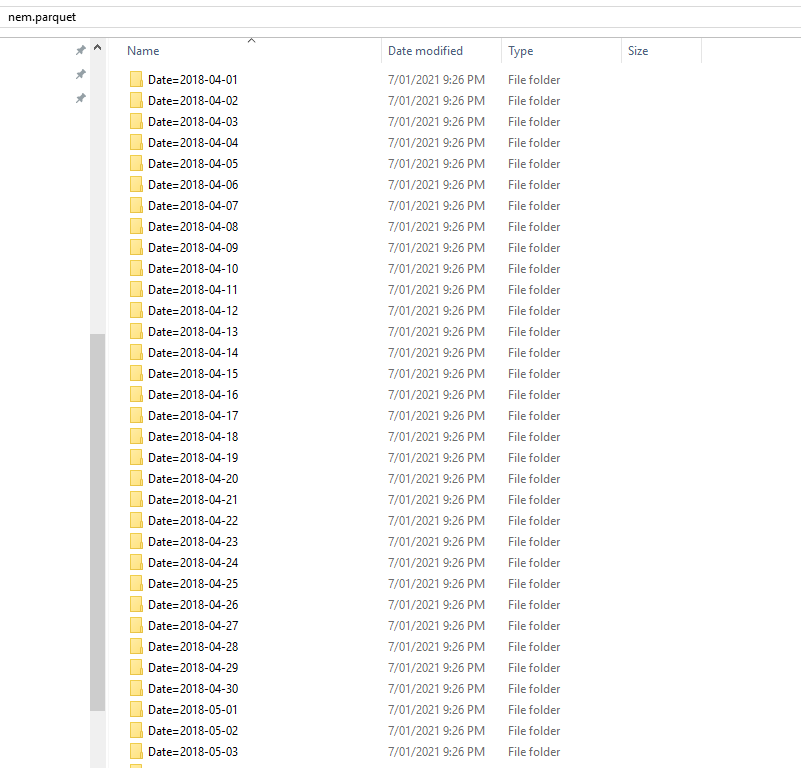
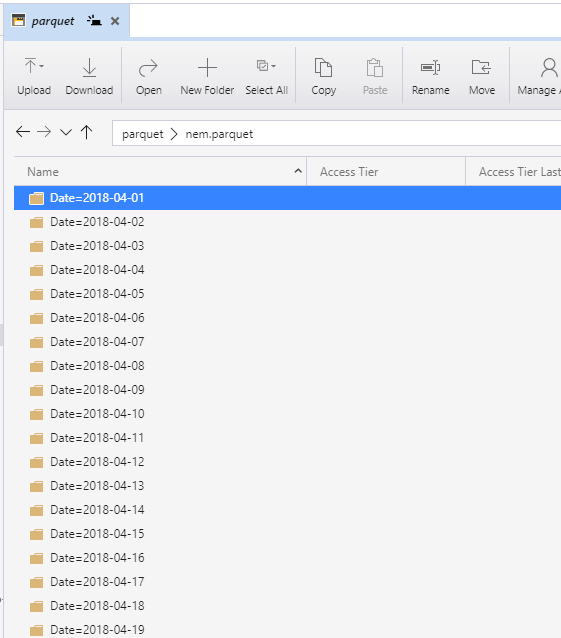
and here is the results, a folder of parquet files grouped by Date
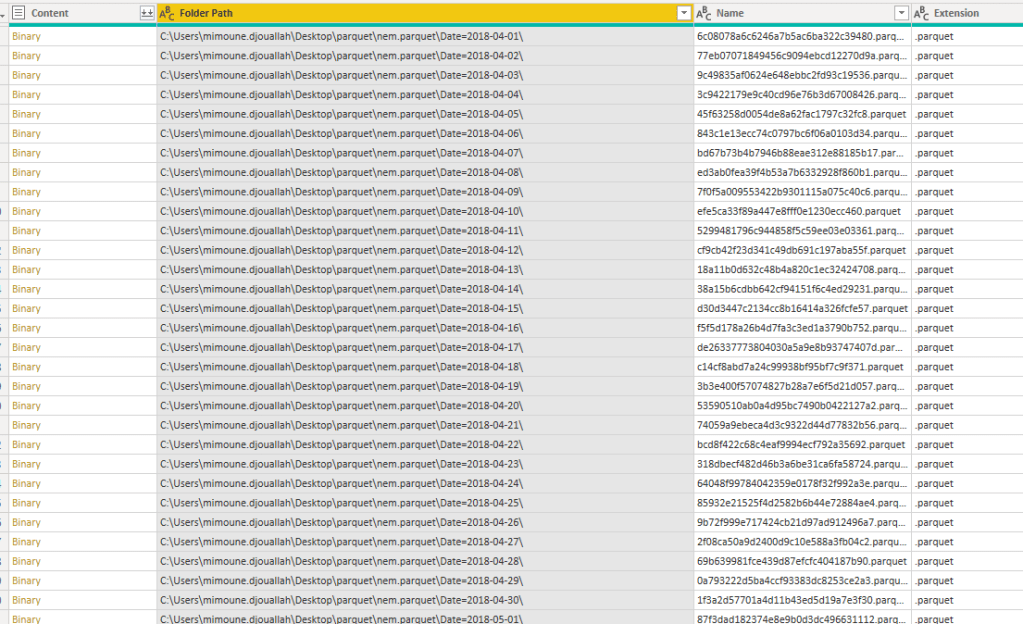
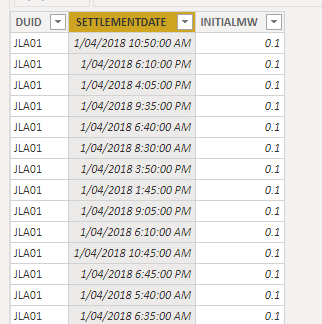
which I can read using the PowerBI Desktop
I just casually read a parquet file, without any Programing Language !!! ( Kudos for the Product team), this is only to test the parquet is properly generated.
3- Load The files to Azure Storage
This is only a show case, but in a production workflow, you maybe using something like ADF or Python Cloud Functions, anyway to upload a lot of files, I am using Azure storage explorer
now we can start using Synapse Analytics
4- Create a View In Synapse Serverless
we are going to leverage filepath() function to get the partition date, please see the documentation , here is the Query to create a view
USE [test];
GO
DROP VIEW IF EXISTS parquet;
GO

CREATE VIEW parquet AS
SELECT
 *,convert(Datetime,result.filepath(1),120) as date
FROM
    OPENROWSET(
        BULK 'https://xxxxxxxxxx.dfs.core.windows.net/parquet/nem.parquet/Date=*/*.parquet',
        FORMAT='PARQUET'
    )  result
5- Test if the filter Partition Works
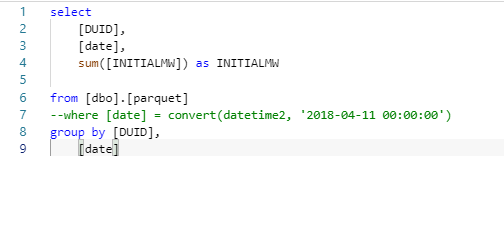
Let’s try some testing to see how much is scanned
no Filter, scan all the files, data processed 48 MB
now with filter , only Date 11/04/2018, Data processed 1 MB
6- Test in PowerBI
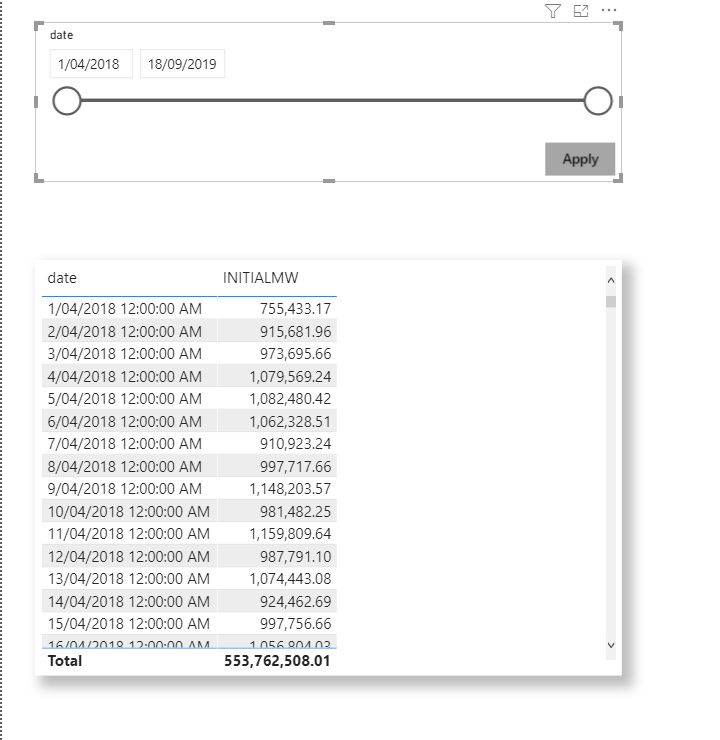
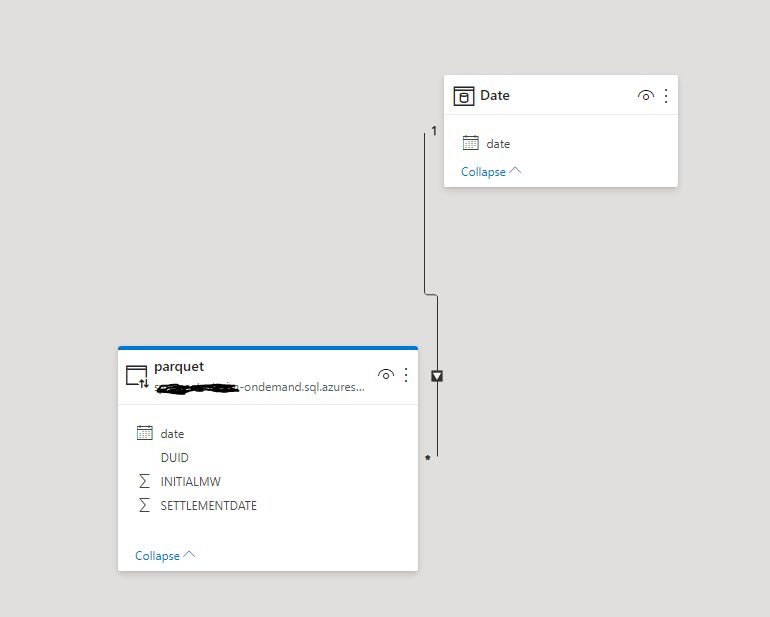
I build this small model, Date Table is import and Parquet is DirectQuery ( be cautious when using DirectQuery, PBI can be very chatty and generate a lot of SQL Queries, Currently, it is better to use only import mode, until cache support is added)
Case 1: View all Dates
Data Processed : 43 MB
Case 2: Filter Some Dates
let’s filter only 2 days
Note : please use Query reduction option in PowerBI desktop, otherwise, every time you move the slicer, a query will be generated
Here is the result
I was really excited when I saw the results: 1 MB Synapse Serverless was smart enough to scan only 2 files
7- Incremental Refresh
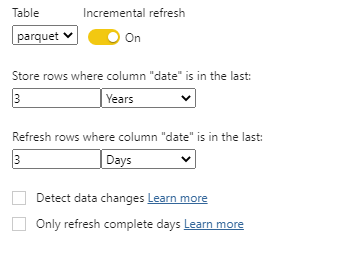
Instead of Direct Query, let’s try a more practical use case, I configured Incremental refresh to change dates only for the Last 3 days
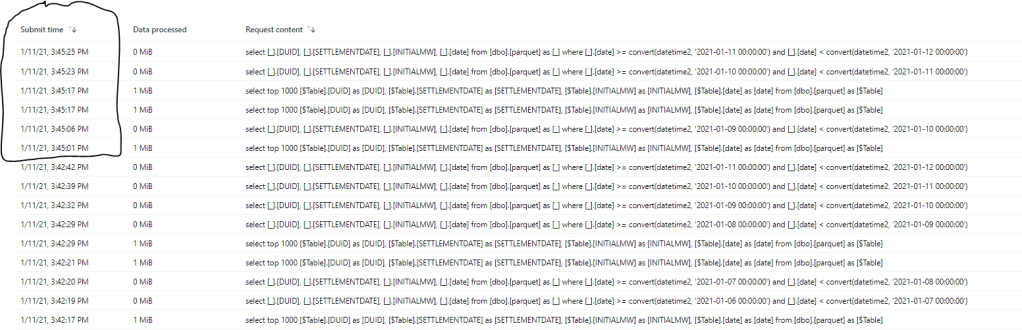
and here is the List of Queries generated by PowerBI
I have only Data for 2018 and 2019, the second refresh (that Started at 3:45 PM) just refreshed the data for the Last three days and because there is no files for those dates the Query returned 0 MB, which is great.
Another Nice functionality is select top 100 which is generated by PowerQuery to check field type scanned only 1 MB !!!!
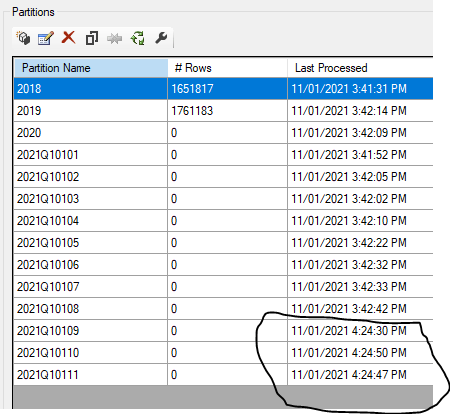
Just to be sure, I have done another refresh at 4 :24 PM and checked the Partitions using SSMS
Only the last three partions were refreshed and PQ sent only 6 Queries ( 1 select data for 1 day and the other check field type)
I think Azure storage + Synapse analytics Serverless + PowerBI Incremental Refresh may end up as a very powerful Pattern.











 Small Data And self service