Fabric Notebook Virtual filesystem

TL;DR: Fabric notebook uses a very nice functionality by mounting a remote Azure container as a โ€œfakeโ€ local filesystem,  this works as the OS Level, for a lot of programs it is just another folder, you can learn more details here 

How it works 

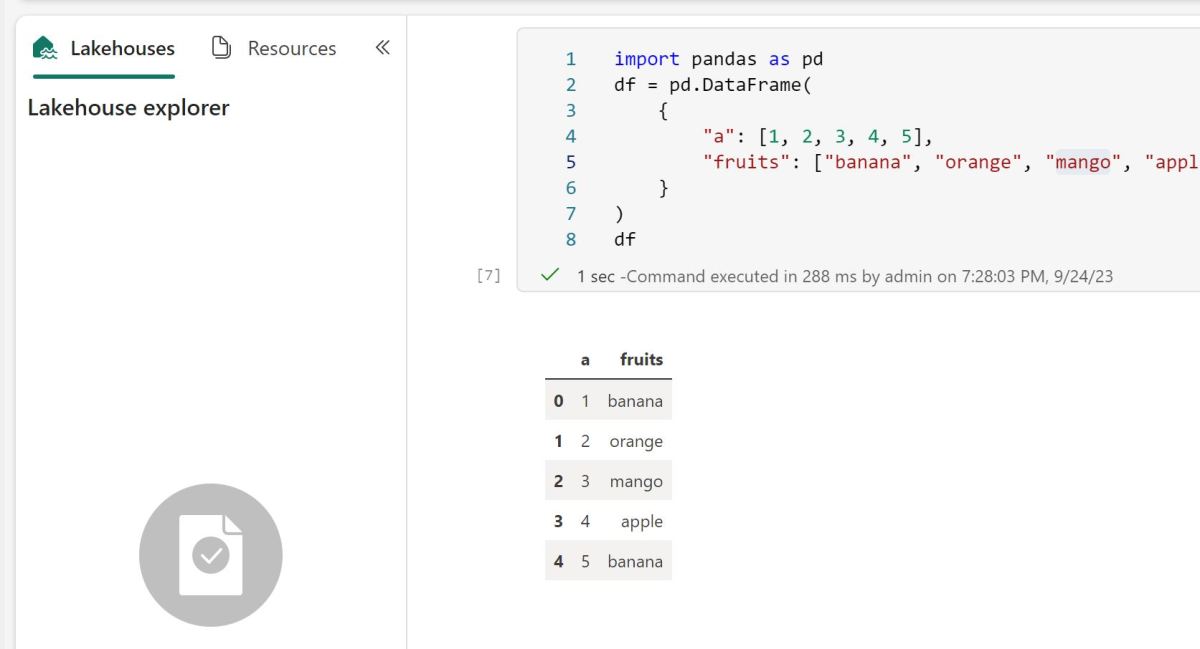
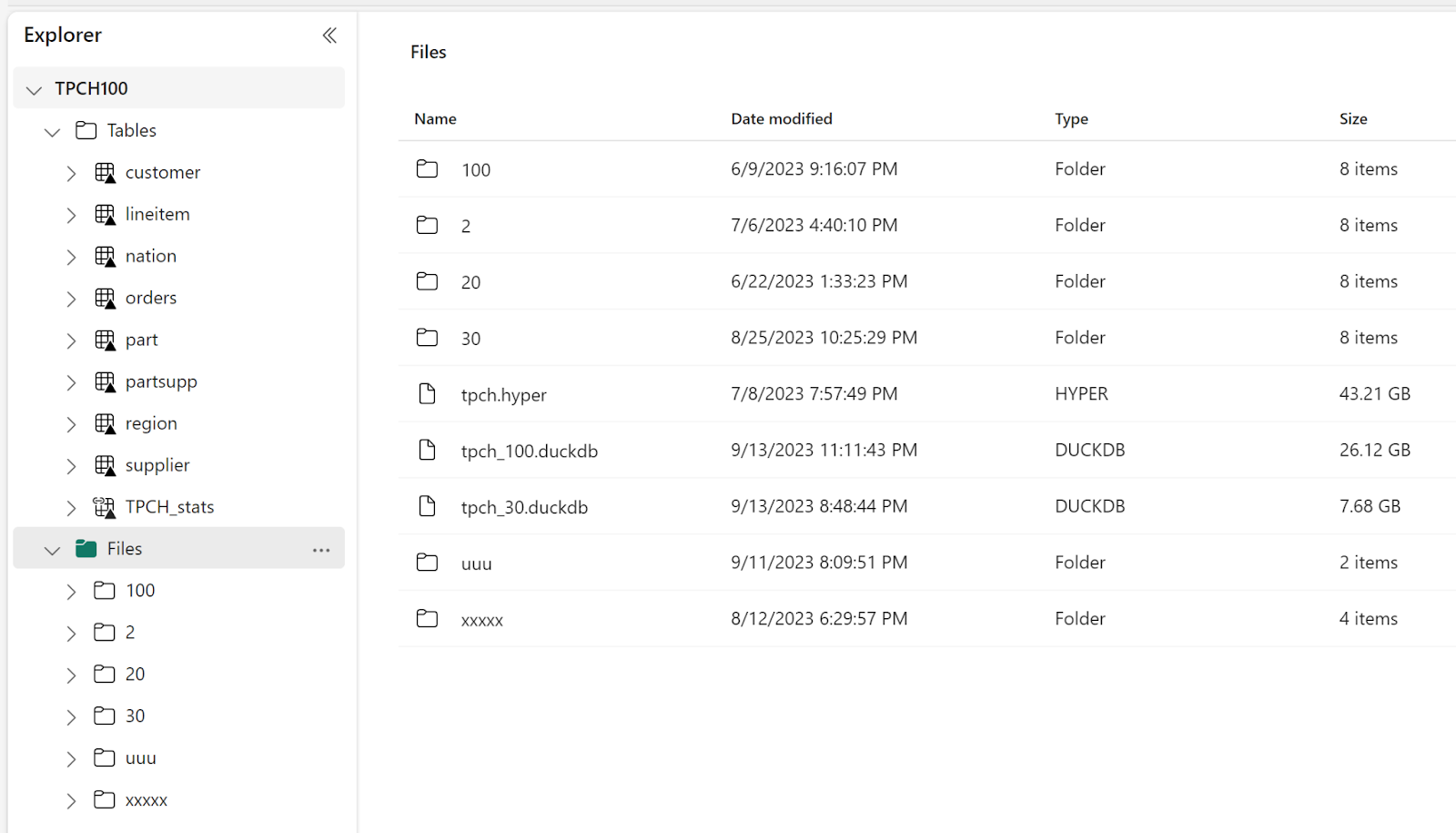
When you mount a Fabric Lakehouse , you get something like this

In the file section, you can store any files, the tables section is special, if you create a Delta Table, Fabric will automatically expose it to all Fabric Engines ( SQL, Vertipaq etc), the data is stored in an azure storage container.

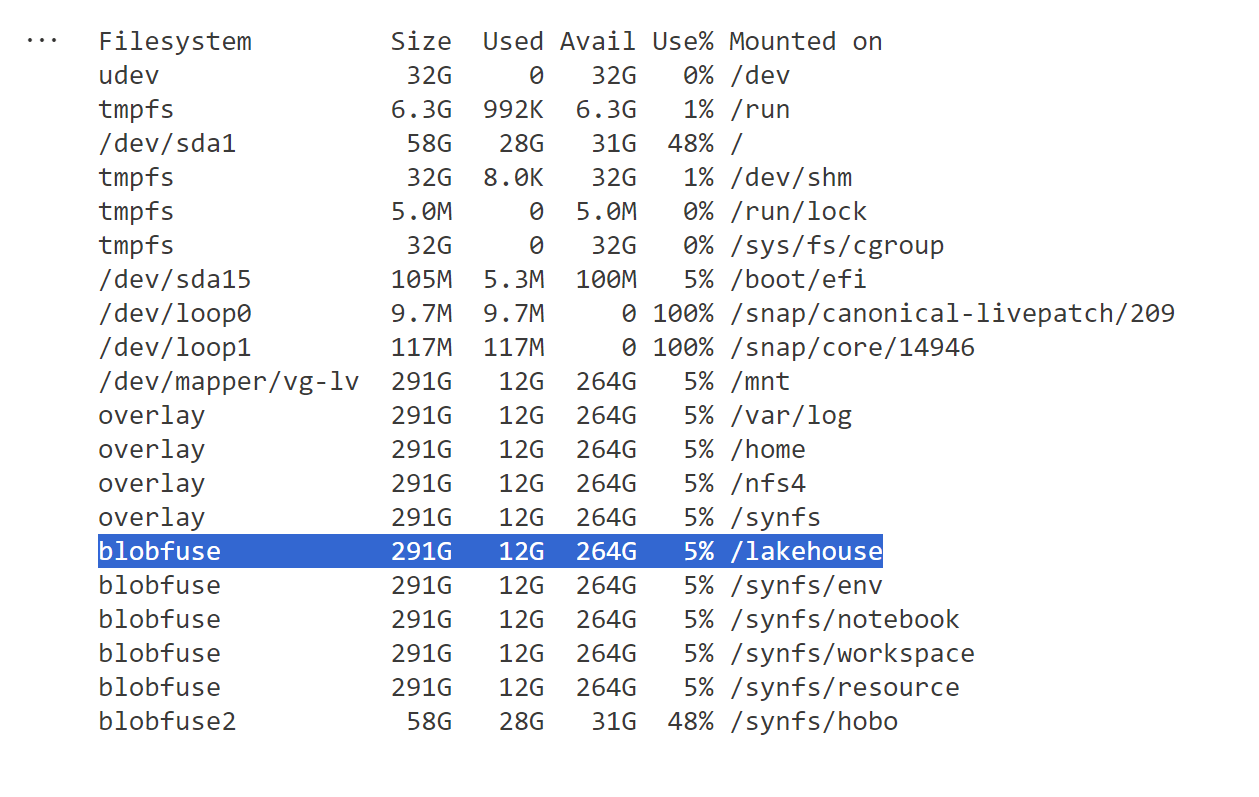
When you run this command in the notebook   !df -h, this is what you get

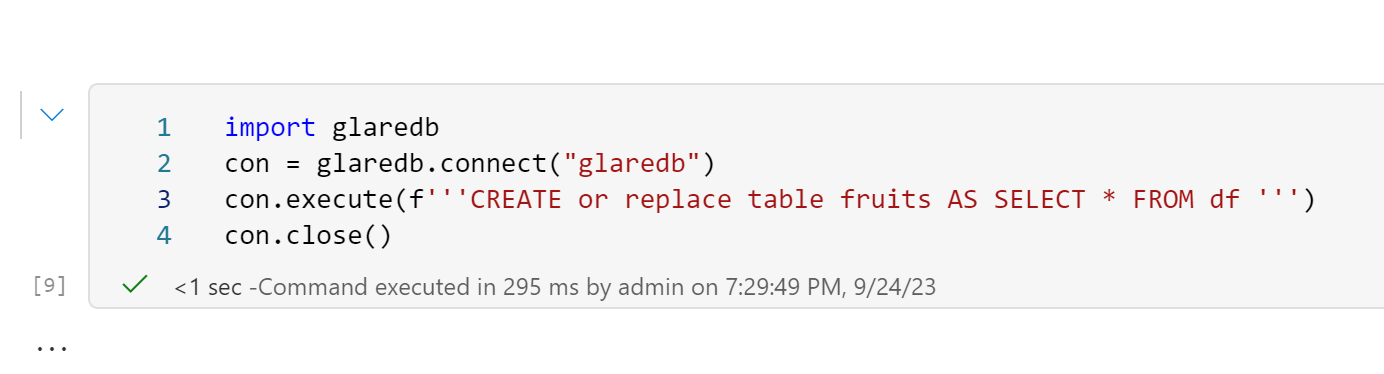
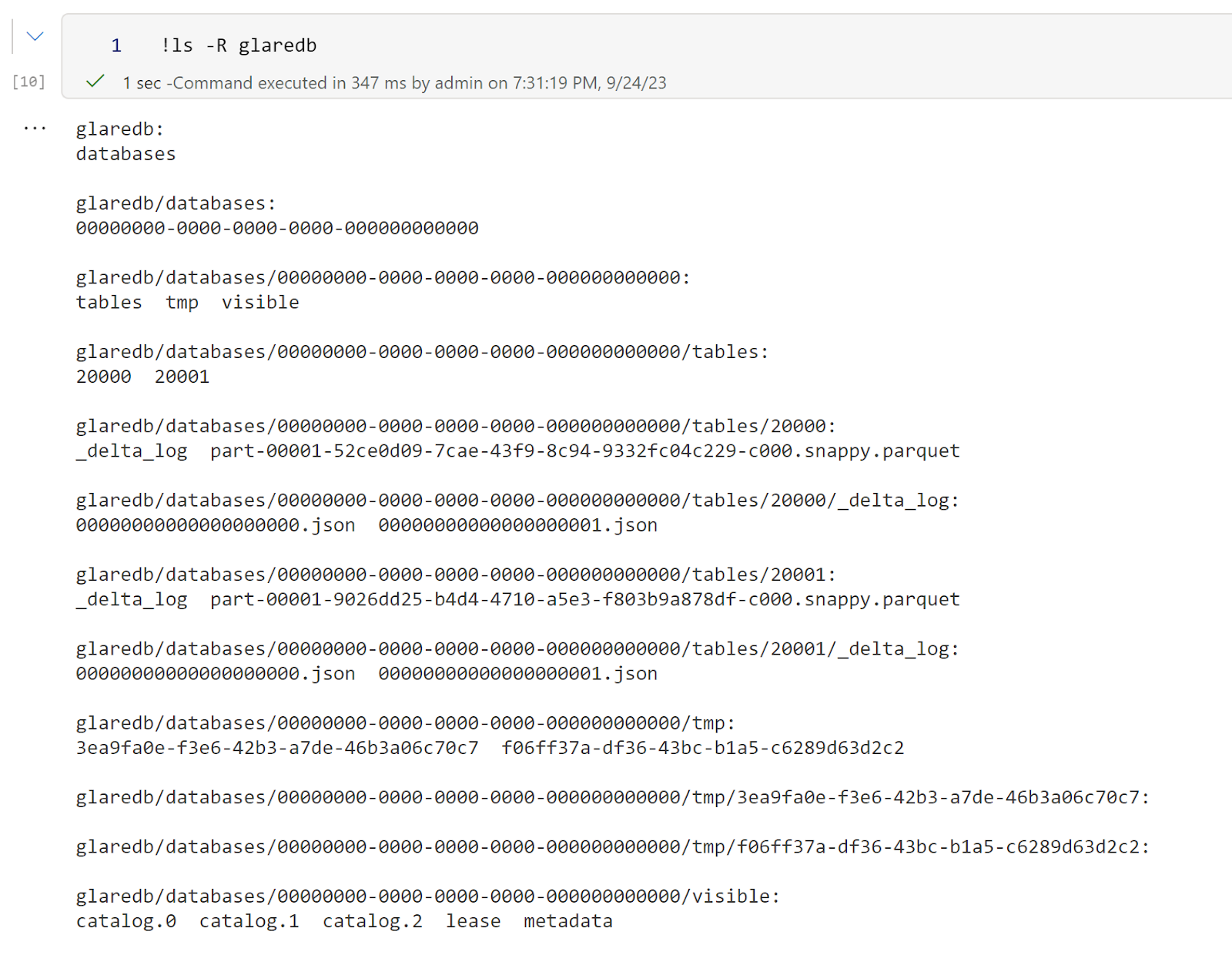
When a program send a command to delete, read, write etc, the system automatically translate those to an Azure storage API, it is not perfect, it is still not a real local filesystem, but so far it works well specially for read, I tested with 5 different SQL Engines and they all works fine ( DuckDB, Datafusion, databend,Glaredb and hyper) although the performance varied, I noticed that Hyper has some serious performance issues but I understand it may not be a priority for them to fix it ๐Ÿ™‚

Writing DuckDB native file format

This one was  very confusing to me when I used it the first time, my understanding; files in a remote storage are immutable, you can create new files or delete but not modify an existing one, but somehow it works.

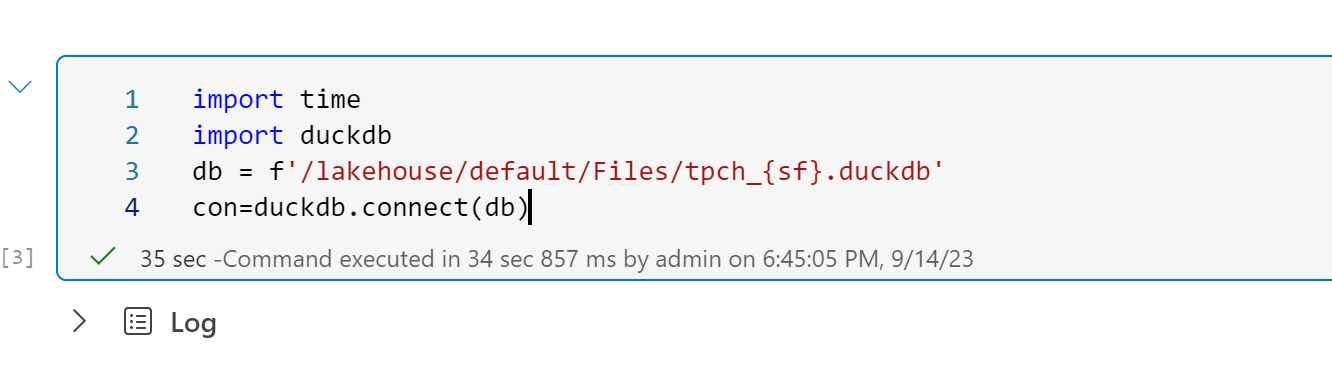
Open a remote DuckDB files in a write mode, the file is 25 GB

35 seconds is still slow, I thought it was supposed to be reading only some metadata !! I think thatโ€™s a DuckDB limitation.

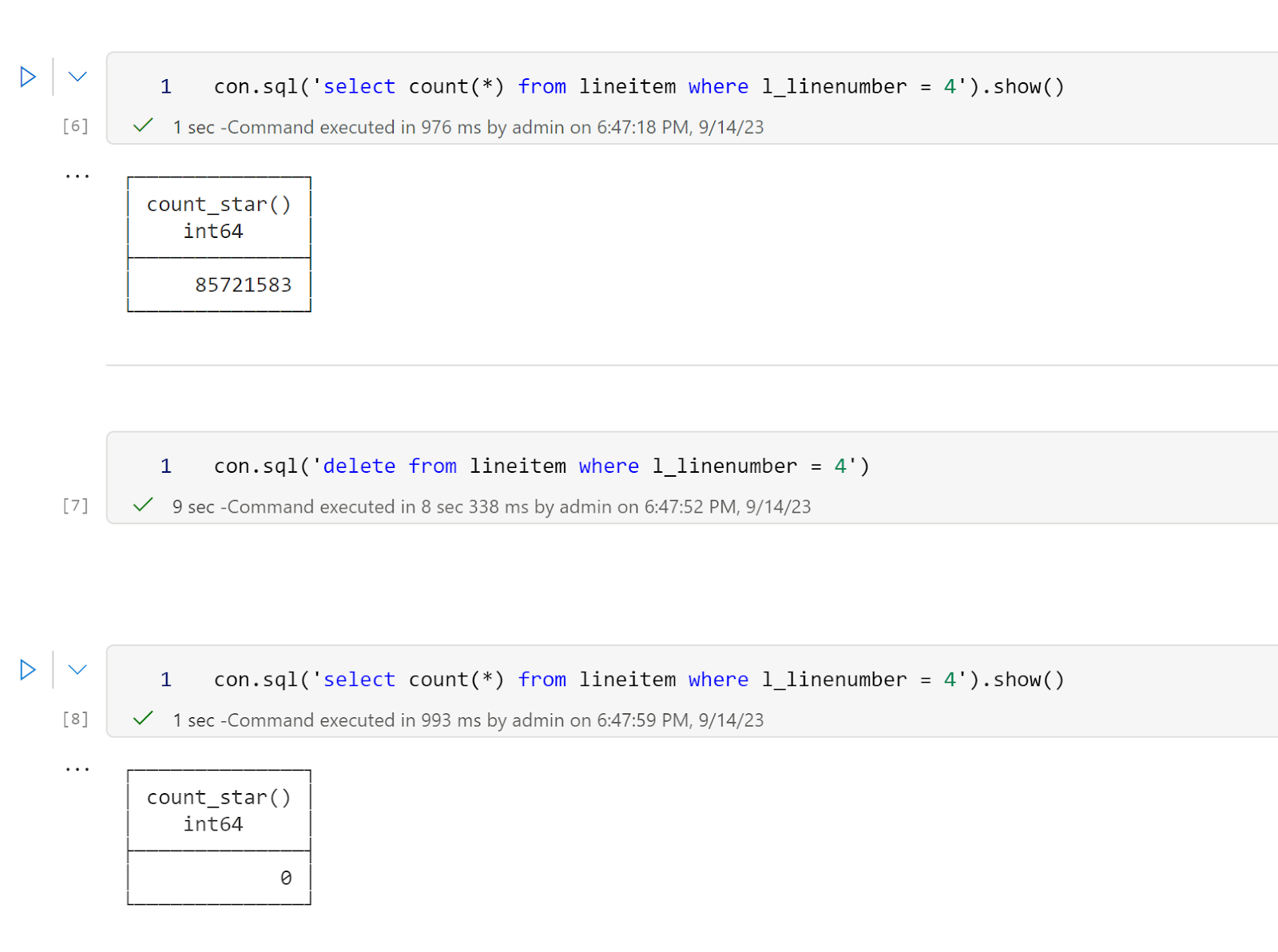
Then I delete a random number from a table, it took 9 second to delete 85 million records ( this is an amazing performance)

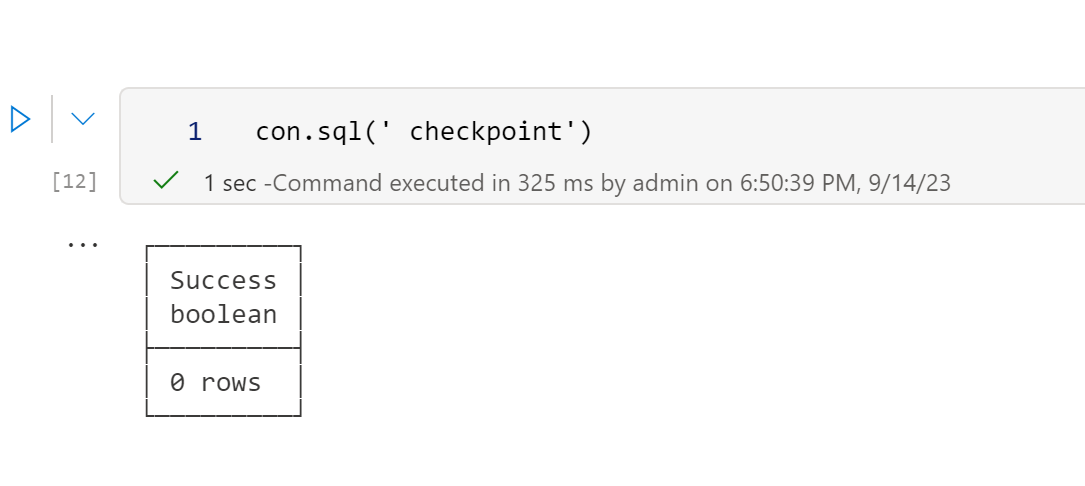
Then I run a checkpoint and it works fine

BlobFuse2 will be a game changer 

Currently Fabric notebook runtime uses BlobFuseV1 For OneLake, which as far as I can tell does not support any cache, although in my experience the  throughput is rather good, it is still an object store and will never reach the speed of an SSD disk, but BlobFuse2 may well be the best thing that happen for Fabric Notebook, it has a native disc cache, and it works at the OS level, every program get a free cache, I hope the product team will upgrade soon.

Develop Python Notebook in your laptop and use Fabric only for Production

TL;DR: wrote my first fabric notebook at work ( download some BOM data) and for some reason, I did find that working first in my laptop using VS code then deploying later in Fabric seemed a more natural workflow to me, maybe working with PowerBI desktop for years has something to do with it, you can download the notebook here

You can  just use pure Python in Fabric Notebook.

Fabric Notebook support Pyspark and R but vanilla Python works just fine, the only big limitation writing to Delta is currently in developpement , but there is a workaround, I created a function that try first to write using Spark, if not available it will write using Delta Python which works fine in my laptop, in that case the code will works in Fabric Notebook without any modification

Why Not PySpark ?

Obviously if you have Pyspark installed in your laptop and you are familiar with the syntax then go for it,  you can even make the argument it is a long term career advantage to be skilful in it, the catch is, I donโ€™t see how I can install it in my laptop and to be honest, I feel DuckDB or pandas for that matter is substantially friendlier to use.

Python is very good to download public Data

I use a Python function to download data from BOM website to  csv files in a  local folder, I copied the same Folder Path as Fabric Lakehouse

I hope the code keeps working, I justed copied some code from the internet and mess with it till it worked, I have no idea how regex is working, and I donโ€™t even want to know

DuckDI API has a vibe of PowerQuery

I used DuckDB to clean the data, you can use Pandas, Polars, Ibis or any library that you like, personally I never liked CTE in SQL, I much prefer step by step logic and seeing the results in every step, and this is exactly what I am doing here

Read everything as a text

Normalize_names will replace empty space with an underscore

All_varchar , will read everything as a text, you can cast the correct type later

DuckDB uses lazy evaluation by default, you need to use show() to see the result

Unpivot Other Columns

Unpivot other columns is one of the coolest feature of PoweQuery, DuckDB has a very nice SQL syntax to do the same

Write the final results as a Delta Table

Thatโ€™s pretty much the core idea of fabric, if you write your Data into Delta Table then it will be usable by all the Engines, PowerBI, SQL DWH etc

Final Thoughts

The workflow did make sense to me, the only annoying thing is when you import a new notebook in a Fabric workspace it will not overwrite the existing one but create a copy, having the option will be nice.

I can see some advantages for this approach, like if you have a very small SKU and you want to optimize the resource usage, using your laptop for developpement can save you some precious compute, another case maybe if you were not given access to fabric from the admin, showing you have already a working code and you know what you are doing can make the conversation easier.

One thing for sure, users will use fabric in some unexpected ways and thatโ€™s just fine.

Sharing Data Between OneLake and Snowflake

TL;DR : OneLake is really an Open Storage system and works with any tool that understands Azure ADLS Gen2 API, but they changed the endpoint naming which was very confusing, (at least for me), but there is no catch, it is the same tech under the hood, there is no Vendor Lock-in, it is totally an open ecosystem.

Use Case : 

For no obvious reason, I thought about an unusual scenario: Load data to OneLake using Dataflow Gen2 and Query the results using Snowflake, it works with any Engine that understands Delta Table, mind you, no Spark was involved at all, all using native code.

Azure AD

Fabric use Azure AD for authentication, and support service principal too , this is the recommended route, I am not sure if Snowflake understand OneLake Endpoint format, I think it expect something like this : โ€œaccountname.blob.core.windows.net/container_name/โ€

But OneLake you get something like this

โ€œsharing@onelake.dfs.fabric.microsoft.com/sharing.Lakehouse/Tables/scadaโ€

Maybe it works but I have not tested it, probably it is a blog for another day.

Shortcut

Another approach is to create a shortcut to an existing ADLS Gen2 storage account, it is trivial to setup and support read and write, which I did

I can write the data using either Spark or Dataflow Gen2, the Data Warehouse is not supported, you can read only using the OneLake Endpoint, anyway, for this example I am using Dataflow Gen2 to write the data

Turns out, PowerQuery has a native Delta table writer ๐Ÿ™‚ , you can see it in the log

And here is the Data in Azure Storage

I feel like if you want to share data with external parties, maybe using an external Azure Container is a more flexible solution. I know it may sound silly but the fact I can see the data using the storage explorer in Azure independently of Fabric makes it seem more neutral.

Reading from Snowflake

Snowflake recommends using a service principal,but for this quick demo, I used a SAS token, making sure to grant read and list.

And then used this SQL Script the define the external table

create database ONELAKE ;
create schema AEMO ;
USE ONELAKE.AEMO ;
CREATE OR REPLACE STAGE onelake
  URL='azure://fabricshare.blob.core.windows.net/scada/'
  CREDENTIALS=(AZURE_SAS_TOKEN='xxxxxxxxxxxxxxxxxxxxxxxxxxxxxxxxxxx') ;

CREATE or replace EXTERNAL TABLE scada(
 SETTLEMENTDATE TIMESTAMP AS (value:SETTLEMENTDATE::VARCHAR::TIMESTAMP),
 DUID varchar AS (value:DUID::varchar),
 SCADAVALUE NUMBER(12,5) AS (value:SCADAVALUE::NUMBER(12,5)),
 file varchar AS (value:file::varchar))
 LOCATION=@ONELAKE
 REFRESH_ON_CREATE =  FALSE
 AUTO_REFRESH = FALSE
 FILE_FORMAT = (TYPE = PARQUET)
 TABLE_FORMAT = DELTA;
 ALTER EXTERNAL TABLE SCADA  REFRESH;
 select settlementdate,sum(scadavalue) as mw from scada group by all;

to get the latest Data, you can run this SQL code

ALTER EXTERNAL TABLE SCADA  REFRESH;

and because it is using Delta Table, you will not get dirty reads, only fully committed data is read.

And here is a sample chart from Snowflake

Writing from Snowflake

Snowflake doesn’t support writing to Delta Table, which I think is a great use case  for PowerBI users with Direct Lake mode. I guess for now, a user can use Fabric Data Factory to get the data, I feel there is a missed opportunity here.

Parting thoughts

I had a mixed feeling about Delta Table and the concept of Lakehouse in general, I felt it was too tight to Spark ecosystem, rather useful only for big data setup, I changed my mind,first by using Delta Rust and now Fabric is doing a good job making it even more accessible for business users, I think thatโ€™s progress, and to be very clear this setup works with Databricks, DuckDB and any Database that reads Delta Table.

First Look at Dataflow Gen2

TL:DR; I wish I had this in 2019

Background

Long story short, in 2019, I was working in large scale solar farm having only access to PowerBI Pro license, wanted to build a dashboard that show Power generation data with a freshness of 5 minutes, tried multiple workaround, never worked reliably as it should be, the solution was to have some kind of a database where i can incrementally write, did not have access to Azure and even if I had, Azure DataFactory was too alien to me, COVID happen, moved to another division but I never forget about it, I felt a deep disappointment in PowerQuery and I even questioned the whole point of self service Data preparation if a relatively simple scenarioย  can not be handled easily.

Enter Fabric

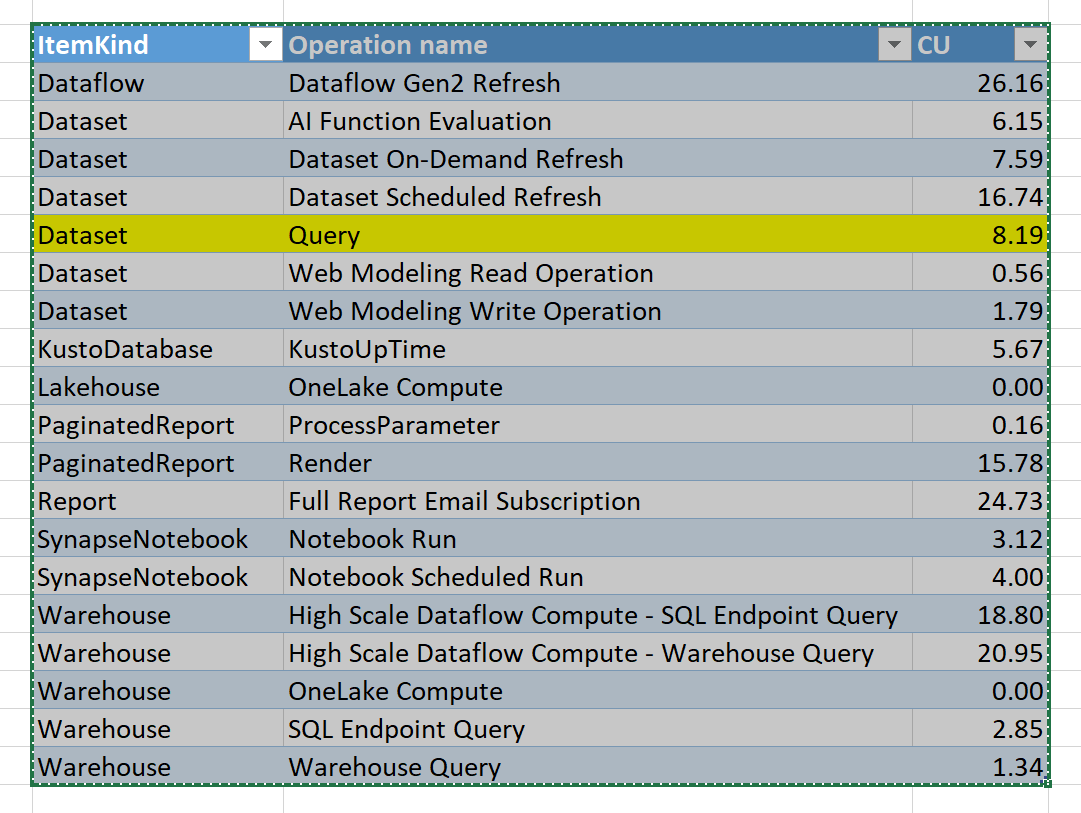
My first encounter with Dataflow Gen2 was extremely negative, there was a bug where the auto generated dataset was consuming a lot of compute resource for no reason, I was distressed that they messed up the product, luckily I was wrong and the bug was fixed after 2 months, the graph does not need an explanation

Lakehouse Destination

Initially Dataflow supported only writing to Lakehouse but they added the DWH later, the performance is very odd, every refresh insert around 500 records (which is small), something feels not right

Anyway I reported the issue and the dev are looking at it.

DWH Destination

Because the data is public and I am just testing,I wanted to publish the report to the web, the messaging was not clear if it is supported or not, anyway the documentation was updated recently and it is a current limitation of Direct Lake mode, which is perfectly fine, it is a preview after all, but in this particularย  case I care about publish to web more than Direct Lake.

I changed the destination to DWH and what a wonderful surprise

Whatโ€™s the big deal about Dataflow Gen2 anyway ?

Just one option, you can append the result to a table, this makes incremental refresh a trivial task, obviously it was no easy feat, PowerQuery previously can write only to PowerBI Internal Engine, but now there are multiple destinations and more are coming

Not only that, because you are writing to a Database you can even run further data transformation using SQL, I recommend this excellent tutorial of whatโ€™s possible now

The Idea is very simple, get the name of the files already loaded and just add new files

And Here is the whole data pipeline from data ingestion to the final report all using one Product

You can have a look at the report here, Publish to web cache the data, so you may not see the latest update

I appreciate it is a very short blog, but if you know PowerQuery, there is nothing new to learn, same tech but substantially more Powerful as you are loading to a DWH, you want a Database, here is one, just like that ๐Ÿ™‚

Final Thoughts

Dataflow Gen2 is finally blurring the line between self service Data preparation and Professional ETL developpement, I understand marketing people will focus more on Lakehouse and Direct Lake but most potential Fabric users are just PowerBI users and Dataflow Gen2 is exactly what was missing from PowerBI.

I am really looking forward to the GA of Fabric F2. Dataflow Gen2 is a killer feature and I hope they get the resource utilization right.