Nov 24 : Iceberg read is officially supported, the approach used in this blog is no more needed.
TL;DR : today you can use a Notebook, for Direct Lake mode you have to wait a bit 🙂
After a long Private Preview, Snowflake Iceberg support is finally available in public preview. I have a personal instance in Azure Australia East and wanted to see how easy it is to read the data using Fabric OneLake, this is just my personal observations and does not necessarily represent my employer views.
Create Iceberg Table In Snowflake
Creating an iceberg table in Snowflake is rather straightforward but I particularly like the Option Base_Location, because it is a human readable name and not an auto generated random GUID (Looking at you Lakehouse Vendor X), locating the table later in Fabric OneLake is very natural.

Use Read Only privilege for extra safety.
The Iceberg Table is read only by third party Engines, so to be extra safe, make sure the account you use to read the data from Azure Storage is read only.
The role selected is Storage Blob Reader

Fabric Lakehouse View
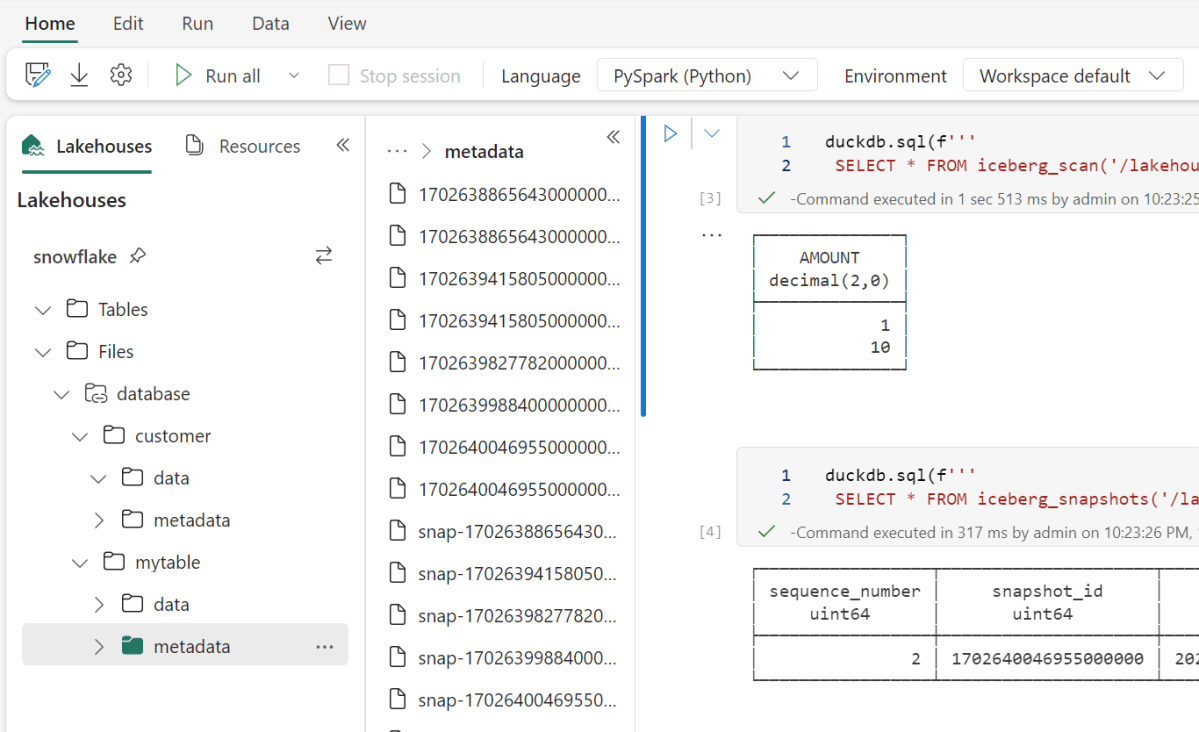
I created a new lakehouse and built a shortcut to my azure storage account, and just like that, I can see the data

How to read Iceberg in Fabric (Officially)
Officially DeltaTable is the only Table format supported in Fabric, but recently Microsoft announced they are a member of OneTable project which is a kind of universal Table format translator, for example if you want to read Iceberg but your engine support only Delta, OneTable will generate a new Delta Table Metadata on the fly and keep syncing new changes ( The Data itself is not rewritten), I tried to install it, but it involve java which is usually something I try to avoid, Looking forward to the official service ( I don’t think there is any public ETA)
Read Iceberg from a Notebook (Unofficially)
Fabric has a notebook , literally you can read anything, Snowflake recommend to use Spark with their catalog SDK, I am not a Spark person, I am more into Python Engines, unfortunately it was not a nice ride, Tried Pyiceberg, Hyper, Databend they all didn’t work for different reasons, luckily DuckDB works out of the box

Snowflake Parquet files are peculiar
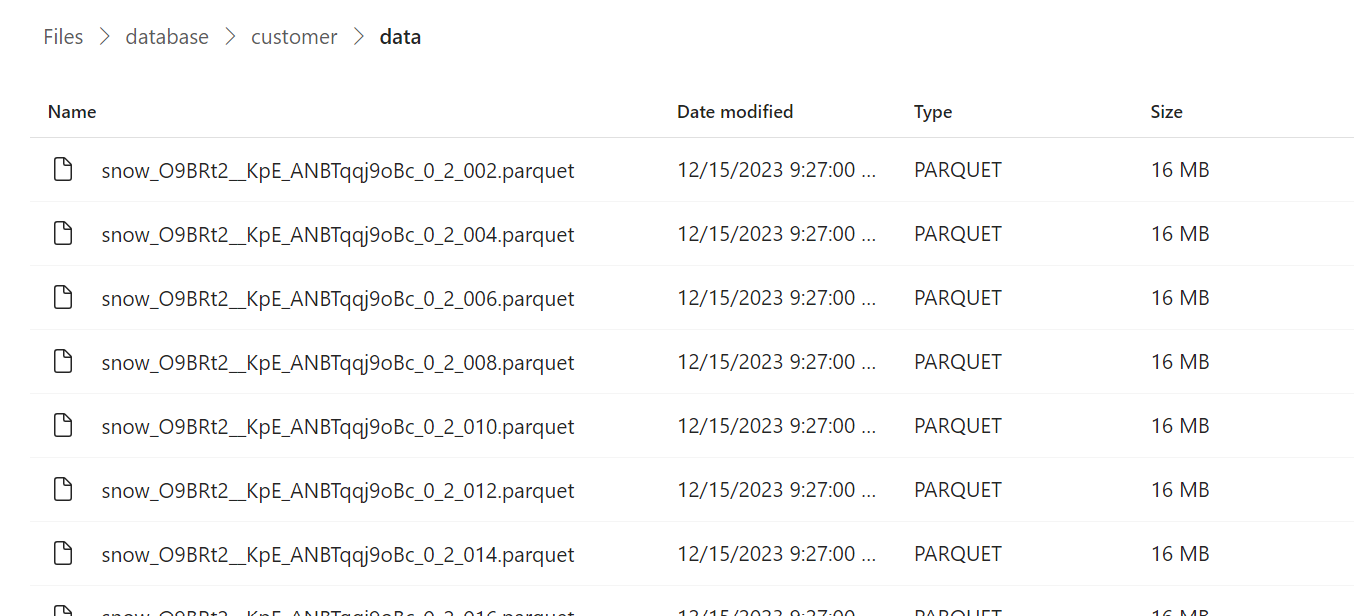
From a couple of big tables I did create, Snowflake seems to generate Parquet files with a fixed size 16 MB
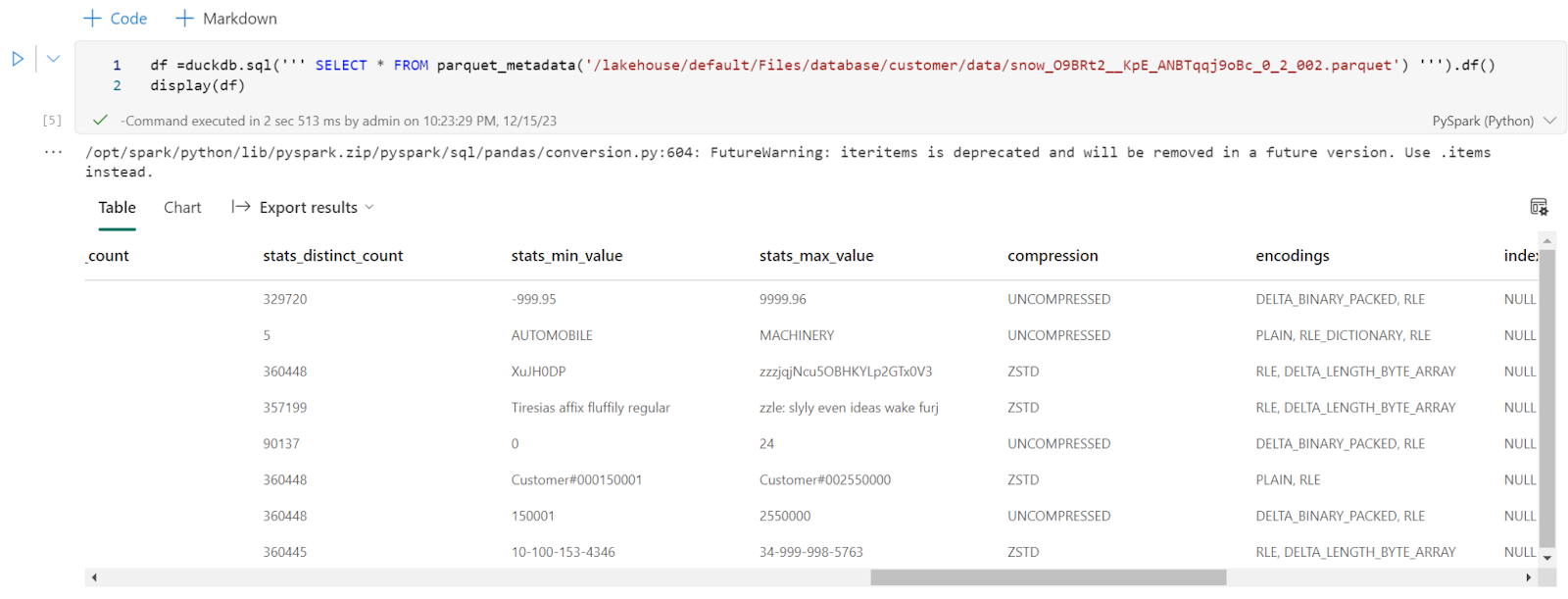
Every file has only one row group, I had a look at the parquet metadata and it seems distinct count stats are generated, ( a lot of engines don’t do it as it is a very expensive operation)
Final Thoughts
That was just a quick look, today you can read Iceberg using Fabric notebook, but it will be interesting to see how PowerBI Direct Lake mode will behave with such a small file size when OneTable is available( hopefully not too far in the future) , I suspect a lot of users of Both PowerBI and Snowflake will be interested to learn more about this integration.
 Small Data And self service