
Scenario
I have a notebook that processes hot data every 5 minutes. Meanwhile, another pipeline processes historical data, and I want to create a summary table that uses the hot data incrementally but refreshes entirely when the historical data changes.
Problem
Checking for changes in historical data every 5 minutes is inefficient, slows down the hot data pipeline, and increases costs. There are many potential solutions for this use case, but one approach I used has been working well.
Solution
Using Delta Table Version
Delta tables provide a variety of functions to access metadata without reading actual data files. For instance, you can retrieve the latest table version, which is highly efficient and typically takes less than a second.
dt = try_get_deltatable(f'/lakehouse/default/Tables/{schema}/scada', storage_options=storage_options)
if dt is None:
    current_version = -1
else:
    current_version = dt.version()
Storing Custom Metadata
You can store arbitrary metadata, such as a Python dictionary, when writing a Delta table. This metadata storage does not modify Parquet files and can contain information like who wrote the table or any custom data. In my case, I store the version of the historical table used in creating my summary table.
write_deltalake(Summary_table_path,
                df,
                mode="overwrite",
                storage_options= storage_options,
                custom_metadata = {'scada':str(current_version)},
                engine='rust')
and here is how this custom metadata is stored

Combining Both Methods
The hot data pipeline incrementally adds data and checks the version of the historical table, storing it in the summary table. If the stored version differs from the latest version, this indicates a change, triggering a full refresh of the summary table.
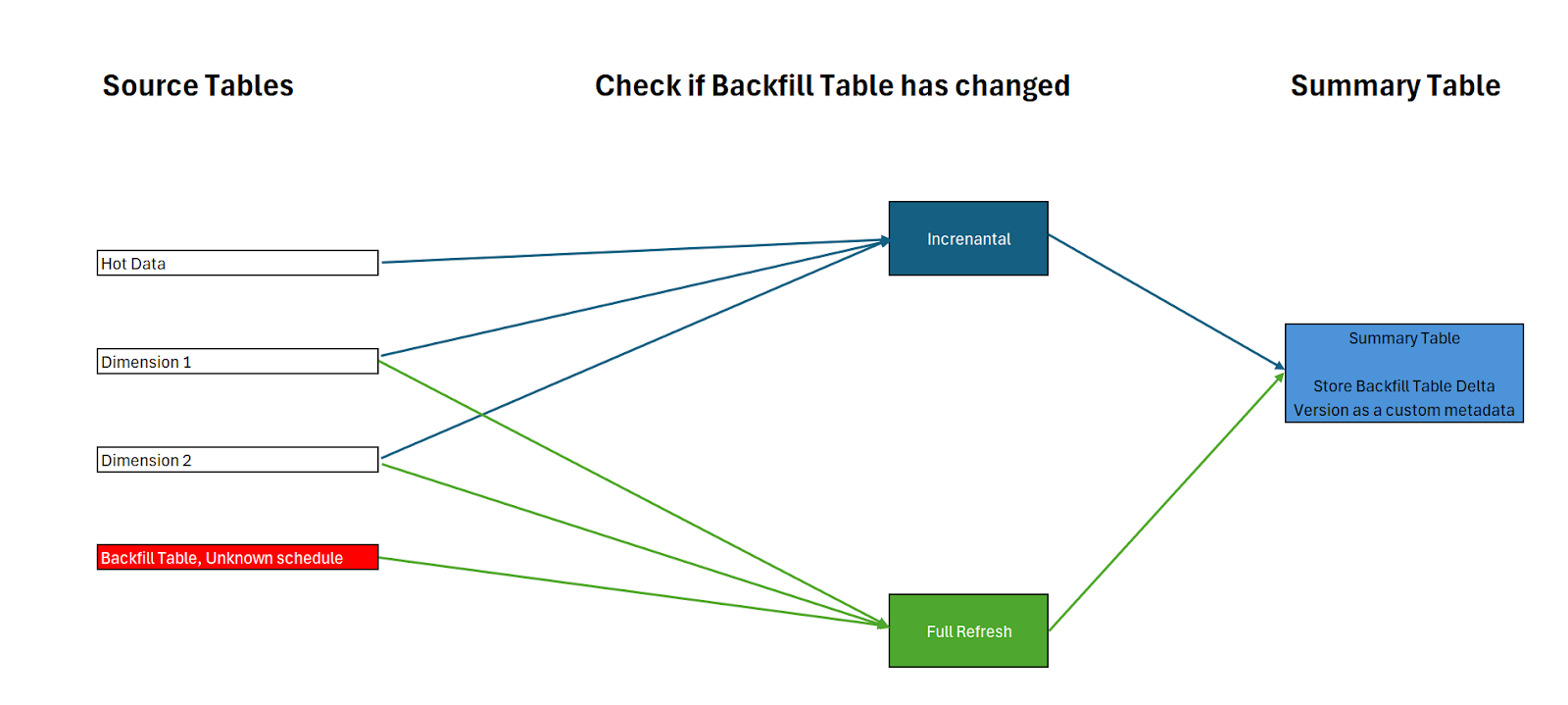
Example Scenarios
- When the Historical Table Has Not Changed

- When a Change is Detected in the Historical Table

Key Takeaway
The Python Delta package is a versatile tool that can solve complex data engineering challenges efficiently.
 Small Data And self service