Fabric : Engines Resource Consumption.

TL:DR;  Although all fabric Engines can use the same Storage, the usage cost of every Engine is different and contrary to common wisdom , PowerBI Engine (Vertipaq) is not the most expensive.

Getting average resource usage consumption 

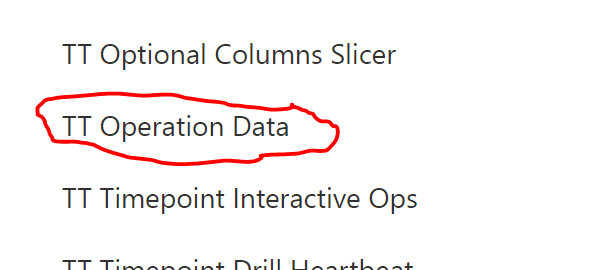
In Fabric capacity metrics, go to a hidden tab “TT Operation Data”
Copy it to a new tab, and you will get something like this
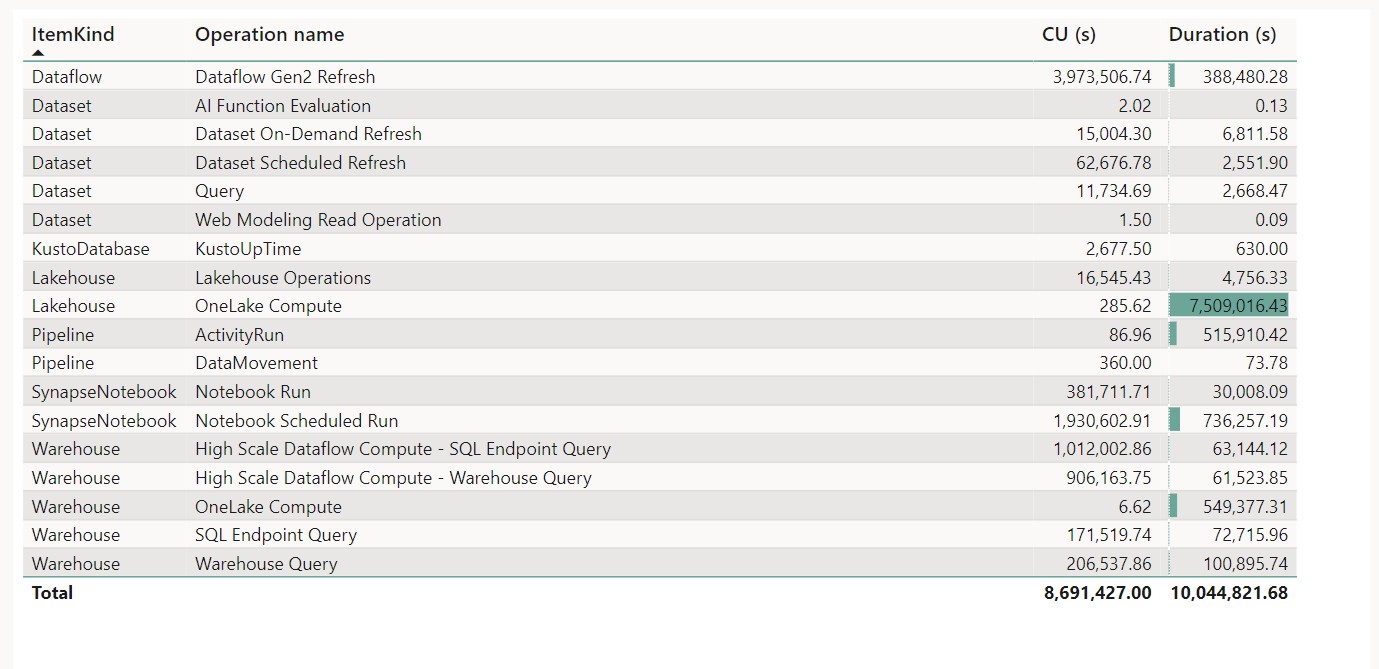
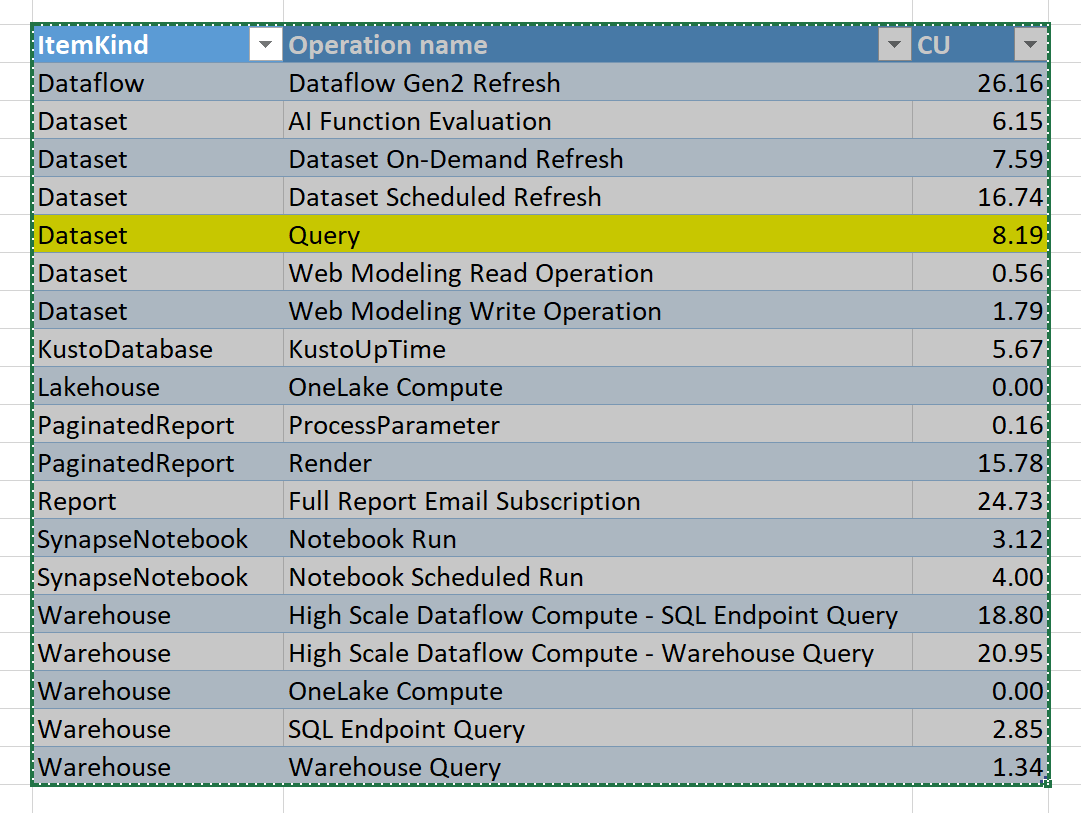
The table Operationsnames is hidden in the model, so I can’t build a customized report, anyway just for the purpose of this blog, I will just export to Excel ( God bless excel).

The compute unit is simply CU(s)/Duration, and to get a feeling about the numbers, let’s convert CU which is basically a virtual unit to a dollar figures, it is just for demonstration purpose only, P1 is a committed resource, regardless of the usage, the you pay a fixed 5000 $/Month and you get 64 CU

So 1 CU= 5000 $/30 day/24 Hours/64 CU= 0.10 $/Hour

F SKU which is a Fabric capacity bought from Azure is more expensive but it has zero commitment and you can suspend it anytime.
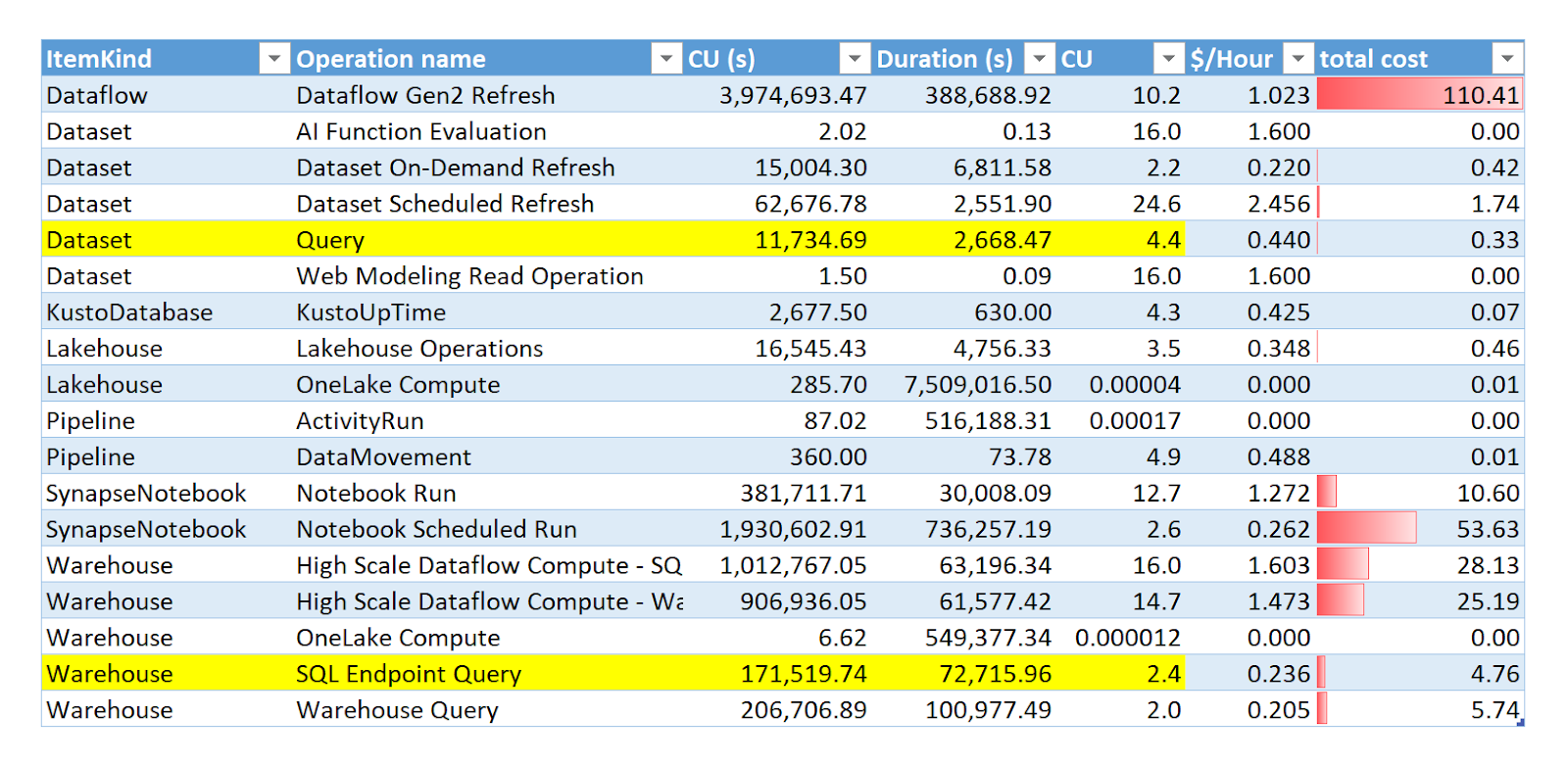
Just to show that the resource assignment is not fixed, here is an example from our production instance ( I have no idea yet, what is High Scale Dataflow compute)
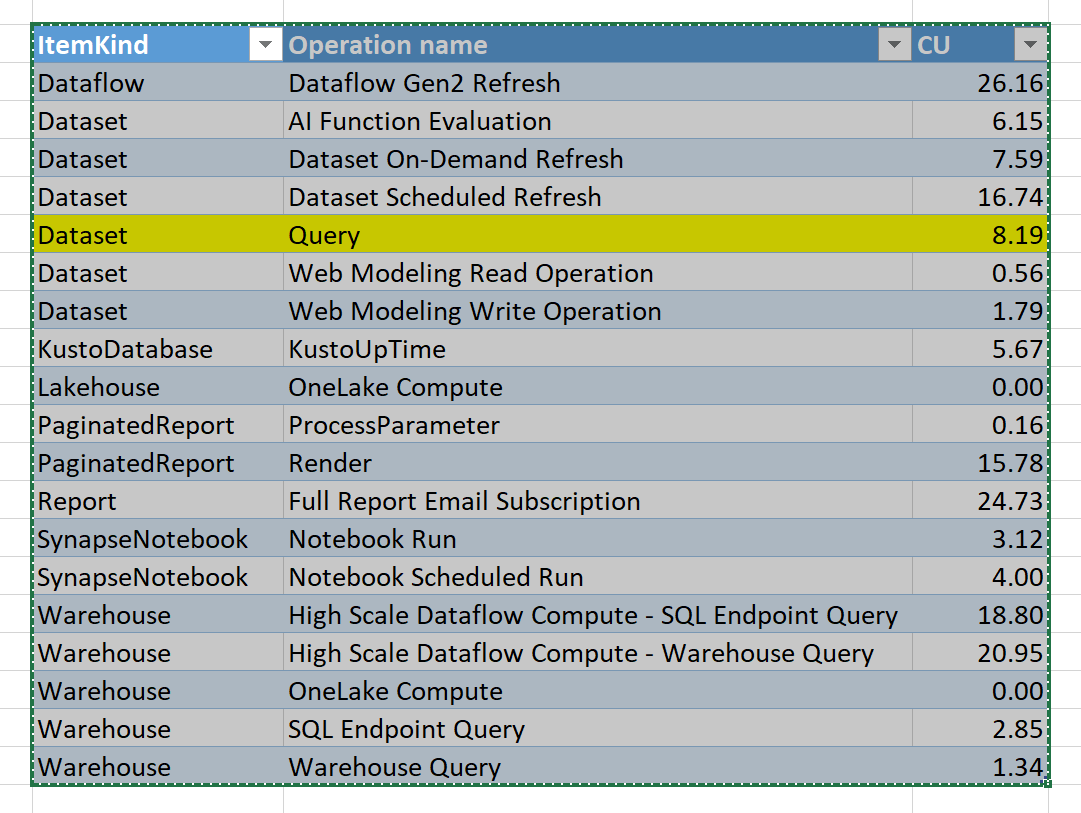
Can we configure resources assignments ?

No you can’t, Fabric assign the necessarily resources automatically, the only exception is Spark

Do all Engines have the same efficiency ?

That’s a tricky questions and to be honest, it does not matter in practise, most of the engines don’t really overlap, so it is not a useful comparison, but we have an interesting exception, Fabric Notebook and Dataflow Gen2 can be both used for an ETL job, I think it will be an interesting hot topic 🙂

Still you did not answer which Engine is cheaper ?

I don’t know, build a Proof of concept with a realistic workload and see for yourself, personally after using fabric for the last 5 Months, I can say the following

  • Notebook can be very cheap, just assign one node compute.
  • SQL Engine is very competitive 
  • Dataflow Gen2 is probably the less mature offering in Fabric and can act in some  unexpected ways.
  • Orchestration using Pipelines is virtually free 🙂
Glaredb Storage Format

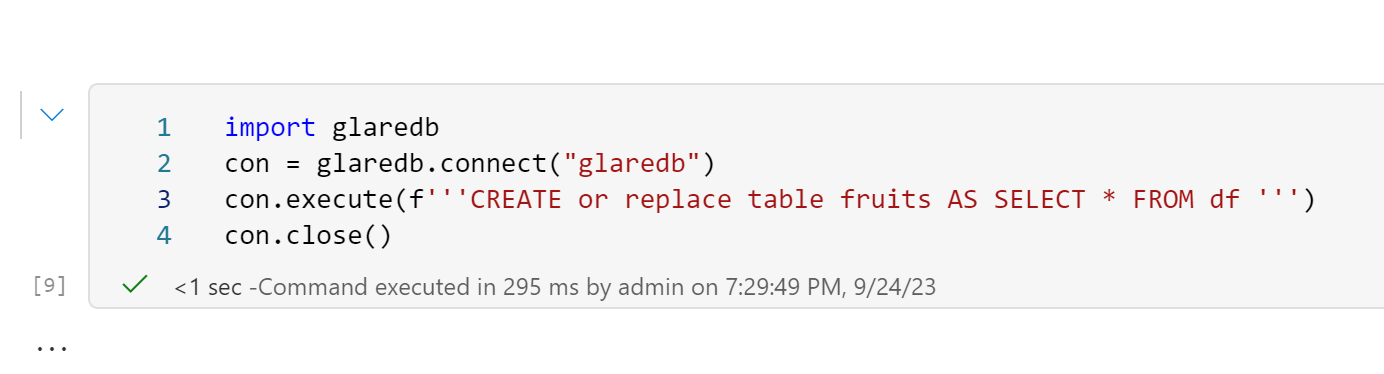
I was messing around with GlareDB which is one of the new wave of OLAP DB system (With DuckDB, Datafusion and Databend) it is open source and based on Datafusion, this blog is not a review but just a small demo for an interesting design decision by GlareDB developers, Instead of building a new storage system from scratch, they just used Delta Table, basically they assembled a database using just existing components, apparently all glued together using Apache Arrow !!!

Write Data using GlareDB

I am using Fabric Notebook here, currently writing to the Lakehouse does not work ( I opened a bug report, hopefully it is an easy fix) instead I will just the local folder

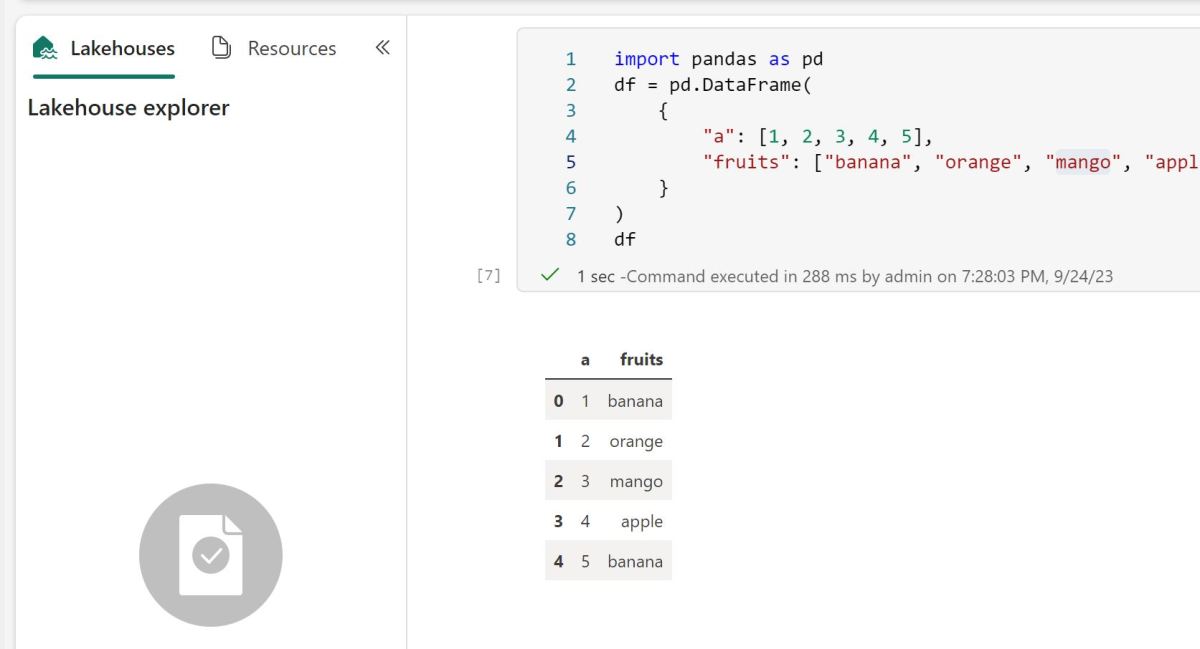
Let’s create a small dataframe using Pandas 

GlareDB can query Pandas DF directly

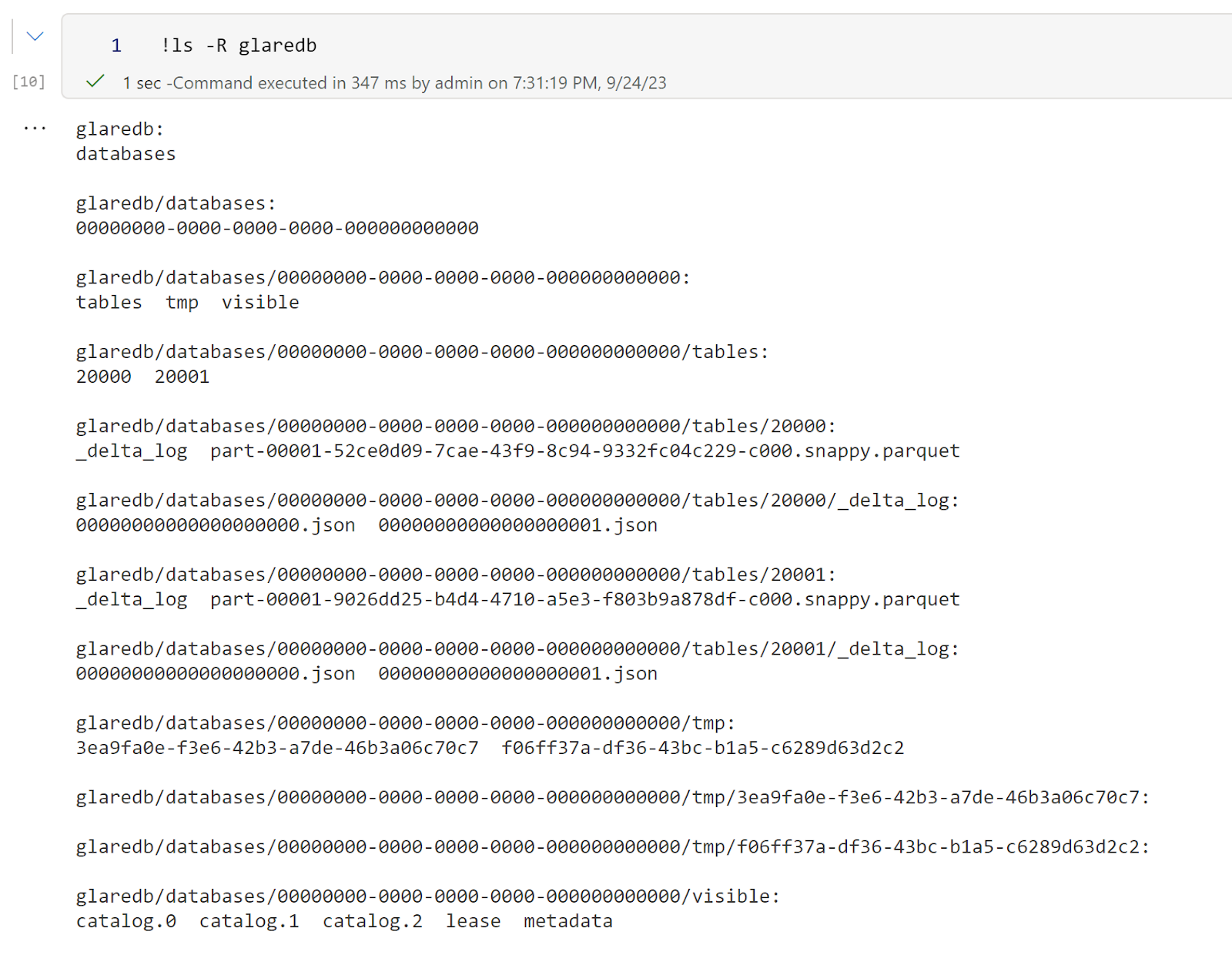
Then I can see the list of files 

Read Data using Polars

Now the interesting part, because it is an Open Table Format, I can use another Engine to read the data, let’s try Polars for a change 🙂 

It will be nice though to have a Query that return all tables with their path as tables/20001 does not mean much 

So DB Vendors should stop innovating in Storage Format? 

I have to admit I changed my mind about this subject, I used to think Query Engines Developers  should design the best format that serve their Engine, after using Fabric for a couple of Months, open table format is just too convenient, my current thinking, the cold storage table format  make a lot of of sense when using a standard format (Delta, Iceberg, Hudi etc)  the optimization can be done downstream, for example tables statistics, In-Memory representations of the data, there are plenty of areas where DB vendor can differentiate their offering, but cold storage is really the common denominator.

One thing though I like about Delta is the relative Path. You can move around the folder and data keeps just working. In the current example, I moved the folder to my desktop and it still works. Iceberg is a bit tricky as it does not support relative paths yet.

Fabric Notebook Virtual filesystem

TL;DR: Fabric notebook uses a very nice functionality by mounting a remote Azure container as a “fake” local filesystem,  this works as the OS Level, for a lot of programs it is just another folder, you can learn more details here 

How it works 

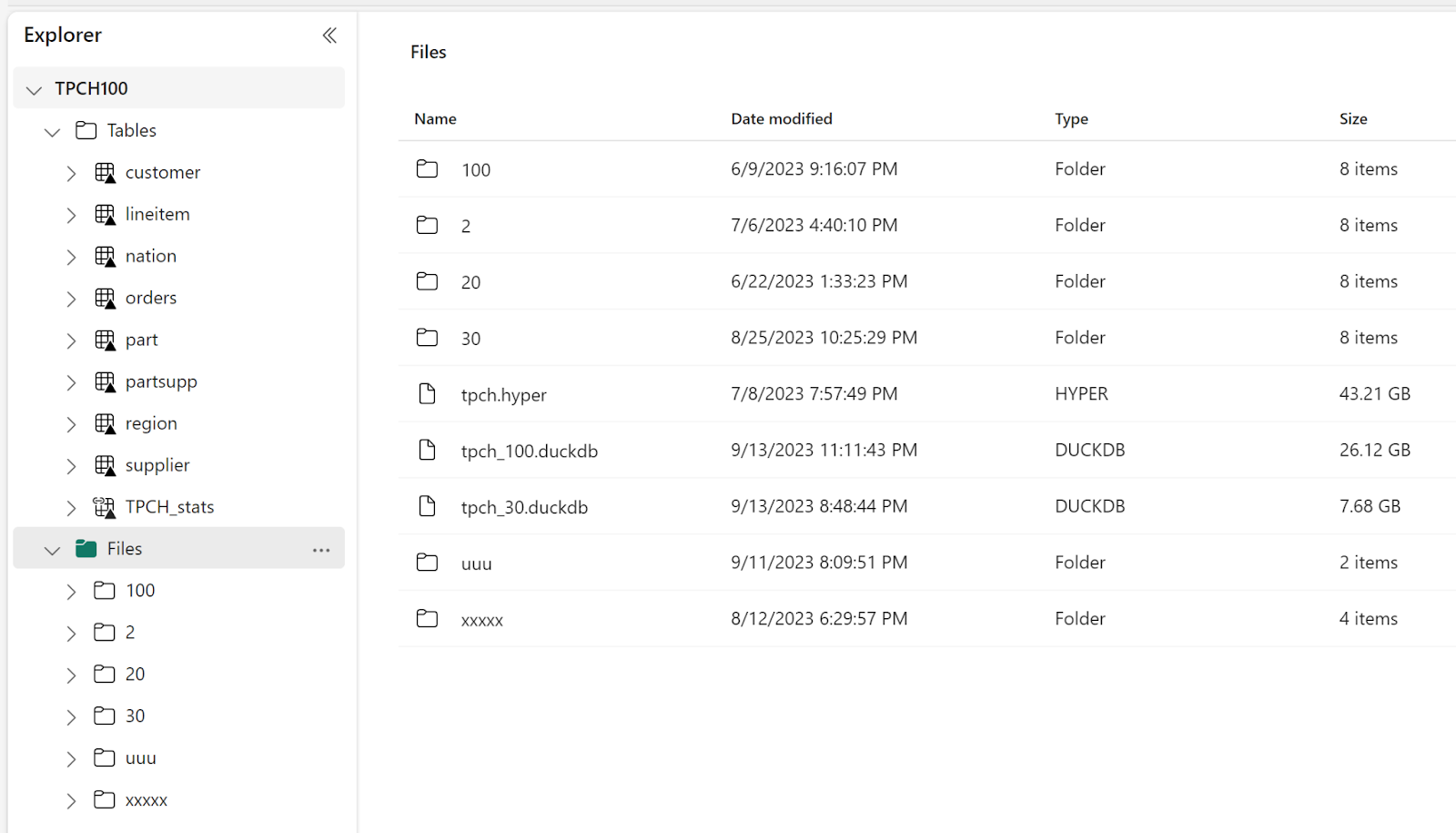
When you mount a Fabric Lakehouse , you get something like this

In the file section, you can store any files, the tables section is special, if you create a Delta Table, Fabric will automatically expose it to all Fabric Engines ( SQL, Vertipaq etc), the data is stored in an azure storage container.

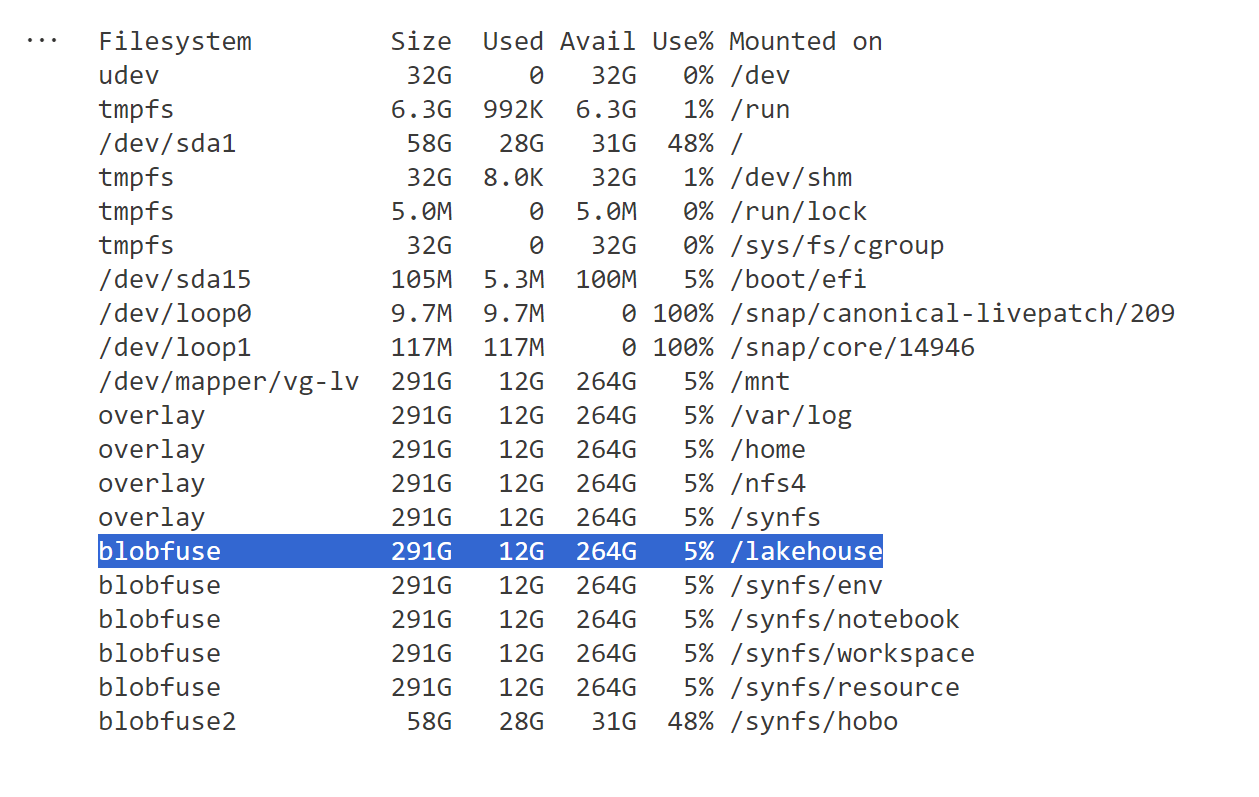
When you run this command in the notebook   !df -h, this is what you get

When a program send a command to delete, read, write etc, the system automatically translate those to an Azure storage API, it is not perfect, it is still not a real local filesystem, but so far it works well specially for read, I tested with 5 different SQL Engines and they all works fine ( DuckDB, Datafusion, databend,Glaredb and hyper) although the performance varied, I noticed that Hyper has some serious performance issues but I understand it may not be a priority for them to fix it 🙂

Writing DuckDB native file format

This one was  very confusing to me when I used it the first time, my understanding; files in a remote storage are immutable, you can create new files or delete but not modify an existing one, but somehow it works.

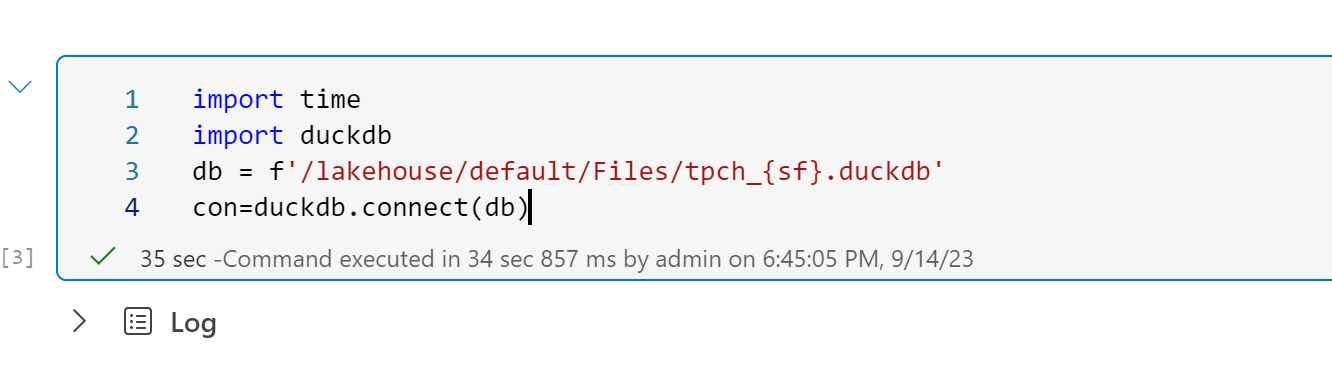
Open a remote DuckDB files in a write mode, the file is 25 GB

35 seconds is still slow, I thought it was supposed to be reading only some metadata !! I think that’s a DuckDB limitation.

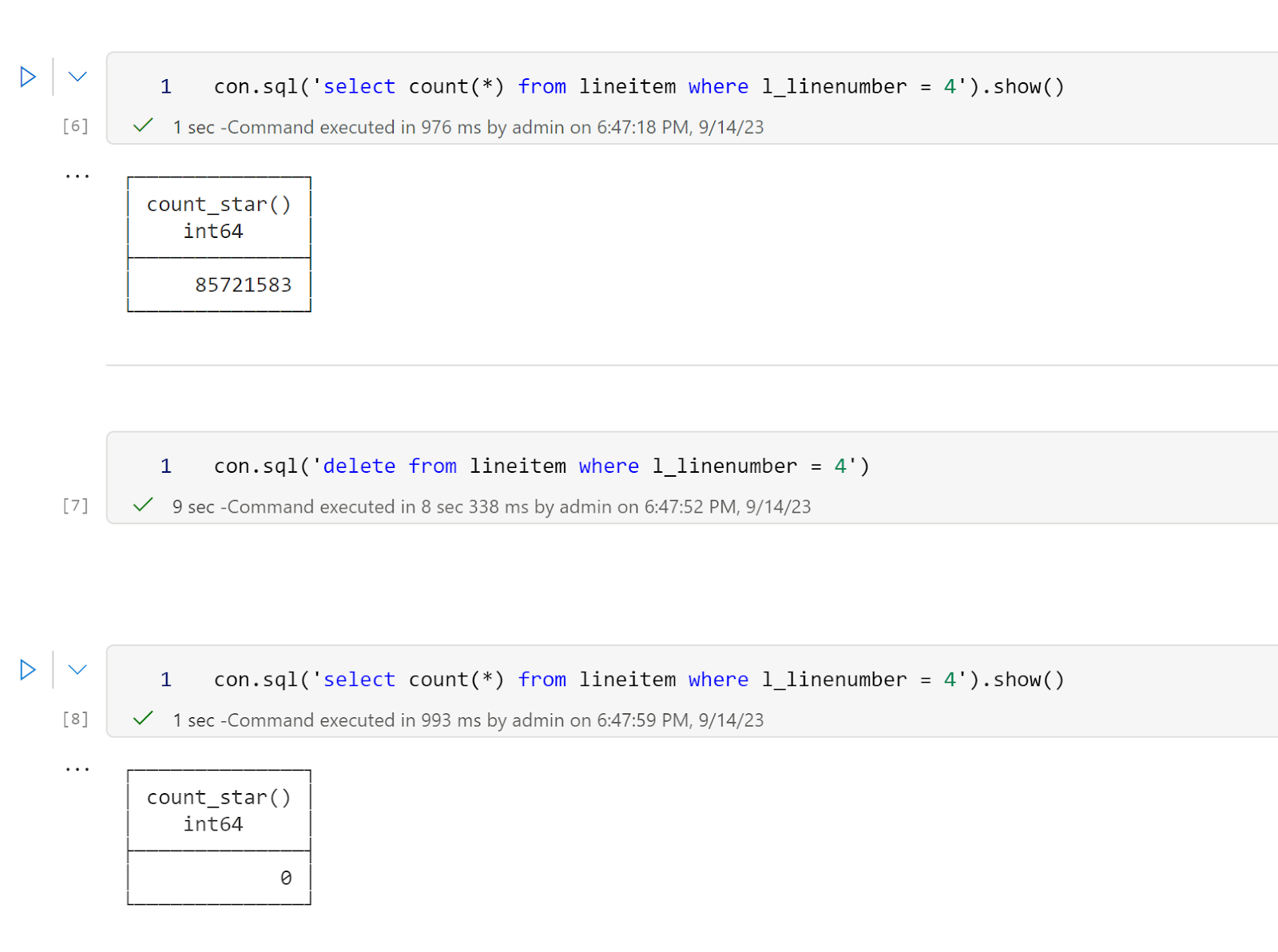
Then I delete a random number from a table, it took 9 second to delete 85 million records ( this is an amazing performance)

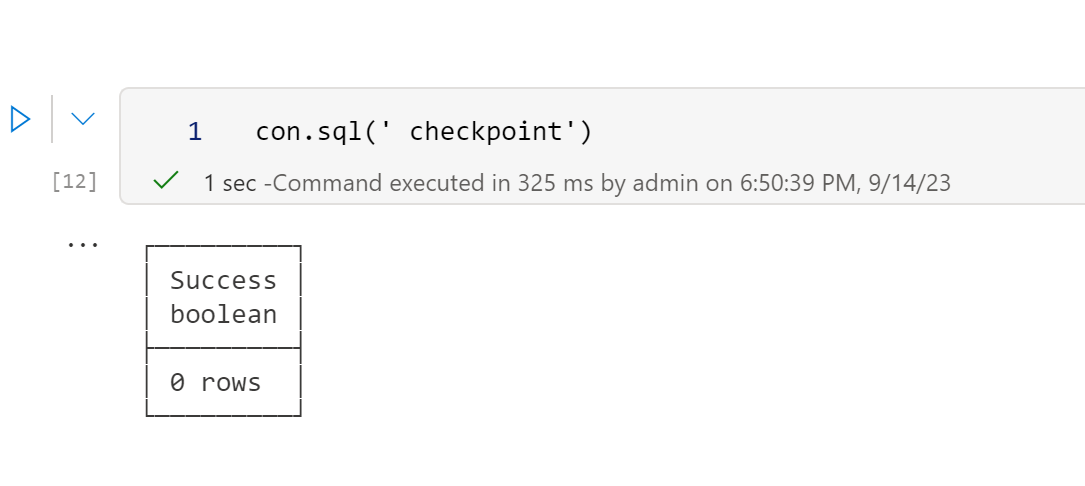
Then I run a checkpoint and it works fine

BlobFuse2 will be a game changer 

Currently Fabric notebook runtime uses BlobFuseV1 For OneLake, which as far as I can tell does not support any cache, although in my experience the  throughput is rather good, it is still an object store and will never reach the speed of an SSD disk, but BlobFuse2 may well be the best thing that happen for Fabric Notebook, it has a native disc cache, and it works at the OS level, every program get a free cache, I hope the product team will upgrade soon.

Develop Python Notebook in your laptop and use Fabric only for Production

TL;DR: wrote my first fabric notebook at work ( download some BOM data) and for some reason, I did find that working first in my laptop using VS code then deploying later in Fabric seemed a more natural workflow to me, maybe working with PowerBI desktop for years has something to do with it, you can download the notebook here

You can  just use pure Python in Fabric Notebook.

Fabric Notebook support Pyspark and R but vanilla Python works just fine, the only big limitation writing to Delta is currently in developpement , but there is a workaround, I created a function that try first to write using Spark, if not available it will write using Delta Python which works fine in my laptop, in that case the code will works in Fabric Notebook without any modification

Why Not PySpark ?

Obviously if you have Pyspark installed in your laptop and you are familiar with the syntax then go for it,  you can even make the argument it is a long term career advantage to be skilful in it, the catch is, I don’t see how I can install it in my laptop and to be honest, I feel DuckDB or pandas for that matter is substantially friendlier to use.

Python is very good to download public Data

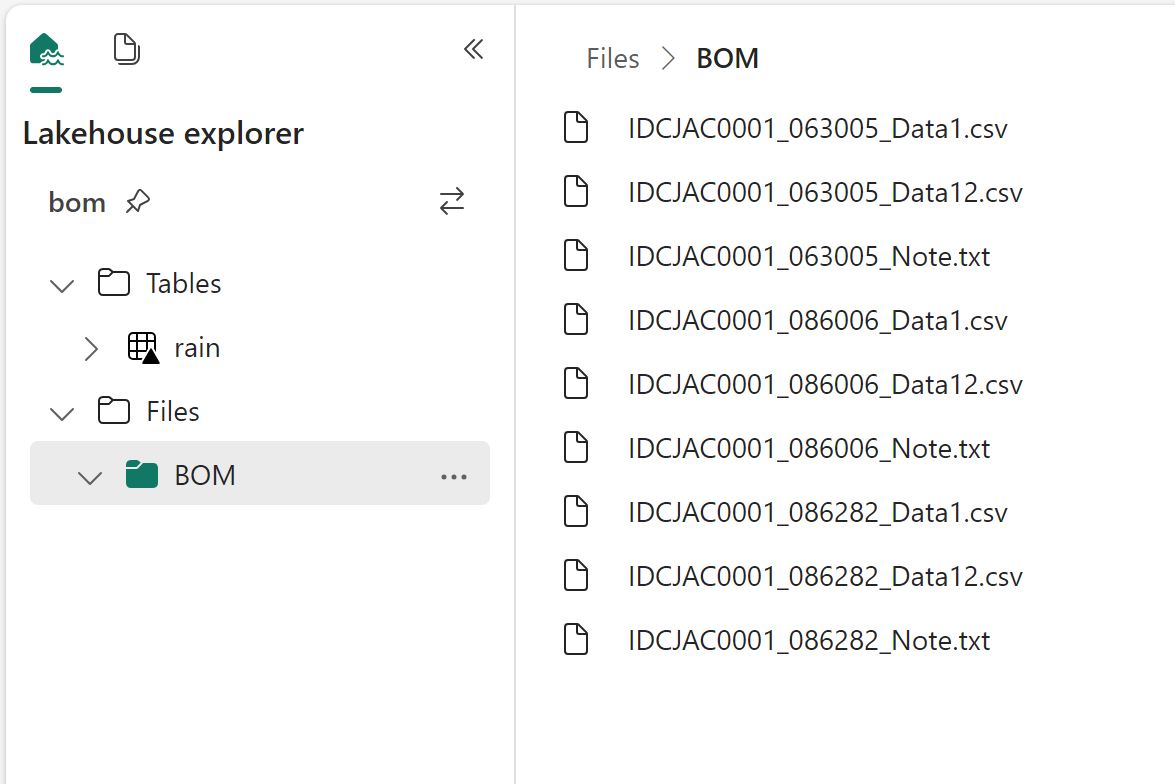
I use a Python function to download data from BOM website to  csv files in a  local folder, I copied the same Folder Path as Fabric Lakehouse

I hope the code keeps working, I justed copied some code from the internet and mess with it till it worked, I have no idea how regex is working, and I don’t even want to know

DuckDI API has a vibe of PowerQuery

I used DuckDB to clean the data, you can use Pandas, Polars, Ibis or any library that you like, personally I never liked CTE in SQL, I much prefer step by step logic and seeing the results in every step, and this is exactly what I am doing here

Read everything as a text

Normalize_names will replace empty space with an underscore

All_varchar , will read everything as a text, you can cast the correct type later

DuckDB uses lazy evaluation by default, you need to use show() to see the result

Unpivot Other Columns

Unpivot other columns is one of the coolest feature of PoweQuery, DuckDB has a very nice SQL syntax to do the same

Write the final results as a Delta Table

That’s pretty much the core idea of fabric, if you write your Data into Delta Table then it will be usable by all the Engines, PowerBI, SQL DWH etc

Final Thoughts

The workflow did make sense to me, the only annoying thing is when you import a new notebook in a Fabric workspace it will not overwrite the existing one but create a copy, having the option will be nice.

I can see some advantages for this approach, like if you have a very small SKU and you want to optimize the resource usage, using your laptop for developpement can save you some precious compute, another case maybe if you were not given access to fabric from the admin, showing you have already a working code and you know what you are doing can make the conversation easier.

One thing for sure, users will use fabric in some unexpected ways and that’s just fine.