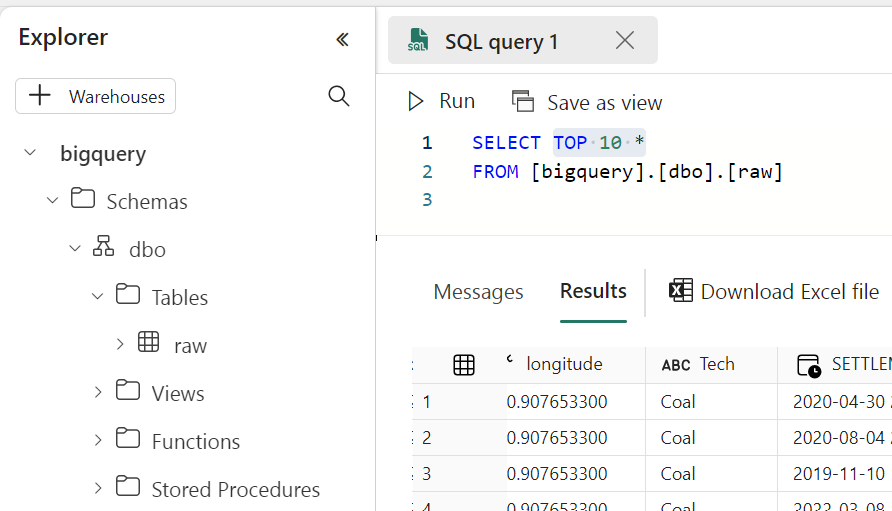
Using Arrow and Delta Rust to transfer Data from BigQuery to Fabric OneLake

 It is just a POC on how using Arrow with Delta Rust can give you a very good experience when importing Data from BigQuery to OneLake 

For a serious implementation, you need to use Azure Key Vault and use it from Fabric Notebook, again this is just a POC

The core idea is that Delta Rust accept Arrow Table as an input without the need for a conversion to Pandas 

The Data is public, the Query scans nearly 19 GB of uncompressed data. 
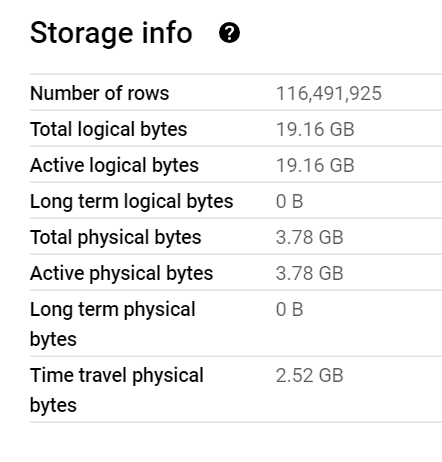
It took less than 2 minutes to run the Query and Transfer the Data !!! That’s GCP Tokyo Region To Azure Melbourne and nearly a minute and 25 second to write the Data to Delta Table using a small single Node ( 4 vCores and 32 GB of RAM) 

Show me the Code.

You can download the notebook here. although The Package is written in Rust, they do have a great Python binding which I am using .

Make sure you Install google-cloud-bigquery[‘all’] to have the Storage API Active otherwise it will be extremely slow 

Notice though that using Storage API will incur egress Cost from Google Cloud

and use Fabric Runtime 1.1 not 1.2 as there is a bug with Delta_Rust Package.

Nice Try, how about vOrder ?

Because the data is loaded into a staging area, the lack of vOrder should not be a problem as ultimately it will be further transformed into the DWH ( it is a very wide table), as a matter of fact, one can load the data as just Parquet files. 

Obviously it works too with Spark, but trying to understand why datetime 64 whatever !!! and NA did not works well with Spark Dataframe was a nightmare.

I am sure it is trivial for Spark Ninja, but watching a wall of java errors was scary, honestly I wonder why Spark can’t just read Arrow without Pandas in the middle ?

With Delta Rust it did just work, datetime works fine, time type though is not supported but it gave me a very clear error message ( for now I cast it as string , will figure out later what to do with it) , but it was an enjoyable experience.

As it is just  code, you can implement more complex scenarios like incremental refresh, or merge and all those fancy data engineering things easily using Spark or stored procedure or any Modern Python Library. 

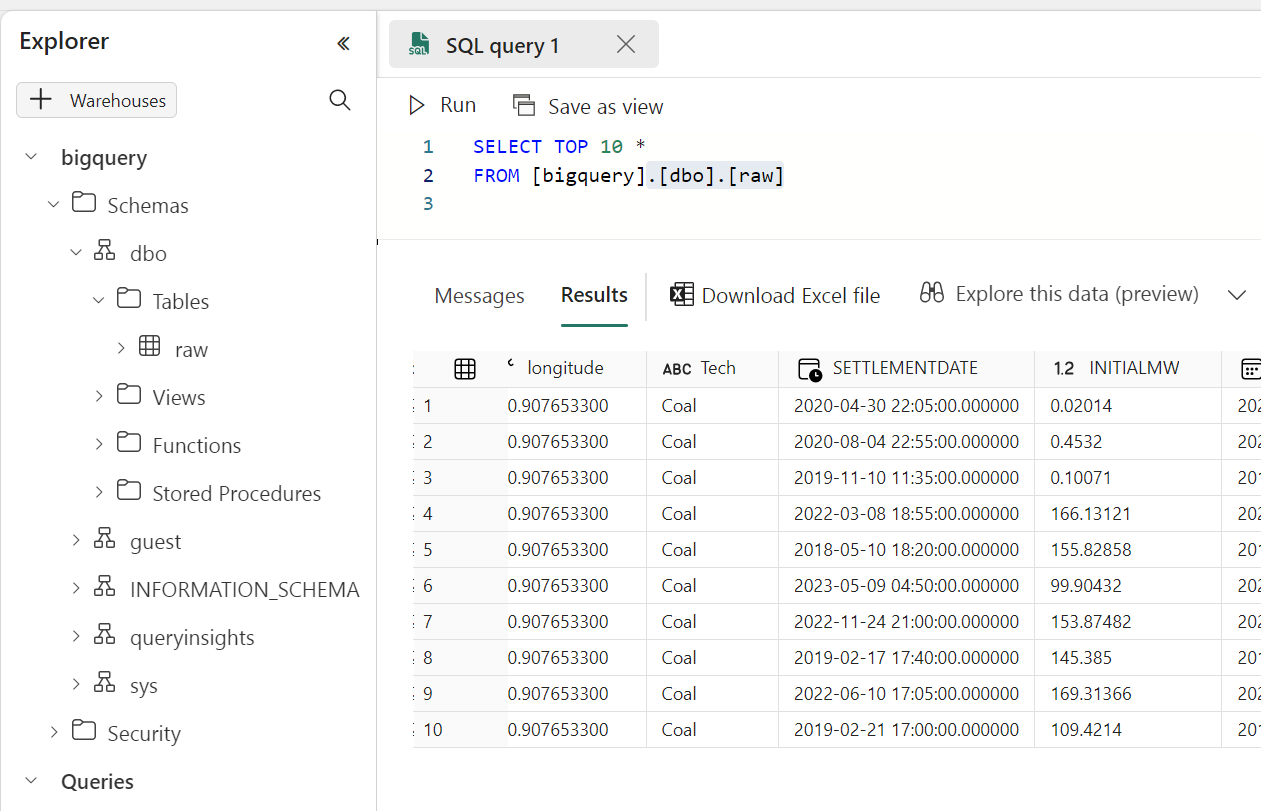
Running a simple Query to make sure it is working
Take Away

The Notebook experience in Fabric is awesome, I hope we get some form of secret management soon, and Delta Rust is awesome !!!

Using Direct Query mode with Fabric DWH

TL;DR : Direct Query with Fabric SQL is considered a background operation, which means the usage is smoothed over a 24 hours period, this blog is definitely not a recommendation nor a good practise or anything in that nature, but I was just curious, what if this make Direct Query an attractive proposition in some scenarios ?

Use Case, Small Data with frequent refreshes

We assume it is a small company ( 10 users),we will test using a Fabric F2 SKU and PowerBI Pro license as a front end. ( free PowerBI readers start from F64)

Monthly cost = Fabric 156 $ + PowerBI Pro 10 x 10 = 256 US $/Month

In this case, the business requirement is to have the freshness of 5 minutes, the user needs to the see the latest data, which make import not an option as it is limited to 8 times per day

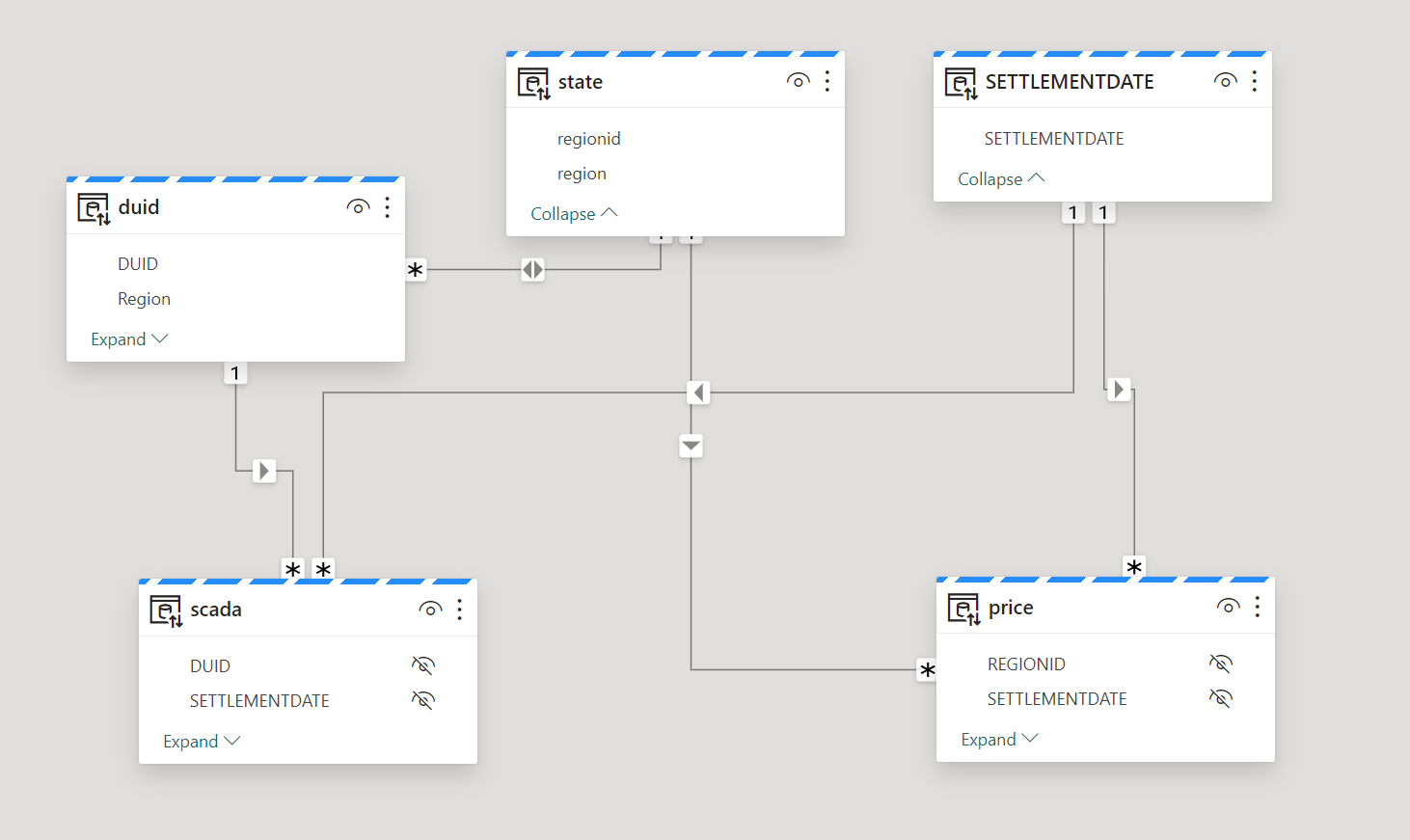
The Data Model

The data model is relatively small, 5 Tables, 3 dimensions and two fact tables, the biggest one is 9 Million rows, the facts are ingested with new data every 5 minutes, Table State and Settlement Date are fixed, and DUID changes very slowly, maybe once every couple of months.

Fabric Notebook as an ingestion tool

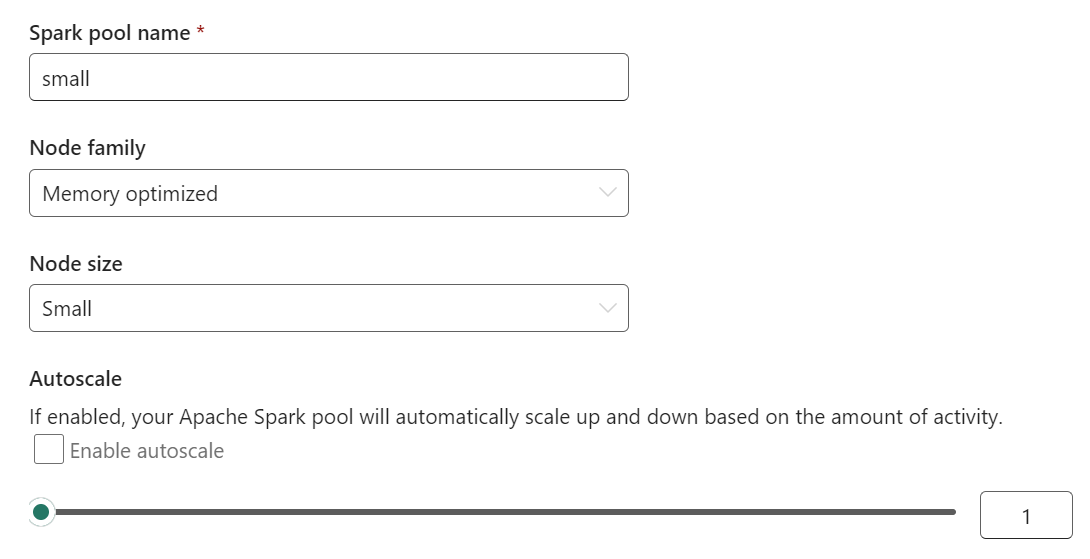
To reduce compute usage, we used Spark notebook with the smallest compute, 4 cores and 32 GB of RAM

How to simulate concurrency 

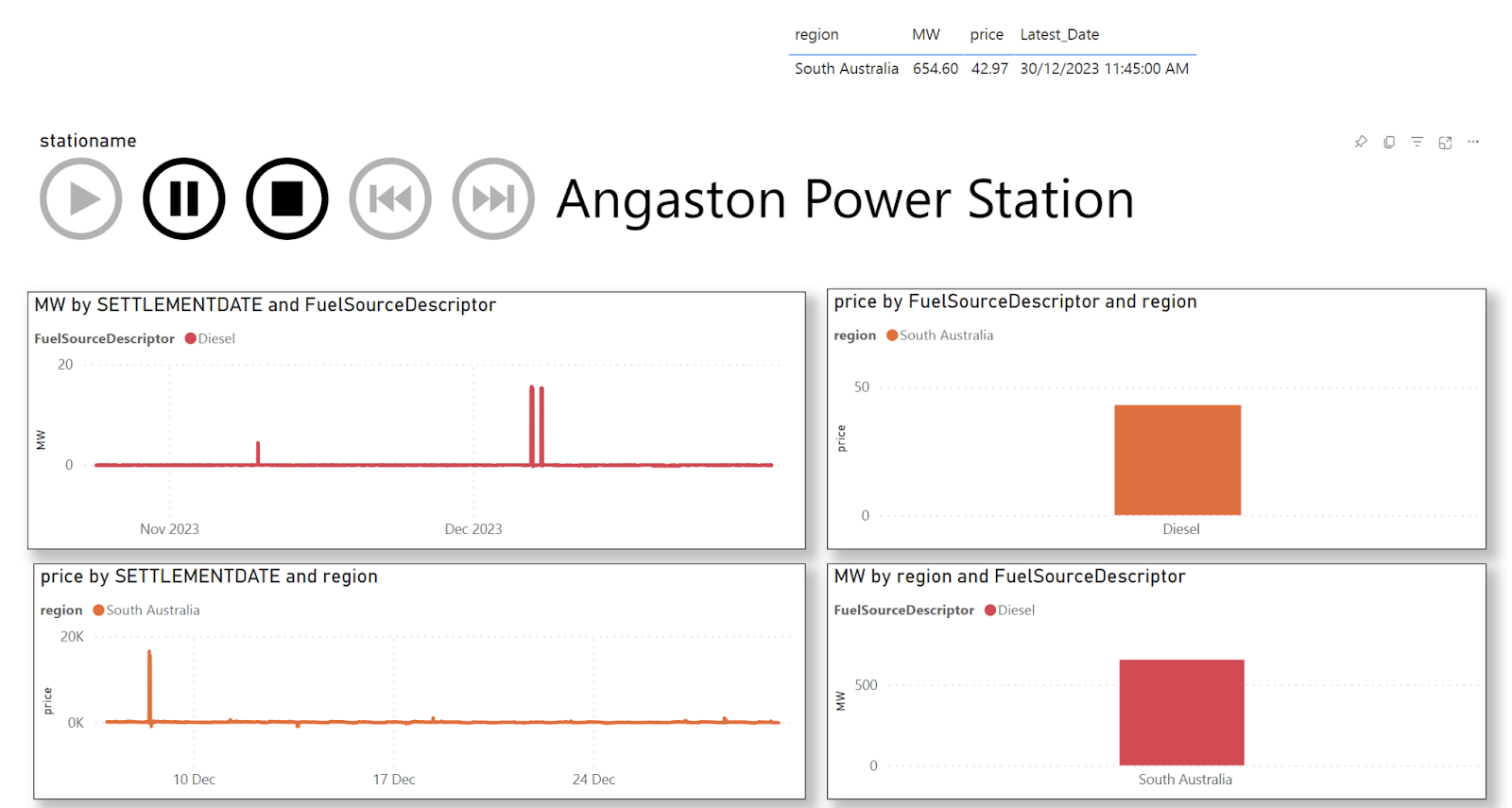
This one is tricky, 10 users does not mean, they will all open the same report at the same time and continuously clicking refresh, I know there are tools to test load PowerBI but you needs to install Powershell and stuff, I just simulated by using a dynamic slicer and running multiple copies of the report concurrently.

Two Workspaces

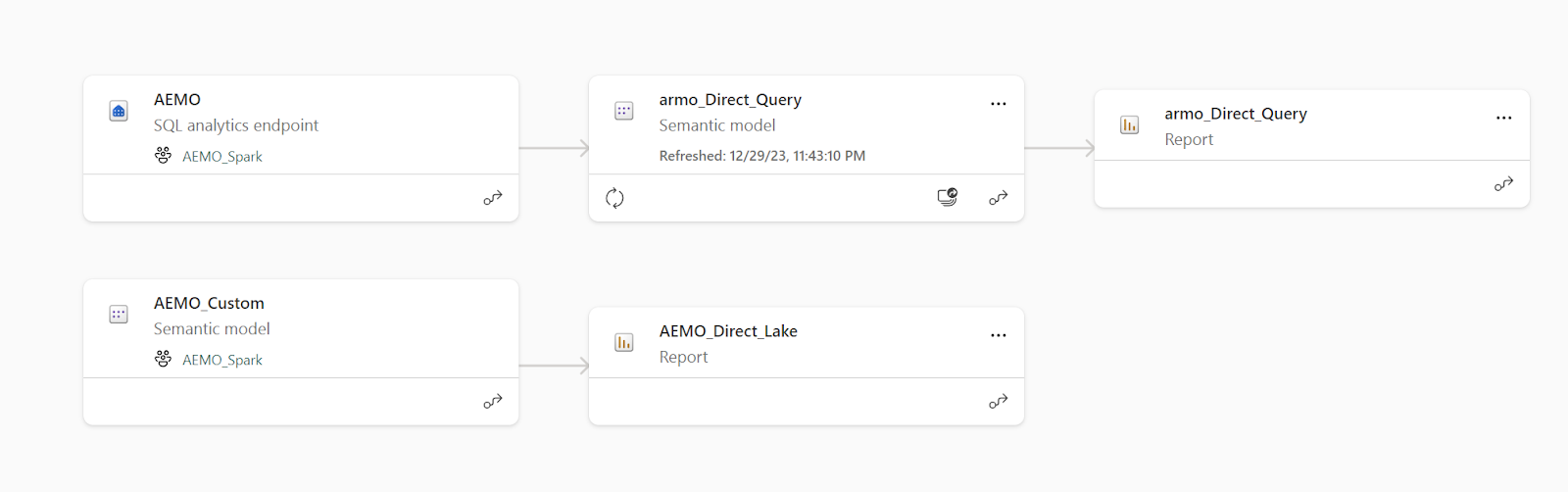
we will  try to keep it as simple as possible, no medallion architecture here, just two workspaces

Backend Workspace    : using an F2 capacity

Front End Workspace  : old school pro license workspace

Direct Lake Mode vs Direct Query vs Import in Fabric

As an oversimplification and specially for People not familiar with microsoft BI stack, PowerBI Engine is called analysis Service and it does basically two thing

Formula Engine : Translate DAX using the semantic model to SQL

Storage Engine : get the data from storage using SQL

Direct Query mode :  The data is served by a DB like Synapse or BigQuery, SQL Server etc

Direct Lake mode    : The Data is served by Vertipaq, the data format is open source

Import  mode           : The Data is served by Vertipaq, the data format is proprietary 

Note that Import and Direct Lake difference is in the storageformat, but the In-Memory format is the same ( that’s a very clever design decision)

Vertipaq will always be the Fastest Engine 

 Vertipaq is designed for one  thing, pure speed, so I don’t have any expectation that other Engines can compete with it, we are talking milliseconds even with joins and multiple tables,  I am more interested in resource usage though 

Resource Usage Profile

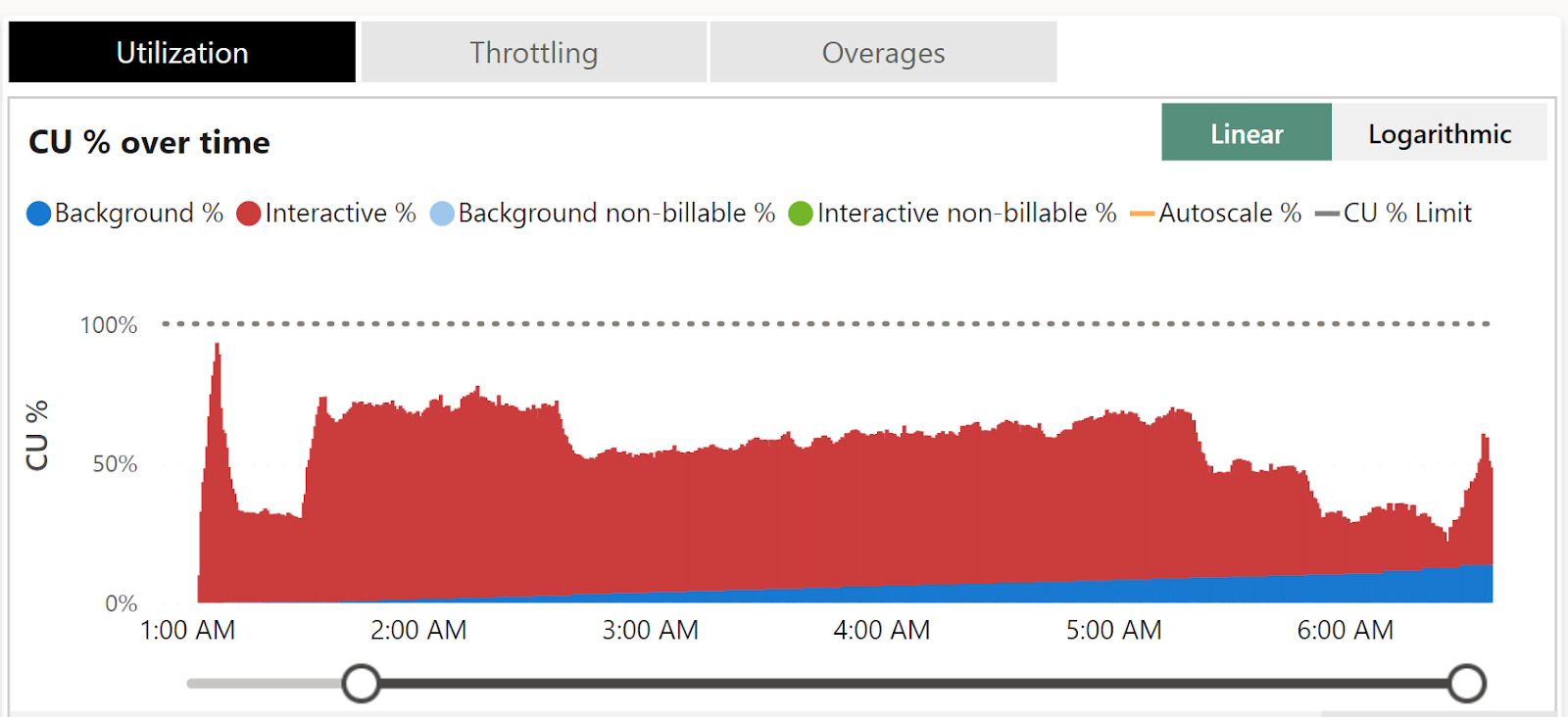
Direct Lake (interactive tasks are smoothed over a short period of time)

Direct Query with Fabric SQL (Background are smoothed over 24 hours)

To be fair both modes worked as expected, Direct Lake is definitely faster which is expected but what got my attention is the DWH did well and drained the capacity with only a rate of  2 CU/s,  there is no bursting, it is the baseline performance here, that’s extremely encouraging as one of the biggest complaint about cloud DWH is they don’t scale down very well.

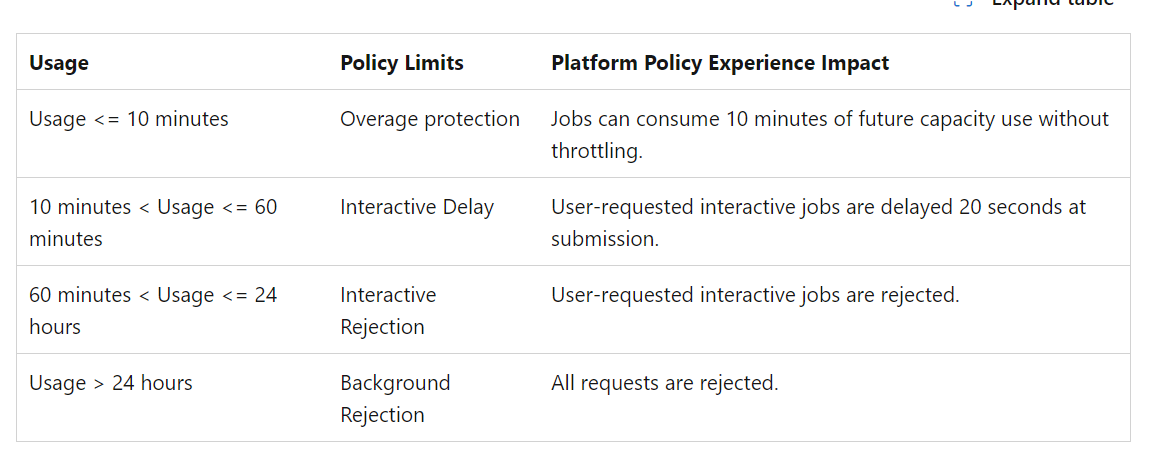
Keep in mind in both cases, the total capacity you can consume in 24 hours is still limited by

 24 X 2 CU =  172,800 CU(s).

Having a look at this documentation as it is important to understand how to properly size your capacity

PowerBI is still very chatty

PowerBI does generate a lot of SQL Queries in Direct Query mode, most of it took between 500 ms to 1 second. that’s not bad for a SQL Engine that cost 0.36 $/Hour

Ok what does this all mean ?

I reserve the right to change my view after further testing, but my hypothesis is, given that the DWH has a very good performance but more importantly very efficient engine at lower scale and with the fact it is considered a background operation, Direct Query maybe an interesting option if you need more than 8 refresh per day and you are using PowerBI Pro license with a small scale F SKU.

But as always test using your own data.

What is Fabric DWH Bursting 

TL;DR : Trying to simulate Fabric DWH Bursting using Fabric Notebook and DuckDB. 

Setup

I am using TPCH_SF100 (600M rows) as an example, it does not matter you can use any dataset as long as you keep the same queries.

Fabric compute is rather serverless, you can’t customize it, except for Notebook where we can choose the number of CPU.

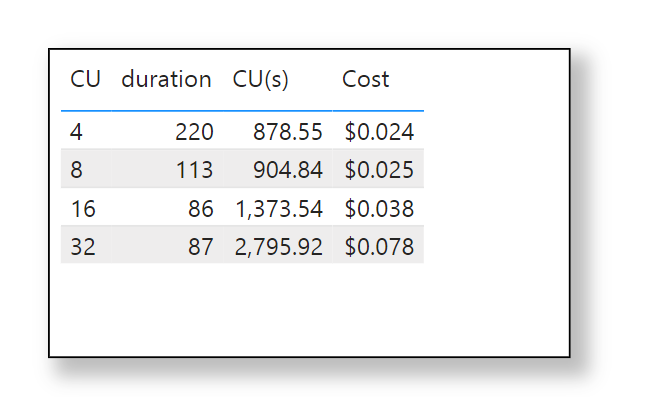
The test is very simple: run the same queries using a Fabric Notebook with different compute size, 4 Compute Unit, 8,16,32 and save the results in a OneLake.

To be very clear, Fabric SQL Engine is totally different from DuckDB, it does scale by adding more nodes, DuckDB is a single node and it scales by adding more CPU to the same node, but I think it is the same principle.

Scale is not linear.

  • When increasing CU from 4 to 8, the duration decreased by 50 %
  • From 8 CU to 16 , the Duration decreased by 24 %
  • From 16 to 32, we reach a plateau, the duration stayed the same ( maybe OneLake throughput became the bottleneck)

I think it is fair to say regardless of the DB used at certain point adding more CPU will have diminishing returns.

Let’s now show the same graph but with $ values

For Me I will pick CU = 8 as the optimal solution, for the same cost as CU= 4 and half the duration, that’s what I call a manual bursting 🙂

Bursting in Fabric DWH is an automatic algorithm  to *predict* the optimum compute unit for a particular workload.

I don’t know how Fabric DWH increases resource allocations but I suspect it just adds ( and removes)  more nodes.

What’s not clear though, is how the system decided what’s the best solution, using the previous example; one can argue that for interactive Queries CU= 16 is the best option, yes you consume way more resources but it is faster. And for batch ETL jobs the only thing that matters is the lowest cost. 

Smaller SKU can do very big thing 

One of the most interesting implication of Bursting is that smaller SKU like F2 can do very big workload, F2 gives you 2 CU, but using the previous dataset as an example, it can scale just fine to 16 CU, but there is no free lunch, the total compute  you are entitled to is still 2 CU X 24 Hours = 48 CU(h) 

The challenge 

Cost based optimization in Database is a very complex problem, adding dynamic resource allocation makes it even harder ,otherwise everyone will be doing it 🙂

For me personally, SQL Engine so far seems to behave as expected, I did not see anything particularly extreme, some queries using as low as 2 CU for smaller workload. for a TB dataset bursting went till 72 CU.

What matters is continuous improvements.

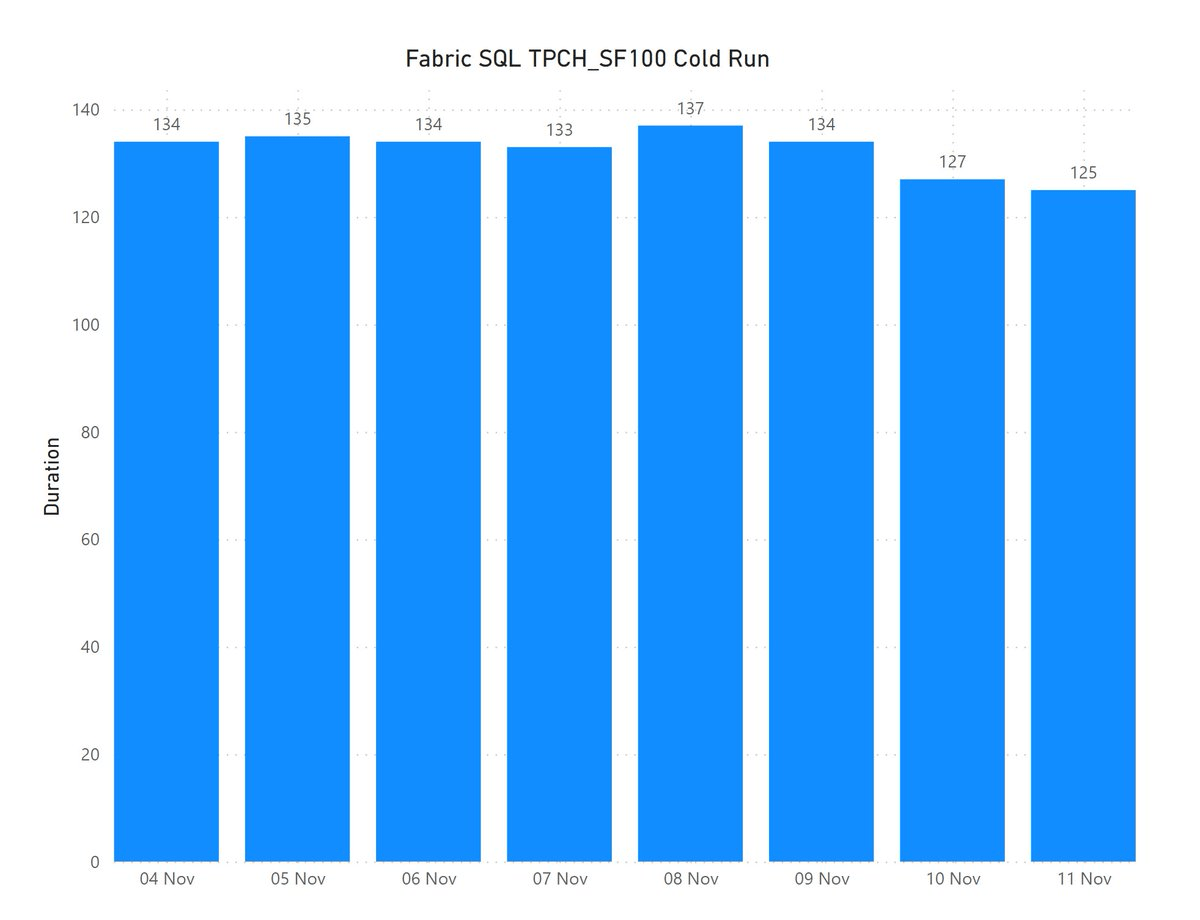
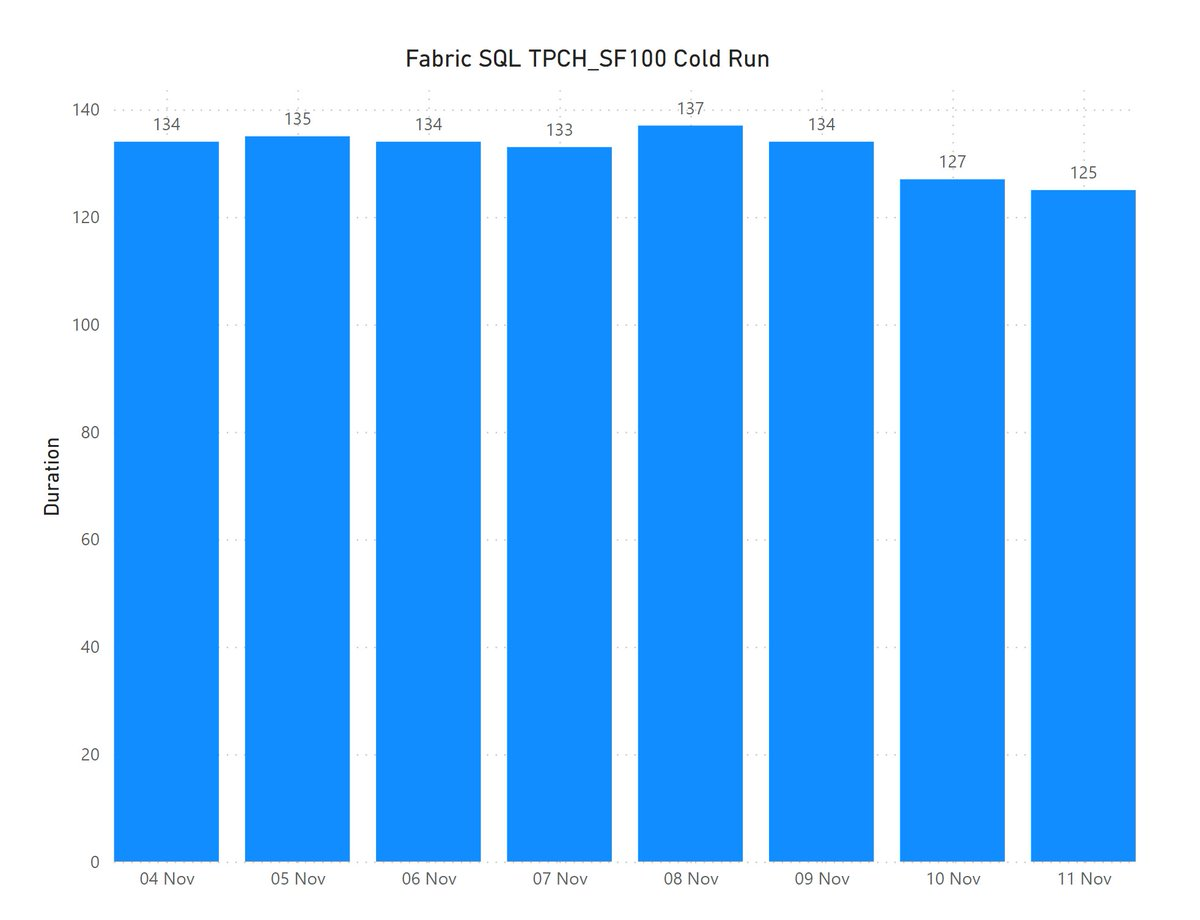
I think what matters the most is that the efficiency keep improving, today Fabric DWH TPCH_SF100 cold run finish around 2 minutes for 6 cents ( that’s pretty much the same performance as Cloud DWH X)  which is great, but my hope in less than 5 years, the same workload will finish in less than 60 second for 3 cents.

And that’s the next big thing for Fabric, just efficiency improvement and bug fixes, nothing fancy. 

Loading Delta Table to Fabric OneLake using Delta Rust

Edit : Writing to delta is now substantially easier, and you don’t need to pass credential

from deltalake.writer import write_deltalake write_deltalake("abfss://xxxxx@onelake.dfs.xx",df,mode='overwrite')

TL;DR : you can load data to Fabric managed table area using the Python Package Delta-rs, (internally it is written in Rust) it is very handy when Spark is not the appropriate Solution for example in cloud functions where resources are very limited.

Load Files to Delta Tables using abfss

In this code, we use Pyarrow Dataset to list multiple folders and Load it as a Delta Table using Delta Rust,  because we are using a URL, we can save data anywhere in any workspace assuming we have write access to, notice as of today, Pyarrow don’t support OneLake URL yet, so you need to read it from a mounted Lakehouse

import pyarrow.dataset as ds
from deltalake.writer import write_deltalake
aadToken = notebookutils.credentials.getToken('storage')
storage_options={"bearer_token": aadToken, "use_fabric_endpoint": "true"}
sf=100
rowgroup           = 2000000
nbr_rowgroup_File  = 8 * rowgroup
for tbl in ['lineitem','nation','region','customer','supplier','orders','part','partsupp'] :
     print(tbl)
     dataset = ds.dataset(f'/lakehouse/default/Files/{sf}/{tbl}',format="parquet")
     write_deltalake(f"abfss://xxxxx@onelake.dfs.fabric.microsoft.com/yy.Lakehouse/Tables/{tbl}"\
     ,dataset\
     ,mode='overwrite',overwrite_schema=True,max_rows_per_file   =nbr_rowgroup_File,min_rows_per_group=rowgroup,max_rows_per_group=rowgroup\
     ,storage_options=storage_options)

Load Files to Delta Tables using mounted Lakehouse

Alternatively, if you mount a lakehouse you can use something like this

write_deltalake(f"/lakehouse/default/Tables/name",df,engine='rust',mode="append",  storage_options={"allow_unsafe_rename":"true"})

Note : rowgroup size is just for information, that’s a whole different topic for another day 🙂

I did use it to Load 38 GB of compressed Parquet files, and it did work fine, Both SQL and Vertipaq did run Queries without problem.

There are still some Bugs

Because Fabric in-house Engines (Vertipaq, SQL etc) are tested using Delta Tables generated by first party tools (Spark, DF Gen2) you may find some incompatibility issues when using Delta Rust, Personally I did find that Vertipaq does not support RLE_Dictionnary, and some issues with SQL Engine which I can’t easily reproduce, although it works fine with Fabric Spark ( I did report the bug )

How About V-Order ?

V Order is a Microsoft proprietary tech, so it can’t be used here. From my testing, V Order produces better compressed Parquet files by altering the sort orders of columns, so unfortunately if you use Delta Rust you lose that.

Final Thoughts

One of the first questions about Fabric I got from some skeptical audience was; How Open is it ? and to be honest I had my doubts too, turns out it is just Azure Storage with a custom URL, and it is Just Delta Table under the hood.

I would like to thank Josh and Matt for adding this feature to Delta Rust.