DuckDB is one of the most promising OLAP Engine in the market, it is open Source, very lightweight, and has virtually no dependencies and work in-Process (think the good Old MS Access ) and it is extremely fast, specially in reading and querying parquet files. and has an Amazing SQL Support
The ODBC driver is getting more stable, I thought it is an opportunity to test it with PowerBI, notice JDBC was always supported and can be used with SQL frontend like DBeaver and obviously Python and R has a native integration
I download the ODBC driver using the latest version 0.3.3, you need to check always the latest release and make sure it is the right file.
Installing the binary is straightforward, but unfortunately you need to be an administrator
Configuring PowerBI
Select ODBC, if the driver was installed correctly, you should see an entry for DuckDB

As of this writing there is a bug in the driver, if you add a path to the DuckDB database file, the driver will not recognise the tables and views inside it, Instead I selected
database=:memory:
And defining the base Table as a CTE, reading Directly from a folder of parquet files

Just for fun, I duplicated the parquet file just to reach the 1 Billion Rows mark

The total size is 30 GB compressed.
1 Billion rows in a Laptop
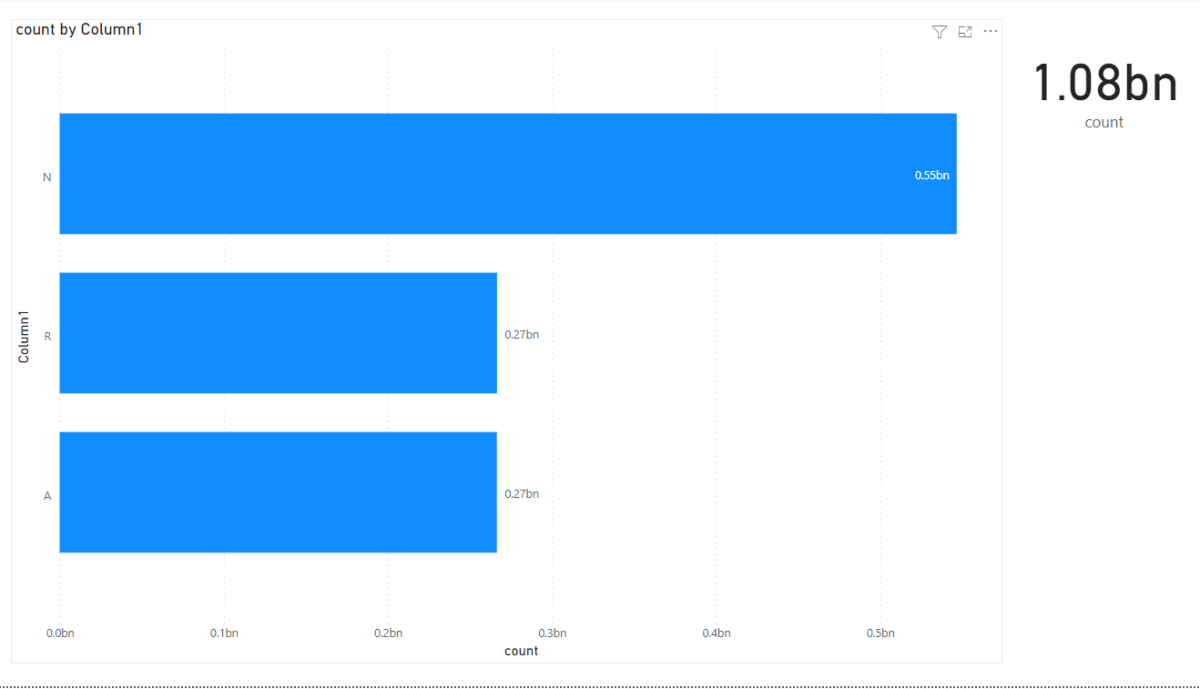
And here is the results in PowerBI
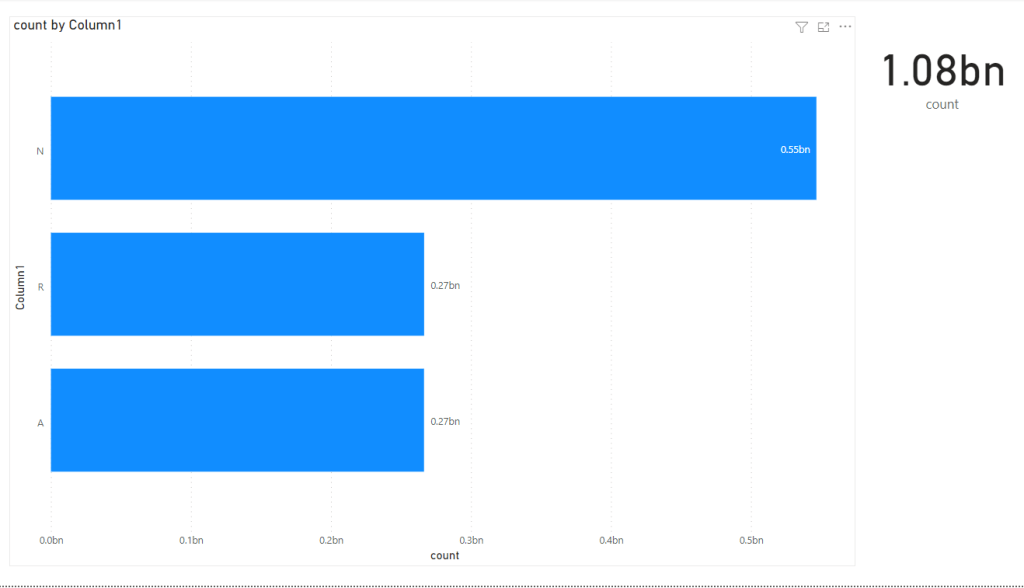
The size of the PowerBI report is only 48 KB, as I import only the results of the query not the whole 30 GB of data, yes separation of Storage and Compute make a lot of sense in this case.

Although the POC in this blog was just for fun, the query take 70 seconds using the ODBC driver in PowerBI ( which is still in an Alpha stage), The same query using dbeaver take 19 second using the more mature JDBC driver, and it works only with import, for Direct Query you need a custom connector and the use of the Gateway, But I see a lot of potential.
There are a lot of people doing very interesting scenarios, like Building extremely fast and cheap ETL pipeline just using Parquet, DuckDB running on a cloud Functions. I think we will hear more about DuckDB in the coming years.
 Small Data And self service
Dear Mimoune,
thank you very much for this great post on using duckDB’s ODBC driver with Power BI.
With duckDB’s development being rather fast, do you have any update whether it’s latest ODBC driver still have the bug when connecting to duckDB files from Power BI?
Have a great day!
LikeLike
I have been testing the DuckDB ODBC driver with Excel (64 bit) on Windows 11 and found the same issue occurs. The database=D:myfile.db parameter is ignored and the connection is made to the :memory: database.
I can successfully query parquet files but cannot query a DuckDB database file.
I also found a couple of the tests are failing. Here is a dump of the test output and odbc folder:
C:UsersRenatoBudaDownloadsduckdb_odbc-windows-amd64>test_odbc
5/28: Test SQLConnect and SQLDriverConnect
~~~~~~~~~~~~~~~~~~~
test_odbc is a Catch v2.13.7 host application.
Run with -? for options Test SQLConnect and SQLDriverConnect
D:aduckdbduckdbtoolsodbctesttestsconnect.cpp(132)
…………………………………………………………………….
D:aduckdbduckdbtoolsodbctesttestsconnect.cpp(132): FAILED:
{Unknown expression after the reported line}
due to unexpected exception with message:Could not find storage_version.db file.
28/28: Test SQLColAttribute for a query that returns an int
test cases: 28 | 27 passed | 1 failed
assertions: 45118 | 45117 passed | 1 failed
C:UsersRenatoBudaDownloadsduckdb_odbc-windows-amd64>dir
Volume in drive C is WindowsVolume Serial Number is F6C5-D3EA
Directory of C:UsersRenatoBudaDownloadsduckdb_odbc-windows-amd64
08/11/2024 06:31 PM .
08/11/2024 05:54 PM ..
05/30/2024 07:55 PM 27,398,144 duckdb_odbc.dll
05/30/2024 07:55 PM 75,776 duckdb_odbc_setup.dll
05/30/2024 07:55 PM 17,920 odbc_install.exe
05/30/2024 07:54 PM 1,274,880 SystemDataODBC_tests.exe
08/11/2024 06:27 PM 536,576 test.duckdb
05/30/2024 07:55 PM 432,128 test_connection_odbc.exe
05/30/2024 07:56 PM 723,968 test_odbc.exe
08/11/2024 06:31 PM 274,432 test_odbc_named.db
08/11/2024 06:14 PM 12,288 test_odbc_named_ua.db
9 File(s) 30,746,112 bytes
2 Dir(s) 286,400,335,872 bytes free
C:UsersRenatoBudaDownloadsduckdb_odbc-windows-amd64>
LikeLike
Stuck on the same problem as you and the original post. It connects, but does not detect any of the tables inside the db file. Very annoying!
LikeLike
In the case of Azure, data from lake would have to be copied to a local disk on the VM?
LikeLike