Using Arrow and Delta Rust to transfer Data from BigQuery to Fabric OneLake

 It is just a POC on how using Arrow with Delta Rust can give you a very good experience when importing Data from BigQuery to OneLake 

For a serious implementation, you need to use Azure Key Vault and use it from Fabric Notebook, again this is just a POC

The core idea is that Delta Rust accept Arrow Table as an input without the need for a conversion to Pandas 

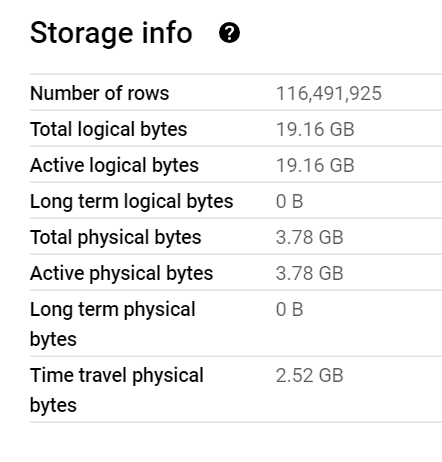
The Data is public, the Query scans nearly 19 GB of uncompressed data. 

It took less than 2 minutes to run the Query and Transfer the Data !!! That’s GCP Tokyo Region To Azure Melbourne and nearly a minute and 25 second to write the Data to Delta Table using a small single Node ( 4 vCores and 32 GB of RAM) 

Show me the Code.

You can download the notebook here. although The Package is written in Rust, they do have a great Python binding which I am using .

Make sure you Install google-cloud-bigquery[‘all’] to have the Storage API Active otherwise it will be extremely slow 

Notice though that using Storage API will incur egress Cost from Google Cloud

and use Fabric Runtime 1.1 not 1.2 as there is a bug with Delta_Rust Package.

Nice Try, how about vOrder ?

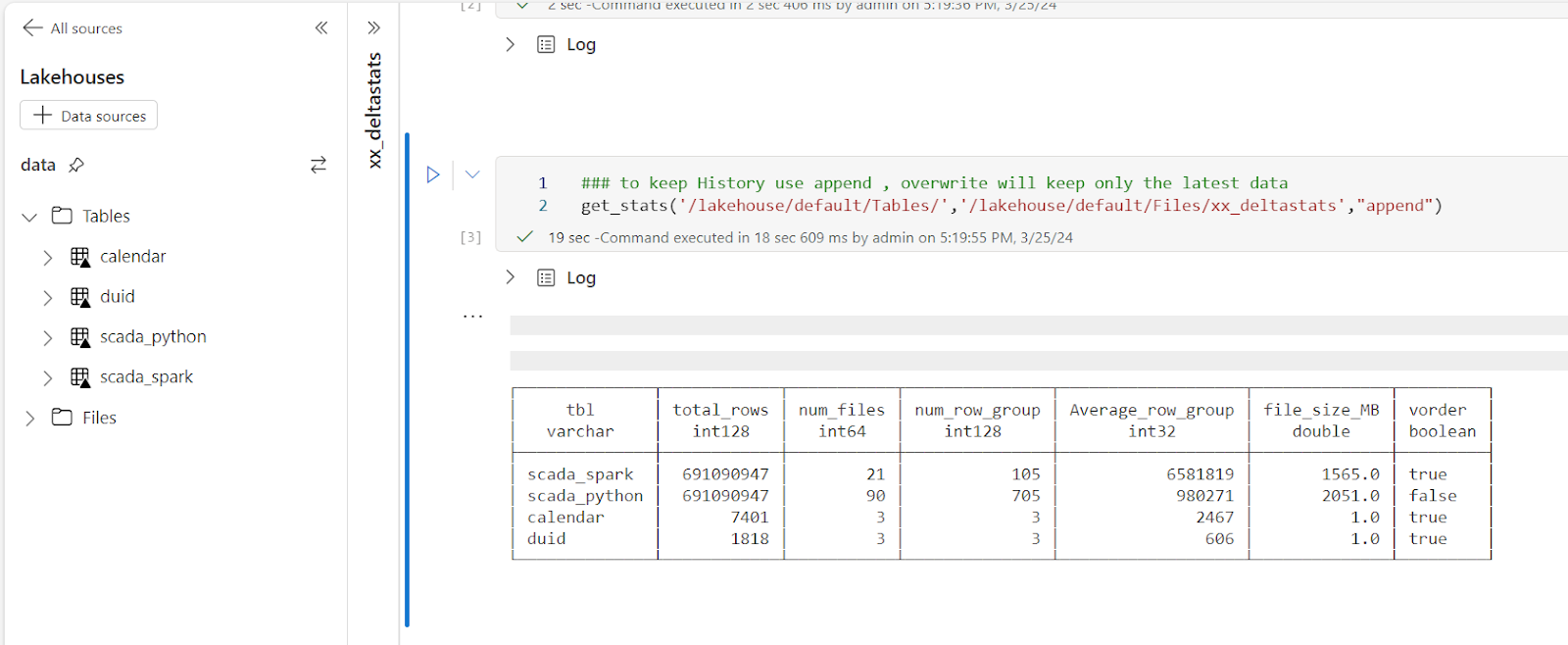
Because the data is loaded into a staging area, the lack of vOrder should not be a problem as ultimately it will be further transformed into the DWH ( it is a very wide table), as a matter of fact, one can load the data as just Parquet files. 

Obviously it works too with Spark, but trying to understand why datetime 64 whatever !!! and NA did not works well with Spark Dataframe was a nightmare.

I am sure it is trivial for Spark Ninja, but watching a wall of java errors was scary, honestly I wonder why Spark can’t just read Arrow without Pandas in the middle ?

With Delta Rust it did just work, datetime works fine, time type though is not supported but it gave me a very clear error message ( for now I cast it as string , will figure out later what to do with it) , but it was an enjoyable experience.

As it is just  code, you can implement more complex scenarios like incremental refresh, or merge and all those fancy data engineering things easily using Spark or stored procedure or any Modern Python Library. 

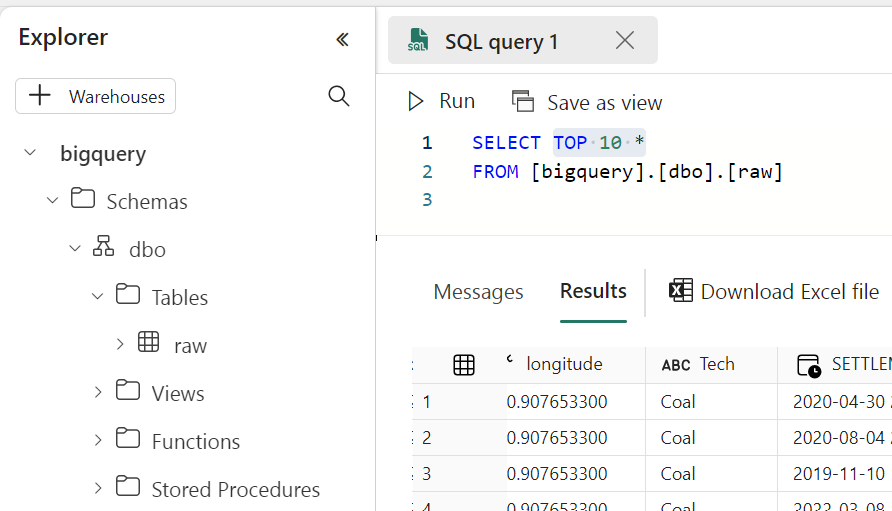
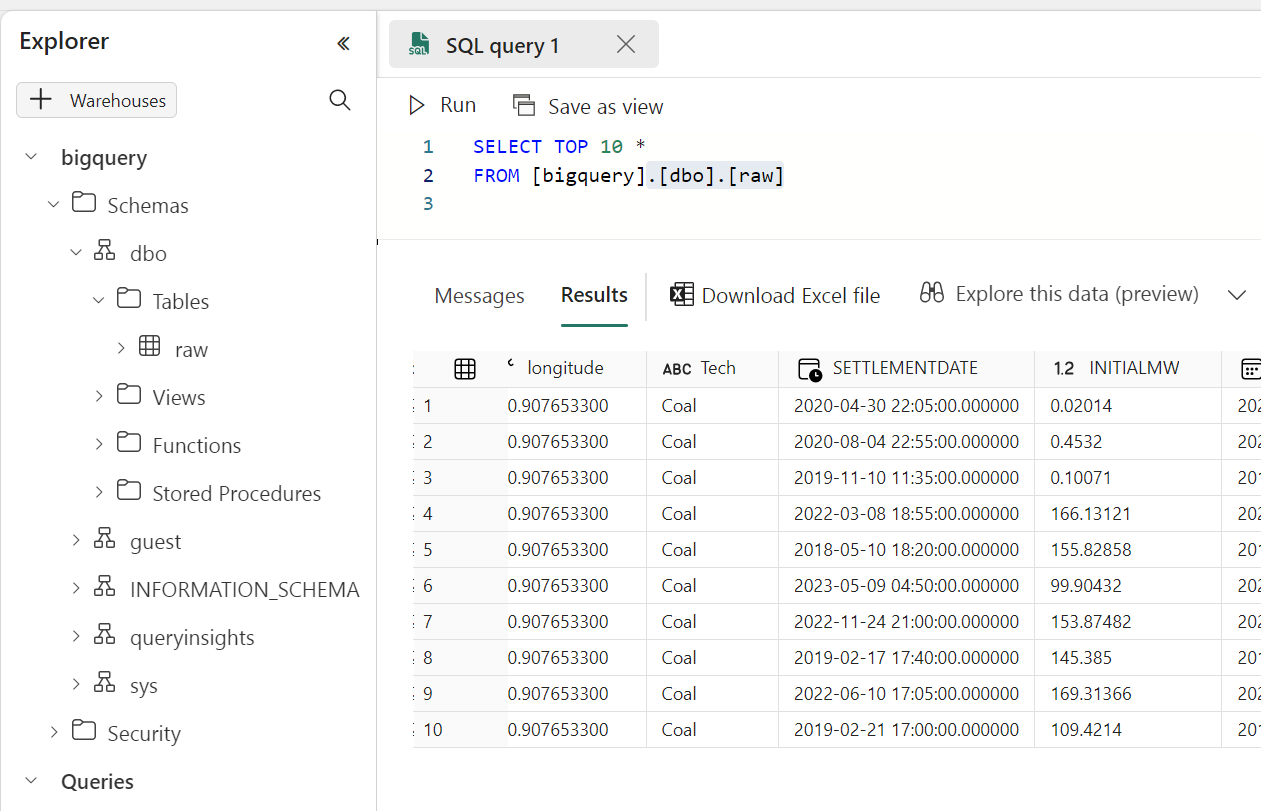
Running a simple Query to make sure it is working

Take Away

The Notebook experience in Fabric is awesome, I hope we get some form of secret management soon, and Delta Rust is awesome !!!

Reading Snowflake Iceberg Table using Fabric OneLake

Nov 24 : Iceberg read is officially supported, the approach used in this blog is no more needed.

TL;DR : today you can use a Notebook, for Direct Lake mode you have to wait a bit 🙂

After a long Private Preview, Snowflake Iceberg support is finally available in public preview. I have a personal instance in Azure Australia East and wanted to see how easy it is to read the data using Fabric OneLake, this is just my personal observations and does not necessarily represent my employer views.

Create Iceberg Table In Snowflake

Creating an iceberg table in Snowflake is rather straightforward but I particularly like the Option Base_Location, because it is a human readable name and not an auto generated random GUID (Looking at you Lakehouse Vendor X), locating the table later in Fabric OneLake is very natural. 

Use Read Only privilege for extra safety.

The Iceberg Table is read only by third party Engines, so to be extra safe, make sure the account you use to read the data from Azure Storage is read only.

The role selected is Storage Blob Reader

Fabric Lakehouse View

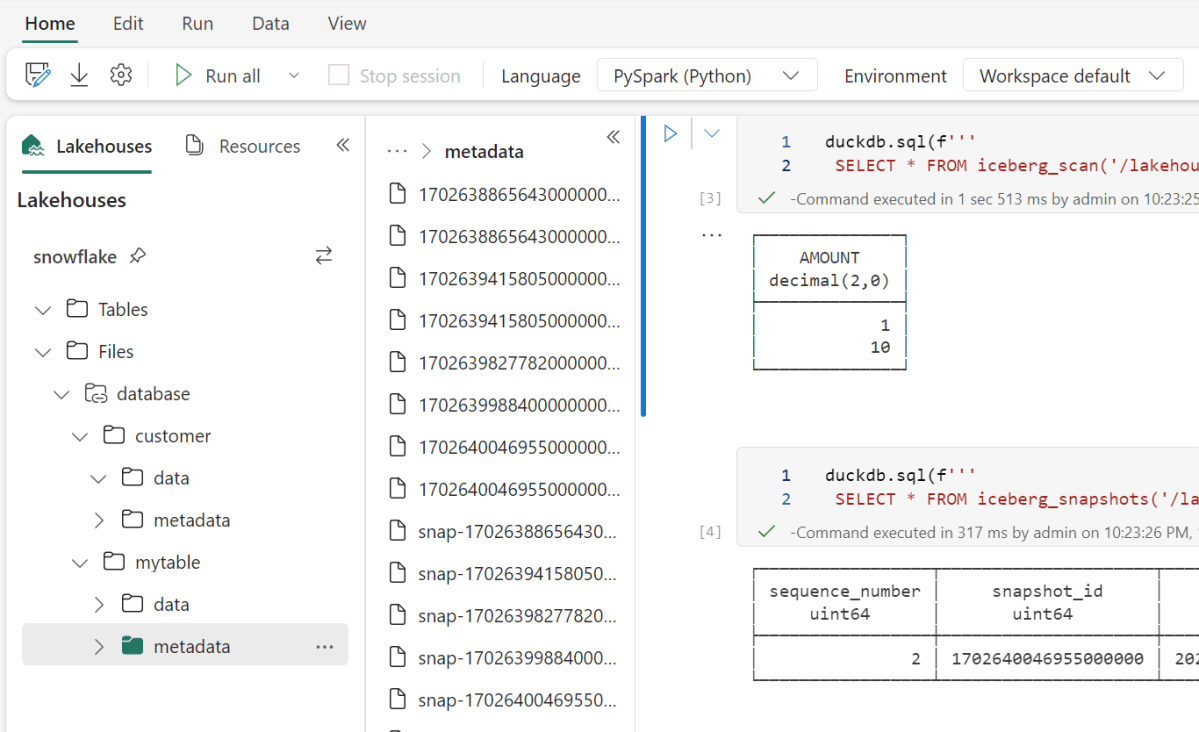
I created a new lakehouse and built a shortcut to my azure storage account, and just like that, I can see the data

How to read Iceberg in Fabric (Officially) 

Officially DeltaTable is the only Table format supported in Fabric, but recently Microsoft announced they are a member of OneTable  project which is a kind of universal Table format translator, for example if you want to read Iceberg but your engine support only Delta, OneTable will generate a new Delta Table Metadata on the fly and keep syncing new changes ( The Data itself is not rewritten), I tried to install it, but it involve java which is usually something I try to avoid, Looking forward to the official service ( I don’t think there is any public ETA)

Read Iceberg from a Notebook (Unofficially)

Fabric has a notebook , literally you can read anything, Snowflake recommend to use Spark with their catalog SDK,  I am not a Spark person, I am more into Python Engines, unfortunately it was not a nice ride, Tried Pyiceberg, Hyper, Databend  they all didn’t work for different reasons, luckily DuckDB works out of the box

Snowflake Parquet files are peculiar 

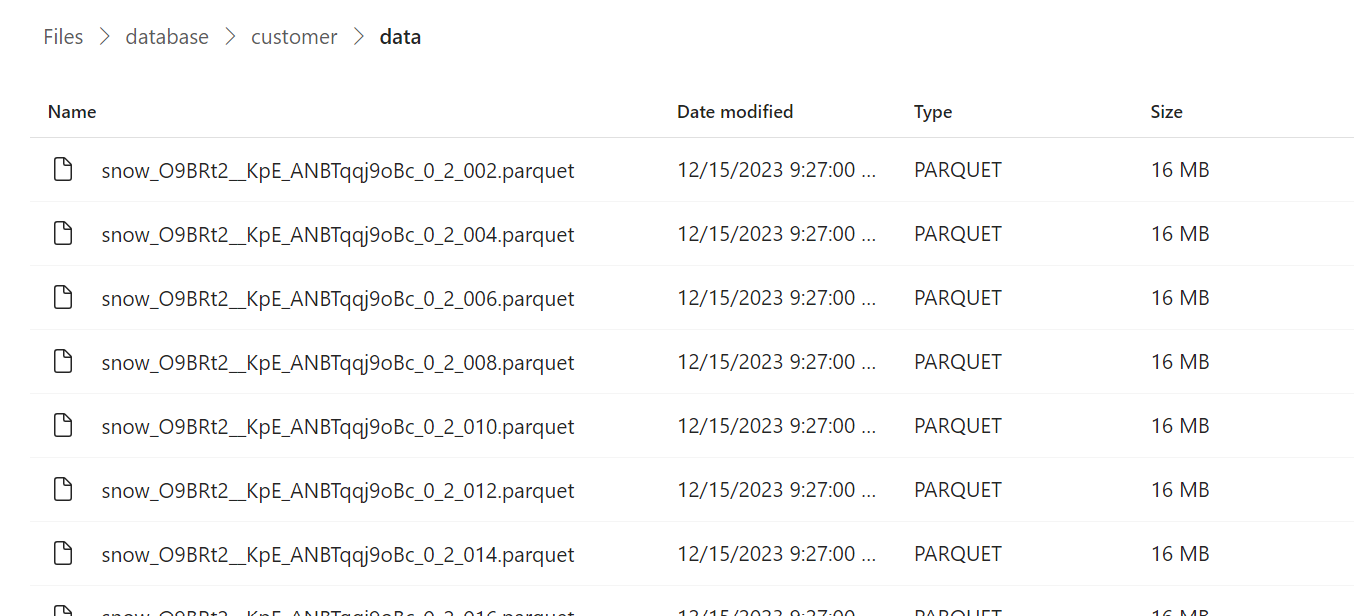
From a couple of big tables I did create, Snowflake seems to generate Parquet files with a fixed size 16 MB

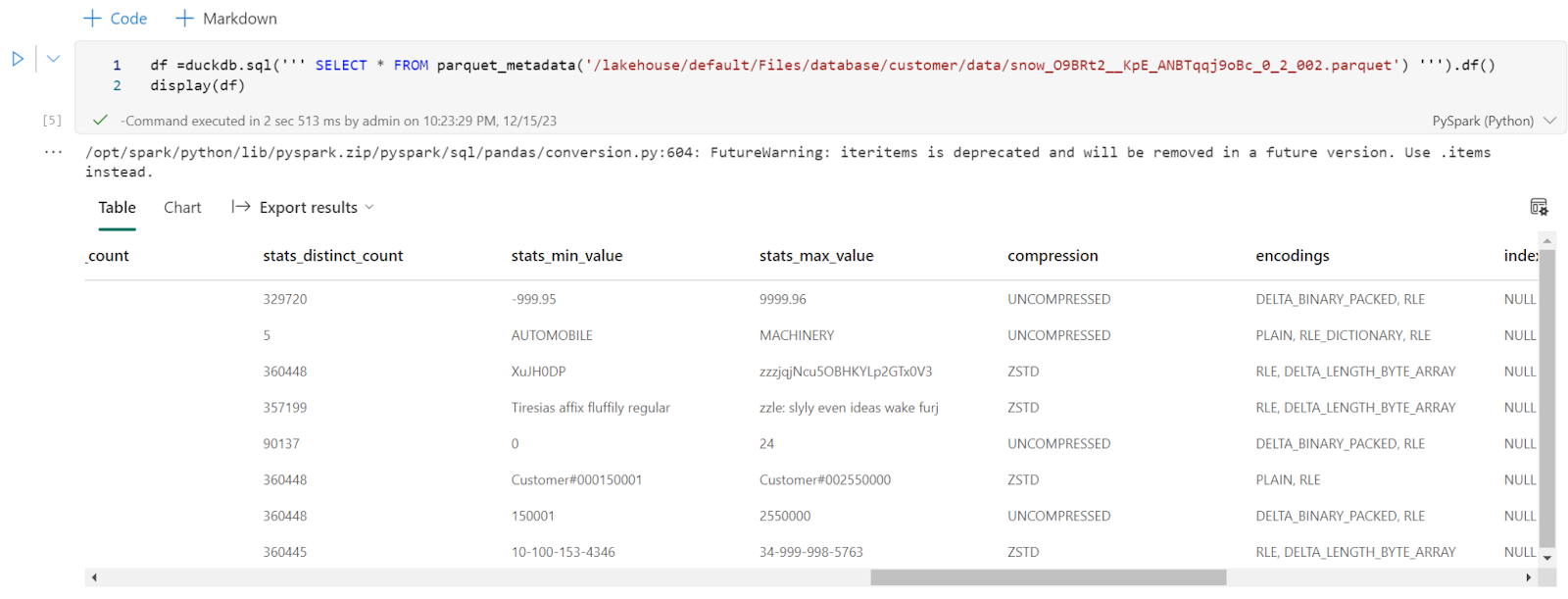
Every file has only one row group, I had a look at the parquet metadata and it seems distinct count stats are generated, ( a lot of engines don’t do it as it is a very expensive operation)

Final Thoughts

That was just a quick look, today you can read Iceberg using Fabric notebook, but it will be interesting to see how PowerBI Direct Lake mode will behave with such a small file size when OneTable is available( hopefully not too far in the future) , I suspect a lot of users of Both PowerBI and Snowflake will be interested to learn more about this integration.

Loading Delta Table to Fabric OneLake using Delta Rust

Edit : Writing to delta is now substantially easier, and you don’t need to pass credential

from deltalake.writer import write_deltalake write_deltalake("abfss://xxxxx@onelake.dfs.xx",df,mode='overwrite')

TL;DR : you can load data to Fabric managed table area using the Python Package Delta-rs, (internally it is written in Rust) it is very handy when Spark is not the appropriate Solution for example in cloud functions where resources are very limited.

Load Files to Delta Tables using abfss

In this code, we use Pyarrow Dataset to list multiple folders and Load it as a Delta Table using Delta Rust,  because we are using a URL, we can save data anywhere in any workspace assuming we have write access to, notice as of today, Pyarrow don’t support OneLake URL yet, so you need to read it from a mounted Lakehouse

import pyarrow.dataset as ds
from deltalake.writer import write_deltalake
aadToken = notebookutils.credentials.getToken('storage')
storage_options={"bearer_token": aadToken, "use_fabric_endpoint": "true"}
sf=100
rowgroup           = 2000000
nbr_rowgroup_File  = 8 * rowgroup
for tbl in ['lineitem','nation','region','customer','supplier','orders','part','partsupp'] :
     print(tbl)
     dataset = ds.dataset(f'/lakehouse/default/Files/{sf}/{tbl}',format="parquet")
     write_deltalake(f"abfss://xxxxx@onelake.dfs.fabric.microsoft.com/yy.Lakehouse/Tables/{tbl}"\
     ,dataset\
     ,mode='overwrite',overwrite_schema=True,max_rows_per_file   =nbr_rowgroup_File,min_rows_per_group=rowgroup,max_rows_per_group=rowgroup\
     ,storage_options=storage_options)

Load Files to Delta Tables using mounted Lakehouse

Alternatively, if you mount a lakehouse you can use something like this

write_deltalake(f"/lakehouse/default/Tables/name",df,engine='rust',mode="append",  storage_options={"allow_unsafe_rename":"true"})

Note : rowgroup size is just for information, that’s a whole different topic for another day 🙂

I did use it to Load 38 GB of compressed Parquet files, and it did work fine, Both SQL and Vertipaq did run Queries without problem.

There are still some Bugs

Because Fabric in-house Engines (Vertipaq, SQL etc) are tested using Delta Tables generated by first party tools (Spark, DF Gen2) you may find some incompatibility issues when using Delta Rust, Personally I did find that Vertipaq does not support RLE_Dictionnary, and some issues with SQL Engine which I can’t easily reproduce, although it works fine with Fabric Spark ( I did report the bug )

How About V-Order ?

V Order is a Microsoft proprietary tech, so it can’t be used here. From my testing, V Order produces better compressed Parquet files by altering the sort orders of columns, so unfortunately if you use Delta Rust you lose that.

Final Thoughts

One of the first questions about Fabric I got from some skeptical audience was; How Open is it ? and to be honest I had my doubts too, turns out it is just Azure Storage with a custom URL, and it is Just Delta Table under the hood.

I would like to thank Josh and Matt for adding this feature to Delta Rust.